
Product Overview
The Greadio Portable CD Player (Model CD-40) is designed for personal audio playback, offering compatibility with various CD formats and additional features like TF card support and anti-skip protection. It features a built-in rechargeable battery for portable use. This device does not have a built-in speaker and requires headphones or external speakers for audio output.

Image: The Greadio Portable CD Player, showing its compact design and supported media types (CD, CD-R, CD-RW, MP3, WMA).
What's in the Box
- Portable CD Player (1 unit)
- 3.5mm Earphones (1 pair)
- User Manual (1 copy)
- Type-C Charging Cable (1 unit)
- AUX Cable (1 unit)
Setup
1. Initial Charging
Before first use, fully charge the CD player using the provided Type-C charging cable. Connect the cable to the player's charging port and a 5V 1A USB power adapter (not included). The built-in 1200mAh battery provides up to 11 hours of playback on a full charge.

Image: The CD player connected to a power source via its Type-C charging cable, indicating its rechargeable battery.
2. Connecting Headphones or External Speakers
This CD player does not have a built-in speaker. For audio output, you must connect headphones or external speakers.
- For Headphones: Plug the included 3.5mm earphones into the headphone jack on the side of the player.
- For External Speakers/Car Audio (AUX): Use the provided AUX cable. Connect one end to the player's headphone jack and the other end to the AUX input of your external speaker system or car stereo. Ensure your external device is set to AUX mode.

Image: The portable CD player connected to a car's AUX input, demonstrating its use in a vehicle.
Video: Demonstrates how to connect the CD player to a car stereo using the AUX cable.
Operating Instructions
1. Power On/Off and HOLD Switch
Locate the HOLD switch on the side of the player. Slide it to the ON position to enable all buttons and power on the device. If the controls are unresponsive, ensure the switch is not in the HOLD position. To power off, slide the switch to OFF or allow the auto power-off feature to activate after 20 minutes of inactivity.

Image: Detail of the HOLD switch, used to lock buttons and prevent accidental operation.
2. CD Playback
- Open the CD compartment by gently lifting the lid.
- Insert a CD (CD, CD-R, CD-RW, MP3, or WMA format) with the label side facing up.
- Close the CD compartment firmly.
- Press the PLAY/PAUSE button to begin playback.
- Use the PREV and NEXT buttons to skip tracks. Long press these buttons to fast forward or rewind.
- Adjust volume using the VOL +/- buttons.
Video: Demonstrates how to use CD mode and TF mode on the player.
3. TF Card Playback
Insert a TF (MicroSD) card containing MP3 or WMA audio files into the TF card slot. The player will automatically switch to TF card mode and begin playback. This mode is ideal for audiobooks or educational content without requiring Wi-Fi or a screen.
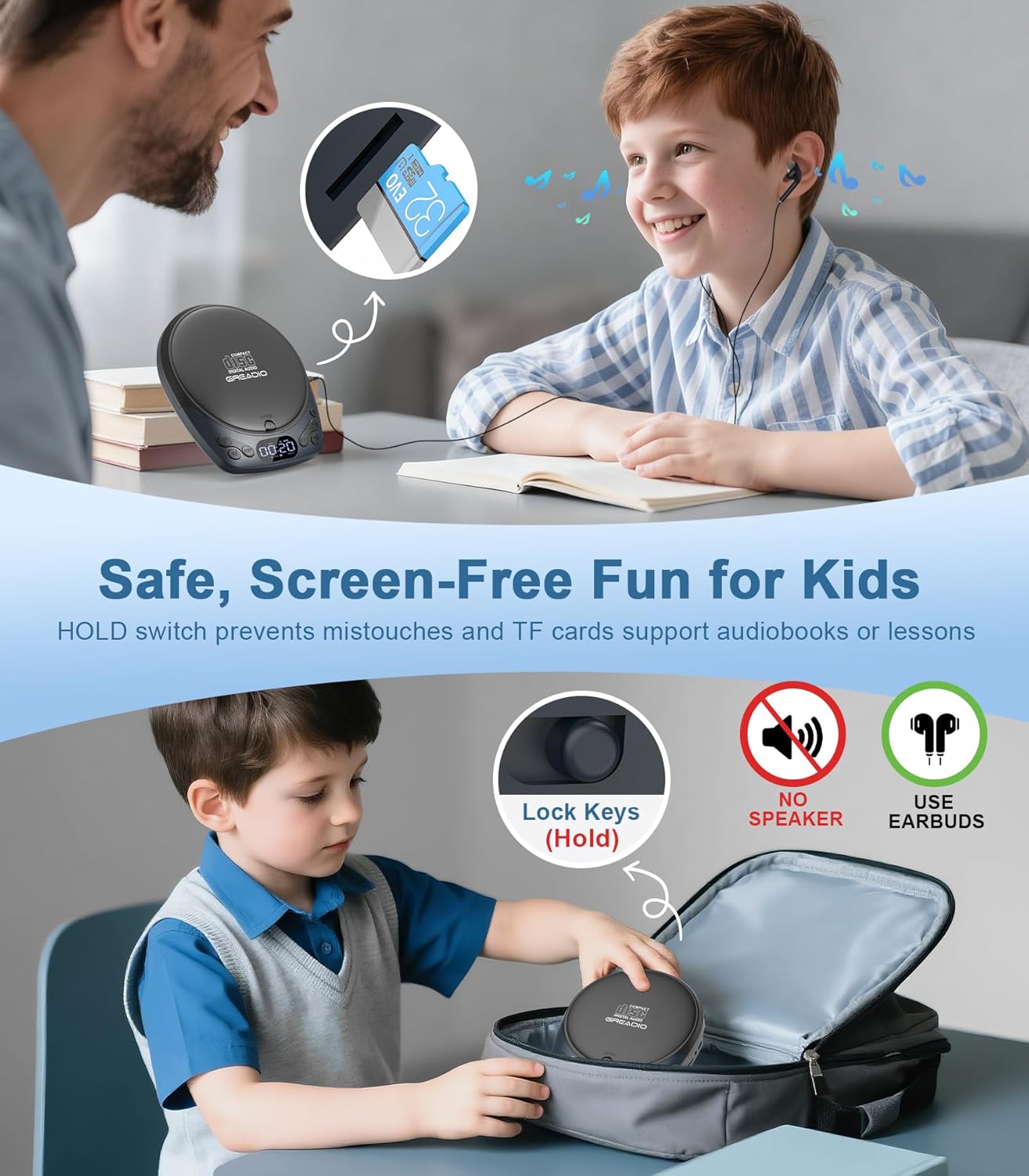
Image: A child inserting a TF card into the CD player, highlighting its use for screen-free learning.
4. Anti-Skip Protection
The player features a built-in anti-skip system: 60 seconds for MP3/WMA CDs and 30 seconds for standard audio CDs. This ensures uninterrupted playback, especially during movement or in a car.
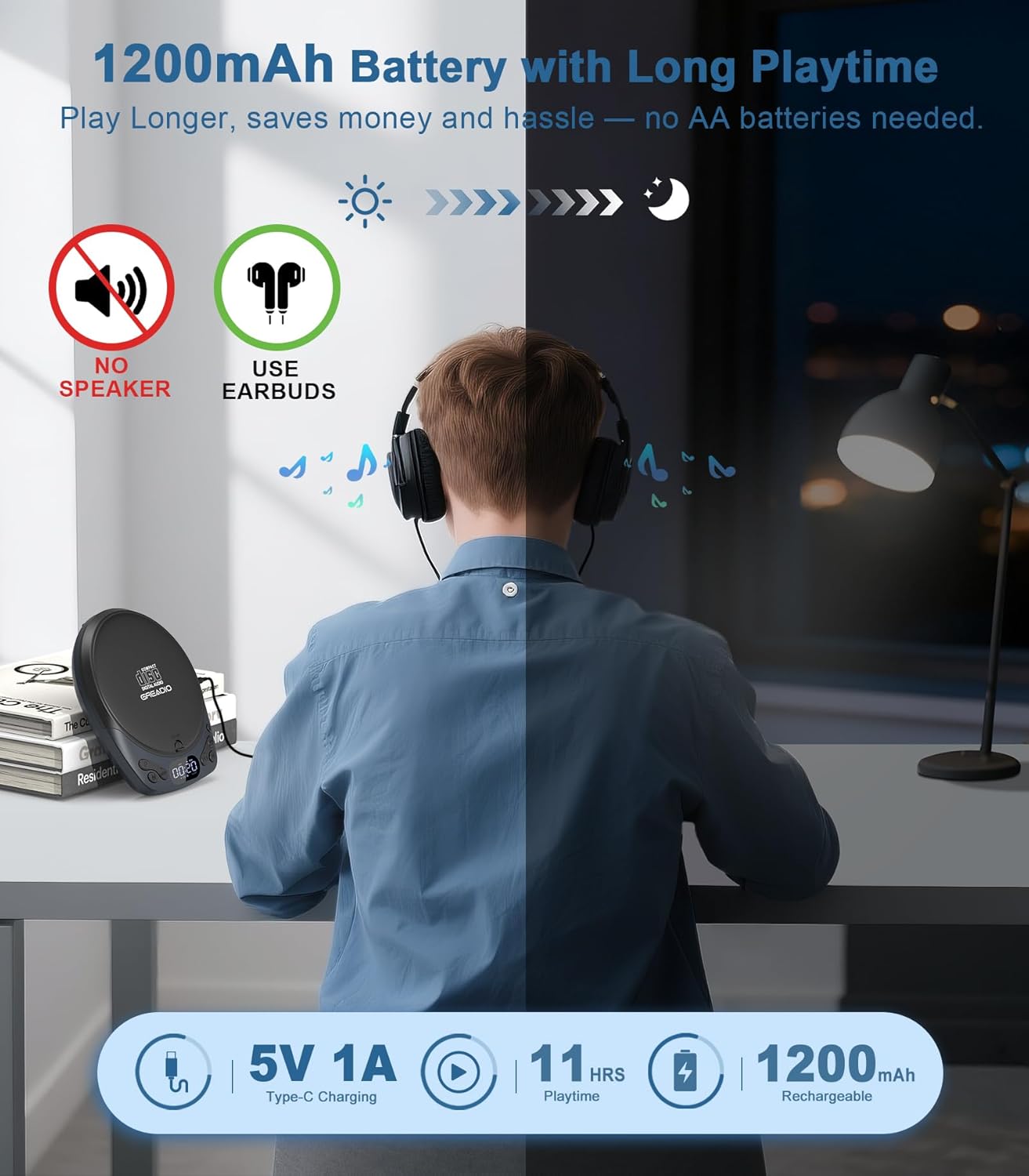
Image: The CD player on a car dashboard, emphasizing its anti-skip functionality for smooth playback while driving.
5. Programmable Playback & Sleep Timer
- Programmable Playback: Program up to 99 tracks in a desired order. Refer to the detailed user manual for specific programming steps.
- Sleep Timer: Set a sleep timer for 5, 15, 30, 60, 90, or 120 minutes. The player will automatically power off after the set time.
Maintenance
- Keep the device clean and free from dust. Use a soft, dry cloth for cleaning.
- Avoid exposing the player to extreme temperatures, direct sunlight, or high humidity.
- Handle CDs and TF cards carefully to prevent scratches or damage.
- Do not attempt to disassemble or repair the device yourself. Contact customer support for assistance.
Troubleshooting
| Problem | Possible Cause | Solution |
|---|---|---|
| Player does not power on. | Battery is depleted; HOLD switch is engaged. | Charge the battery. Ensure the HOLD switch is in the OFF position. |
| No sound output. | Headphones/speakers not connected or volume too low; AUX mode not selected on external device. | Connect headphones or external speakers. Increase volume. Ensure external device is set to AUX mode. |
| CD skips or does not play. | CD is dirty or scratched; incorrect CD format. | Clean the CD with a soft cloth. Ensure the CD format (CD, CD-R, CD-RW, MP3, WMA) is supported. |
| Buttons are unresponsive. | HOLD switch is engaged. | Slide the HOLD switch to the OFF position. |
| TF card not recognized. | TF card inserted incorrectly; unsupported file format. | Reinsert the TF card correctly. Ensure files are MP3 or WMA format. |
| Low volume in car via AUX. | Car stereo volume is low. | Increase the volume on your car stereo. |
| CD difficult to remove. | CD may be slightly stuck. | Gently lift the CD from the edges. Avoid excessive force. |
Specifications
| Feature | Detail |
|---|---|
| Brand | Greadio |
| Model Name | Portable CD Player with Headphones |
| Model Number | CD-40 |
| Color | Blue |
| Connectivity Technology | Auxiliary |
| Special Features | Anti-Skip Protection, CD-R/RW Compatible, Portable, Rechargeable |
| Number of Discs | 1 |
| Supported Audio Formats | CD, CD-R, CD-RW, MP3, WMA |
| Connector Type | 3.5mm Jack |
| Specific Uses | Car Use, Home Use |
| Number of Channels | 2 |
| Media Format Type | Audio CD |
| Battery Average Life | 11 hours |
| Compatible Devices | Headphone |
| Headphones Jack | 3.5mm Jack |
| Number of Batteries | 1 Lithium Polymer (included) |
| Item Dimensions (L x W x H) | 5.2"L x 6.1"W x 1.18"H |
| Item Weight | 8.32 ounces |
Warranty and Support
The Greadio Portable CD Player comes with a 12-month warranty. For any questions, issues, or support needs, please contact Greadio customer service. We are committed to providing assistance and ensuring your satisfaction.
Greadio offers 24/7 service and support in over 100 regions. Our products are built with patented technology and backed by a dedicated R&D team.

Image: Greadio's commitment to customer service, global presence, and patented technology.

