1. Introduction
Thank you for choosing the Real HD IPC-B8TR28A-C 8MP 4K PoE IP Full Color Night Vision Security Camera. This manual provides essential information for the proper installation, operation, and maintenance of your new security camera. This 8-megapixel turret dome IP camera features 4K resolution (3840x2160@20fps), full-color night vision up to 65ft, and a 2.8mm wide-angle lens for a 105° field of view. It is designed for both indoor and outdoor use with an IP66 waterproof metal housing and supports Power over Ethernet (PoE) for simplified installation. The camera is NDAA compliant and utilizes H.265/H.264 compression for efficient storage.
2. What's in the Box
Carefully unpack the box and ensure all items are present and in good condition. If any items are missing or damaged, please contact customer support.
- 8MP Full Color PoE IP Camera
- User Manual
- Mounting Screws and Anchors
- Waterproof Lid for Ethernet Connector
- Drilling Template Sticker
- Warning Sticker

Video 2.1: Anpviz Security IPC-D3283W-S Unboxing Video. This video demonstrates the unboxing process and shows the included components of a similar turret dome camera model.
3. Product Overview
Familiarize yourself with the key components and interfaces of your Real HD security camera.


4. Setup
4.1 Physical Installation
The Real HD IPC-B8TR28A-C camera is designed for versatile installation on ceilings or walls, suitable for both indoor and outdoor environments. Its IP66 waterproof metal housing ensures durability against various weather conditions.


Video 4.1: Anpviz Security Professional Waterproof and Installation Guide. This video demonstrates the physical installation process and highlights the camera's waterproof features.
4.2 Connection Methods
Your PoE IP camera offers flexible connection options for power and data.
- Connect via PoE NVR/Switch: For a simplified setup, connect the camera directly to a Power over Ethernet (PoE) Network Video Recorder (NVR) or PoE switch using a single Ethernet cable. This cable will provide both power and data.
- Connect via DC 12V Power Supply: If not using PoE, connect the camera to a standard DC 12V power adapter and then connect the camera's network port to your router via an Ethernet cable.
Video 4.2: Unilook PoE Camera 3 Ways to Connect. This video illustrates different methods to connect a PoE camera, including direct NVR connection, DC 12V power, and PoE switch/injector.
5. Operating Instructions
5.1 Remote Access and Control
Access your camera remotely using the dedicated mobile application or desktop client. The camera is compatible with Network Video Recorders (NVRs) for continuous recording and management.
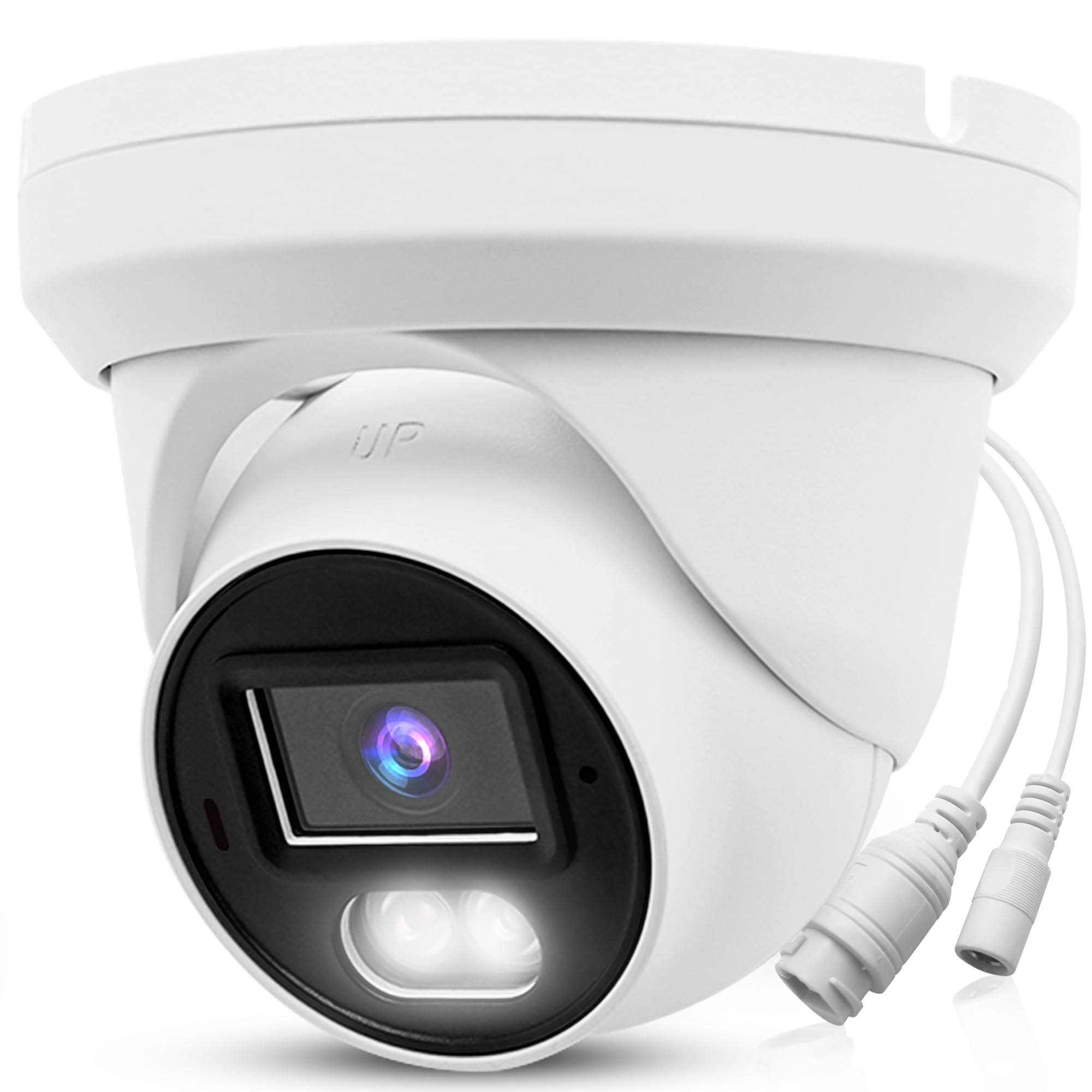
5.2 Full Color Night Vision
The camera features vivid full-color night vision, capturing clearer, sharper, and colorful images and video throughout the night, up to 65ft, surpassing traditional black and white night vision.
5.3 Smart Detection & Alerts
Benefit from advanced motion detection capabilities, including AI Human/Vehicle Detection, to reduce false alarms and receive meaningful notifications. The camera supports real-time security audio intercom (Two-Way Audio).
Video 5.1: Real HD Human & Vehicle Detection IP Camera. This video showcases the camera's ability to accurately detect humans and vehicles, providing smart alerts.
6. Maintenance
To ensure optimal performance and longevity of your Real HD security camera, follow these maintenance guidelines:
- Regular Cleaning: Gently clean the camera lens and housing with a soft, damp cloth. Avoid abrasive cleaners that could scratch the lens.
- Firmware Updates: Periodically check for and install firmware updates to ensure your camera has the latest features and security enhancements.
- Cable Inspection: Regularly inspect all cables for any signs of wear, damage, or loose connections.
- Environmental Protection: While the camera is IP66 waterproof, ensure it is installed in a location that minimizes direct exposure to extreme weather conditions if possible, to extend its lifespan.
7. Troubleshooting
If you encounter any issues with your Real HD security camera, refer to the following common troubleshooting steps:
- No Power: Ensure the power adapter is securely connected and the power source is active. If using PoE, verify the NVR/switch is providing power and the Ethernet cable is functional.
- No Video/Offline: Check the network cable connection. Ensure the camera is properly connected to the router or NVR. Verify network settings and IP address configuration.
- Poor Image Quality: Clean the camera lens. Ensure there are no obstructions in the camera's field of view. Check the resolution settings in the mobile app or desktop client.
- False Motion Alerts: Adjust the motion detection sensitivity settings in the camera's software. Configure motion detection zones to exclude areas with frequent irrelevant movement (e.g., trees swaying).
- Night Vision Issues: Ensure the area is within the 65ft night vision range. Check for any strong light sources directly facing the camera that might interfere with night vision.
For further assistance, please contact Real HD customer support.
8. Specifications
| Feature | Detail |
|---|---|
| Model Name | 8MP Color PoE IP Camera |
| Item Model Number | IPC-B8TR28A-C |
| Video Capture Resolution | 8MP (3840x2160) |
| Lens | 2.8mm Wide Angle |
| Field of View | 105° |
| Night Vision | Full Color Night Vision, up to 65 Feet |
| Compression | Dual H.265/H.264 |
| Connectivity | Wired Ethernet (PoE) |
| Power Source | Corded Electric (PoE or DC 12V) |
| Indoor/Outdoor Usage | Outdoor |
| Waterproof Rating | IP66 |
| Material | Metal Housing |
| Form Factor | Turret Dome |
| Dimensions | 5 x 5 x 4.5 inches |
| Weight | 15.8 ounces (0.45 Kilograms) |
| NDAA Compliant | Yes |
9. Warranty & Support
Real HD provides local technical support for its products. For any technical assistance or warranty inquiries, please contact the seller directly. Technical support hours are 9 am-5 pm CST.


