
1. Introduction
Thank you for choosing the Transformers TF-T80 Bluetooth True Wireless Earbuds. These earbuds are designed to provide a high-quality audio experience with features like noise cancellation, dual modes for music and gaming, and a unique fidget spinner charging case. This manual will guide you through the setup, operation, and maintenance of your new earbuds.
2. What's in the Box
Carefully unpack your TF-T80 earbuds and ensure all items are present:
- TF-T80 Wireless Earbuds (Left & Right)
- Portable Charging Case
- USB-C Charging Cable
- User Manual (this document)

Image: All components included in the TF-T80 package.
Video: An unboxing demonstration of the TF-T80 Bumblebee edition earbuds, showing the contents of the package.
3. Setup
3.1 Charging the Earbuds and Case
- Connect the provided USB-C charging cable to the charging port on the case.
- Plug the other end of the cable into a USB power adapter (not included) or a computer's USB port.
- The indicator lights on the charging case will illuminate to show charging status.
- Place the earbuds into the charging case. Ensure they are properly seated; the earbuds will begin charging automatically.
- A full charge for the case takes approximately 2 hours, and for the earbuds, it also takes about 2 hours.
The earbuds provide approximately 5 hours of playback on a single charge, and the charging case extends this to about 40 hours.

Image: Battery life indicators for earbuds and charging case.
3.2 Bluetooth Pairing
- Open the charging case. The earbuds will automatically power on and enter pairing mode.
- On your device (smartphone, tablet, computer), enable Bluetooth.
- Search for available Bluetooth devices and select "TF-T80" from the list.
- Once connected, you will hear a confirmation tone, and the earbuds will be ready for use.
3.3 Wearing the Earbuds
Gently insert the earbuds into your ears, ensuring a comfortable and secure fit. Adjust them until the sound is clear and the fit is snug to optimize noise cancellation and audio quality.

Image: Proper placement of the TF-T80 earbuds in the ear for optimal comfort and sound.
4. Operating Instructions
4.1 Power On/Off
- Power On: Open the charging case, or press and hold the touch panel on both earbuds for 2 seconds.
- Power Off: Place the earbuds back into the charging case and close the lid, or disconnect Bluetooth and the earbuds will power off automatically after a few minutes.
4.2 Touch Controls
The TF-T80 earbuds feature intuitive touch controls on each earbud:
| Action | Left Earbud | Right Earbud |
|---|---|---|
| Play/Pause Music | Double Click | Double Click |
| Answer/End Call | Double Click | Double Click |
| Next Song | N/A | Triple Click |
| Previous Song | Triple Click | N/A |
| Reject Call | Long Press for 2 Seconds | Long Press for 2 Seconds |
| Voice Assistant | Press and Hold for 2 Seconds | N/A |
| Game Mode / Music Mode | N/A | Press and Hold for 2 Seconds |
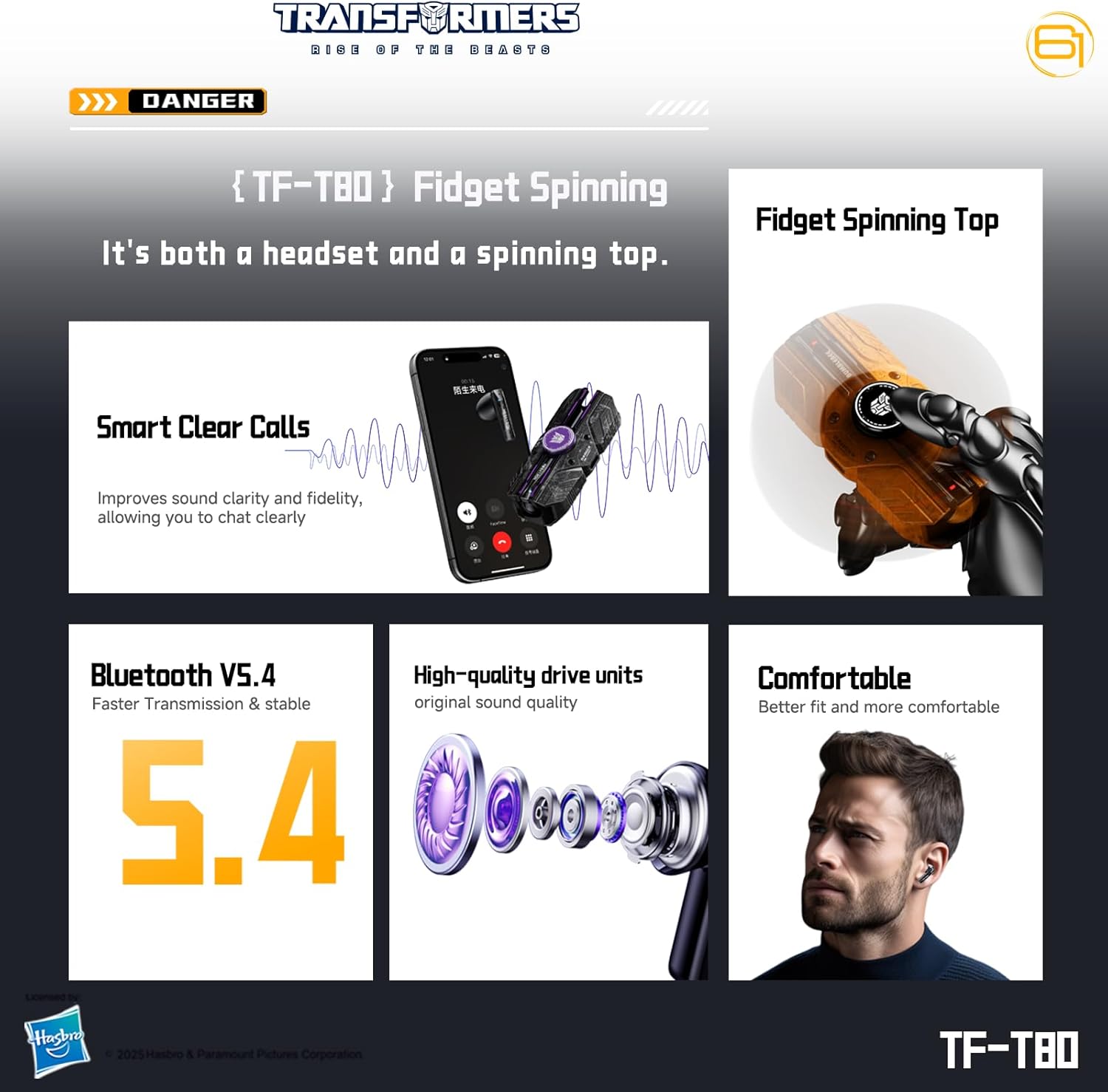
Image: Visual guide to earbud touch controls.
4.3 Switching Between Game Mode and Music Mode
The TF-T80 earbuds offer two distinct audio modes:
- Music Mode: Optimized for high-fidelity audio playback.
- Game Mode: Provides ultra-low latency for synchronized audio and video during gaming.
To switch between modes, press and hold the touch panel on the right earbud for 2 seconds. A voice prompt will confirm the mode change.
4.4 Making and Receiving Calls
The built-in microphone with noise reduction ensures clear communication.
- Answer/End Call: Double click either earbud.
- Reject Call: Long press either earbud for 2 seconds.

Image: Earbuds facilitating a clear phone call.
4.5 Multi-Device Pairing
The TF-T80 earbuds support pairing with up to two devices simultaneously, allowing for seamless switching between Android, iOS, or Windows devices.

Image: Multi-device compatibility of the TF-T80 earbuds.
4.6 Fidget Spinner Feature
The charging case for the TF-T80 earbuds includes a built-in fidget spinner. This feature is integrated into the design for tactile engagement.

Image: The fidget spinner feature on the charging case.
Video: A demonstration of the TF-T80 charging case being used as a fingertip gyroscope (fidget spinner).
5. Maintenance
5.1 Cleaning
- Regularly clean the earbuds and charging case with a soft, dry, lint-free cloth.
- Do not use abrasive cleaners, alcohol, or chemical solvents.
- Ensure charging contacts on both earbuds and case are clean and dry for optimal charging.
5.2 Storage
When not in use, store the earbuds in their charging case to protect them from dust and damage. Store in a cool, dry place away from extreme temperatures.
5.3 Water Resistance
The TF-T80 earbuds are water-resistant. This means they can withstand splashes, sweat, and light rain. They are not designed for submersion in water or for use during swimming or showering. Ensure the earbuds are dry before placing them back in the charging case to prevent damage.
6. Troubleshooting
If you encounter any issues with your TF-T80 earbuds, please refer to the following common solutions:
- Earbuds not pairing: Ensure both earbuds are charged and out of the case. Turn off Bluetooth on your device, then turn it back on and try pairing again. If issues persist, forget the device in your Bluetooth settings and re-pair.
- Only one earbud working: Place both earbuds back into the charging case, close the lid, wait a few seconds, then open the lid and take them out again. This often re-syncs them.
- No sound: Check the volume level on both your device and the earbuds. Ensure the earbuds are properly connected via Bluetooth.
- Charging issues: Verify that the charging cable is securely connected to both the case and the power source. Clean the charging contacts on the earbuds and inside the case.
- Poor call quality: Ensure the microphone is not obstructed. Move closer to your connected device to improve signal strength.
If these steps do not resolve the issue, please contact customer support.
7. Specifications
| Feature | Detail |
|---|---|
| Brand | Transformers |
| Model Number | TF-T80 |
| Ear Placement | In Ear |
| Connectivity Technology | Bluetooth, Wireless |
| Bluetooth Version | 5.4 |
| Bluetooth Range | Up to 32 Feet (10 meters) |
| Noise Control | Passive Noise Cancellation |
| Audio Driver Type | Dynamic Driver |
| Audio Driver Size | 13 Millimeters |
| Frequency Range | 20Hz-20KHz |
| Impedance | 32 Ohms |
| Sensitivity | 118.2 dB |
| Control Method | Touch |
| Earbud Battery Life | Up to 5 Hours |
| Earbud Charge Time | 2 Hours |
| Case Battery Capacity | 300 Milliamp Hours |
| Case Battery Life (with earbuds) | Up to 40 Hours |
| Case Charge Time | 2 Hours |
| Water Resistance Level | Water Resistant (IPX5 equivalent) |
| Enclosure Material | Plastic |
| Carrying Case Material | Steel |
| Carrying Case Dimensions | 3.5 x 1 x 1.5 Inches (Length x Width x Height) |
| Carrying Case Weight | 3.7 Ounces |
| Additional Features | Dazzling Light Effect, Noise Cancellation, Rechargeable Battery, Touch Control, Fingertip Gyroscope |
8. Warranty & Support
8.1 Warranty Information
The Transformers TF-T80 Bluetooth True Wireless Earbuds come with a 30-day warranty from the date of purchase. This warranty covers manufacturing defects. It does not cover damage caused by misuse, accidents, unauthorized modifications, or normal wear and tear.
8.2 Customer Support
For further assistance, troubleshooting not covered in this manual, or warranty claims, please contact your retailer or the manufacturer's customer support. Refer to the packaging or product website for contact details.