1. Introduction
Thank you for choosing the Ledvion Luna Rechargeable LED Table Lamp. This lamp combines sophisticated design with practical functionality, offering flexible lighting for various environments. With its dimmable color temperature from 2700K to 5000K and a powerful 3600mAh battery, it provides up to 14 hours of wireless illumination. This manual provides essential information for the safe and efficient use of your new lamp.
2. Safety Instructions
- Read all instructions carefully before use and retain for future reference.
- Do not disassemble, repair, or modify the lamp. This may cause damage, electric shock, or fire.
- Keep the lamp away from water, moisture, and high temperatures.
- Use only the provided USB-C cable or a certified equivalent for charging.
- Avoid direct eye exposure to the LED light source for extended periods.
- This product is designed for indoor use (IP20 rating). Do not expose to rain or extreme outdoor conditions.
- Keep out of reach of children.
3. Package Contents
Please check the package for the following items:
- 1x Ledvion Luna Rechargeable LED Table Lamp
- 1x USB-C Charging Cable (100cm)
- 1x User Manual

Image: Package contents including the Ledvion Luna lamp, USB-C cable, and user manual.
4. Product Overview
The Ledvion Luna lamp features a sleek, modern design with a durable brass-gold metallic finish. It is equipped with an integrated LED light source and a touch-sensitive control panel located on the top surface of the lamp.
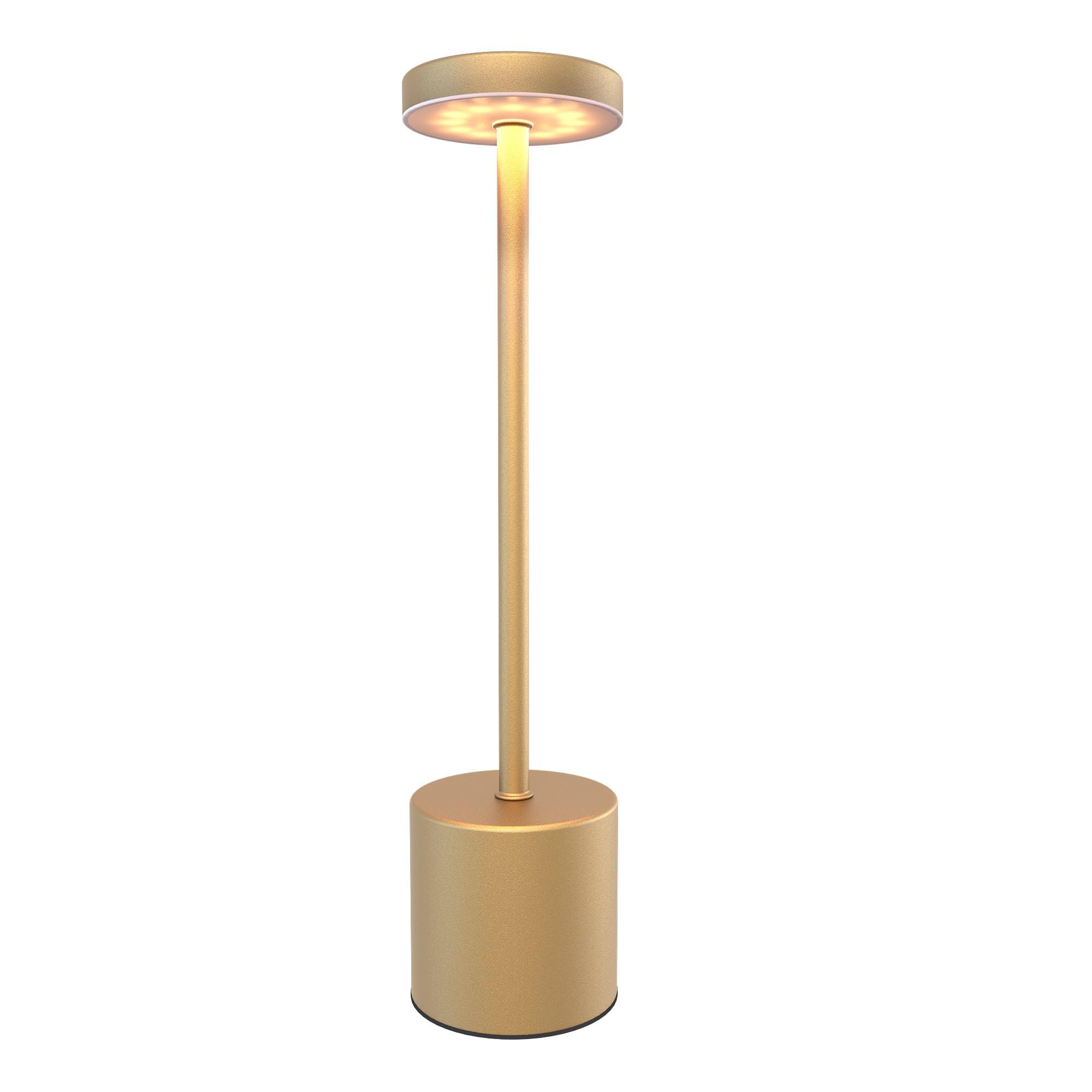
Image: Close-up of the lamp's illuminated top, showing the LED light source.

Image: The Ledvion Luna lamp positioned on a desk, illustrating its compact size and lighting effect.
5. Specifications
| Feature | Detail |
|---|---|
| Model Number | LV10133 |
| Dimensions (L x W x H) | 35 x 9 x 9 cm |
| Weight | 400 g |
| Material | Iron, ABS (Brass finish) |
| Light Source | Integrated LED |
| Luminosity | 60 Lumens |
| Color Temperature | 2700K - 5000K (Dimmable) |
| Battery Capacity | 3600mAh |
| Operating Time | Up to 14 hours (depending on brightness) |
| Charging Time | Approximately 6 hours (via USB-C) |
| Input Voltage | 230 Volts |
| Power | 15 Watts |
| IP Rating | IP20 (Indoor use only) |
| Control Type | Touch Control |

Image: Dimensional drawing of the Ledvion Luna lamp, indicating its height and base diameter.
6. Setup
6.1 Initial Charging
- Before first use, fully charge the lamp.
- Connect the provided USB-C cable to the charging port located at the base of the lamp.
- Connect the other end of the USB-C cable to a compatible USB power adapter (not included) or a computer USB port.
- The charging indicator (if present, typically a small LED) will show the charging status. A full charge takes approximately 6 hours.
6.2 Placement
Place the lamp on a stable, flat surface. Ensure it is not near heat sources or in direct sunlight, which could affect battery life or lamp performance.

Image: Detail of the USB-C charging port and battery performance information.
7. Operation
The Ledvion Luna lamp features intuitive touch control on its top surface.
7.1 Power On/Off
- To turn on: Lightly tap the touch control area on the top of the lamp.
- To turn off: Tap the touch control area again.
7.2 Adjusting Brightness (Dimmable)
- When the lamp is on, press and hold the touch control area.
- The brightness will gradually increase or decrease. Release your finger when the desired brightness level is reached.
7.3 Changing Color Temperature (2700K-5000K)
- With the lamp on, tap the touch control area repeatedly (without holding).
- Each tap will cycle through the available color temperatures: Warm White (2700K), Neutral White (4000K), and Cool White (5000K).

Image: Demonstrating touch control for color and brightness adjustments.

Image: Overview of key operational features including color adjustment, dimming, and battery life.
8. Charging the Lamp
The Ledvion Luna lamp is equipped with a 3600mAh rechargeable battery, providing wireless operation.
- Battery Life: The lamp offers up to 14 hours of illumination on a single charge, depending on the selected brightness level. For example, 100% brightness provides approximately 8 hours, 75% brightness provides 12 hours, and 50% brightness provides 14 hours.
- Charging Time: A full charge from empty takes approximately 6 hours using a standard USB-C power source.
- Charging Indicator: Observe the small indicator light near the USB-C port (if available) for charging status. It typically glows red while charging and turns green or off when fully charged.
- Charging Port: The USB-C charging port is located at the base of the lamp.
It is recommended to fully charge the lamp before extended periods of non-use to maintain battery health.
9. Maintenance
9.1 Cleaning
- Ensure the lamp is turned off and unplugged from its charging source before cleaning.
- Wipe the lamp with a soft, dry, or slightly damp cloth.
- Do not use abrasive cleaners, solvents, or harsh chemicals, as these may damage the finish or electronic components.
9.2 Storage
If storing the lamp for an extended period, ensure it is fully charged and store it in a cool, dry place away from direct sunlight and extreme temperatures.
10. Troubleshooting
| Problem | Possible Cause | Solution |
|---|---|---|
| Lamp does not turn on. | Battery is depleted. | Charge the lamp fully using the USB-C cable. |
| Lamp does not turn on. | Touch control not responding. | Ensure your finger is clean and dry. Tap firmly on the center of the touch area. |
| Lamp is not charging. | USB-C cable or adapter faulty. | Try a different USB-C cable or power adapter. Ensure connections are secure. |
| Brightness or color temperature cannot be adjusted. | Incorrect operation. | Refer to Section 7.2 and 7.3 for correct touch control gestures (tap for color, press and hold for brightness). |
| Short battery life. | Lamp used at high brightness settings. | Lower brightness settings will extend battery life. Ensure the lamp is fully charged before use. |
11. Warranty and Support
Ledvion products are manufactured to high-quality standards. For information regarding warranty coverage, please refer to the terms and conditions provided at the point of purchase or contact Ledvion customer support. If you encounter any issues or require assistance with your Ledvion Luna lamp, please contact our customer service team through the retailer where you purchased the product or visit the official Ledvion website for support options.
12. Disposal Information
This product contains a rechargeable battery and electronic components. Do not dispose of it with general household waste. Please follow local regulations for the proper disposal of electronic products and batteries. Proper disposal helps prevent potential negative consequences for the environment and human health.


