
Introduction
This manual provides instructions for the safe and efficient use of your Ledvion Rechargeable LED Table Lamp. This lamp features a dimmable LED light with adjustable color temperature (2700K-5000K), a 3600mAh rechargeable battery, and intuitive touch control. Please read this manual thoroughly before use and retain it for future reference.

The Ledvion Rechargeable LED Table Lamp, designed for versatile indoor use.
What's in the Box
Carefully unpack the contents and ensure all items are present and undamaged. If any items are missing or damaged, please contact customer support.
- Ledvion Rechargeable LED Table Lamp
- USB-C Charging Cable (100cm)
- User Manual

Illustration of the items included in the product packaging.
Setup
- Unpack: Remove the lamp and all accessories from the packaging.
- Initial Charge: Before first use, fully charge the lamp. Connect the USB-C cable to the lamp's charging port and the other end to a compatible USB power adapter (not included). The charging indicator light will show the charging status.
- Placement: Place the lamp on a stable, flat surface. Ensure it is not exposed to direct sunlight or extreme temperatures.
Operating Instructions
The Ledvion table lamp features intuitive touch control located on its base.
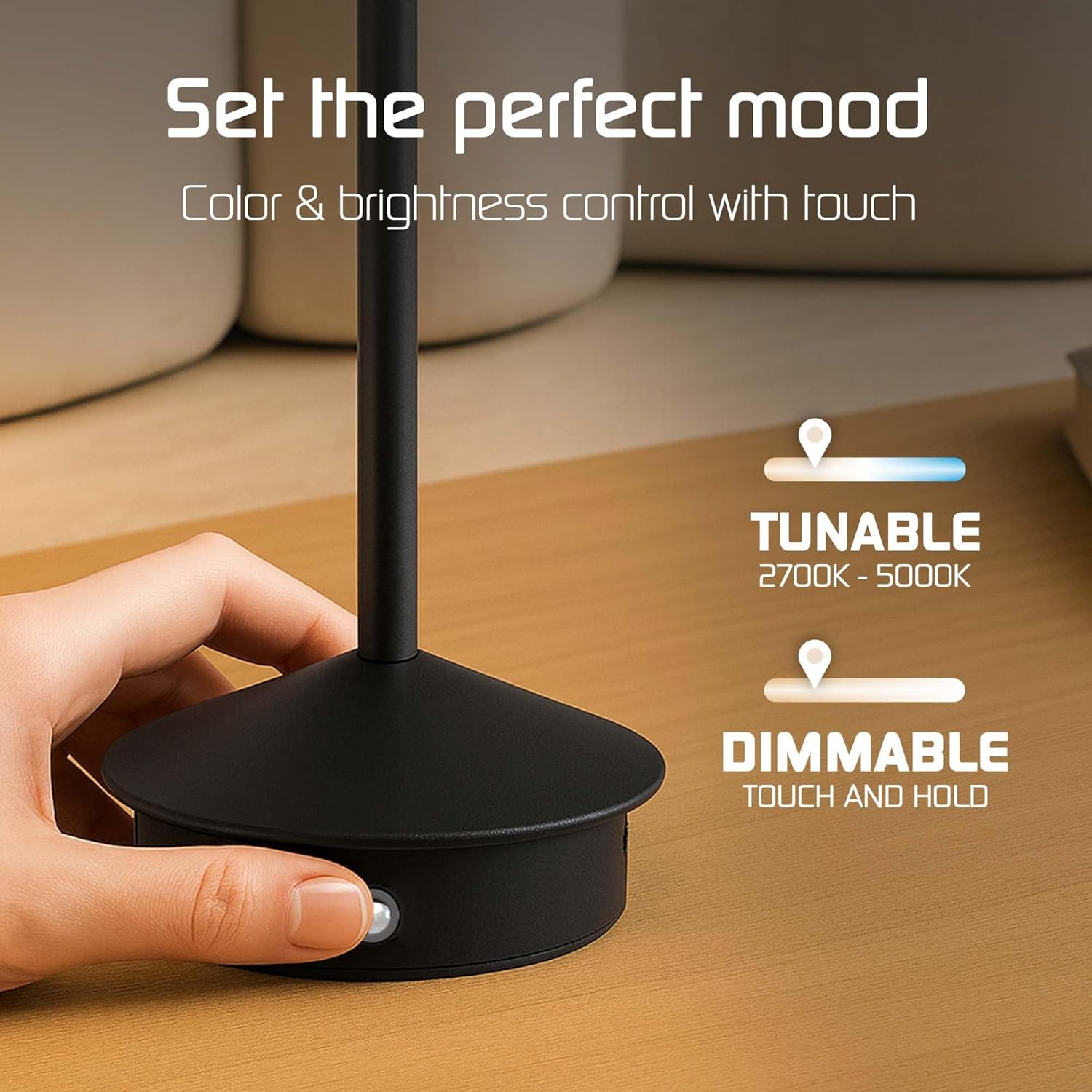
The lamp's base features a touch-sensitive area for controlling light settings.
- Power On/Off: Lightly tap the touch control area once to turn the lamp on or off.
- Adjust Brightness (Dimming): When the lamp is on, press and hold the touch control area to smoothly adjust the brightness level. Release when the desired brightness is reached.
- Change Color Temperature: With the lamp on, tap the touch control area repeatedly to cycle through the available color temperatures:
- Warm White (2700K)
- Neutral White (4000K)
- Cool White (5000K)
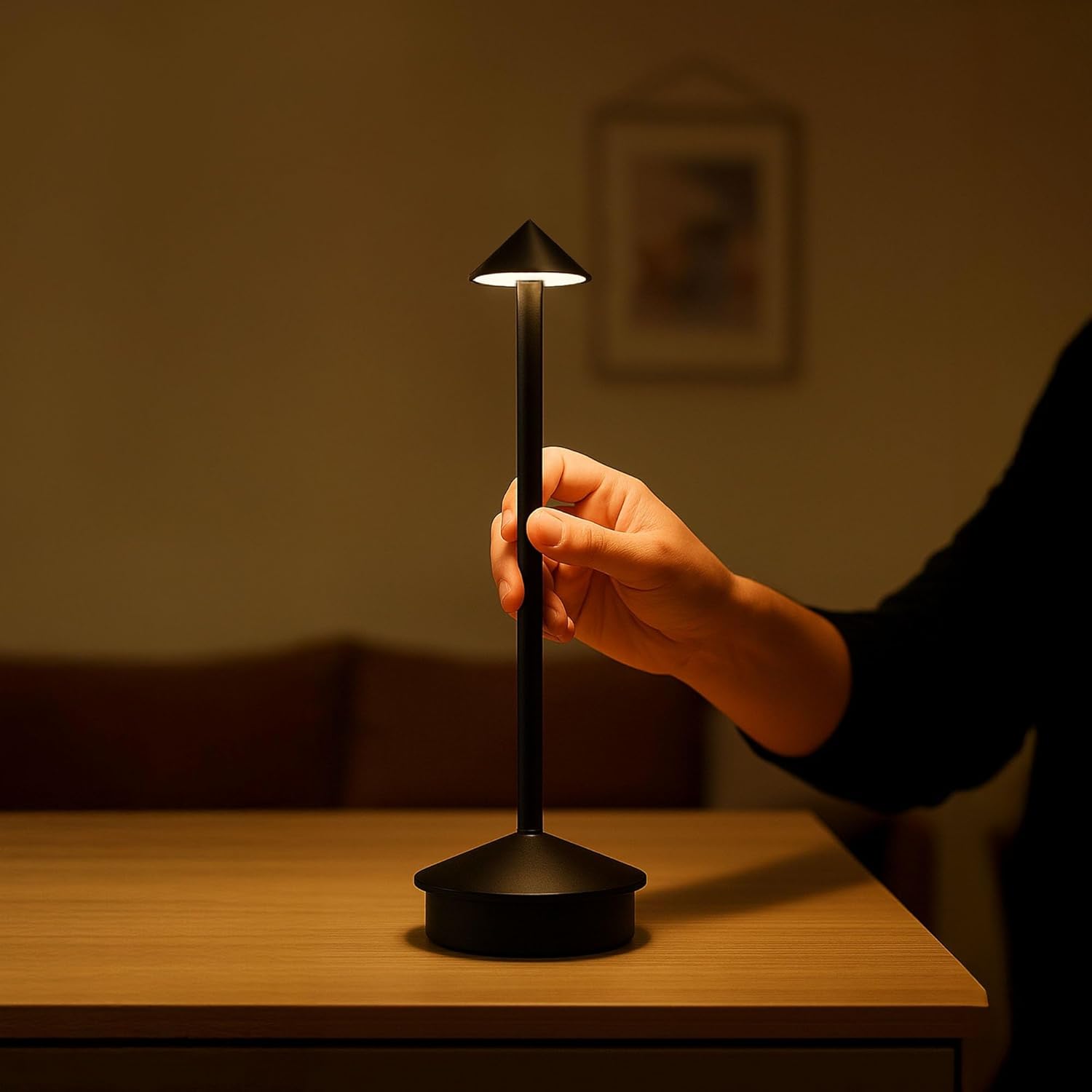
The lamp's compact design allows for easy handling and placement.
Charging the Battery
The lamp is equipped with a 3600mAh rechargeable battery, providing up to 16 hours of operation depending on brightness settings. A USB-C port is located on the base for convenient charging.

The USB-C charging port is located on the side of the lamp's base.
- Connect: Insert the USB-C end of the provided cable into the lamp's charging port. Connect the standard USB-A end to a USB power source (e.g., wall adapter, computer USB port).
- Charging Indicator: A small indicator light near the charging port will illuminate during charging. It typically turns off or changes color when fully charged.
- Charging Time: A full charge takes approximately 6 hours.
- Battery Life:
- 100% Brightness: Approximately 10 hours
- 75% Brightness: Approximately 13 hours
- 50% Brightness: Approximately 16 hours
Maintenance
- Cleaning: Disconnect the lamp from any power source before cleaning. Use a soft, dry cloth to wipe the lamp's surface. Do not use abrasive cleaners, solvents, or harsh chemicals.
- Storage: If storing the lamp for an extended period, ensure it is fully charged and store it in a cool, dry place. Recharge every 3-6 months to maintain battery health.
- Battery Care: Do not attempt to replace the internal battery. Do not expose the lamp to extreme heat or cold.
Troubleshooting
| Problem | Possible Cause | Solution |
|---|---|---|
| Lamp does not turn on. | Battery is depleted. | Charge the lamp using the provided USB-C cable. |
| Lamp does not charge. | Cable or power adapter issue; charging port obstruction. | Ensure the USB-C cable is securely connected. Try a different USB power adapter. Check the charging port for debris. |
| Brightness or color temperature cannot be adjusted. | Incorrect touch control method. | For brightness, press and hold. For color temperature, tap repeatedly. |
| Short battery life. | Lamp used at high brightness; battery not fully charged. | Reduce brightness for longer battery life. Ensure the lamp is fully charged before use. |
Specifications
| Feature | Detail |
|---|---|
| Model Number | LV10130 |
| Light Source | LED |
| Lumen Output | 40 Lumen (for this variant) |
| Color Temperature | 2700K - 5000K (Dimmable) |
| Battery Capacity | 3600mAh |
| Charging Port | USB-C |
| Charging Time | Approx. 6 hours |
| Operating Time | Up to 16 hours (depending on brightness) |
| Control Type | Touch Control |
| Material | ABS, Iron (Base Material: Metal, Shade Material: ABS) |
| Color | Matte Black |
| Dimensions (D x W x H) | 11P x 11l x 30H cm (11cm x 11cm x 30cm) |
| Weight | 300 Grams |
| IP Rating | IP20 (Indoor use only, not protected against water) |
| Power | 1 Watt |
| Voltage | 230 Volt (Input for charging adapter, lamp operates on battery) |
| Cordless | Yes |
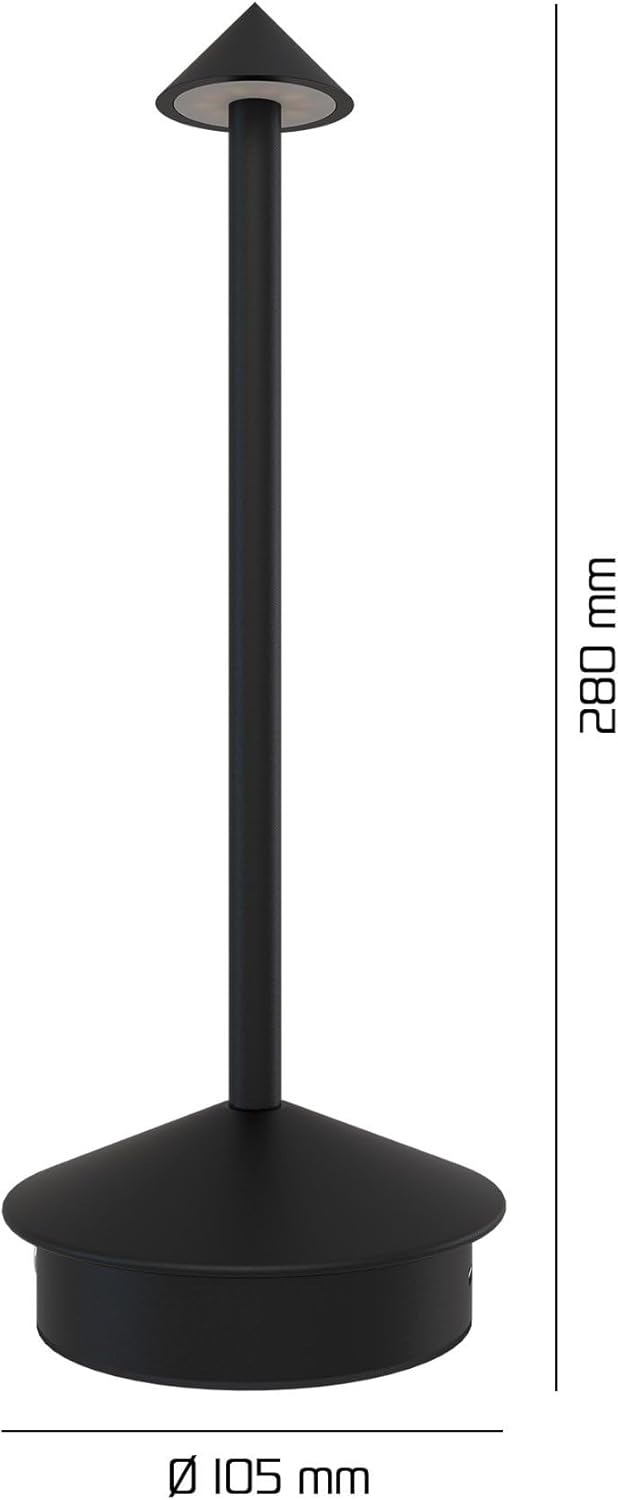
Dimensional diagram of the Ledvion Rechargeable LED Table Lamp.
Warranty and Support
For warranty information or technical support, please refer to the contact details provided on the product packaging or visit the official Ledvion website. Keep your proof of purchase for warranty claims.
Manufacturer: Ledvion


