1. Introduction
Thank you for choosing the GOLREX T59 Active Noise Cancelling Earbuds. This manual provides essential information for setting up, operating, and maintaining your earbuds to ensure optimal performance and longevity. Please read this manual thoroughly before use.
2. What's in the Box
Carefully unpack your GOLREX T59 earbuds and ensure all items are present:
- GOLREX T59 Noise Cancelling Earbuds (Left and Right)
- Wireless Charging Case
- Type-C Charging Cable
- Multiple Sizes of Eartips (S, M, L)

Image: Contents of the GOLREX T59 package, showing the earbuds, charging case, Type-C cable, and various eartips.
3. Setup
3.1 Initial Charging
Before first use, fully charge the earbuds and the charging case. Place the earbuds into the charging case. Connect the Type-C cable to the charging case and a power source, or place the case on a wireless charging pad.
3.2 Pairing with Your Device
- Open the charging case. The earbuds will automatically power on and enter pairing mode.
- On your device (smartphone, tablet, etc.), enable Bluetooth.
- Search for available Bluetooth devices and select "T59" from the list.
- Once connected, you will hear a confirmation tone, and the earbuds will be ready for use.
The earbuds offer one-step pairing. After the initial pairing, they will automatically connect to the last paired device when taken out of the case, provided Bluetooth is enabled on your device and it is within approximately 30 ft. range.

Image: Illustration of the one-step pairing process for the GOLREX T59 earbuds with a mobile device.
4. Operating Instructions
4.1 Wearing the Earbuds
The GOLREX T59 earbuds are designed with flexible earhooks for a secure and comfortable over-ear fit, ideal for active movement. Choose the eartip size (S, M, L) that provides the best seal and comfort for your ears.
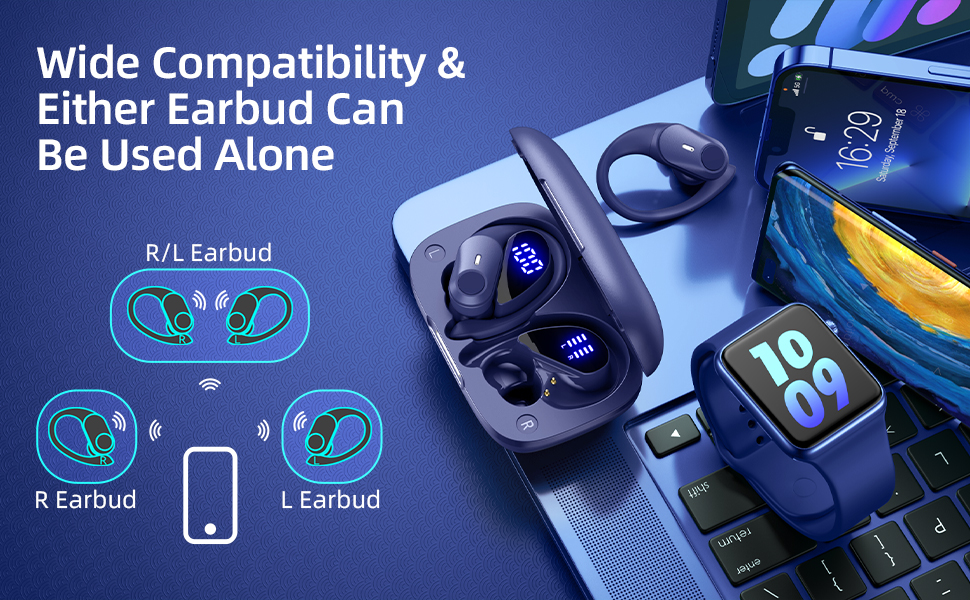
Image: Proper wearing of the GOLREX T59 earbuds with flexible earhooks for a secure fit during physical activity.
4.2 Button Controls
The earbuds feature physical buttons for reliable operation. Specific functions may vary slightly depending on your device and application, but general controls include:
- Play/Pause: Single press on either earbud.
- Next Track: Double press on the right earbud.
- Previous Track: Double press on the left earbud.
- Volume Up: Triple press on the right earbud.
- Volume Down: Triple press on the left earbud.
- Answer/End Call: Single press on either earbud.
- Reject Call: Press and hold on either earbud.
- Activate Voice Assistant: Press and hold on either earbud (e.g., "Hey Siri").
4.3 Active Noise Cancellation (ANC) & Transparency Mode
The GOLREX T59 earbuds feature a hybrid 4-layer ANC system that can reduce noise by up to 45dB. They also offer a Transparency Mode to allow ambient sounds to pass through.
- Switch Modes: Press and hold the button on the left earbud to cycle between ANC On, Transparency Mode, and ANC Off.

Image: Exploded view diagram showing the components involved in the Hybrid Active Noise Cancellation of the earbuds.
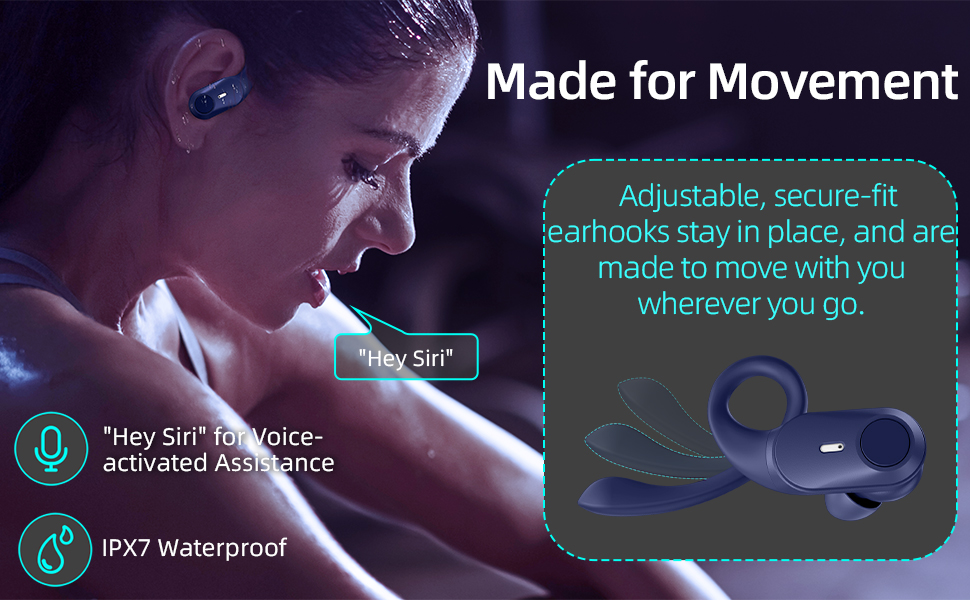
Image: Visual representation of the earbuds' ability to adapt audio to surroundings, including Adaptive Active Noise Cancellation.
4.4 Single Earbud Use
Either earbud can be used independently. Simply take one earbud out of the case, and it will automatically connect to your device. The other earbud can remain in the case or be used later.
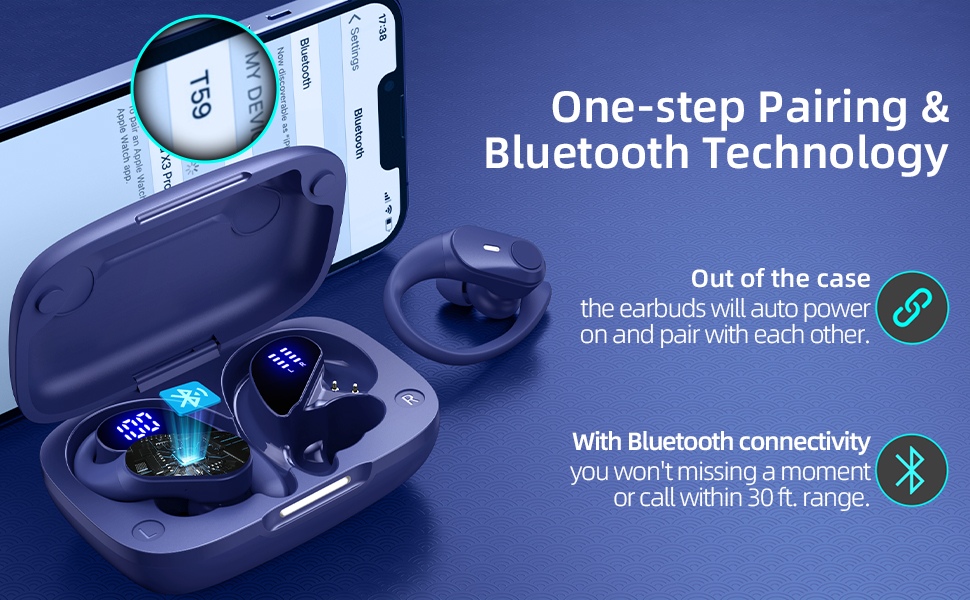
Image: Illustration demonstrating the flexibility of using both earbuds or a single earbud (left or right) independently.
5. Charging
5.1 Earbud Charging
Place the earbuds into the charging case. They will automatically begin charging. Each earbud provides up to 8 hours of listening time on a single charge.
5.2 Case Charging
The 600mAh charging case provides multiple recharges, extending total playtime up to 80 hours. The case can be charged via the included Type-C cable or wirelessly on a compatible charging pad.
- Wired Charging: Connect the Type-C cable to the charging port on the case and a USB power adapter.
- Wireless Charging: Place the charging case on a Qi-compatible wireless charging pad (wireless charger not included).
A quick 10-minute charge can provide up to 2 hours of listening time.
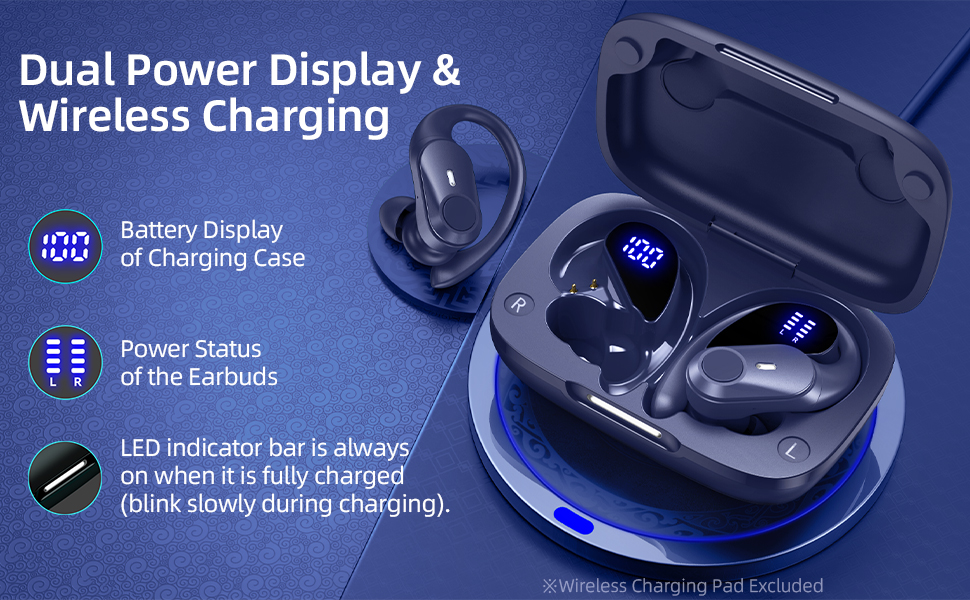
Image: Visual representation of the 80-hour total battery life provided by the GOLREX T59 earbuds and charging case.
5.3 Battery Display
The charging case features a dual LED display that shows the real-time battery level of the case and the individual power status of each earbud.
Image: Close-up of the charging case's LED display, showing battery percentages for the case and charge indicators for the left and right earbuds.
Image: Depiction of the GOLREX T59 charging case being charged both wirelessly and via a Type-C cable.
6. Maintenance
To ensure the longevity and optimal performance of your GOLREX T59 earbuds, follow these maintenance guidelines:
- Cleaning: Regularly clean the earbuds and charging case with a soft, dry, lint-free cloth. Avoid using harsh chemicals or abrasive materials.
- Eartips: Remove eartips periodically and clean them with a damp cloth. Ensure they are completely dry before reattaching.
- Charging Contacts: Gently clean the charging contacts on both the earbuds and inside the case with a dry cotton swab to prevent charging issues.
- Water Resistance: The earbuds are IPX7 water-resistant, meaning they can withstand submersion in up to 1 meter of water for 30 minutes. However, they are not designed for swimming or prolonged water exposure. Ensure the charging port is dry before charging.
- Storage: When not in use, store the earbuds in their charging case to protect them from dust and damage. Store in a cool, dry place away from extreme temperatures.
7. Troubleshooting
If you encounter issues with your GOLREX T59 earbuds, try the following solutions:
- No Sound/Connection Issues:
- Ensure earbuds are charged.
- Make sure Bluetooth is enabled on your device.
- Try unpairing and re-pairing the earbuds with your device.
- Ensure earbuds are within Bluetooth range (approx. 30 ft).
- Earbuds Not Charging:
- Check if the charging cable is securely connected.
- Clean the charging contacts on both earbuds and the case.
- Ensure the charging case itself has power.
- ANC Not Working Effectively:
- Ensure the eartips provide a good seal in your ear canal.
- Confirm ANC mode is activated (cycle through modes using the left earbud button).
- One Earbud Not Working:
- Place both earbuds back in the case, close it, then open it again to reset the connection.
- Ensure both earbuds are charged.
If problems persist, please refer to the support information in Section 9.
8. Specifications
| Model Name | T59 |
| Brand | GOLREX |
| Connectivity Technology | Wireless (Bluetooth 5.4) |
| Earbud Battery Life | Up to 8 hours per charge |
| Total Playtime (with Charging Case) | Up to 80 hours |
| Charging Case Capacity | 600mAh |
| Quick Charge | 10 minutes charge = 2 hours listening |
| Noise Control | Hybrid Active Noise Cancelling (up to 45dB), Transparency Mode, Sound Isolation |
| Water Resistance Level | IPX7 |
| Control Type | Button Control, Voice Control |
| Audio Driver Type | 13mm Dynamic Driver |
| Ear Placement | Over Ear (with flexible earhooks) |
| Item Weight | 3.53 ounces (earbuds + case) |
| Product Dimensions (Case) | 3.5 x 2.36 x 1.5 inches |
| Included Components | Earbuds, Wireless Charging Case, Type-C Cable, Eartips |
9. Warranty and Support
GOLREX products are designed for reliability and performance. For warranty information, technical support, or customer service inquiries, please refer to the contact details provided with your purchase documentation or visit the official GOLREX website.
Please retain your proof of purchase for any warranty claims.