
Introduction
Thank you for choosing the MAIWO K1691 M.2 NVMe SATA SSD Enclosure. This device provides a convenient and efficient way to utilize your M.2 NVMe or SATA SSDs as external storage. Featuring USB 3.1 Gen2 10Gbps connectivity, UASP support, and a tool-free design, it offers high-speed data transfer and ease of use. Please read this manual carefully to ensure proper installation and operation.
What's in the Box
- 1x M.2 NVMe SATA SSD Enclosure
- 1x 2-in-1 USB-C to USB-C+A Data Cable
- 1x Silicone Thermal Pad
- 1x Aluminum Thermal Pad
- 3x Rubber Screws (for securing SSD)
Setup
Follow these steps to install your M.2 SSD into the enclosure:
- Open the Enclosure: Press the button on the enclosure and slide open the bracket. The design is 100% tool-free for easy access.
- Insert the M.2 SSD: Carefully insert your M.2 NVMe or SATA SSD (2230/2242/2260/2280mm M Key or B+M Key) into the M.2 slot. Ensure it is seated firmly.
- Apply Thermal Pads: Place the silicone thermal pad on top of the SSD, followed by the aluminum thermal pad. These help dissipate heat.
- Secure the SSD: Use the provided rubber screw to fix the SSD in place.
- Close the Enclosure: Slide the bracket back into the enclosure until it clicks securely.

Image: Step-by-step guide for tool-free SSD installation into the enclosure.

Image: Tool-free installation feature of the enclosure.

Image: M.2 SSD compatibility and supported operating systems.
Operating
Once your SSD is installed, connect the enclosure to your device:
- Connect the Cable: Use the provided 2-in-1 USB-C to USB-C+A data cable to connect the enclosure to your computer, smartphone, gaming console, or other compatible device.
- Plug and Play: The enclosure is driver-free and plug-and-play. Your operating system should automatically detect the new storage device.
- Initialization (New SSDs): If you are using a brand new SSD, it may need to be initialized and formatted through your operating system's disk management utility before it can be used.
- Data Transfer: Enjoy high-speed data transfer up to 10Gbps (USB 3.1 Gen2) with UASP support for optimal performance. A clear LED indicator will show activity.
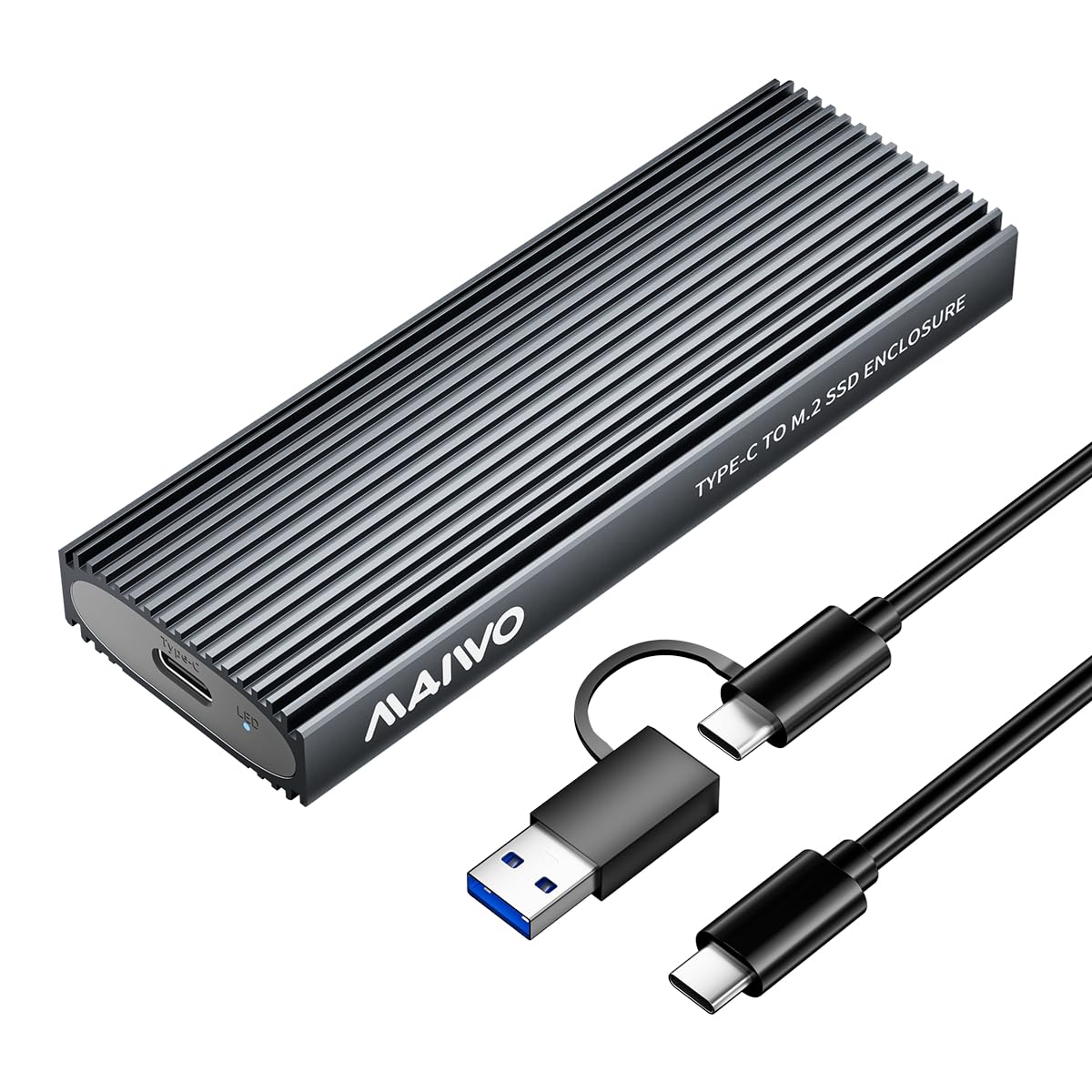
Image: High-speed 10Gbps Type-C interface in use.

Image: Versatile connectivity with the 2-in-1 Type-C cable across multiple devices.
Maintenance
To ensure optimal performance and longevity of your MAIWO K1691 enclosure:
- Heat Dissipation: The enclosure features an aluminum alloy shell, silicone thermal pad, aluminum thermal pad, and groove design for multiple heat dissipation methods. Ensure proper airflow around the enclosure during extended use.
- Cleaning: Keep the enclosure clean and free from dust. Use a soft, dry cloth for cleaning. Avoid liquid cleaners.
- Storage: Store the enclosure in a cool, dry place when not in use.
- Handling: Handle the enclosure with care to prevent physical damage.

Image: Components and effectiveness of the enclosure's heat dissipation system.
Troubleshooting
- Enclosure not detected:
- Ensure the USB cable is securely connected to both the enclosure and your device.
- Try a different USB port on your device.
- Verify the M.2 SSD is correctly installed and seated firmly within the enclosure.
- If it's a new SSD, check your operating system's disk management utility to see if it needs initialization and formatting.
- Slow data transfer speeds:
- Ensure you are connected to a USB 3.1 Gen2 (10Gbps) compatible port on your device. Older USB ports (e.g., USB 2.0, USB 3.0) will result in lower speeds.
- Confirm your operating system supports UASP (Windows 8.1 or above, macOS, Linux).
- The performance of the SSD itself can affect transfer speeds.
- Enclosure gets hot:
- Some heat generation is normal during high-speed data transfer, especially with NVMe SSDs. The aluminum alloy shell is designed to dissipate this heat.
- Ensure the thermal pads are correctly installed on the SSD.
- Avoid placing the enclosure in enclosed spaces that restrict airflow.
Specifications
| Feature | Detail |
|---|---|
| Model Number | K1691 |
| Hardware Interface | USB 3.1 Type C (Gen2) |
| Data Transfer Rate | 10 Gigabits per second |
| Supported SSDs | M.2 PCIe NVMe NGFF SATA SSDs (M Key, B+M Key) |
| SSD Sizes Supported | 2230, 2242, 2260, 2280mm |
| Max Capacity | Up to 8TB |
| Compatibility | Windows 7/8/10/11, macOS, Linux, iOS, Android, Harmony OS (OTG support required for phones) |
| Features | Tool-Free, UASP, Trim, Clear LED Indicator, Driver Free, Plug and Play |
| Material | Aluminum Alloy Shell, High-strength Plastic Drawer |
| Dimensions (L x W x H) | 4.33" x 1.5" x 0.53" (110mm x 38mm x 13.5mm) |
| Weight | 70 g |
Warranty and Support
This MAIWO K1691 M.2 NVMe SATA SSD Enclosure comes with a One Year Warranty from the date of purchase.
For technical support, warranty claims, or further assistance, please contact MAIWO customer service through the retailer where you purchased the product or visit the official MAIWO website for contact information.