
Lefant M330 Pro
Lefant M330 Pro Robot Vacuum and Mop 3-in-1 User Manual
Model: M330 Pro
1. Introduction
The Lefant M330 Pro is an advanced 3-in-1 robot vacuum and mop designed to provide efficient and thorough cleaning for your home. Featuring dToF laser navigation, multi-level mapping, and powerful 5000Pa suction, it intelligently navigates and cleans various floor types. Its compact design allows it to reach under furniture, while smart features like custom cleaning plans, virtual no-go zones, and app/voice control offer a personalized cleaning experience. With up to 150 minutes of runtime, the M330 Pro ensures extensive coverage before automatically returning to its charging station.
2. Package Contents
Please verify that all items are present in your package:
- Lefant M330 Pro Robot Vacuum
- 3-in-1 Water Tank + Dustbin
- Charging Station
- Power Adapter
- Cleaning Brush
- Mop Pad Holder
- Side Brushes (x2)
- Washable Mop Pad
- User Manual
- Disposable Mop Cloths (x5)
- HEPA Filter

Image: The Lefant M330 Pro robot vacuum cleaner shown with its charging station, side brushes, mop pad, and other included accessories.
3. Product Overview
3.1 Key Features
- dToF Laser Navigation: Provides precise mapping and efficient cleaning paths, day or night. Supports multi-level mapping for homes with multiple floors.
- 3-in-1 Cleaning: Sweeps, vacuums, and mops simultaneously.
- Smart Carpet Recognition: Automatically increases suction power on carpets for deeper cleaning and reduces power on hard floors to save energy and reduce noise.
- Compact Design: With a slim profile of 28 cm, it easily maneuvers under chairs, sofas, and beds.
- Customized Cleaning: Use the Lefant app to create personalized cleaning plans, define specific rooms or zones for cleaning, and set virtual no-go zones.
- Extended Runtime: Up to 150 minutes of cleaning on a single charge, suitable for large homes. Automatically returns to the charging station.
- Smart Control: Control via the Lefant app or voice commands with Alexa and Google Assistant.
3.2 Navigation and Obstacle Avoidance

Image: The robot vacuum actively mapping a room using its dToF laser navigation system, illustrating its ability to create personalized cleaning maps and multi-level maps.
The M330 Pro utilizes advanced dToF laser navigation for accurate mapping of your home, allowing for customized cleaning routines and multi-level mapping. Its precision obstacle avoidance system (PSD) helps prevent collisions with furniture and other objects, ensuring smooth navigation.
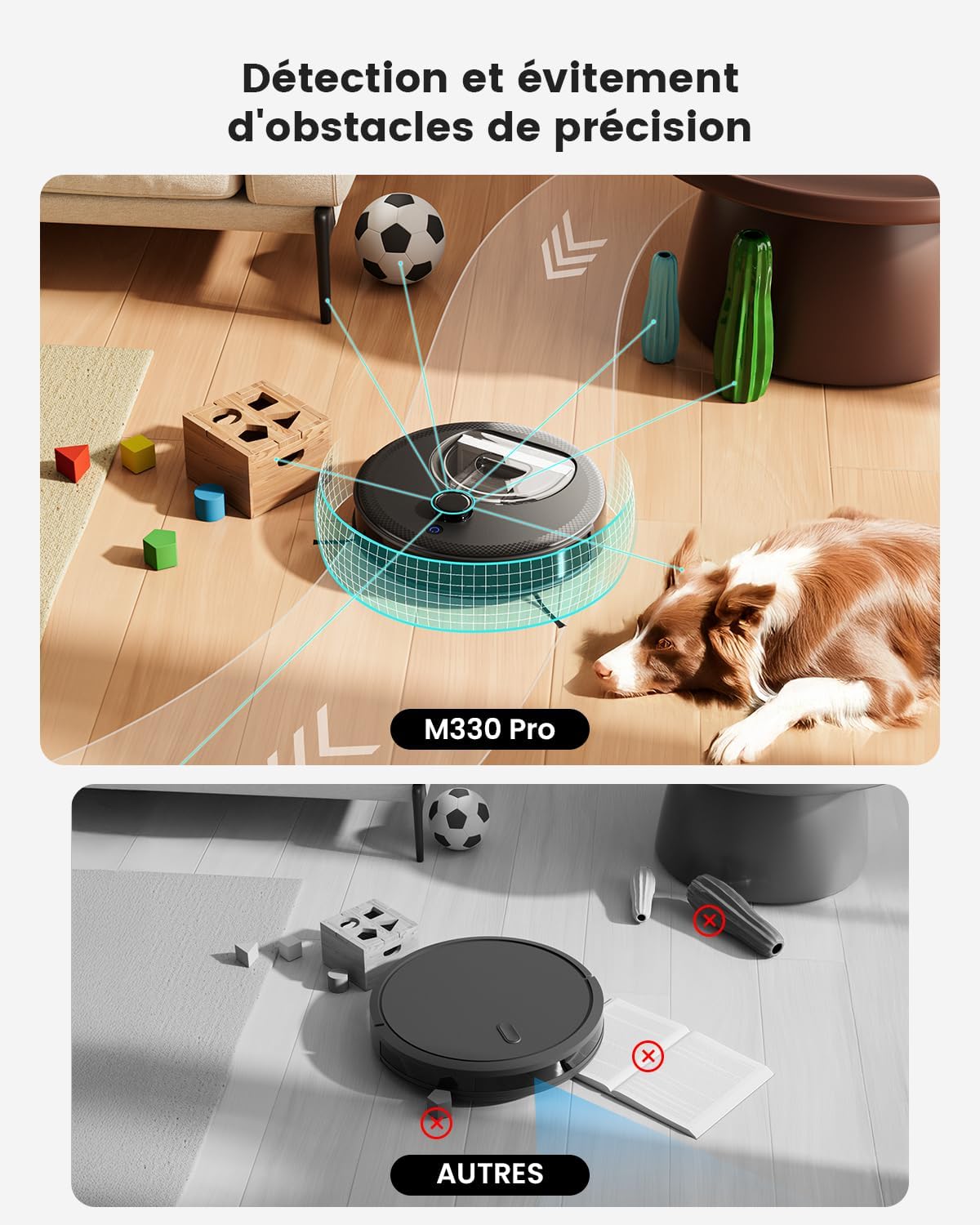
Image: The robot vacuum detecting and avoiding various obstacles on the floor, highlighting its precision obstacle avoidance capabilities compared to other models.
3.3 Cleaning Mechanism
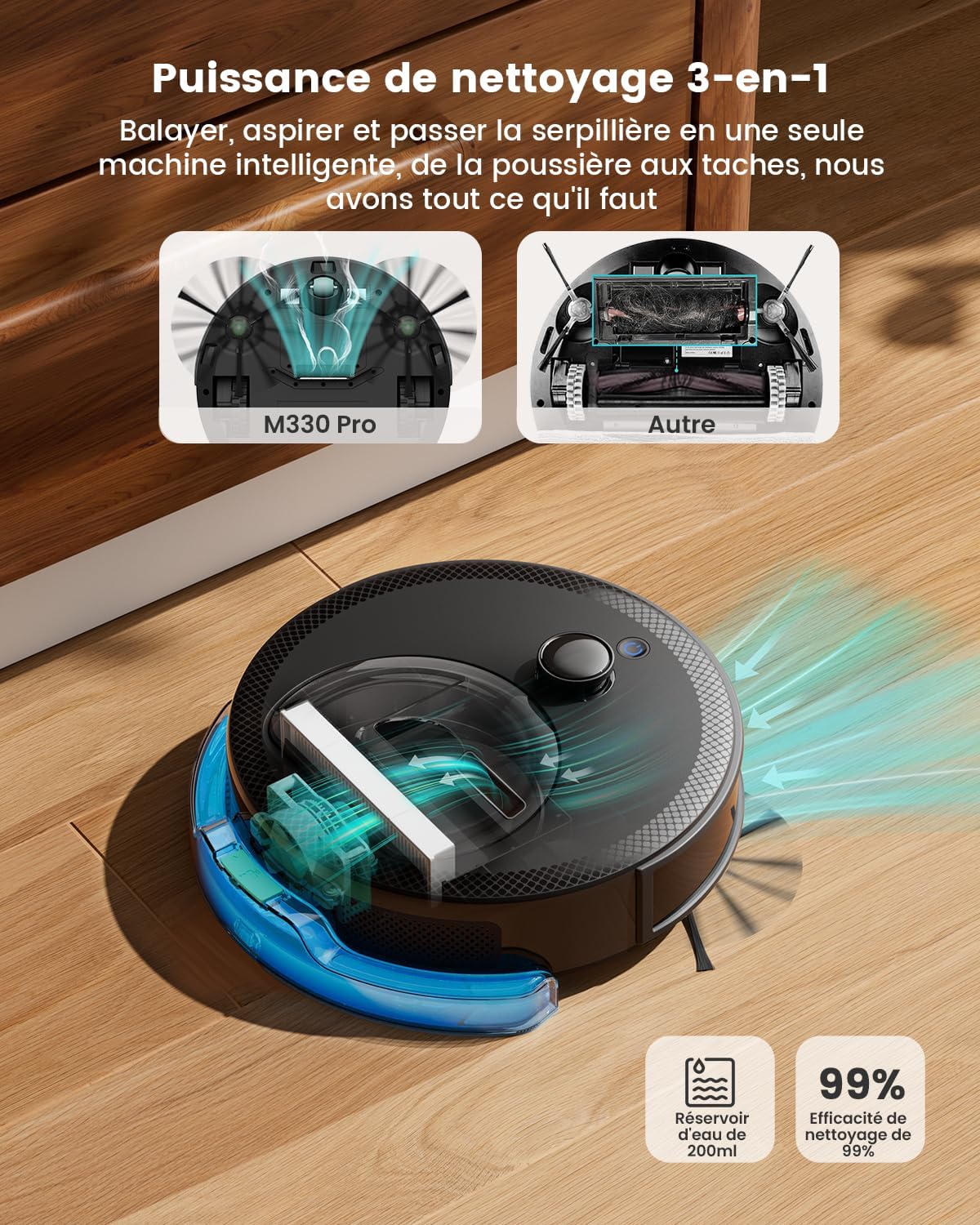
Image: An exploded view illustrating the internal components of the M330 Pro's 3-in-1 cleaning system, showing how it sweeps, vacuums, and mops.
The M330 Pro integrates sweeping, vacuuming, and mopping functions. It features a unique brush-less suction port to prevent hair tangles, making it ideal for pet owners. The intelligent carpet recognition system automatically adjusts suction power for optimal cleaning on different surfaces.

Image: The robot vacuum transitioning from a hard floor to a carpet, demonstrating its intelligent surface adaptation and automatic power increase for deep carpet cleaning.
4. Setup
4.1 Initial Preparation
- Remove all protective films and packaging materials from the robot and charging station.
- Install the side brushes by pressing them onto the posts until they click into place.
- Place the charging station against a wall in an open area, ensuring there are no obstacles within 1 meter (3 feet) to the sides and 2 meters (6 feet) in front.
- Connect the power adapter to the charging station and plug it into a power outlet.
- Place the robot on the charging station to fully charge before first use. The indicator light will show charging status.
4.2 Connecting to the Lefant App

Image: A visual guide showing the step-by-step process of connecting the Lefant M330 Pro robot vacuum to the Lefant mobile application, including downloading the app, adding the device, and network configuration.
- Download the Lefant app from your app market (App Store or Google Play).
- Add your M330 Pro robot vacuum cleaner to the app.
- Connect to a 2.4GHz/5GHz Wi-Fi network.
- Position the blue button on the robot to "I" (On).
- Press and hold the start button for 6 seconds.
- Select the M330 Pro in the app and wait for successful pairing.
4.3 Connecting to Alexa

Image: A visual guide detailing the steps to link the Lefant M330 Pro with Amazon Alexa, including opening the Alexa app, enabling the Smart Life skill, and linking accounts for voice control.
- Open the third-party 'Lefant APP' to access the service.
- Register your voice account and password.
- Open the 'Alexa APP' - Skills & Games.
- Search for 'Smart Life'.
- Click on 'Enable to Use'.
- Select the region - Enter the voice account and password from step 2.
- Wait for a successful connection.
5. Operating Your Robot Vacuum
5.1 Cleaning Modes
The M330 Pro offers various cleaning modes to suit your needs:
- Auto Cleaning: The robot intelligently navigates and cleans your entire home.
- Spot Cleaning: Directs the robot to clean a specific area with concentrated effort.
- Edge Cleaning: The robot cleans along walls and furniture edges.
- Scheduled Cleaning: Set specific times for the robot to clean automatically via the app.
5.2 Using the Lefant App

Image: A smartphone displaying the Lefant app interface, showing options for multi-level mapping, personalized routines, smart no-go zones, and do not disturb mode, along with integration with Alexa and Google Assistant.
The Lefant app provides comprehensive control over your M330 Pro:
- Customized Room Cleaning: Define different cleaning modes and frequencies for each room.
- Targeted Zone Cleaning: Select specific rooms or areas for deep cleaning.
- Flexible Zone Editing: Divide or merge rooms to create a cleaning plan tailored to your home layout.
- Virtual No-Go Zones: Set virtual boundaries to prevent the robot from entering specific areas.
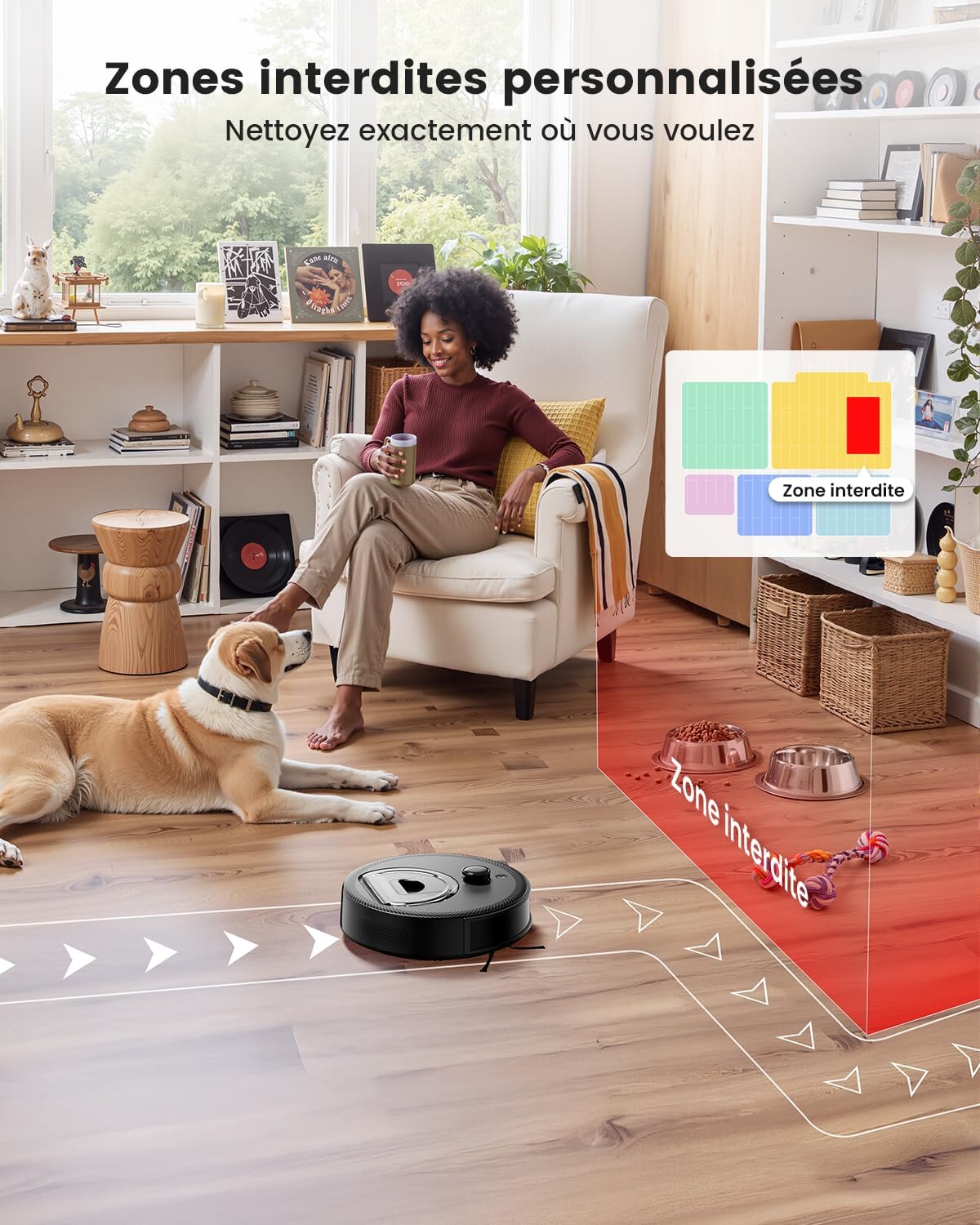
Image: The robot vacuum cleaning a room while avoiding a designated 'no-go zone' marked in red, demonstrating the customized boundary feature.
5.3 Voice Control
Once connected to Alexa or Google Assistant, you can use voice commands to start, stop, or pause cleaning. For example, say "Alexa, start cleaning with Lefant M330 Pro."
6. Maintenance
Regular maintenance ensures optimal performance of your Lefant M330 Pro.
6.1 Cleaning the 3-in-1 Dustbin and Water Tank
- Press the release button to remove the 3-in-1 dustbin and water tank unit.
- Open the dustbin cover and empty the debris into a trash can.
- Rinse the dustbin and water tank with clean water. Ensure they are completely dry before re-installing.
- For mopping, fill the water tank with clean water (and a small amount of neutral cleaning solution if desired, check product compatibility).
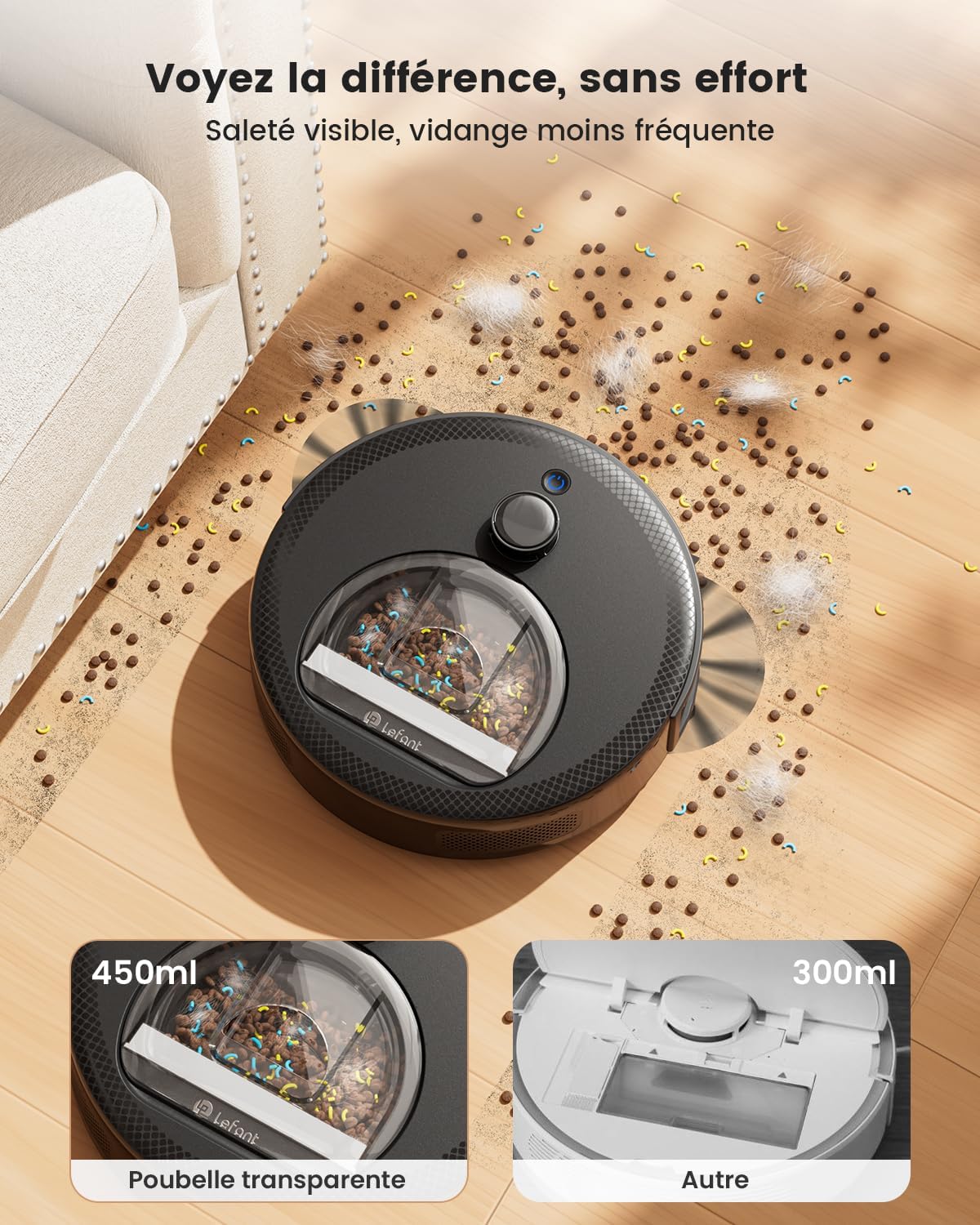
Image: A close-up of the robot vacuum's transparent dustbin, illustrating its 450ml capacity and visible debris, emphasizing less frequent emptying.
6.2 Cleaning the HEPA Filter
- Remove the HEPA filter from the dustbin.
- Tap the filter gently to remove loose dust. Do not wash the HEPA filter with water.
- Use the included cleaning brush to remove any remaining debris.
- Replace the HEPA filter every 3-6 months, depending on usage.
6.3 Cleaning Side Brushes
- Pull the side brushes upwards to remove them.
- Remove any hair or debris tangled around the brushes.
- Re-install the side brushes, ensuring they click into place.
6.4 Cleaning Sensors and Charging Contacts
- Wipe all sensors (cliff sensors, anti-collision sensors) and charging contacts on the robot and charging station with a clean, dry cloth.
7. Troubleshooting
If you encounter issues with your Lefant M330 Pro, please refer to the following common problems and solutions:
| Problem | Possible Cause | Solution |
|---|---|---|
| Robot does not turn on or respond. | Low battery; Power switch off; Robot stuck. | Charge the robot; Ensure power switch is ON; Clear any obstructions. |
| Robot cannot find charging station. | Charging station obstructed; Robot too far from station. | Ensure clear path to charging station; Place robot closer to station. |
| Poor cleaning performance. | Dustbin full; Filter clogged; Side brushes worn or tangled. | Empty dustbin; Clean/replace filter; Clean/replace side brushes. |
| Robot gets stuck frequently. | Too many obstacles; Loose cables/rugs. | Clear clutter from floor; Use virtual no-go zones for problem areas. |
| App connection issues. | Incorrect Wi-Fi password; Router too far; 5GHz network not supported (though M330 Pro supports both). | Verify Wi-Fi password; Move robot closer to router; Ensure 2.4GHz network is available. Re-pair if necessary. |
8. Specifications
| Feature | Specification |
|---|---|
| Brand | Lefant |
| Model Number | M330 Pro |
| Color | Black |
| Product Dimensions (L x W x H) | 28 x 28 x 8 cm |
| Item Weight | 2.15 kg |
| Dustbin Capacity | 450 Milliliters |
| Water Tank Capacity | 200 Milliliters |
| Voltage | 19 Volts |
| Noise Level | 52 Decibels |
| Battery Runtime | 150 minutes |
| Product Compatibility | Smartphone (App Control) |
| Special Features | Anti-collision, Multi-floor Mapping, LiDAR Navigation, Obstacle Avoidance, Smart Carpet Recognition |
| Filter Type | HEPA |
| Connectivity | Wi-Fi (2.4GHz & 5GHz), Alexa, Google Assistant |
9. Warranty and Support
For warranty information, technical support, or spare parts inquiries, please contact Lefant customer service through the official website or the contact information provided in your product packaging.
Spare Parts Availability: Information unavailable.
Ask a question about this manual
Ask about setup, troubleshooting, compatibility, parts, safety, or missing instructions. Manuals+ will review the question and use this page’s manual context to help answer it.