
Introduction
Welcome to the DETIKO Bamboo Bird Feeder with Camera. This device allows you to observe and interact with local birdlife directly from your smartphone. Featuring a 2K HD camera, solar power, and advanced AI bird identification, this feeder offers a unique way to connect with nature. Please read this manual carefully to ensure proper setup, operation, and maintenance of your bird feeder.
Product Overview
The DETIKO Bamboo Bird Feeder combines durable craftsmanship with smart technology to enhance your birdwatching experience. Key features include:
- Bamboo Craftsmanship + 2K HD Clarity: Constructed from warp-resistant, high-density bamboo, this feeder blends naturally into your outdoor environment. The 2K HD camera with a 147° wide-angle lens captures detailed images and videos of visiting birds.
- AI Bird Identification: The smart feeder recognizes over 2,800 bird species, providing species information cards. A 10-day trial for AI identification, cloud storage, and the bird library is included, with a subscription required for continued access.
- Live View + Local Playback + Family Sharing: Access a live feed of your feeder, save moments to local storage, and enjoy playback anytime. Share access with up to 3 family members. The feeder also supports two-way audio and includes a squirrel-deterrent feature.
- Motion Alerts + Night Vision: PIR motion detection reduces false alerts, ensuring you capture significant events. Six infrared LEDs provide clear night vision. The feeder is IP65-rated for weather resistance, operating from -10°C to 55°C.
- Solar Power + Long Battery Life: A built-in solar panel and 5200mAh battery provide 2–3 months of operation per charge. Stable 2.4GHz Wi-Fi coverage (30–40m range) ensures reliable connectivity. The 1.2L seed capacity minimizes refills.
What's in the Box
Your DETIKO Bamboo Bird Feeder package includes:
- DETIKO Bamboo Bird Feeder with Camera
- Hanging Wire
- Product Manual
- Seed Tray
- Mounting Bracket (L-shaped)
- Straps for tree mounting
- Screws and wall anchors

Image: Overview of the DETIKO Smart Bird Feeder and its included components.
Setup Instructions
1. Initial Camera Charge
Before first use, fully charge the camera using the provided USB-C cable. The camera also features a built-in solar panel for continuous charging when exposed to sunlight.
2. App Download and Camera Pairing
- Download the 'InstaVision' app from your smartphone's app store (available for iPhone and Android). You can scan the QR code in the product manual for direct access.
- Ensure your smartphone is connected to a 2.4GHz Wi-Fi network (5GHz is not supported) and is within 30-40 meters of the bird feeder.
- Power on the camera by sliding the switch located under the rubber grommet. You will hear a welcome message.
- In the InstaVision app, select 'Add Camera'. The app will attempt to scan for nearby cameras using Bluetooth.
- If Bluetooth scanning fails, select 'Add Camera Manually' and scan the QR code located on the back of the camera.
- Follow the in-app prompts to connect the camera to your home Wi-Fi network.
3. Mounting the Bird Feeder
The DETIKO bird feeder offers flexible mounting options:
- Tree/Pole Mounting: Use the provided canvas straps to securely attach the feeder to a tree or pole.
- Wall Mounting: Utilize the L-shaped bracket and screws to mount the feeder to a wall or fence.
Choose a sunny, unobstructed spot to maximize solar charging efficiency. Ensure the feeder is within range of your 2.4GHz Wi-Fi network.

Image: A man installing the DETIKO Bamboo Bird Feeder with Camera onto a tree trunk using the provided straps, showcasing the solar panel on the roof.

Image: Close-up of the DETIKO bird feeder highlighting the solar panel on the roof and the camera unit, with an illustration of mounting options.
4. Fill with Seed
Open the roof of the feeder and fill the 1.2L capacity hopper with seeds that birds love, such as sunflower seeds or crushed peanuts. Close the roof securely.
Operating Instructions
Live View and Recording
Once connected, open the InstaVision app to access the live view from your camera. You can watch birds in real-time, capture photos, and record videos. The camera's PIR motion sensor will automatically trigger recordings when motion is detected, reducing false alerts.
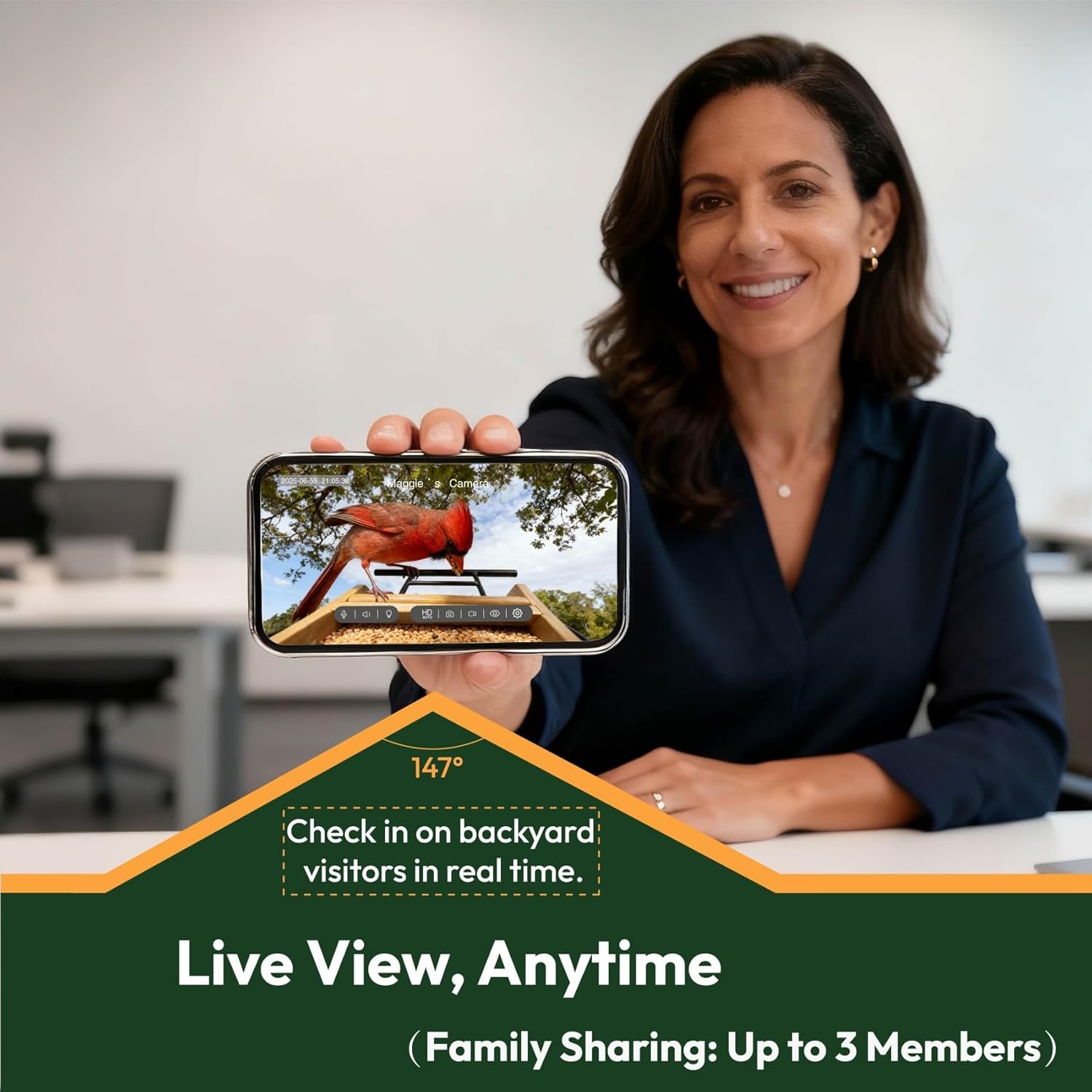
Image: A woman holding a smartphone displaying a live feed from the DETIKO bird feeder camera, showing a cardinal on the feeder.
Night Vision
The camera is equipped with 6 infrared LEDs for clear night vision, allowing you to observe nocturnal bird activity.

Image: A woman watching a tablet displaying clear night vision footage from the DETIKO bird feeder camera, showing a bird on the feeder in monochrome.
Two-Way Audio
Use the two-way audio feature to listen to bird sounds or deter squirrels with your voice.
Family Sharing
Share access to your bird feeder's live feed and recordings with up to 3 family members through the app.

Image: A family gathered outdoors, with some members looking at a smartphone displaying bird feeder footage, illustrating the family sharing feature.
AI Bird Identification & App Features
The InstaVision app provides advanced features to enhance your birdwatching:
- AI Bird ID: The camera's AI can identify over 2,800 species, providing detailed information and creating a digital bird library. This feature is available during a 10-day trial period, after which a subscription is required.
- Bird Library: Explore identified species, view past visits, and listen to bird calls.
- Event Videos & Local Storage: Motion-triggered recordings are saved to local storage (SD card, not included) for playback. Cloud storage for highlights is available with a subscription after the trial.

Image: A family, including a child, looking at a tablet displaying AI bird identification results from the DETIKO bird feeder camera, highlighting the educational aspect.
Demonstration of AI Bird Library
Video: This video demonstrates the AI bird identification feature within the DETIKO app, showing how different bird species are recognized and added to a digital library.
Captured Bird Footage
Video: This video showcases actual footage captured by the DETIKO bird feeder camera, providing a glimpse into the quality of recordings.
Maintenance
- Cleaning: Regularly clean the feeder to prevent mold and bacteria buildup. Remove old seeds and debris.
- Refilling: Monitor the seed level through the transparent side panels and refill the 1.2L hopper as needed.
- Battery: The solar panel keeps the battery charged. If the feeder is in a shaded area or during prolonged cloudy weather, you may need to manually charge the camera via its USB-C port.
Troubleshooting
| Issue | Solution |
|---|---|
| Camera not connecting to Wi-Fi | Ensure your Wi-Fi is 2.4GHz (5GHz is not supported). Check signal strength at the feeder's location. Move the feeder closer to the router if necessary. Re-pair the camera via the app. |
| Short battery life | Ensure the solar panel receives direct sunlight for several hours daily. Reduce motion detection sensitivity or recording duration in the app settings. Manually charge the camera via USB-C if needed. |
| Poor image/video quality | Clean the camera lens. Ensure the feeder is stable and not swaying excessively. Check Wi-Fi signal strength for optimal streaming. |
| False motion alerts | Adjust PIR motion detection sensitivity in the app settings to a lower level. Ensure the feeder is not positioned where tree branches or other objects frequently move in front of the camera. |
Specifications
- Brand: DETIKO
- Model: B0FNWLWYL3
- Material: Bamboo
- Camera Resolution: 2K HD
- Camera Wide Angle: 147°
- Night Vision: 6 Infrared LEDs
- Power Source: Solar Powered, 5200mAh Battery
- Wi-Fi Connectivity: 2.4GHz (30-40m range), 5GHz not supported
- Weather Resistance: IP65-rated (-10°C to 55°C)
- Seed Capacity: 1.2 Liters
- Item Dimensions (L x W x H): 9.8" x 9.57" x 7.87"
- Item Weight: 2.7 Kilograms
- Mounting Type: Wall mount, Tree mount
- Special Features: Built-In Camera, AI Bird Identification (2,800+ species), Motion Alerts, Live View, Local Storage, Family Sharing, Two-Way Audio, Squirrel-Deterrent Feature
Warranty and Support
DETIKO products are designed for durability and performance. For specific warranty details and support inquiries, please refer to the official DETIKO website or contact customer service. The standard return policy allows for returns within 30 days for refund or replacement.
Manufacturer: DETIKO