
1. Introduction
This manual provides detailed instructions for the installation, operation, and maintenance of your DETIKO KP01-C1-A1 2K Smart Window Security Camera. Please read this manual thoroughly before using the product to ensure proper functionality and safety.
2. Package Contents
Verify that all items listed below are included in your package:
- Smart Window Camera (1)
- USB Cable (1)
- Power Adapter (1)
- Adhesive Mounting Base (3)
- Cable Clips (4)
- User Manual (1)
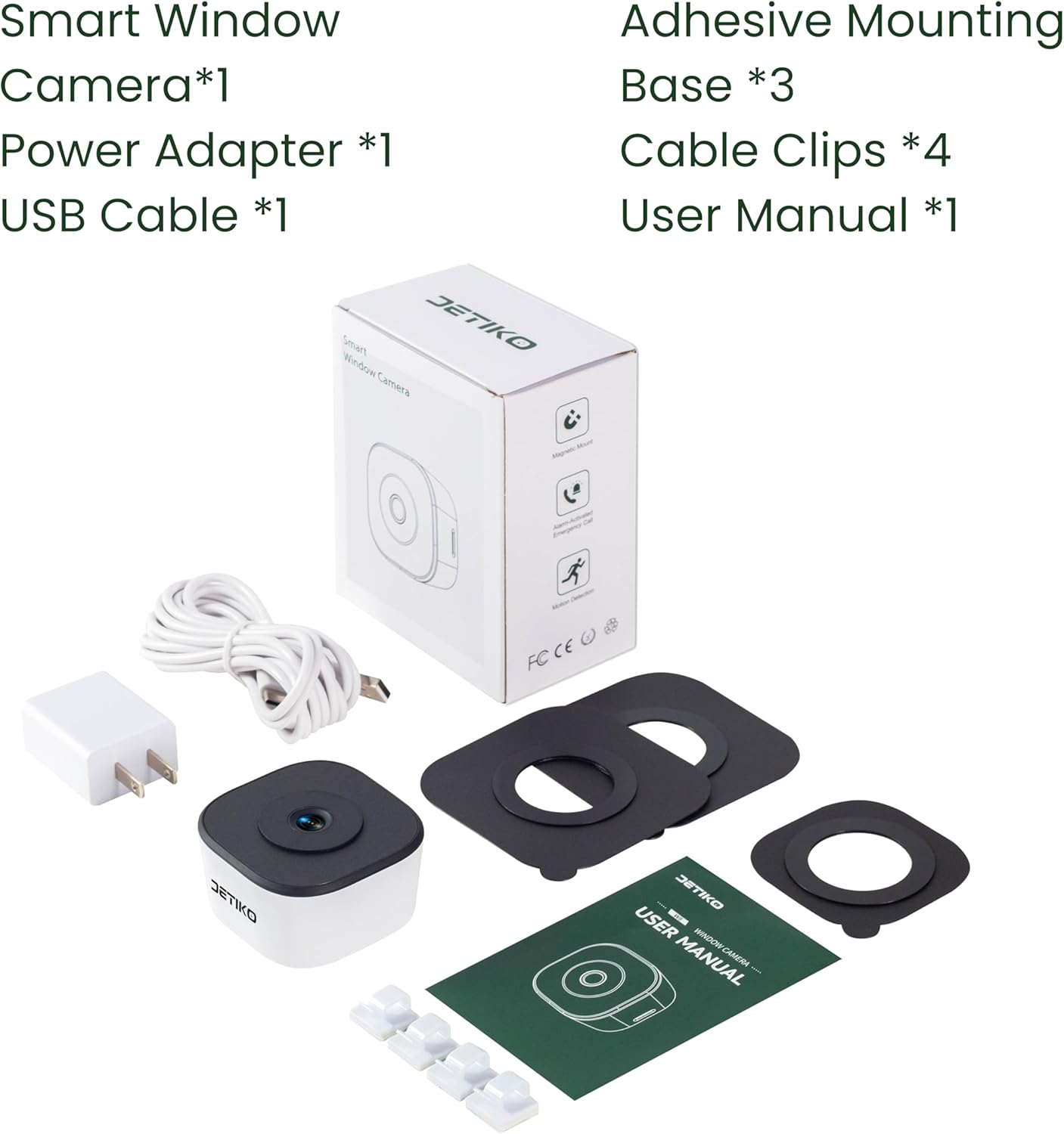
Image: Contents of the DETIKO 2K Smart Window Security Camera package.
3. Product Overview
Key Features:
- 2K Ultra HD Resolution: Delivers clear video and images.
- Full-Color Night Vision: F1.0 large aperture captures vibrant details in low light.
- AI Smart Detection: Accurately identifies people, vehicles, pets, and packages, reducing false alarms.
- Two-Way Audio: Built-in microphone and speaker for interactive communication.
- Flexible Storage Options: Supports US Cloud storage (bank-grade encryption) and local MicroSD card (up to 256GB, not included) for 24/7 continuous recording.
- Instant 911 Call Support: In-app emergency button for remote 911 calls with live video and location sharing (subscription required).
- Easy Installation: Magnetic mounting for quick and secure placement on windows.
- 2.4G WiFi Connectivity: Connects to your home network for remote access.

Image: Front view of the DETIKO 2K Smart Window Security Camera.
4. Setup & Installation
4.1 Preparing for Installation
- Clean the Glass Surface: Ensure the window surface where the camera will be mounted is clean and dry. Use a microfiber cloth for best results.
- Power Connection: Connect the USB cable to the camera's Type-C port and the power adapter. Plug the adapter into a power outlet. The camera will boot up, indicated by a blue light.
4.2 Mounting the Camera
The DETIKO camera is designed for easy, no-drill window mounting using magnetic adhesive bases.
- Apply Adhesive Base: Peel off the protective backing from one of the adhesive magnetic bases. Carefully position and firmly stick it onto the clean window surface from the inside. Ensure the opening aligns with where the camera lens will be.
- Attach Camera: The camera has a magnetic back. Simply align the camera with the magnetic base on the window. It will snap securely into place.
- Cable Management: Use the provided cable clips to neatly secure the power cable along the window frame or wall.

Image: Visual guide for mounting the camera on a window.
4.3 Video Installation Guide
Video: Official DETIKO guide demonstrating the installation method of the window camera.
5. App Download & Connection
To access your camera's features and live feed, download the companion app.
- Download the App: Scan the QR code provided in the user manual or search for "InstaVision: Smart & Safe Home" in your smartphone's app store (available for iOS and Android).
- Create Account: Follow the on-screen instructions to create a new user account.
- Add Camera: Ensure your phone's Bluetooth is enabled. Open the app, tap 'Add Camera' on the home screen, or go to 'Add & Manage Cameras' and tap 'Add Camera' to get started. The app will begin scanning for nearby cameras.
- Connect to Wi-Fi: Follow the in-app prompts to connect your camera to your 2.4G Wi-Fi network. (Note: 5G Wi-Fi is not supported).

Image: Example of a person detection alert on a smartphone.
6. Operating Instructions
6.1 AI Smart Detection
The camera's advanced AI can accurately identify people, vehicles, pets, and packages. You will receive descriptive alerts summarizing the event. The system categorizes recordings by type for easy search and playback. (Note: Advanced AI features are available with a 7-day trial; subscription may be required for continued use).
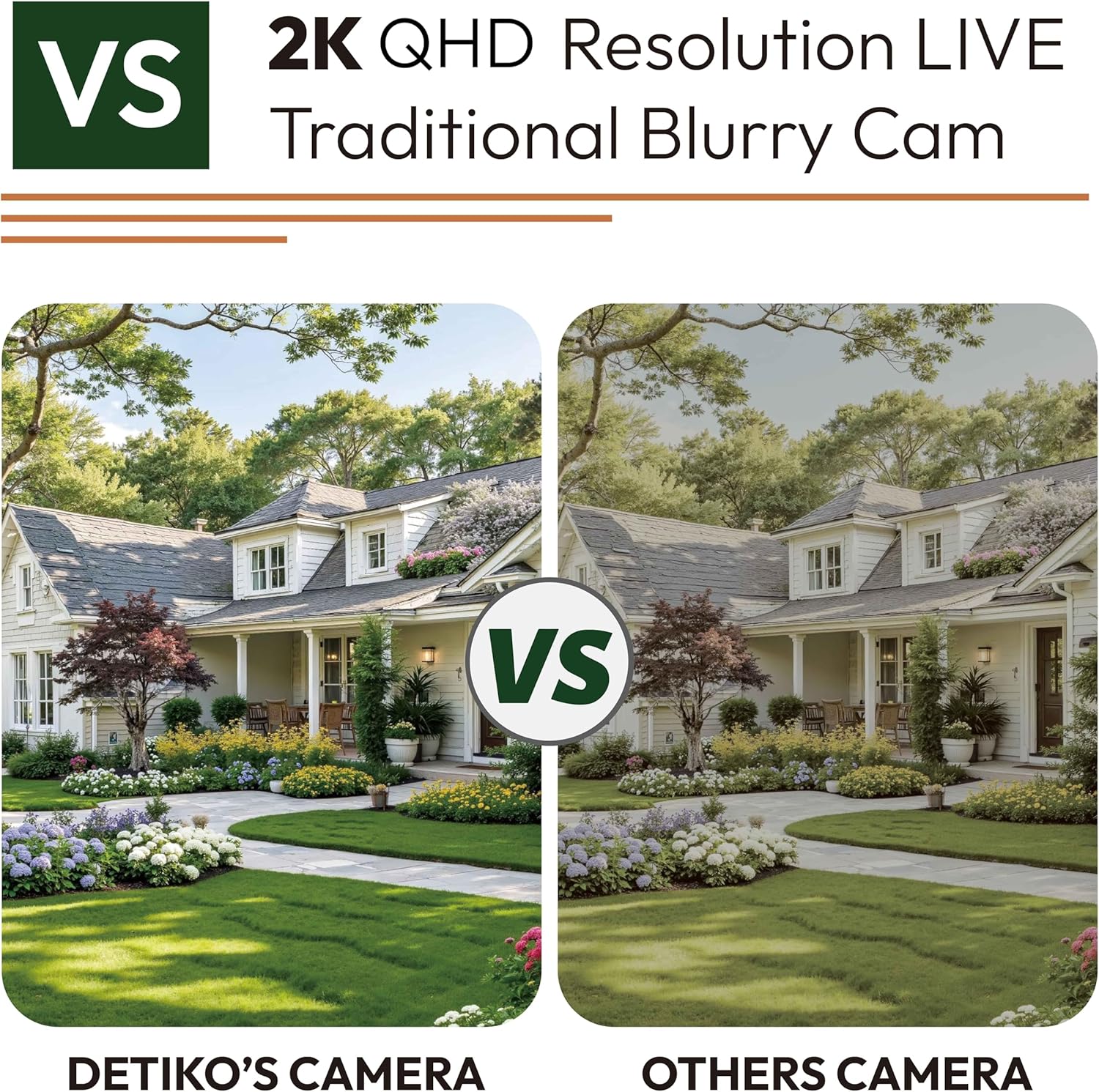
Image: DETIKO AI detection identifying various objects in a scene.
6.2 Full-Color Night Vision
The F1.0 large aperture lens provides clear 2K video with full-color night vision, allowing you to see vibrant details even in complete darkness without glare or reflection.

Image: Comparison showing the clarity of full-color night vision.
6.3 Two-Way Audio
Utilize the built-in microphone and speaker for two-way communication through the app. This allows you to speak to visitors or deter intruders remotely.
6.4 Storage Options
Your camera offers two storage methods:
- US Cloud Storage: Data is securely stored with bank-grade encryption. (Subscription may be required).
- Local Storage: Supports 24/7 continuous recording to a MicroSD card (up to 256GB, not included) with auto-overwrite when full.

Image: Overview of continuous recording and storage options.
6.5 Instant 911 Emergency Support
In critical situations, the in-app emergency button allows you to call 911 remotely while automatically sharing your live video and location. (Subscription required for this feature).

Image: Smart alerts and 911 emergency call feature.
6.6 Family Sharing
Share camera access with up to 4 family members across 5 devices, allowing multiple users to monitor the feed. (Note: Some features may require a subscription).
7. Maintenance
- Cleaning: Regularly wipe the camera lens and body with a soft, dry cloth to remove dust and smudges. Ensure the window surface where the camera is mounted is also kept clean for optimal image clarity.
- Firmware Updates: Check the app periodically for firmware updates to ensure your camera has the latest features and security enhancements.
- Adhesive Longevity: The adhesive for the magnetic mount is strong, but extreme temperature changes or frequent removal may affect its long-term adhesion. Replacement adhesives are available if needed.
8. Troubleshooting
| Issue | Possible Cause | Solution |
|---|---|---|
| Camera not connecting to Wi-Fi | Incorrect Wi-Fi password; camera too far from router; 5G Wi-Fi network. | Ensure correct 2.4G Wi-Fi password. Move camera closer to router. Confirm router is broadcasting 2.4G Wi-Fi. |
| Poor image quality | Dirty lens or window; low light conditions; network issues. | Clean the camera lens and window. Ensure adequate lighting for optimal full-color night vision. Check Wi-Fi signal strength. |
| Frequent false alerts | High detection sensitivity; environmental factors (e.g., moving branches). | Adjust AI detection sensitivity settings in the app (Low/Medium/High). Define activity zones to exclude irrelevant areas. |
| Camera offline | Power outage; Wi-Fi disconnected; camera malfunction. | Check power supply and Wi-Fi router. Restart the camera and router. If issues persist, contact customer support. |
9. Specifications
- Model: KP01-C1-A1
- Video Capture Resolution: 2K (1296p)
- Connectivity Technology: Wired (Corded Electric)
- Connectivity Protocol: Wi-Fi (2.4G only)
- Mounting Type: Window Mount (Magnetic Adhesive)
- Night Vision Range: 33 Feet
- Item Dimensions (L x W x H): 2.4 x 2.4 x 1.46 inches
- Item Weight: 7.8 ounces
- Local Storage: Supports MicroSD card up to 256GB (not included)
- Special Features: 2-Way Audio, AI Detection, Full-Color Night Vision, HD Resolution, Privacy Encryption Protection
10. Warranty & Support
DETIKO provides 24/7 customer support. For any questions, technical assistance, or warranty claims, please contact our dedicated US team via in-app chat, email, or phone. Refer to the app's "Help & Support" section for contact details.