Introduction
Thank you for choosing the VTOMAN V-Truck Pro 8000A Car Battery Jump Starter. This powerful and versatile device is designed to provide reliable jump-starting for heavy-duty vehicles, along with portable power for your electronic devices. Please read this manual thoroughly before use to ensure safe and optimal performance.
Package Contents
Verify that all items listed below are included in your package:
- 1 x VTOMAN V-Truck Pro Car Jump Starter
- 1 x Long Smart Jumper Cable
- 1 x USB-A to USB-C Cable
- 1 x 65W AC Adaptor
- 1 x Guidance Card

Product Features
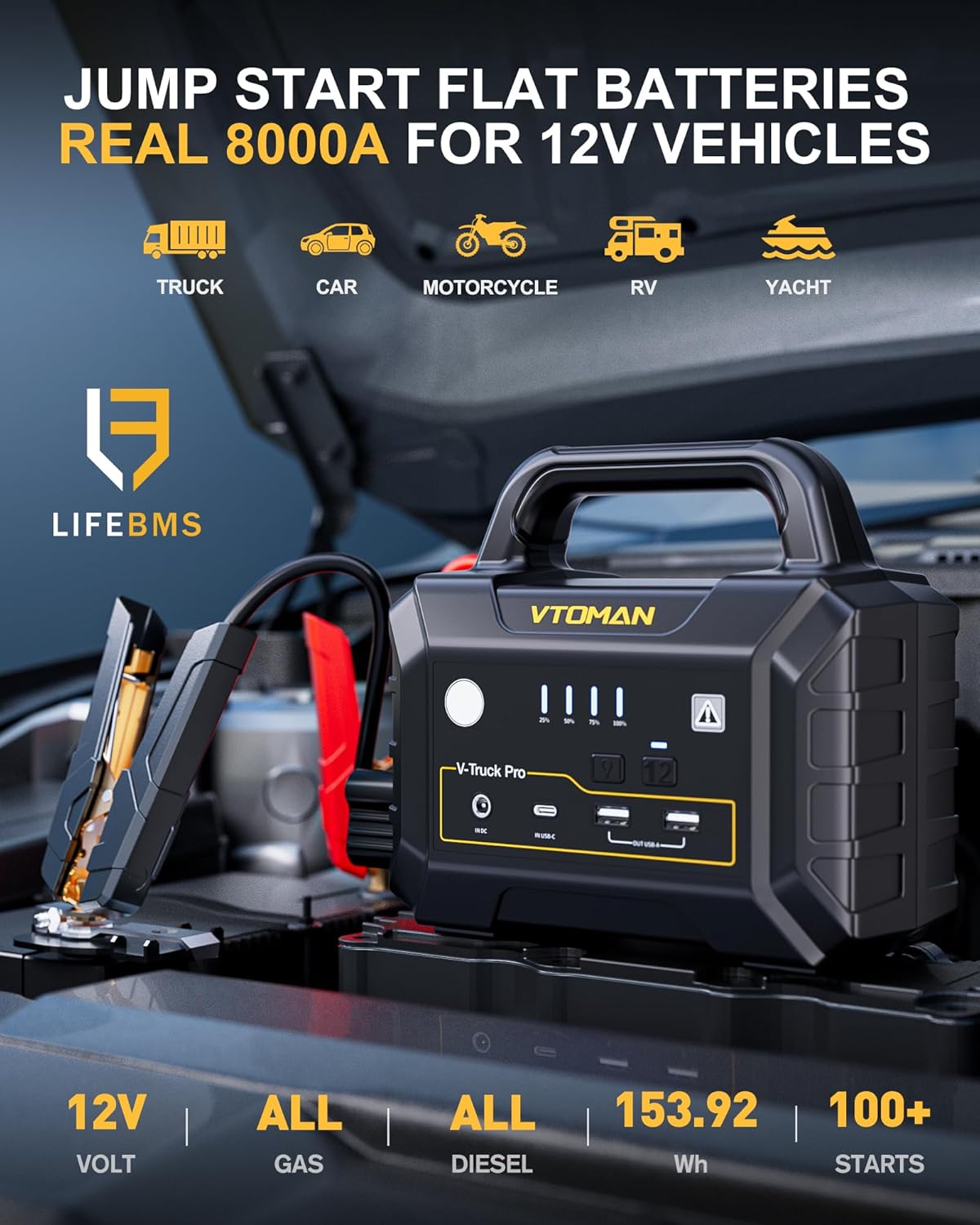
- 8000A Heavy-Duty Jump Starting: Delivers 8000A peak current to instantly jump-start heavy-duty vehicles, including trucks, RVs, tractors, and boats. Compatible with all 12V vehicles (all gas, all diesel engines).
- 65W Fast Charging & Large Capacity: Features a massive 41600mAh battery that fully charges in just 2.5 hours. Can charge a smartphone approximately 8-10 times, and powers tablets, cameras, and other USB devices.
- Compact & Highly Portable: Weighs about 7 lbs and measures 10x6x7.5 inches, significantly lighter than traditional lead-acid starters. Includes a top handle for easy carrying and convenient storage.
- Safe & User-Friendly: Built with flame-retardant materials and 10-protection technologies (over-charge, over-current, spark-proof, reverse-polarity, etc.) for safe operation in extreme temperatures from -40°F to 140°F.
- 3-Mode Emergency LED Light: Built-in flashlight with steady, strobe, and SOS modes for repairs, signaling, and emergencies.


Setup
Initial Charging
Before first use, fully charge your VTOMAN V-Truck Pro using the provided 65W AC Adaptor and USB-A to USB-C cable. The device supports 65W fast charging, reaching 100% capacity in approximately 2.5 hours. Ensure the device is fully charged for optimal performance.

Operating Instructions
How to Jump-Start Your Vehicle
- Ensure the jump starter is fully charged.
- Connect the smart jumper cable to the jump starter.
- Attach the red clamp to the positive (+) terminal of the vehicle battery.
- Attach the black clamp to the negative (-) terminal of the vehicle battery.
- Once connected, the indicator on the smart jumper cable should show a green light, indicating a safe connection. If no light or a red light appears, check connections.
- Start your vehicle.
- Once the vehicle starts, immediately remove the clamps from the battery, starting with the black (negative) clamp, then the red (positive) clamp.

Using as a Portable Power Bank
The V-Truck Pro features multiple USB output ports (USB1 Output, USB2 Output, Type-C Input/Output) and a DC Output. Use appropriate cables to charge your smartphones, tablets, cameras, and other compatible electronic devices.
Using the Emergency LED Light
The built-in LED light has three modes: steady flashlight, strobe, and SOS. Press the light button to cycle through these modes for various emergency and utility lighting needs.
Specifications
| Feature | Specification |
|---|---|
| Brand | VTOMAN |
| Model | JS-395A |
| Peak Output Current | 8000 Amps |
| Battery Capacity | 41600mAh (Lithium Polymer) |
| Fast Charging | 65W (Full charge in ~2.5 hours) |
| Voltage | 12 Volts |
| Product Dimensions | 10"D x 6"W x 7.5"H |
| Item Weight | 7 Pounds |
| Operating Temperature | -40°F to 140°F |
| Safety Protections | 10-Type Protection System (Over-Charge, Short-Circuit, Smart-AI, Spark-Proof, Reverse-Polarity, Over-Current, Over-Discharge, High-Temperature, Over-Voltage, Reverse-Charge) |
Maintenance
- Regular Charging: To maintain battery health, recharge the unit every 3-6 months, even if not in use.
- Storage: Store the jump starter in a cool, dry place away from direct sunlight and extreme temperatures.
- Cleaning: Use a soft, dry cloth to clean the device. Do not use harsh chemicals or abrasive materials.
Troubleshooting
- Device not turning on: Ensure the device is charged. If fully charged and still not turning on, contact customer support.
- Green light not appearing on smart cable: Check that the clamps are securely connected to the correct battery terminals (red to positive, black to negative). The vehicle battery might be too deeply discharged; try pressing and holding the boost button on the smart cable for 2-3 seconds to force a jump-start.
- Vehicle not starting after jump-start: The vehicle battery may be severely damaged, or there might be another issue with the vehicle's starting system. Consult a professional mechanic.
Warranty & Support
Your VTOMAN V-Truck Pro comes with an 18-month warranty and lifetime technical support. If you have any questions or require assistance, please refer to the Guidance Card included in your package for contact information or visit the official VTOMAN website.


