
1. Introduction
This manual provides detailed instructions for the assembly, operation, maintenance, and troubleshooting of your MAHOMICO Drafting Chair Tall Office Chair. Designed for comfort and adaptability, this ergonomic chair is suitable for various workspaces, including standing desks.
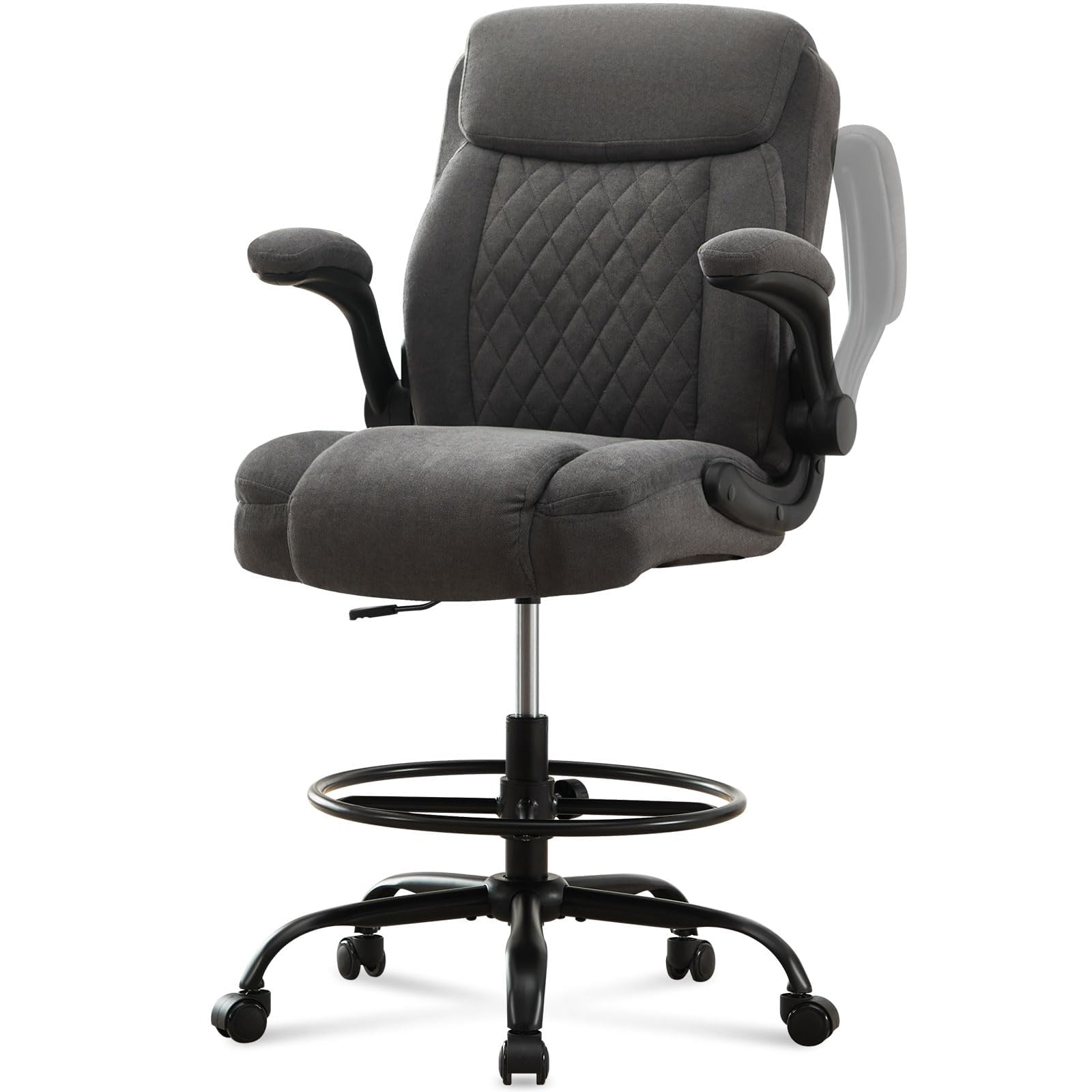
Image 1.1: MAHOMICO Drafting Chair Tall Office Chair.
2. Setup and Assembly
Assembly of your MAHOMICO Drafting Chair is designed to be straightforward, typically taking approximately 20 minutes. Please ensure all components are present before beginning.
2.1 Unpacking and Component Check
Carefully unpack all parts from the box. The armrests and the five-star base are conveniently stored inside the backrest of the chair. Unzip the backrest to access these components.

Image 2.1: Armrests and wheels stored within the backrest.
2.2 Assembly Steps
- Attach the chair mechanism to the underside of the seat cushion using the provided screws and Allen wrench. Ensure the front of the mechanism aligns with the front of the seat.
- Insert the gas lift cylinder into the center hole of the five-star base.
- Place the foot ring over the gas lift cylinder and secure it at your desired height using the adjustment knob.
- Carefully place the assembled seat onto the gas lift cylinder.
- Attach the backrest to the seat mechanism using the remaining screws.
- Install the flip-up armrests to the sides of the seat, ensuring they are securely fastened.
2.3 Assembly Video
For a visual guide on the assembly process and chair features, please refer to the official product video below:
Video 2.2: Official MAHOMICO product video demonstrating chair features and assembly overview.
3. Operating Instructions
Your MAHOMICO Drafting Chair offers several adjustable features to customize your seating experience for optimal comfort and ergonomic support.
3.1 Seat Height Adjustment
To adjust the seat height, locate the lever on the right side beneath the seat. While seated, pull the lever up to lower the seat. To raise the seat, stand up slightly and pull the lever up. Release the lever at your desired height.

Image 3.1: Chair height adjustment.
3.2 Foot Ring Adjustment
The foot ring can be adjusted vertically to provide comfortable foot support at various seat heights. Loosen the knob on the foot ring's support column, slide the foot ring to the desired position, and then tighten the knob securely.

Image 3.2: Flexible adjustment features, including foot ring.
3.3 Flip-Up Armrests
The armrests can be flipped up to allow the chair to be pushed closer to your desk or to provide more space when not needed. Simply lift the armrests upwards until they lock into the vertical position. To lower them, pull them down.

Image 3.3: Adjustable features including flip-up armrests.
3.4 Lumbar Support
The chair features integrated lumbar support designed to promote proper posture and reduce strain during extended use. This support is built into the backrest for consistent ergonomic comfort.

Image 3.4: Contoured cushion for ergonomic support.
4. Maintenance
Proper care and maintenance will extend the life and performance of your MAHOMICO Drafting Chair.
4.1 Cleaning
- Fabric Surfaces: Wipe clean with a damp cloth. For tougher stains, use a mild fabric cleaner and follow the product instructions. Test on an inconspicuous area first.
- Metal Components: Wipe with a soft, dry cloth. Avoid abrasive cleaners that may damage the finish.
4.2 General Care
- Regularly check all screws and bolts to ensure they are tight. Retighten as necessary to maintain stability.
- Keep the chair away from direct sunlight and heat sources to prevent fading or material degradation.
- Periodically clean the casters (wheels) to remove dust and debris, ensuring smooth movement.
5. Troubleshooting
If you encounter any issues with your chair, please refer to the following common troubleshooting tips:
- Chair Squeaks: Check all connection points, especially where the seat and backrest attach to the mechanism, and where the gas lift meets the base. Tighten any loose screws. A small amount of silicone lubricant can be applied to moving metal parts if the squeaking persists.
- Chair Does Not Adjust Height: Ensure the height adjustment lever is fully engaged. If the gas lift cylinder is not functioning, it may require replacement.
- Chair Feels Unstable: Verify that all casters are securely inserted into the five-star base and that all bolts are tightened. Ensure the chair is on a flat, even surface.
- Casters Not Rolling Smoothly: Remove any hair or debris wrapped around the caster wheels. Clean the wheels and their axles.
If these steps do not resolve the issue, please contact customer support for further assistance.
6. Specifications
Key specifications for the MAHOMICO Drafting Chair Tall Office Chair:
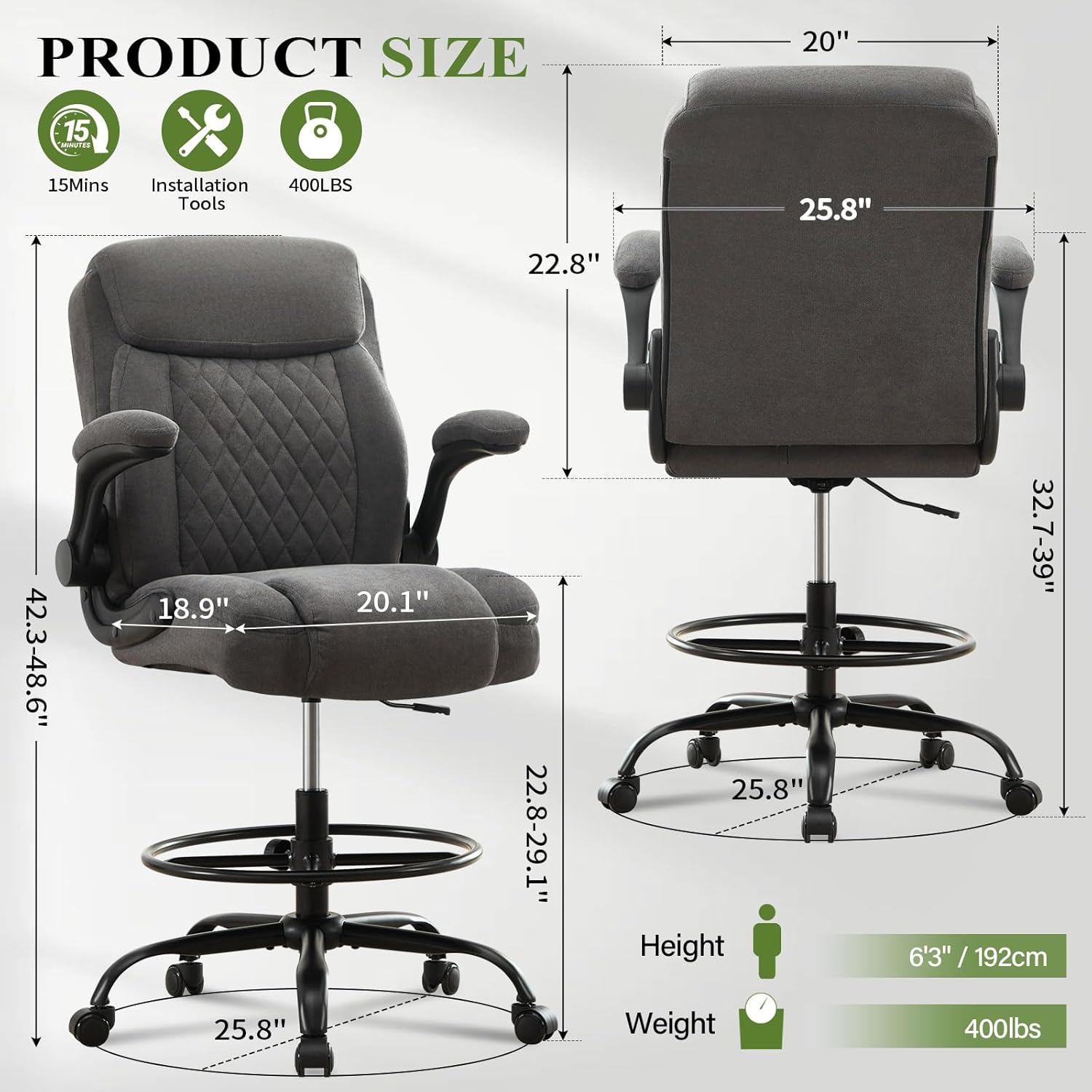
Image 6.1: Product dimensions and weight capacity.
| Feature | Detail |
|---|---|
| Brand | MAHOMICO |
| Model Number | 768274333469 |
| Color | Grey |
| Material | Textile (Fabric), Metal Frame, Sponge Fill |
| Product Dimensions (D x W x H) | 18.9"D x 25.8"W x 40"H |
| Item Weight | 40 Pounds |
| Maximum Weight Recommendation | 400 Pounds |
| Features | Ergonomic, Adjustable Height, Adjustable Foot Ring, Flip-Up Armrests, Lumbar Support |
| Assembly Required | Yes |
| Recommended Uses | Drafting, Tall Office Chair, Standing Desk |
7. Warranty and Support
Your MAHOMICO Drafting Chair Tall Office Chair comes with a 1-year warranty from the date of purchase, covering manufacturing defects.
7.1 Customer Service
If you have any questions, require assistance with assembly, or need to make a warranty claim, please contact our customer service team. We are committed to ensuring your satisfaction.
Please refer to your purchase documentation or the MAHOMICO brand store on Amazon for contact information.