
1. Introduction
Thank you for choosing the GNMN V7 Wireless Earbuds. These earbuds are designed to provide a high-quality audio experience with a secure fit, ideal for sports and active lifestyles. This manual provides essential information for setting up, operating, and maintaining your earbuds.

Image 1.1: GNMN V7 Wireless Earbuds in their charging case, displaying battery levels.
2. Package Contents
Please verify that all items are present in your package:
- Wireless Bluetooth Headphones (Earbuds)
- Charging Case with LED Indicator
- USB-C Charging Cable
- Eartips (Multiple Sizes)
- User Manual (This document)
3. Setup
3.1. Charging the Earbuds and Case
Before first use, fully charge the earbuds and the charging case. Connect the provided USB-C cable to the charging case and a compatible USB power source. The LED display on the case will indicate the charging status.

Image 3.1: The charging case connected via USB-C cable, showing the LED battery display.
The charging case provides up to 96 hours of additional playback, while a single charge of the earbuds offers up to 8 hours of use.

Image 3.2: Close-up of the dual LED display on the charging case, showing individual earbud charge levels (L/R) and the case's battery percentage.
3.2. Pairing with Your Device
- Ensure the earbuds are charged.
- Open the charging case. The earbuds will automatically power on and enter pairing mode.
- On your device (smartphone, tablet, laptop), enable Bluetooth.
- Search for available Bluetooth devices and select "GNMN V7" from the list.
- Once connected, you will hear a confirmation tone, and the earbuds will be ready for use.
3.3. Fitting the Earbuds
For optimal sound quality and a secure fit, choose the correct eartip size and adjust the earhooks.
- Eartips: Experiment with the included eartip sizes to find the pair that creates a comfortable seal in your ear canal. A good seal enhances bass response and passive noise isolation.
- Earhooks: Place the earbud in your ear and gently adjust the flexible earhook over the top of your ear until it feels secure and comfortable.

Image 3.3: Illustration of the GNMN V7 earbuds showing multiple eartip sizes and the skin-friendly silicone earloop for a stable and comfortable fit.
4. Operating the Earbuds
4.1. Touch Controls
The GNMN V7 earbuds feature sensitive touch controls on each earbud for easy management of audio playback and calls.
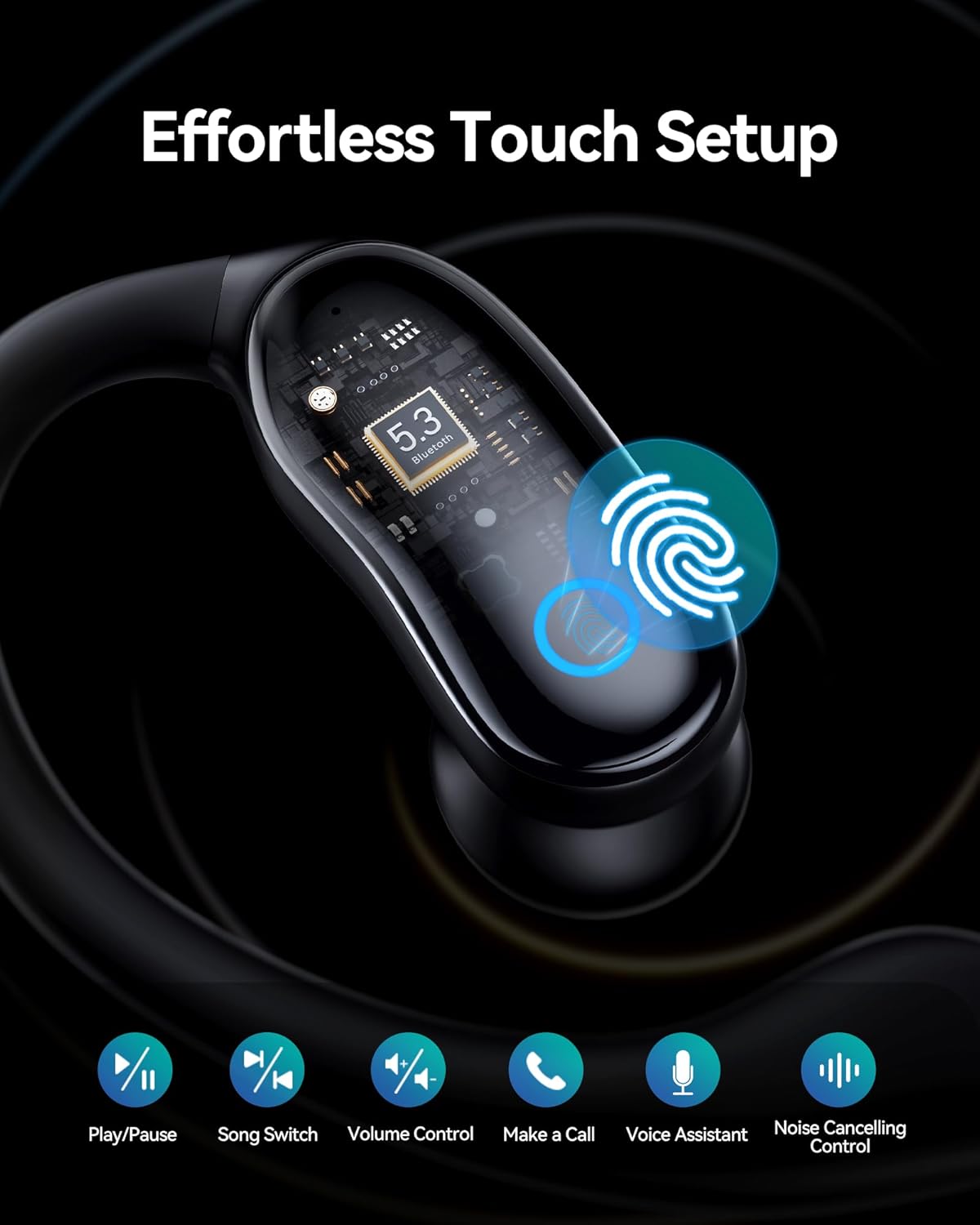
Image 4.1: Diagram illustrating the touch control functions on the GNMN V7 earbuds, including Play/Pause, Song Switch, Volume Control, Call Management, and Voice Assistant activation.
- Play/Pause: Single tap on either earbud.
- Next Song: Double tap on the right earbud.
- Previous Song: Double tap on the left earbud.
- Volume Up: Triple tap on the right earbud.
- Volume Down: Triple tap on the left earbud.
- Answer/End Call: Single tap on either earbud during an incoming call.
- Decline Call: Press and hold either earbud for 2 seconds during an incoming call.
- Activate Voice Assistant: Press and hold either earbud for 3 seconds.
4.2. Single Earbud Mode
You can use either earbud independently. Simply take one earbud out of the charging case, and it will automatically connect to your device. The other earbud can remain in the case or be used later for stereo mode.
4.3. Water Resistance (IPX7)
The GNMN V7 earbuds are IPX7 waterproof, meaning they can withstand immersion in water up to 1 meter for 30 minutes. This makes them suitable for workouts and protection against sweat and rain. Note: The charging case is not waterproof.

Image 4.2: GNMN V7 earbuds shown with water droplets, highlighting their IPX7 water resistance feature.
5. Maintenance
5.1. Cleaning
- Regularly clean the eartips and the mesh covers of the earbuds to prevent wax buildup, which can affect sound quality. Use a soft, dry, lint-free cloth.
- For the charging contacts on both the earbuds and the case, use a dry cotton swab to gently remove any dust or debris.
- Do not use harsh chemicals or abrasive materials for cleaning.
5.2. Storage
When not in use, store the earbuds in their charging case to protect them from dust, damage, and to keep them charged. Store in a cool, dry place away from extreme temperatures.
6. Troubleshooting
If you encounter issues with your GNMN V7 earbuds, please refer to the following common solutions:
- Earbuds not pairing:
- Ensure both earbuds are charged.
- Place both earbuds back into the charging case, close the lid, wait a few seconds, then open the lid again to re-initiate pairing mode.
- Turn off and on your device's Bluetooth.
- Forget/delete "GNMN V7" from your device's Bluetooth list and try pairing again. - Only one earbud working:
- Place both earbuds back into the charging case, close the lid, and then open it again.
- Ensure both earbuds have sufficient charge.
- Try resetting the earbuds (refer to manufacturer's website if a specific reset procedure is available, as it's not detailed here). - Poor sound quality or low volume:
- Ensure the eartips provide a good seal in your ear.
- Clean any debris from the earbud's mesh covers.
- Adjust the volume on both your device and via the earbud touch controls.
- Ensure there are no obstructions between the earbuds and your device. - Charging issues:
- Check the USB-C cable and charging adapter for damage.
- Ensure the charging contacts on the earbuds and case are clean and free of debris.
- Try a different USB-C cable or power source.
7. Specifications
| Feature | Specification |
|---|---|
| Model Name | GNMN V7 |
| Connectivity Technology | Wireless (Bluetooth 5.3) |
| Water Resistance Level | IPX7 Waterproof |
| Earbud Playback Time | Up to 8 hours (single charge) |
| Total Playback Time (with case) | Up to 96 hours |
| Control Method | Touch |
| Included Components | Charging Case, Eartips, USB-C Cable, User Manual, Earbuds |
| Product Dimensions | 1.38 x 1.42 x 2.32 inches |
| Item Weight | 5.6 ounces |
8. Warranty and Support
GNMN products are designed for reliability and performance. For warranty information and customer support, please refer to the warranty card included in your package or visit the official GNMN website. If you experience any issues not covered in this manual, please contact GNMN customer service for assistance.
Manufacturer: GNMN


