
1. Introduction
This manual provides detailed instructions for the safe and efficient operation, maintenance, and troubleshooting of your Thereye ER-SC06 Self-Cleaning Cat Litter Box. Please read this manual thoroughly before use and retain it for future reference.

Image 1.1: The Thereye ER-SC06 Self-Cleaning Cat Litter Box in a home setting with several cats, highlighting its open design and suitability for various cat sizes.
2. Safety Information
The Thereye ER-SC06 is designed with multiple safety features to ensure your cat's well-being. Adhere to the following safety guidelines:
- Anti-Pinch Design: The open design allows cats between 1.5 kg and 12 kg to enter and exit safely, minimizing the risk of pinching.
- Intelligent Sensors: Equipped with infrared sensors, weight sensors, and an overload protection device to continuously monitor operation and prevent accidents.
- Motor Overload Protection: If the motor current exceeds 800mA, the unit automatically restarts and triggers an alarm to prevent damage.
- Automatic Shutdown: Weight sensors automatically shut down the unit upon detecting a cat's presence inside, ensuring safety during cleaning cycles.
- App Alerts: Receive notifications on your smartphone for any operational exceptions or safety concerns.

Image 2.1: A transparent diagram of the litter box highlighting the locations and functions of the infrared sensors, weight sensors, and motor overload protection for enhanced safety.
3. Product Overview
The Thereye ER-SC06 is an intelligent self-cleaning cat litter box designed for convenience and hygiene in multi-cat households.
- Open Design: Facilitates easy entry and exit for cats and simplifies the transition from traditional litter boxes.
- App Control: Connects to a 2.4 GHz Wi-Fi network via the Tuya Smart app for remote control and monitoring.
- Health Monitoring: Track your cat's weight, usage frequency, and duration through the app to monitor their health.
- Quiet Operation: The ultra-quiet motor operates at less than 20 decibels, ensuring minimal disturbance.
- Odor Neutralization: Integrated deodorizing gel effectively breaks down ammonia molecules and neutralizes odors.
- Universal Litter Compatibility: Works with various types of clumping litter, including plant-based, bentonite, tofu, and mixed litters.
- Large Capacity Waste Bin: A 10-liter waste bin holds up to 14 days of waste, suitable for multi-cat households or extended absences.
- Easy to Clean: Features a removable and washable 5-in-1 pad and can be disassembled without tools for thorough cleaning.
- Litter Spill Reduction: Includes an entrance baffle, seamless body-to-base connection, and a double-layer sand-proof mat to minimize litter tracking.
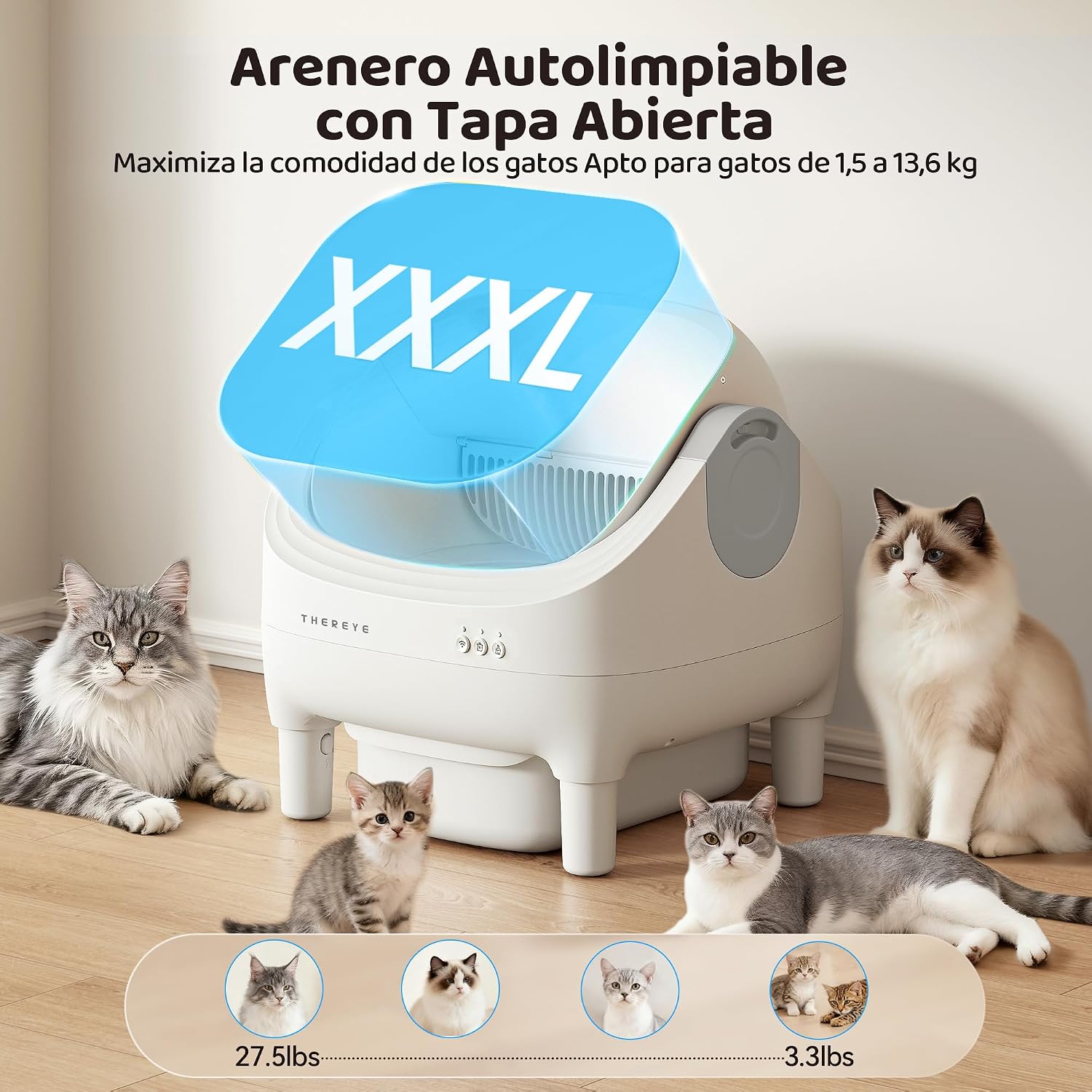
Image 3.1: The Thereye ER-SC06 Self-Cleaning Cat Litter Box, showcasing its modern open design.

Image 3.2: The litter box operating quietly, indicated by a sleeping cat nearby and a '<20dB' icon.
4. Setup
Follow these steps to set up your Thereye ER-SC06 Self-Cleaning Cat Litter Box:
- Unpacking: Carefully remove all components from the packaging. Inspect for any damage.
- Placement: Place the litter box on a flat, stable surface. Ensure there is enough space around the unit for proper operation and cleaning.
- Litter Filling: Open the top cover and pour your preferred clumping cat litter into the main compartment. Ensure the litter level is between the MIN and MAX indicators. The open design makes adding litter easy.
- Power Connection: Connect the power adapter to the unit and plug it into a power outlet.
- App Connection:
- Download the Tuya Smart app on your smartphone.
- Register or log in to your account.
- Add the device by following the in-app instructions. Ensure your phone is connected to a 2.4 GHz Wi-Fi network, as the unit does not support 5 GHz Wi-Fi.
- Once connected, you can control and monitor the litter box remotely.

Image 4.1: The litter box being filled with cat litter, demonstrating its compatibility with various clumping litter types.
5. Operating Instructions
The Thereye ER-SC06 offers both automatic and manual cleaning modes, along with health monitoring features.
- Automatic Cleaning: The unit will automatically clean itself after your cat uses it, separating waste from clean litter. The delay time before cleaning can be adjusted via the app.
- Manual Cleaning: Use the Tuya Smart app to initiate a cleaning cycle manually at any time.
- Health Monitoring: Access the app to view data on your cat's weight, frequency of use, and duration of use. This helps monitor their health and habits.
- Odor Control: The integrated deodorizing gel works continuously to neutralize odors. Replace the gel as needed.

Image 5.1: The Tuya Smart app interface, demonstrating remote control and health monitoring features for the litter box.

Image 5.2: The app monitoring feature, allowing users to track their cat's activity and health data.
6. Maintenance and Cleaning
Regular maintenance ensures optimal performance and hygiene of your litter box.
- Emptying the Waste Bin:
- The 10-liter waste bin can hold waste for up to 14 days, depending on usage.
- To empty, simply pull the drawstring of the waste bag to seal it and remove the accumulated waste.
- Replace with a new waste bag.
- Cleaning the Unit:
- The unit can be easily disassembled without tools for thorough cleaning.
- Remove the main compartment and the 5-in-1 washable pad.
- Clean these components with water and mild detergent.
- Important: Do not rinse the base unit or immerse it in water to avoid damaging electronic components.
- Ensure all parts are completely dry before reassembling.
- Litter Mat Cleaning: The double-layer sand-proof mat helps reduce litter tracking. Clean it regularly by shaking out trapped litter or washing it as needed.

Image 6.1: The 10-liter waste bin, illustrating its capacity for extended use without daily scooping.

Image 6.2: The 5-in-1 litter mat, highlighting its key features for easy maintenance.

Image 6.3: Step-by-step guide on how to easily disassemble and clean the litter box components.

Image 6.4: Illustration of the simple waste bag removal process.
7. Troubleshooting
Refer to this section for common issues and their solutions. If problems persist, contact customer support.
- Unit Not Cleaning Automatically:
- Check if the unit is powered on and connected to the app.
- Ensure the litter level is correct (between MIN and MAX indicators).
- Verify that the sensors are clean and unobstructed.
- Check app settings for automatic cleaning mode and delay times.
- Anti-Pinch Activated / Unit Stuck:
- If the unit stops or gets stuck, it might be due to the anti-pinch safety feature.
- Check for any obstructions or if a cat is inside the unit.
- Restart the unit or use the app to reset its position.
- If the issue persists, ensure the base is stable and all components are correctly assembled.
- App Connectivity Issues:
- Ensure your Wi-Fi network is 2.4 GHz. The unit does not support 5 GHz Wi-Fi.
- Check your Wi-Fi signal strength near the litter box.
- Restart your router and the litter box.
- Re-pair the device with the app if necessary.
- Odor Persistence:
- Ensure the deodorizing gel is not expired and is properly installed.
- Check if the waste bin is full and needs emptying.
- Consider changing the type of litter if odors persist.
- Litter Spillage:
- Ensure the entrance baffle is correctly installed.
- Verify the seamless connection between the body and base.
- Regularly clean the double-layer sand-proof mat.
8. Specifications
| Feature | Detail |
|---|---|
| Model Number | ER-SC06 |
| Brand | Thereye |
| Dimensions (L x W x H) | 52.8 x 51 x 53.6 cm |
| Product Weight | 8 kg |
| Material | Acrylonitrile Butadiene Styrene (ABS), Polypropylene (PP) |
| Waste Bin Capacity | 10 Liters |
| Noise Level | < 20 dB |
| Connectivity | 2.4 GHz Wi-Fi (Tuya Smart App) |
| Suitable for Cats | 1.5 kg to 12 kg |
9. Warranty and Support
For warranty information and technical support, please contact Thereye customer service. Refer to the product packaging or the official Thereye website for contact details. Keep your purchase receipt as proof of purchase for warranty claims.