
1. Introduction
This manual provides essential information for the safe and efficient installation, operation, and maintenance of your PG 12,000 BTU Mini-Split Air Conditioner and Heat Pump System. Please read this manual thoroughly before using the appliance and retain it for future reference. This system is designed to provide both heating and cooling for single-zone applications, effectively managing the climate in spaces up to 550 sq. ft.
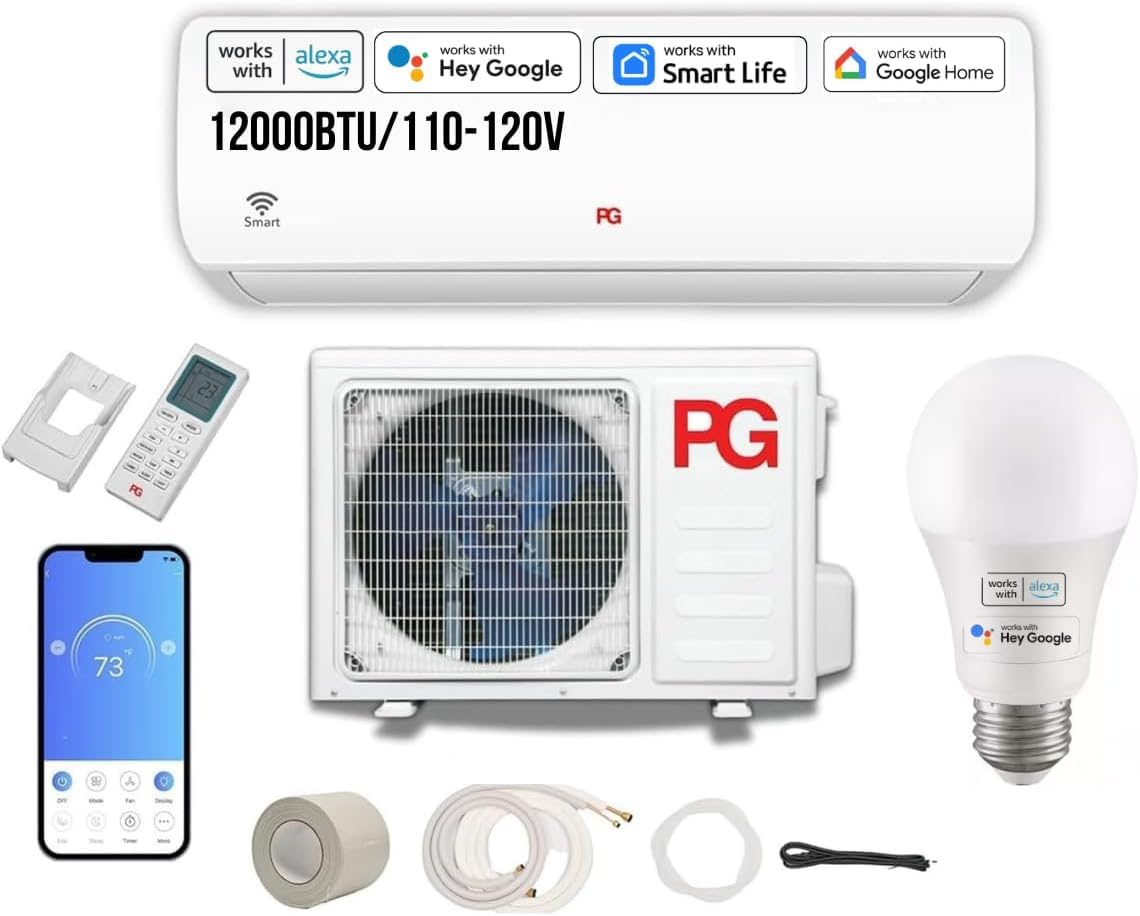
Figure 1: PG 12,000 BTU Mini-Split Air Conditioner and Heat Pump System. This image displays the indoor air handler unit, typically mounted on a wall, and the outdoor condenser unit, which is connected via refrigerant lines.
2. Safety Information
Always follow basic safety precautions when using electrical appliances to reduce the risk of fire, electric shock, and injury to persons.
- Ensure the unit is properly grounded.
- Do not operate the unit with wet hands.
- Keep children away from the unit.
- Do not block air inlets or outlets.
- Turn off power before cleaning or servicing.
- Only qualified personnel should perform installation and repairs.
3. Package Contents
Verify that all components are present and undamaged upon unpacking.
- Outdoor Unit (Condenser)
- Indoor Air Handler Unit
- Digital Remote Control
- Installation Kit (includes necessary lines, wiring, and mounting hardware)
- User Manual
4. Setup and Installation
Installation of this mini-split system requires specialized tools and knowledge. It is highly recommended that installation be performed by a certified HVAC technician.
4.1 Site Selection
- Indoor Unit: Choose a location that allows for even air distribution, is away from direct sunlight or heat sources, and has sufficient space for maintenance.
- Outdoor Unit: Select a stable, level surface with good airflow, away from obstructions, and where noise will not be a disturbance. Ensure adequate clearance around the unit.
4.2 Electrical Requirements
The system operates on 110/120V power. Ensure a dedicated circuit with appropriate amperage and proper grounding is available. Consult local electrical codes.
4.3 Refrigerant and Piping
The system comes pre-charged with eco-friendly R410A refrigerant. The installation kit includes the necessary refrigerant lines. Proper vacuuming and leak testing of the lines are crucial for system performance and longevity.
4.4 WiFi Connectivity Setup
After physical installation, connect the unit to your home WiFi network. Refer to the separate WiFi setup guide or the PG Home app for detailed instructions. This enables remote control via your smartphone and integration with voice assistants like Google Assistant and Amazon Alexa.
5. Operating Instructions
Your PG Mini-Split system offers various modes and features for optimal comfort.
5.1 Remote Control Operation
The digital LCD remote control allows direct management of the unit. Point the remote at the indoor unit when operating.
- Power Button: Turns the unit ON/OFF.
- Mode Button: Cycles through operating modes: Auto, Cool, Heat, Dry (Dehumidification), Fan.
- Temperature Buttons (▲/▼): Adjusts the desired temperature.
- Fan Speed Button: Selects fan speed (Auto, Low, Medium, High).
- Sleep Mode: Activates a quiet, energy-saving mode for nighttime operation.
- Timer Function: Sets the unit to turn ON/OFF automatically at specified times.
5.2 Smart Control (WiFi / App / Voice)
Utilize the PG Home smartphone application for advanced control and monitoring.
- Remote Access: Control your unit from anywhere via your smartphone.
- Scheduling: Create custom schedules for operation.
- Voice Control: Integrate with Google Assistant or Amazon Alexa for hands-free operation using commands like "Alexa, set the living room AC to 72 degrees."
5.3 Operating Modes
- Cooling Mode: Provides cooling to lower room temperature.
- Heating Mode: Provides heating to raise room temperature.
- Dry (Dehumidification) Mode: Reduces humidity in the air.
- Fan Mode: Circulates air without heating or cooling.
- Auto Mode: Automatically selects cooling or heating based on the set temperature and current room temperature.
5.4 Advanced Features
- Auto-Restart: The unit will automatically restart with previous settings after a power outage.
- Self-Diagnosis and Leak Detection: The system can detect certain malfunctions and refrigerant leaks, displaying error codes on the indoor unit.
- Intelligent Auto Defrost: Prevents ice buildup on the outdoor unit during heating operation in cold weather.
6. Maintenance
Regular maintenance ensures optimal performance and extends the lifespan of your unit. Always disconnect power before performing any maintenance.
6.1 Air Filter Cleaning
The air filters in the indoor unit should be cleaned every two weeks or more frequently depending on usage and air quality.
- Open the front panel of the indoor unit.
- Remove the air filters.
- Clean filters with a vacuum cleaner or wash with lukewarm water and mild detergent.
- Allow filters to dry completely before reinstalling.
6.2 Indoor Unit Cleaning
Wipe the indoor unit's exterior with a soft, damp cloth. Do not use harsh chemicals or abrasive cleaners.
6.3 Outdoor Unit Maintenance
Periodically check the outdoor unit for debris (leaves, dirt) that may obstruct airflow. Gently clean the coils with a soft brush or vacuum. Ensure the area around the outdoor unit remains clear.
6.4 Professional Servicing
It is recommended to have a qualified technician inspect and service the system annually, including checking refrigerant levels and electrical connections.
7. Troubleshooting
Before contacting service, review the following common issues and solutions.
| Problem | Possible Cause | Solution |
|---|---|---|
| Unit does not start | No power; Remote control batteries low; Timer function active | Check circuit breaker; Replace batteries; Cancel timer setting |
| Insufficient cooling/heating | Dirty air filters; Blocked air intake/outlet; Temperature setting incorrect; Room too large | Clean air filters; Clear obstructions; Adjust temperature; Ensure unit capacity matches room size |
| Unusual noise | Loose parts; Unit not level; Debris in fan | Check for loose components; Ensure unit is level; Inspect for and remove debris |
| Water leakage from indoor unit | Clogged drain pipe; Improper installation | Clear drain pipe; Contact a qualified technician for inspection |
| WiFi connection issues | Router issues; Incorrect password; Unit too far from router | Restart router; Re-enter WiFi password; Move unit or router closer |
If the problem persists after attempting these solutions, please contact customer support.
8. Specifications
| Feature | Specification |
|---|---|
| Brand | PG |
| Model Name/Number | PG-12S14HP-1C/PG-12S14HP-1E |
| Cooling Power | 12,000 BTU |
| Heating Power | 12,000 BTU (Heat Pump) |
| Coverage Area | Up to 550 sq. ft. |
| Seasonal Energy Efficiency Ratio (SEER) | 14 |
| Voltage | 110/120 Volts |
| Refrigerant Type | R410A (Pre-charged) |
| Noise Level (Indoor Unit) | 25 dB |
| Product Dimensions (D x W x H) | 31"D x 9"W x 13"H (Note: These dimensions are for the indoor unit based on context, outdoor unit dimensions may vary) |
| Control Method | App, Remote, Voice |
| Special Features | WiFi Connectivity, Sleep Mode, Dehumidification Function, Auto-Restart, Self-Diagnosis, Leak Detection, Intelligent Auto Defrost |
| Compressor Type | Reciprocating (Conventional On/Off) |
| Installation Type | Split System |
| Included Components | Installation Kit, Remote |
| Item Weight | 30 pounds (Note: This likely refers to the indoor unit or a component, total system weight will be higher) |
9. Warranty Information
This PG Mini-Split Air Conditioner and Heat Pump System comes with a 3-month warranty from the date of purchase. This warranty covers defects in materials and workmanship under normal use. Please retain your proof of purchase for warranty claims. For specific terms and conditions, refer to the warranty card included with your product or contact PG customer support.
10. Customer Support
For technical assistance, troubleshooting beyond this manual, or warranty inquiries, please contact PG customer support. Have your model number and purchase date ready when you call.
- Online Support: Visit the official PG website for FAQs and support resources.
- Contact Information: Refer to the contact details provided on the PG product packaging or official website.
