
1. Product Overview
The TOPZEE Electric Blanket GLJP-1103 is designed to provide warmth and comfort. This versatile blanket can be used for both covering and laying on, making it suitable for various situations. It features a soft, double-sided flannel material and advanced heating technology to ensure a cozy experience.
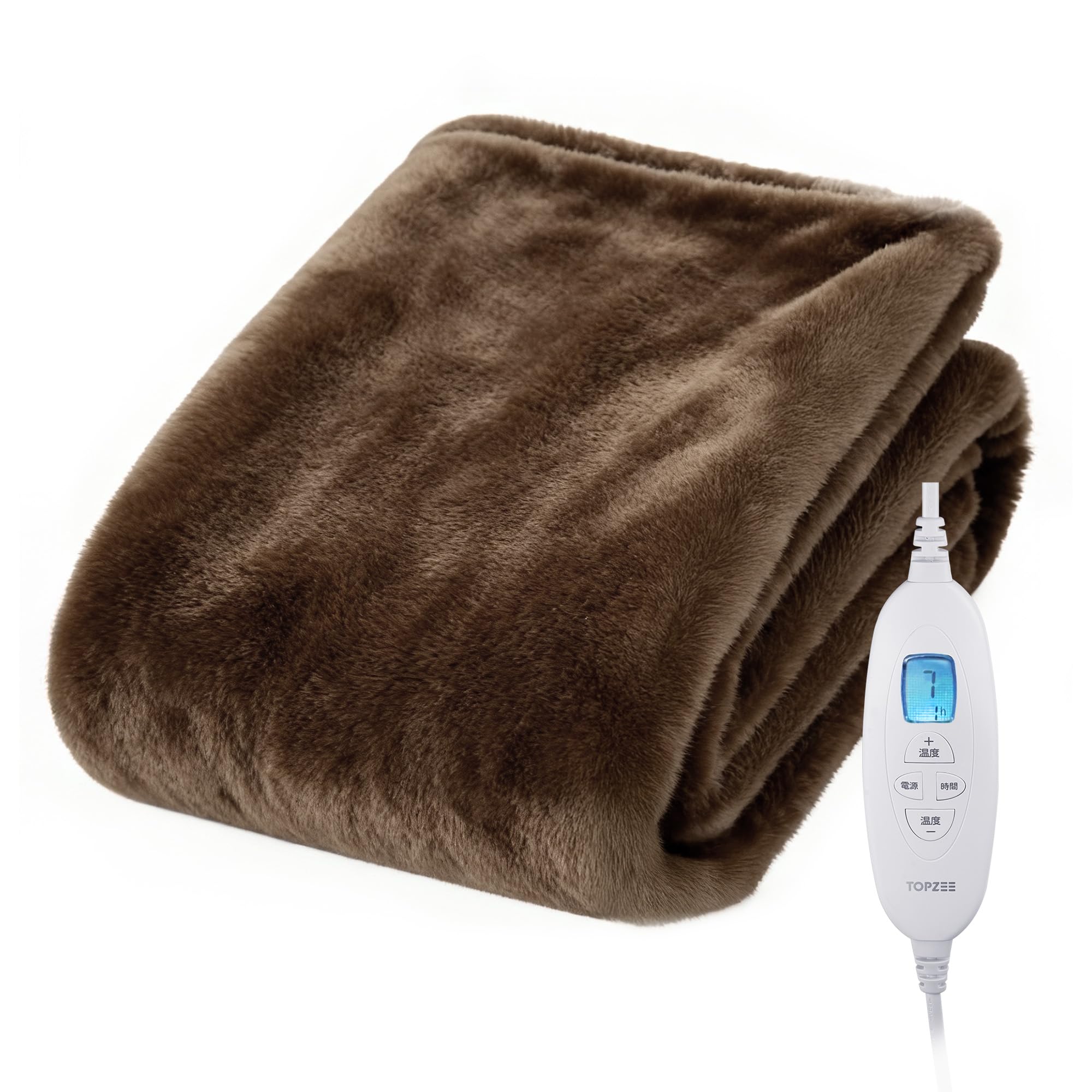
Image 1: The TOPZEE Electric Blanket GLJP-1103, showcasing its soft texture and integrated controller.
2. Safety Information
Please read all safety instructions carefully before use to prevent injury or damage to the product.
- The controller may become warm during prolonged use. This is normal operation. To ensure safety and prevent heat buildup, do not cover the controller with bedding or clothing.
- This product is equipped with an overheat safety device. In the event of excessive temperature, the power will automatically shut off.
- The blanket is PSE certified, meeting Japanese safety standards.
- A special wiring design is implemented to significantly reduce electromagnetic waves, providing a body-friendly environment.
- Do not use the blanket if it is wet or damp.
- Keep pets away from the blanket to prevent damage to the wiring.
3. Product Features
- Premium Material: Made from double-sided flannel, offering exceptional softness and warmth.
- Adjustable Temperature: Features 10 temperature settings, ranging from 30°C to 48°C (±5°C), allowing you to customize your warmth level.
- Convenient Timer: Includes a 1-9 hour timer with an automatic shut-off function (default 3 hours) for peace of mind and energy saving.
- Washable Design: The blanket portion is machine washable (hand wash below 30°C) for easy cleaning and hygiene. Ensure the controller is detached before washing.
- Antibacterial & Deodorizing: Treated with antibacterial and deodorizing processing to maintain freshness.
- Mite Extermination: High-temperature settings allow for effective mite extermination, promoting a cleaner sleeping environment.
- Anti-Static: Enhanced anti-static electricity measures prevent uncomfortable static shocks, especially during dry seasons.
- Energy Efficient: Designed for energy saving, consuming approximately 0.62 JPY per hour when used at typical settings.
- Multiple Safety Protections: Incorporates PTC passive temperature control, overpressure protection, flame retardant protection, and uniform heating for safe and comfortable use.

Image 2: A user adjusting the temperature and timer on the controller, illustrating the 10 temperature levels and 9-hour timer.

Image 3: Visual representation of the anti-static and anti-mite features of the electric blanket.
4. Setup
Follow these steps to set up your electric blanket:
- Unpack the electric blanket and controller from its packaging.
- Lay the blanket flat on your bed or desired surface.
- Connect the controller to the blanket. Ensure the connector is fully inserted and clicks into place. Note: When disconnecting the controller, press the locks on both sides of the coupler before pulling it out.
- Plug the power cord into a standard electrical outlet.

Image 4: Close-up of the controller connection point on the electric blanket.
5. Operating Instructions
Using your TOPZEE Electric Blanket is simple:
- Power On/Off: Press the power button on the controller to turn the blanket on or off.
- Adjust Temperature: Use the '+' and '-' temperature buttons to cycle through the 10 available heat settings. The current setting will be displayed on the controller's screen.
- Set Timer: Press the timer button to select your desired operating time from 1 to 9 hours. The blanket will automatically shut off after the set time. If no timer is set, it will default to 3 hours.
Video 1: A demonstration of the electric blanket's features, including its soft texture, controller operation for temperature and timer settings, and overall comfort.
6. Maintenance
Proper care will extend the life of your electric blanket:
- Washing: The blanket portion is fully washable. Before washing, always detach the controller. It can be machine washed or hand washed. For machine washing, use a gentle cycle with water temperature below 30°C. Do not bleach or iron.
- Drying: Air dry the blanket completely before reattaching the controller and using it. Do not tumble dry at high heat.
- Storage: When not in use, ensure the blanket is clean and dry. Fold it neatly and store it in a cool, dry place.
- Mite Extermination: Utilize the high-temperature setting periodically to help exterminate mites and maintain hygiene.

Image 5: The electric blanket being prepared for washing in a machine, highlighting its washable feature.
7. Troubleshooting
If you encounter any issues, please refer to the following common solutions:
- Blanket not heating: Ensure the power cord is securely plugged into both the blanket and the electrical outlet. Check if the power button on the controller is pressed and a temperature setting is selected.
- Controller feels warm: As mentioned in the safety section, it is normal for the controller to warm up during extended use. Ensure it is not covered by bedding or clothing to allow for proper heat dissipation.
- Blanket suddenly turns off: The blanket has an automatic shut-off timer (default 3 hours) and an overheat protection feature. If it turns off unexpectedly, it might be due to the timer expiring or the overheat protection activating. Allow it to cool down before attempting to restart.
- Static electricity: The blanket has anti-static treatment. If static still occurs, ensure the environment is not excessively dry.
If the problem persists after following these steps, please contact customer support.
8. Specifications
| Attribute | Detail |
|---|---|
| Model Number | GLJP-1103 |
| Brand | Topzee |
| Material | Double-sided Flannel |
| Color | Brown |
| Dimensions (L x W) | 188 cm x 130 cm |
| Weight | 2 kg |
| Temperature Settings | 10 levels (30°C to 48°C, ±5°C) |
| Timer Settings | 1-9 hours (automatic OFF) |
| Power Source | Corded Electric |
| Special Features | Durable, Lightweight, Energy-saving, Anti-mite, Washable, Anti-static, Overheat Protection, PSE Certified |
| Included Accessories | Electric Blanket x1, Controller x1, Instruction Manual (with warranty) x1 |
9. Warranty and Support
Your TOPZEE Electric Blanket GLJP-1103 comes with a 1-year warranty from the date of purchase. This warranty covers manufacturing defects and malfunctions under normal use.
If you experience any initial defects or issues with your product, please do not hesitate to contact our customer support team. We are committed to providing prompt and thorough assistance to ensure your satisfaction.
For support, please visit our official website or refer to the contact information provided in the included instruction manual.

Image 6: Illustration of TOPZEE's customer support and 1-year warranty commitment.