
1. Introduction
Thank you for choosing the TORRAS Ostand PolarCircle Wireless Charger. This device combines advanced Qi2.2 25W fast charging with innovative Peltier cooling technology and a versatile 360-degree rotating stand. Designed for optimal performance and convenience, it ensures your smartphone remains cool and charged efficiently, enhancing your mobile experience for calls, web browsing, video streaming, and gaming.

Image: The TORRAS Ostand PolarCircle Wireless Charger in use, attached to a smartphone.
2. Package Contents
Please verify that all items are present in your package:
- TORRAS Ostand PolarCircle Wireless Charger Unit
- 45W AC Adapter
- 1.5m Type-C Cable
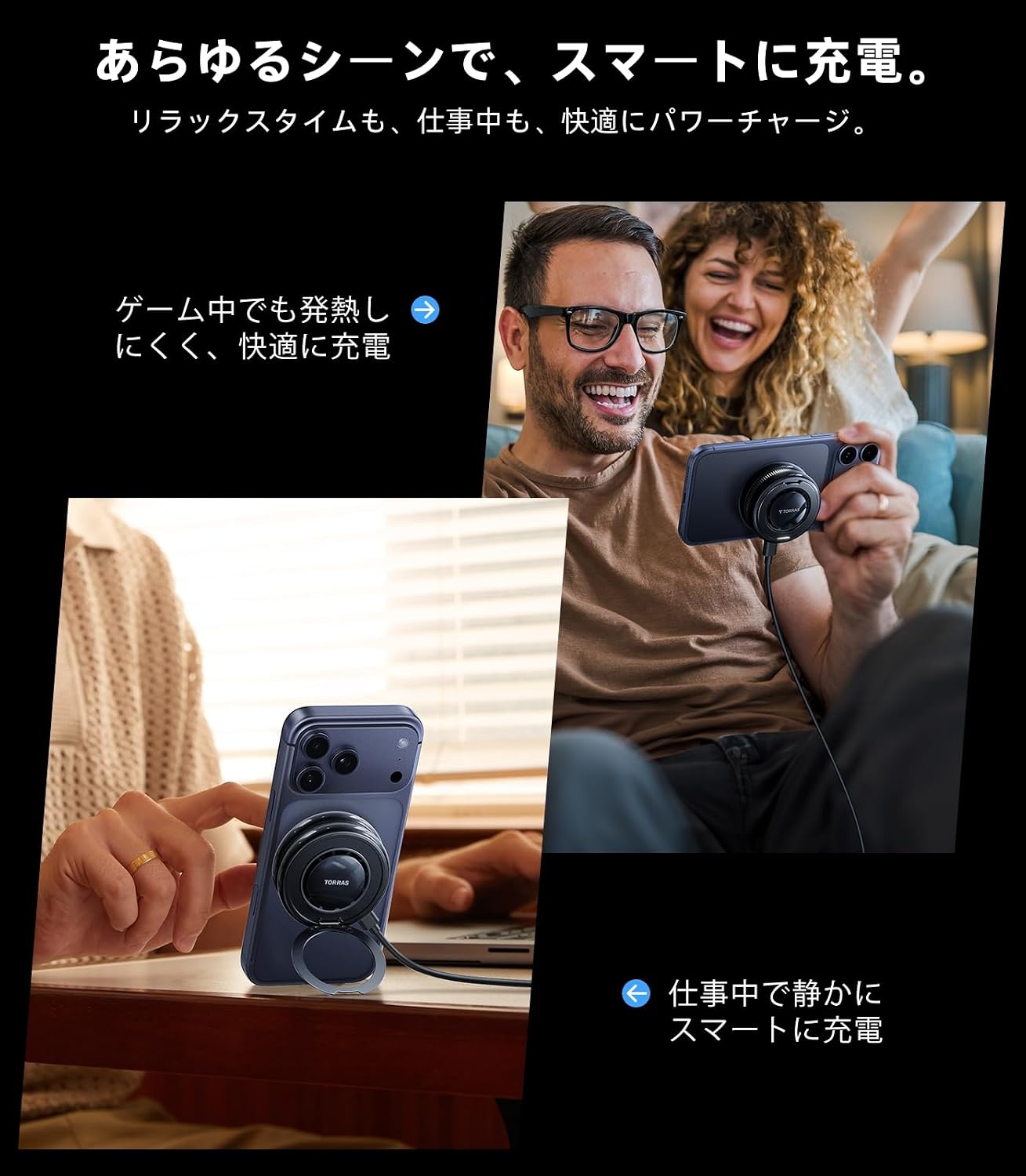
Image: The wireless charger, 45W adapter, and 1.5m Type-C cable.
3. Product Features
3.1 Next-Generation PolarCircle Cooling Technology
The Ostand PolarCircle utilizes proprietary Peltier cooling technology to directly cool your smartphone. This ensures stable charging speeds even during prolonged use or in high temperatures, preventing thermal throttling and extending battery life. Enjoy uninterrupted video streaming and gaming without performance degradation.

Image: Internal view of the PolarCircle cooling system, highlighting the Peltier element and fan.

Image: Battery health comparison, showing reduced degradation with PolarCircle cooling.
3.2 Qi2.2 Certified 25W Fast Charging
Experience rapid wireless charging with Qi2.2 certification, delivering up to 25W. This charger can replenish an iPhone 17's battery to approximately 60% in just 30 minutes, matching wired charging speeds and eliminating the perception of slow wireless charging.

Image: Fast charging demonstration with a smartphone, highlighting the 25W capability.
3.3 360° Rotating Stand
The integrated 360-degree rotating stand allows for flexible vertical or horizontal phone placement. This feature is ideal for hands-free use during video calls, web browsing, or media consumption, making it perfect for desk work or bedside use.

Image: The 360-degree rotating stand supporting a smartphone in vertical and horizontal modes.
3.4 Effortless Magnetic Charging
Enjoy hassle-free charging with magnetic alignment. Simply place your smartphone on the charger, and it will automatically snap into the optimal position for smooth charging. This eliminates the need for precise alignment and prevents wear and tear on your phone's charging port.
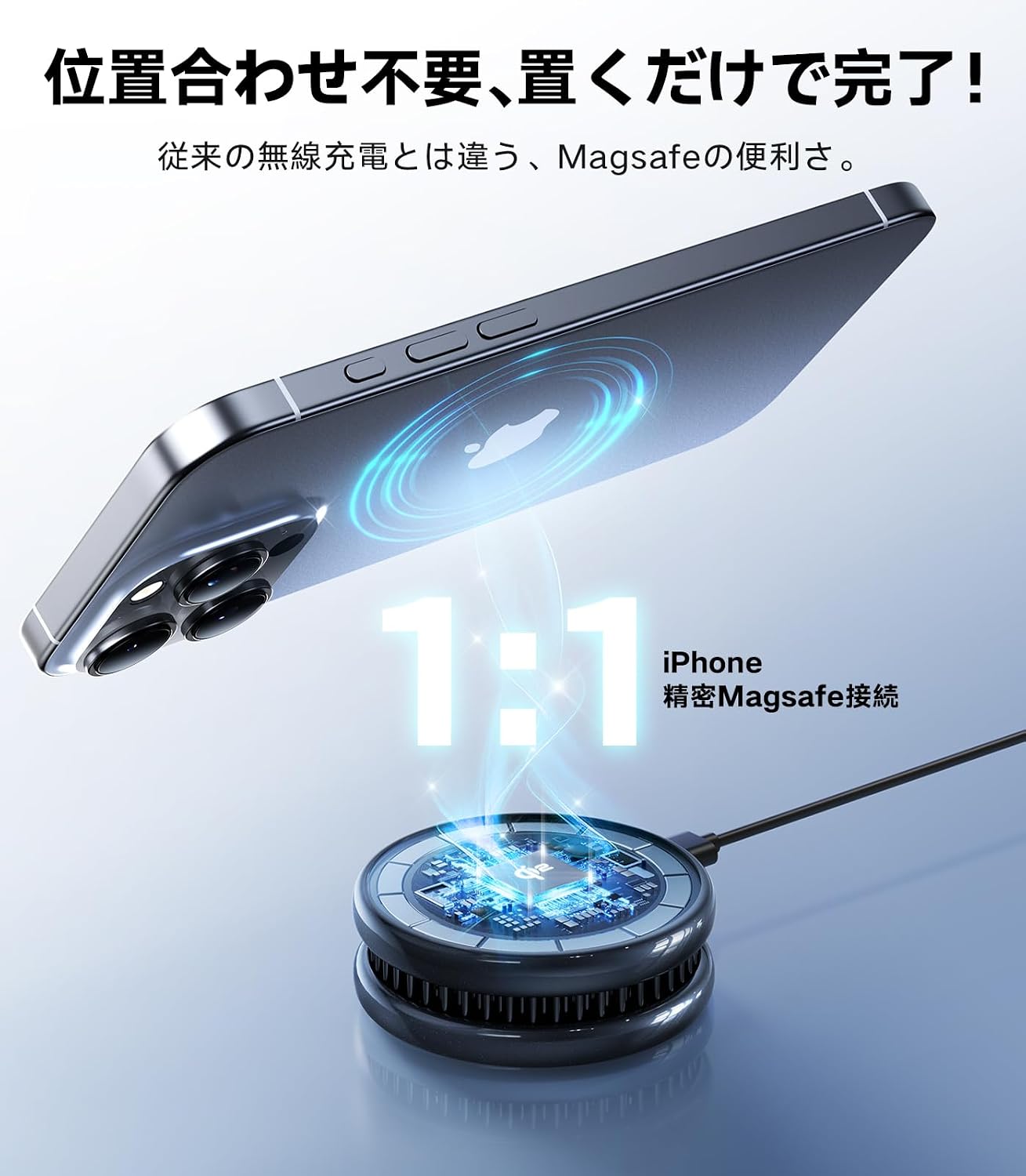
Image: Magnetic attachment for effortless charging.
3.5 Compact and Portable Design
Weighing only 92g and featuring a compact design, the Ostand PolarCircle is highly portable. It fits easily into bags or pockets, making it convenient for travel, business trips, or daily commutes, ensuring your devices are always charged.

Image: The compact and portable design of the charger, suitable for travel.
4. Setup
- Connect the Adapter: Plug the provided 45W AC adapter into a power outlet.
- Connect the Cable: Insert the Type-C end of the 1.5m cable into the charging port of the TORRAS Ostand PolarCircle.
- Attach Your Device: Place your MagSafe-compatible smartphone onto the charging surface of the Ostand PolarCircle. The magnetic connection will automatically align your device.
- Verify Charging: A charging indicator on the device will illuminate, and your smartphone will display a charging icon, confirming that charging has begun.

Image: Attaching the charger to a smartphone.
5. Operating Instructions
5.1 Wireless Charging
- Ensure the charger is connected to power.
- Place your compatible smartphone on the charging pad. The magnetic connection will secure it.
- The cooling fan will activate automatically to maintain optimal charging temperature.
5.2 Using the 360° Rotating Stand
- Once your phone is magnetically attached, gently pull out the integrated stand ring.
- Adjust the stand to your desired angle for vertical or horizontal viewing. The 360-degree rotation allows for versatile positioning.
- When not in use, fold the stand ring back into the charger for a compact profile.

Image: The charger being used in different settings, such as for gaming and office work.
6. Compatibility
The TORRAS Ostand PolarCircle Wireless Charger is compatible with a wide range of devices:
- iPhone Series: iPhone 17, iPhone 16, iPhone 15, iPhone 14, iPhone 13, iPhone 12 series (MagSafe compatible models).
- Galaxy Series: Galaxy S26 Ultra.
- AirPods Series: AirPods 4, AirPods 3, AirPods Pro/Pro 2.
For optimal 25W fast charging, ensure your device supports Qi2.2 and is MagSafe compatible. Devices without MagSafe compatibility may require a MagSafe-compatible case for magnetic attachment.

Image: Compatibility chart for various smartphone and earbud models.
7. Maintenance
- Cleaning: Use a soft, dry cloth to wipe the surface of the charger. Avoid using harsh chemicals or abrasive materials.
- Storage: Store the charger in a cool, dry place away from direct sunlight and extreme temperatures.
- Handling: Handle the device with care. Avoid dropping it or exposing it to excessive force.
- Magnetic Surface: Keep the magnetic charging surface clean and free of metallic debris, as this can affect charging efficiency and potentially scratch your device.
8. Troubleshooting
- Device Not Charging:
- Ensure the charger is properly connected to the power adapter and outlet.
- Verify your smartphone is MagSafe compatible or using a MagSafe-compatible case.
- Check for any obstructions between the phone and the charger (e.g., thick cases, metal plates).
- Restart your smartphone.
- Slow Charging:
- Ensure you are using the provided 45W adapter and 1.5m Type-C cable. Using a lower wattage adapter may result in slower charging.
- Confirm your device supports 25W wireless charging. Older models or non-compatible devices may charge at lower speeds.
- High ambient temperatures can affect charging speed. The Peltier cooling system helps mitigate this, but extreme conditions may still have an impact.
- Charger Overheating:
- While the PolarCircle is designed for cooling, some heat generation is normal during charging.
- Ensure the cooling fan is not obstructed. Do not place the charger on soft surfaces like blankets or fabric that can block airflow.
- If the charger becomes excessively hot, disconnect it immediately and contact support.
- Weak Magnetic Connection:
- Ensure your phone or case is genuinely MagSafe compatible.
- Thick or non-MagSafe cases can weaken the magnetic hold.
- Avoid dropping the charger, as impact can affect internal components.
- Fan Noise:
- The cooling fan produces a low-level operational sound, which is normal.
- If the fan noise is unusually loud or grinding, ensure no debris is obstructing the fan blades.
9. Specifications
| Feature | Detail |
|---|---|
| Brand | TORRAS |
| Model Number | WX3A |
| Color | Black |
| Connector Type | USB Type C |
| Compatible Devices | Smartphones (iPhone 12-17 series, Galaxy S26 Ultra), AirPods series |
| Wattage | 25 W (Max) |
| Input Voltage | 5 Volts (AC) |
| Output Current | 3 Amperes |
| Output Voltage | 5 Volts |
| Power Source Type | Power Cord |
| Material | Aluminum, Plastic |
| Weight | Approx. 92g |
| Special Features | Wireless Charging, Charging Indicator, Lightweight Design, Fast Charging, Peltier Cooling, 360° Rotating Stand |
10. Safety Information
- Do not disassemble, modify, or repair the device yourself.
- Keep the device away from water, moisture, and high humidity.
- Avoid exposing the device to direct sunlight or extreme temperatures.
- Do not use the device if it is damaged or has been dropped.
- Keep out of reach of children and pets.
- Use only the provided power adapter and cable to prevent damage or fire hazards.
- Ensure proper ventilation around the charger during operation.
11. Warranty and Support
The TORRAS Ostand PolarCircle Wireless Charger comes with an 18-month manufacturer's warranty from the date of purchase. This warranty covers manufacturing defects and ensures quality assurance.
For any inquiries, technical support, or warranty claims, please contact TORRAS customer service through your Amazon account:
- Go to "Account Services" on Amazon.
- Navigate to "Order History".
- Find your purchase of the TORRAS Ostand PolarCircle.
- Select "Seller" and then "Ask a question" to reach our support team.
Our customer support team is available to assist you with any issues or questions you may have.

Image: TORRAS warranty and customer support details.
