
Introduction
Thank you for choosing the Aioneus RE-DX271 10000mAh Portable Power Bank. This device is designed to provide reliable and fast charging for a wide range of electronic devices, ensuring you stay powered on the go. Please read this manual carefully to ensure proper use and maintenance of your power bank.
Key Features
- Integrated Cables: Features built-in Lightning, Type-C, and Micro-USB output cables, plus a built-in USB-A input cable for convenient recharging.
- High Capacity: 10000mAh battery provides multiple charges for most smartphones.
- Fast Charging: Supports 22.5W PD (Power Delivery) and QC (Quick Charge) 3.0/4.0 for rapid device charging.
- Multi-Device Charging: Equipped with 6 output ports (3 built-in cables, 2 USB-A ports, 1 Type-C port) and 3 input options (built-in USB-A cable, Type-C port, Micro-USB port) to charge up to 6 devices simultaneously.
- LED Display: High-definition LED screen shows real-time battery percentage and charging status.
- Compact & Portable: Slim design (approximately 5.7" x 2.75" x 0.78", 8.8 oz) with a lanyard for easy portability, ideal for travel.
- Safety Protections: Incorporates 10 layers of advanced safety features including overcharging, overcurrent, overvoltage, and short-circuit protection. Airline-approved for worry-free travel.
Package Contents
Upon unpacking, please ensure all items are present:
- 1 x Aioneus RE-DX271 10000mAh Portable Power Bank
- 1 x Travel Bag
- 1 x User Manual (this document)
Setup
Initial Charge
Before first use, fully charge your Aioneus power bank. This ensures optimal battery performance and longevity.
- Locate the built-in USB-A input cable or use a compatible Type-C or Micro-USB cable.
- Connect the input cable to a power source (e.g., wall adapter, computer USB port).
- The LED display will show the charging progress. The power bank is fully charged when the display shows 100%.

Image: Aioneus power bank showcasing its built-in Lightning, Type-C, Micro-USB output cables, and USB-A input cable, along with additional USB-A and Type-C ports.
Operating Instructions
Charging Your Devices
The Aioneus power bank offers multiple ways to charge your devices:
- Using Built-in Cables:
- Select the appropriate built-in cable (Lightning, Type-C, or Micro-USB) for your device.
- Gently pull out the desired cable from its slot.
- Connect the cable to your device's charging port.
- The power bank will automatically begin charging. The LED display will show the remaining battery percentage.
- Using External Cables (USB-A or Type-C Ports):
- Connect your device's charging cable to one of the available USB-A output ports or the Type-C output port on the power bank.
- Connect the other end of your cable to your device.
- Charging will commence automatically.

Image: The Aioneus power bank connected to and charging multiple smartphones and earbuds using its various built-in cables and external ports.
Checking Battery Level
Press the power button once to activate the LED display, which will show the current battery percentage. The display will turn off automatically after a few seconds to conserve power.
Recharging the Power Bank
You can recharge the power bank using its built-in USB-A cable or via the dedicated Type-C or Micro-USB input ports:
- Using Built-in USB-A Cable:
- Pull out the built-in USB-A cable.
- Plug the USB-A connector into a compatible wall adapter or computer USB port.
- Using Type-C or Micro-USB Input Ports:
- Connect a compatible Type-C or Micro-USB cable to the respective input port on the power bank.
- Connect the other end of the cable to a power source.

Image: The Aioneus power bank with its LED display showing 100% charge, highlighting its 22.5W fast charging capability compared to standard chargers.
Maintenance and Care
- Store the power bank in a cool, dry place away from direct sunlight and extreme temperatures.
- Avoid dropping or subjecting the power bank to strong impacts.
- Do not disassemble, crush, heat above 65°C, or incinerate the device.
- Keep out of reach of children.
- Clean the exterior with a soft, dry cloth. Avoid using harsh chemicals or abrasive materials.
- For prolonged storage, charge the power bank to approximately 50-75% every three months to maintain battery health.
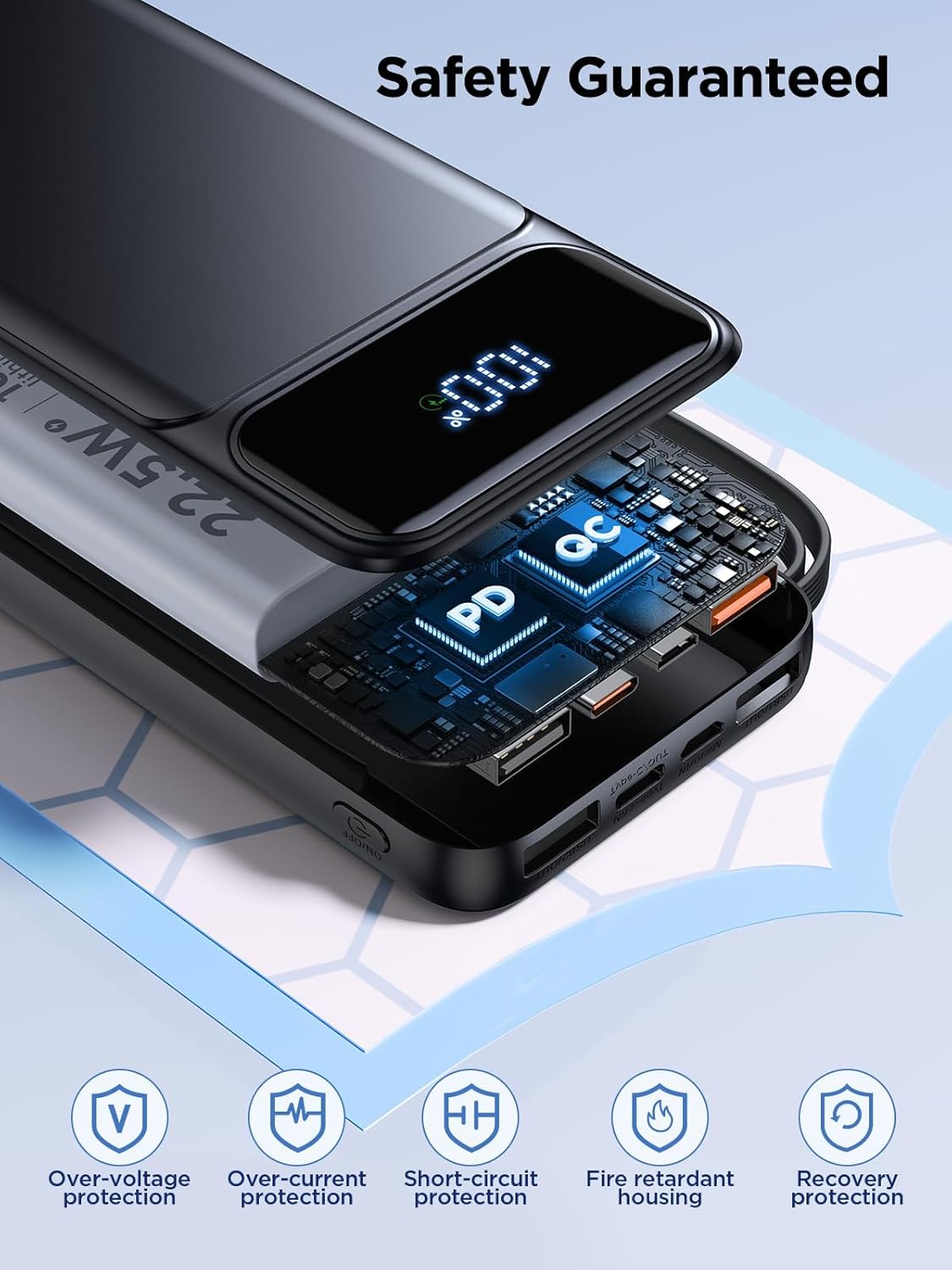
Image: An exploded view of the Aioneus power bank highlighting its internal safety features and protective housing, with icons for various safety protections.
Troubleshooting
| Problem | Possible Cause | Solution |
|---|---|---|
| Power bank not charging device. | Low power bank battery; incorrect cable/port; device not compatible. | Recharge power bank; ensure correct cable/port is used; check device compatibility. |
| Power bank not recharging. | Faulty power source/cable; input port issue. | Try a different wall adapter/cable; ensure cable is fully inserted. |
| LED display not working. | Power button not pressed; device malfunction. | Press power button firmly; contact customer service if issue persists. |
Specifications
| Model Number | RE-DX271 |
| Battery Capacity | 10000mAh (3.7V/37Wh) |
| Micro Input | 5V=3A, 9V=2A, 12V=1.5A (18W Max) |
| Type-C Input | 5V=3A, 9V=2A, 12V=1.5A (18W Max) |
| USB Cable Input | 5V=2A (10W Max) |
| Lightning Cable Output | 5V=2.1A (10.5W Max) |
| Type-C Cable Output | 5V=3A, 9V=2.22A, 12V=1.67A (20W Max) |
| Micro Cable Output | 5V=2.1A (10.5W Max) |
| USB1 Output | 5V=3A, 9V=2A, 10V=2.25A, 12V=1.5A (22.5W Max) |
| USB2 Output | 5V=2.1A (10.5W Max) |
| Type-C Output | 5V=3A, 9V=2.22A, 12V=1.67A (20W Max) |
| Product Dimensions | 5.7" x 2.75" x 0.78" (approximate) |
| Item Weight | 8.8 oz (approximate) |
| Color | Black |

Image: The Aioneus power bank with a transparent overlay showing its 10000mAh capacity and estimated charge cycles for different smartphone models.
Safety Information
Please adhere to the following safety guidelines to prevent damage to the device or injury:
- Do not expose the power bank to water, moisture, or extreme temperatures.
- Avoid dropping, puncturing, or disassembling the device.
- Keep away from flammable materials.
- Do not use if the power bank is damaged or swollen.
- Ensure proper ventilation during charging and discharging.
- This power bank is airline-approved. However, always check with your airline for specific regulations regarding portable electronic devices before flying.
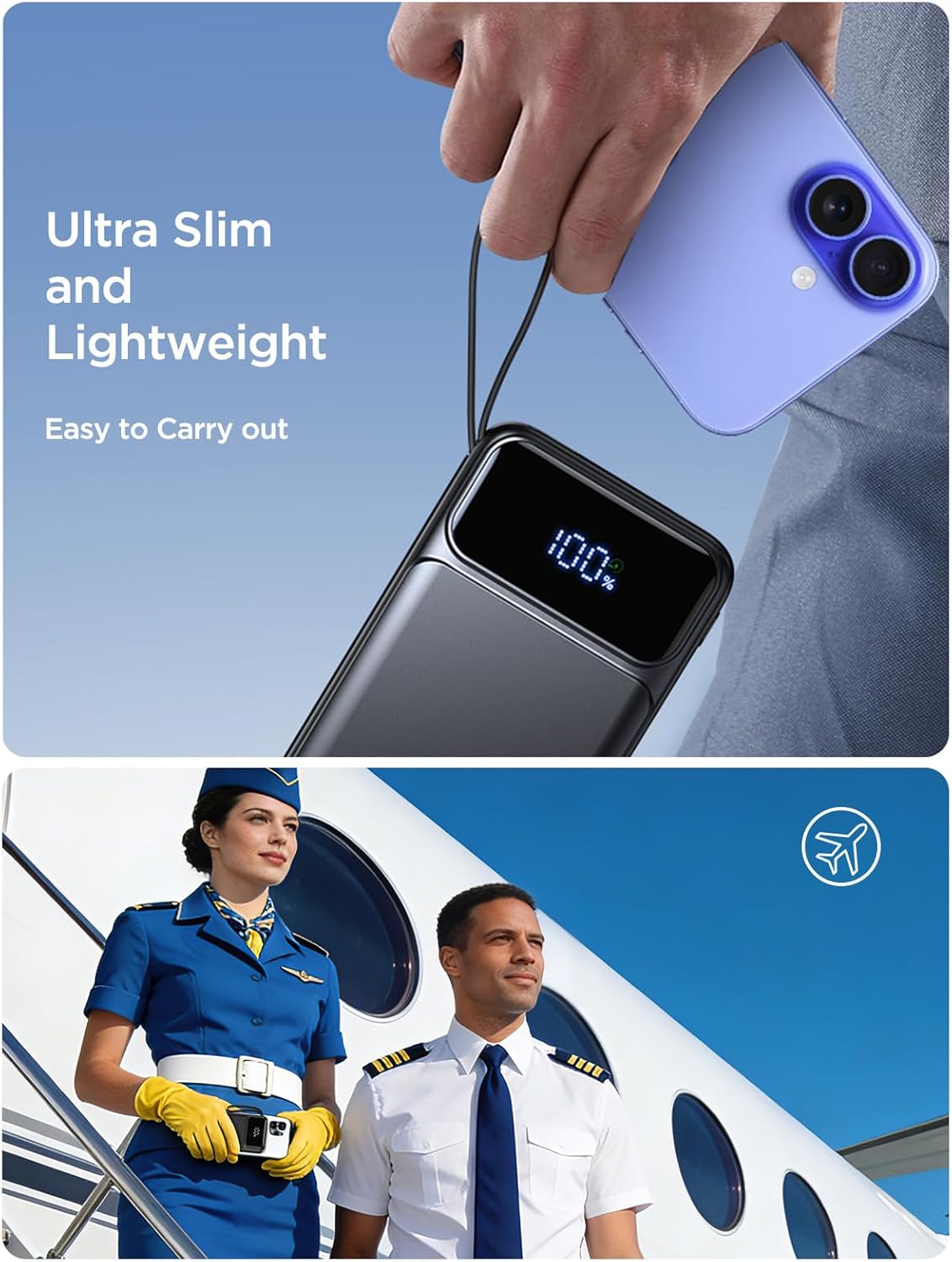
Image: The Aioneus power bank held in a hand, emphasizing its ultra-slim and lightweight design, alongside an image of airline personnel, signifying its airline-approved status for travel.
Product Video Demonstration
Video: An official product video from Aioneus-US demonstrating the 10000mAh Portable Power Bank with Built-in Cables, highlighting its features and ease of use.
Warranty and Support
Your Aioneus RE-DX271 Portable Power Bank comes with an 18-month warranty from the date of purchase. If you encounter any issues or have questions, please contact our 24/7 customer service team for assistance.
Customer satisfaction is our ultimate priority. Do not hesitate to contact us if you have any problems or concerns.
For support, please refer to the contact information provided in the package or visit the official Aioneus website.