
Introduction
The ZOHAN 035 Rechargeable Bluetooth 5.4 Shooting Ear Protection Earmuff is designed to provide advanced hearing protection and communication capabilities in high-noise environments. This manual provides instructions for proper setup, operation, and maintenance to ensure optimal performance and safety.
Key Features:
- Advanced Hearing Protection: NRR 22dB / SNR 27dB noise reduction, with instant suppression of sounds exceeding 82dB within 0.01 seconds.
- Sound Amplification: Dual omnidirectional microphones amplify low-level environmental sounds up to 4 times, allowing clear communication and awareness.
- Bluetooth 5.4 Connectivity: Stable wireless connection for audio streaming and calls with smartphones or two-way radios.
- Rechargeable Battery: Built-in 2000mAh battery provides up to 150 hours of use, with convenient USB-C charging.
- Comfort and Durability: Ergonomic design with a wide, padded headband, soft ear cushions, and a foldable structure for portability.
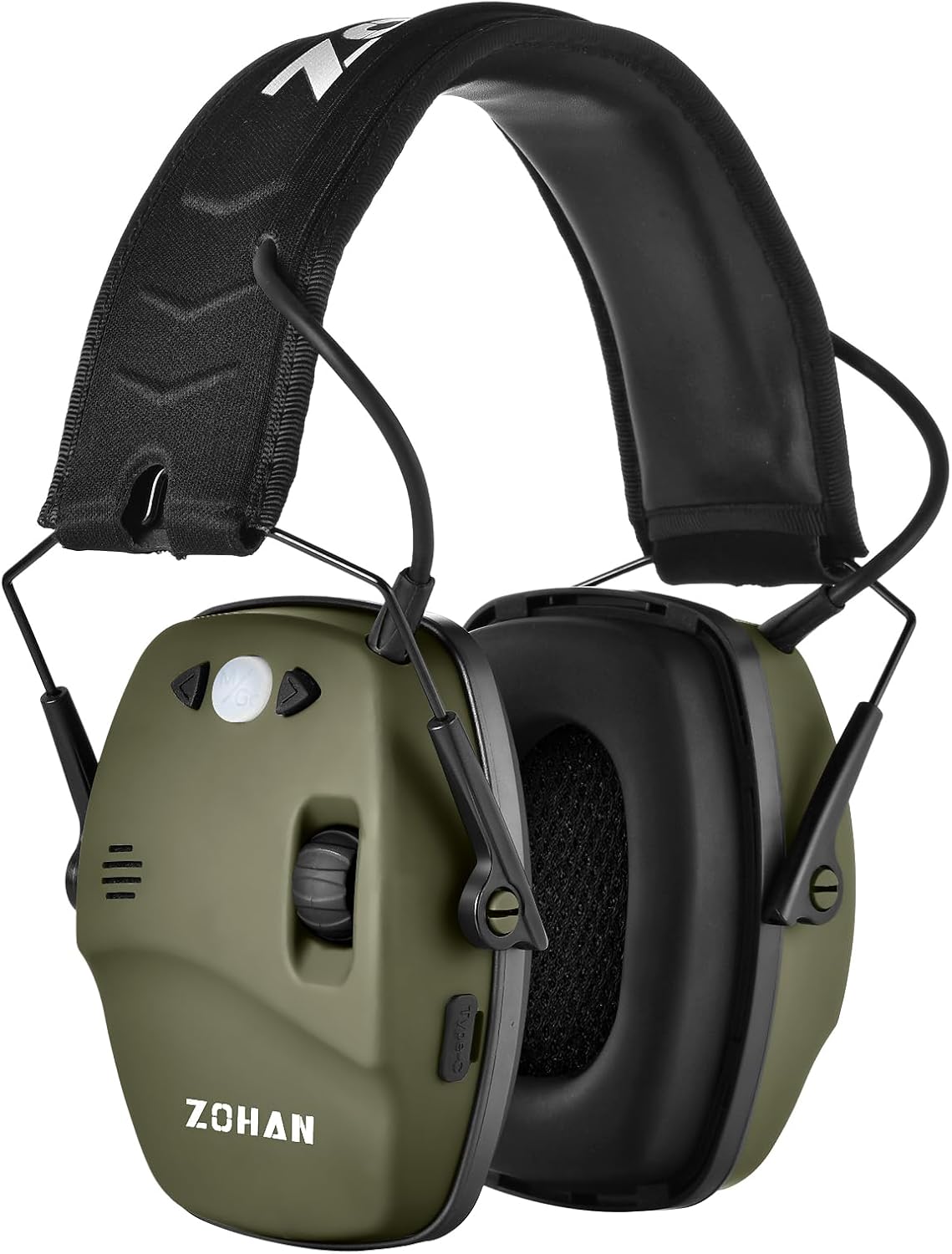
Image: The ZOHAN 035 earmuffs in green, showcasing their design.
Package Contents
Verify that all items are present in the package:
- ZOHAN 035 Electronic Earmuffs
- USB-C Charging Cable
- User Manual
- Carrying Bag (may vary by package)
Safety Information
Always prioritize hearing safety. Improper use of hearing protection can lead to hearing damage.
- Ensure earmuffs fit snugly over your ears to achieve the stated Noise Reduction Rating (NRR).
- Do not modify the earmuffs. Any modifications may compromise their protective capabilities.
- Clean earmuffs regularly as per maintenance instructions to prevent debris from affecting performance.
- Store earmuffs in a dry, cool place away from direct sunlight and extreme temperatures.
- If you experience discomfort or hearing issues while using the earmuffs, discontinue use and consult a professional.
Setup
1. Adjusting the Headband
The headband is adjustable to fit various head sizes. Gently slide the ear cups up or down along the metal wires until the earmuffs fit comfortably and securely over your ears, creating a tight seal.

Image: Detail of the adjustable headband and soft ear cups for comfort.
2. Initial Charge
Before first use, fully charge the earmuffs. Connect the supplied USB-C cable to the charging port on the earmuff and the other end to a USB power source (e.g., computer, wall adapter). The charging indicator light will show charging status (refer to the LED indicator section for details).
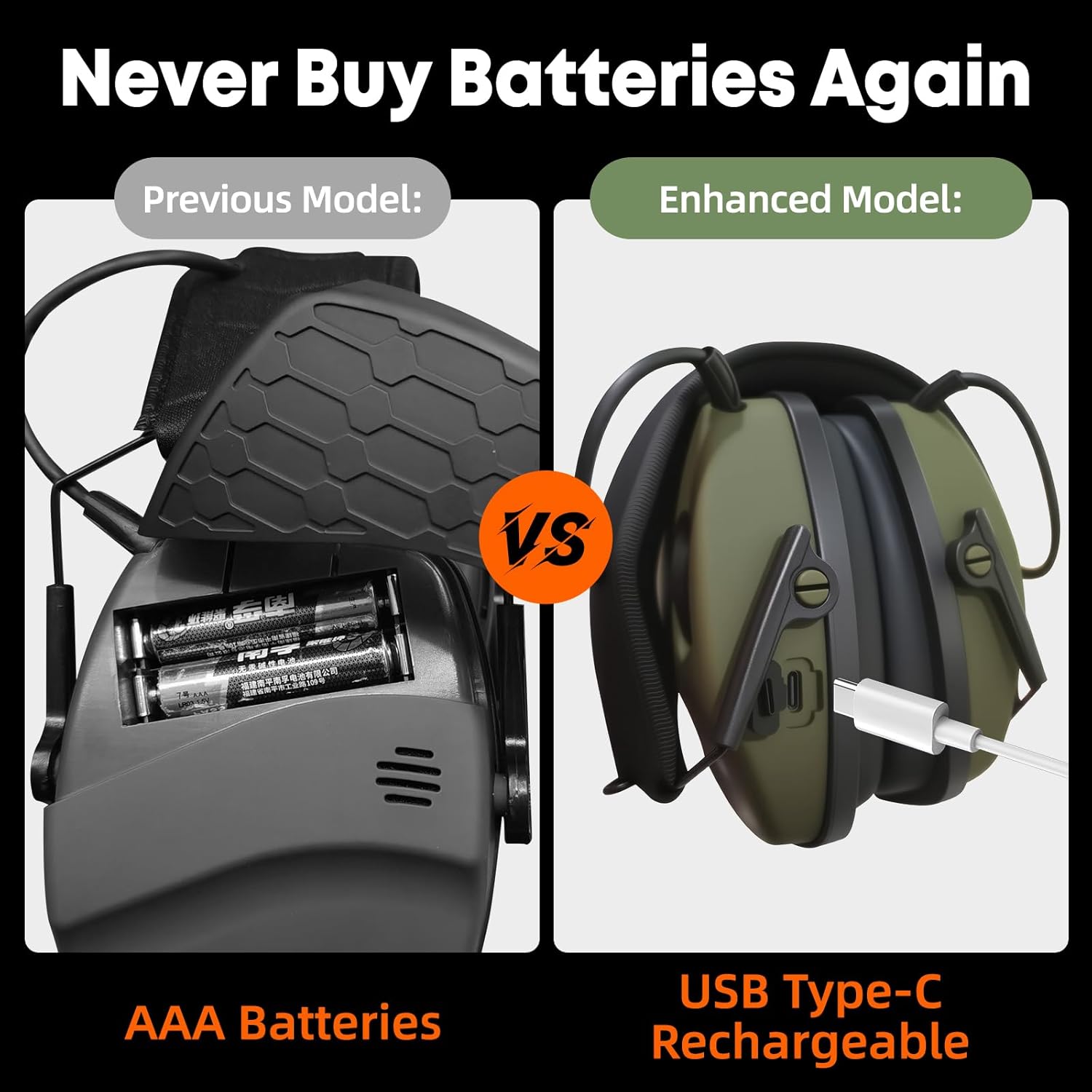
Image: Close-up of the ZOHAN 035 earmuff, highlighting the control panel and USB-C charging port.
Operating Instructions
1. Power On/Off and Volume Control
The ZOHAN 035 features an integrated power switch and volume control knob.
- To Power On: Rotate the volume knob clockwise until you hear a click. The earmuffs will activate, and the sound amplification feature will be enabled.
- To Adjust Volume: Continue rotating the knob clockwise to increase amplification volume, or counter-clockwise to decrease it.
- To Power Off: Rotate the volume knob counter-clockwise until you hear a click.

Image: Detailed view of the control knob and buttons on the ZOHAN 035 earmuff.
2. Bluetooth Pairing
The earmuffs utilize Bluetooth 5.4 for wireless audio and communication.
- Ensure the earmuffs are powered on.
- Activate Pairing Mode: Long press the Bluetooth control button (usually indicated by a Bluetooth icon) for approximately 3 seconds until the LED indicator flashes blue and red, indicating it's ready to pair.
- Connect from Device: On your smartphone or other Bluetooth-enabled device, go to Bluetooth settings and select "ZOHAN 035" from the list of available devices.
- Once connected, the LED indicator will typically show a solid blue light or flash blue periodically.

Image: Illustration of the ZOHAN 035 earmuffs establishing a Bluetooth connection with a mobile device.
3. Sound Amplification and Noise Reduction
The ZOHAN 035 is equipped with dual omnidirectional microphones to enhance ambient sounds and active noise cancellation for loud impulses.
- Sound Amplification: When powered on, the earmuffs will amplify low-level sounds (up to 4X) such as conversations, range commands, or animal movements, allowing you to maintain situational awareness.
- Instant Noise Reduction: The advanced circuitry automatically suppresses harmful impulse noises exceeding 82dB within 0.01 seconds, protecting your hearing from gunshots or other loud impacts.

Image: A person wearing ZOHAN 035 earmuffs while shooting, demonstrating the sound amplification feature.

Image: Visual representation of the ZOHAN 035 earmuffs' instant noise reduction capability for loud sounds.
Charging
The ZOHAN 035 earmuffs are equipped with a built-in 2000mAh rechargeable battery and a USB-C charging port.
- Connect the USB-C charging cable to the port on the earmuff and to a standard USB power source.
- A red LED indicator typically signifies charging in progress.
- A green or blue LED indicator typically signifies charging is complete.
- A full charge provides up to 150 hours of operation.
Image: Close-up of the ZOHAN 035 earmuff, showing the USB-C charging port.
Maintenance
Proper maintenance ensures the longevity and effectiveness of your earmuffs.
- Cleaning: Wipe the exterior of the earmuffs with a soft, damp cloth. Do not use abrasive cleaners or immerse the earmuffs in water.
- Ear Cushions: Inspect ear cushions regularly for wear and tear. Replace them if they become cracked, hardened, or damaged to maintain the NRR.
- Storage: When not in use, fold the earmuffs for compact storage and place them in the provided carrying bag to protect them from dust and damage. Store in a cool, dry place.
Troubleshooting
| Problem | Possible Cause | Solution |
|---|---|---|
| No Power | Battery is depleted. Power knob not fully turned on. | Charge the earmuffs using the USB-C cable. Ensure the volume knob is rotated clockwise until it clicks. |
| No Sound Amplification | Earmuffs are off or volume is too low. Microphones are obstructed. | Turn on the earmuffs and increase the volume. Ensure microphones are clear of debris or clothing. |
| Bluetooth Not Connecting | Earmuffs not in pairing mode. Device Bluetooth is off. Too many paired devices. | Long press the Bluetooth button to enter pairing mode. Enable Bluetooth on your device. Forget "ZOHAN 035" on your device and re-pair. |
| Distorted Sound | Volume too high. Low battery. Environmental interference. | Reduce the volume. Charge the earmuffs. Move away from sources of strong electromagnetic interference. |
Specifications
| Feature | Detail |
|---|---|
| Model | ZOHAN 035 |
| Noise Reduction Rating (NRR) | 22dB |
| Signal-to-Noise Ratio (SNR) | 27dB |
| Bluetooth Version | 5.4 |
| Battery Capacity | 2000mAh Rechargeable |
| Battery Life | Up to 150 hours |
| Charging Port | USB-C |
| Weight | 0.39 Kilograms (0.86 lbs) |
| Color | Green |
Warranty and Support
For warranty information, technical support, or any inquiries regarding your ZOHAN 035 earmuffs, please refer to the contact information provided on the product packaging or visit the official ZOHAN website. Keep your purchase receipt for warranty claims.
Official ZOHAN Store: Visit the ZOHAN Store on Amazon