Introduction
Thank you for choosing the Oxseryn OXCAHV05 Cordless Rechargeable Pool Vacuum. This manual provides essential information for the safe and efficient use, maintenance, and troubleshooting of your new pool cleaner. Please read these instructions carefully before operating the device and retain them for future reference.
Important Safety Information
- Always ensure the charging port is dry before connecting the charger.
- Do not operate the vacuum out of water for extended periods; it features a water-activated sensor that automatically switches off after 60 seconds when not submerged.
- Keep the device away from children and pets.
- Use only the provided charger and battery.
- Do not attempt to open or repair the battery pack or motor housing. Contact customer support for assistance.
- Ensure the filter is clean and properly installed before each use to prevent damage and maintain optimal suction.
Product Components
The Oxseryn OXCAHV05 pool vacuum consists of several key components:
- Vacuum Body: Contains the motor, battery, and control switch.
- Filter Tube: Houses the 125-micron filter for debris collection.
- Handle: Ergonomic grip for manual operation.
- Connection Tubes: Multiple sections to extend the reach of the vacuum.
- Brush Head: Ideal for cleaning pool steps and floors.
- Vacuum Head: Designed for hard-to-reach corners and crevices.
- Charger: For recharging the lithium-ion battery.

Figure 1: Individual components of the Oxseryn OXCAHV05 pool vacuum.
Setup and Assembly
1. Assembly
Follow these steps to assemble your pool vacuum:
- Connect the filter tube to the vacuum body by twisting until secure.
- Attach the handle to the vacuum body.
- Connect the desired number of connection tubes to achieve the required length. The pole can extend up to 160 cm (approximately 5.25 feet). For longer reach in in-ground pools, the vacuum can connect to a standard telescopic pole (not included).
- Attach either the brush head (for general cleaning of steps and floors) or the vacuum head (for corners and tight spaces) to the end of the connection tube.
Figure 2: Simple assembly steps for the pool vacuum.

Figure 3: The adjustable aluminum rod allows for extended reach up to 7.5 feet.
2. Charging the Battery
The vacuum is powered by a 4000mAh lithium battery. Before first use, fully charge the battery.
- Locate the waterproof charging port on the vacuum body.
- Ensure the port is completely dry before plugging in the charger.
- Connect the charger to the vacuum and then to a power outlet.
- A full charge takes approximately 4.5 hours. The indicator light will change to signal a complete charge.
- A fully charged battery provides up to 60 minutes of continuous cleaning.

Video: Charging the Oxseryn Cordless Pool Vacuum (3:35)
Operating Instructions
1. Powering On/Off
The vacuum features a water-activated sensor. Simply submerge the vacuum in water to activate it. It will automatically turn off after 60 seconds when removed from water to protect the device and conserve battery life.
2. Cleaning Your Pool or Spa
The Oxseryn OXCAHV05 is suitable for above-ground pools, in-ground pools, hot tubs, and spas.
- General Cleaning: Use the brush head for cleaning larger flat surfaces like pool floors and steps. Move the vacuum slowly across the surface to allow the 32 L/min turbo suction to effectively pick up sand, silt, and leaves.
- Targeted Cleaning: Switch to the vacuum head for precise cleaning of corners, crevices, and hard-to-reach areas where debris tends to accumulate.
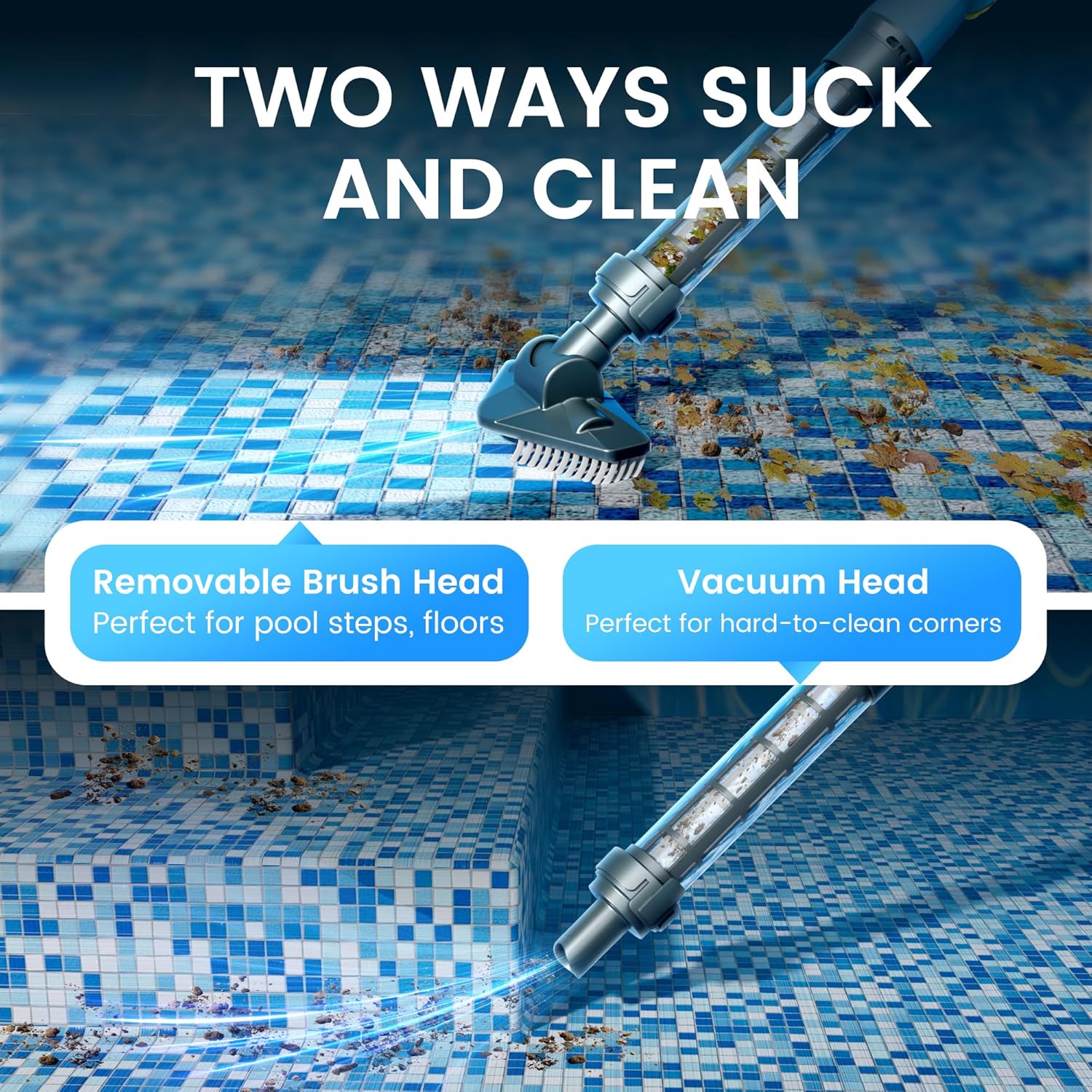
Figure 4: Two ways to suck and clean using different vacuum heads.

Video: Pool Cleaning Demonstration (1:36)
Maintenance
1. Cleaning the Filter
Regularly clean the 125-micron filter to maintain optimal suction and performance.
- After each use, remove the filter tube from the vacuum body.
- Carefully remove the filter cartridge.
- Rinse the filter thoroughly under running water to remove collected debris such as sand, small leaves, twigs, and dirt.
- Ensure the filter is completely clean before reinserting it.
- Reassemble the filter tube and vacuum body.

Figure 5: Cleaning the 125-micron filtration system.
2. Storage
When not in use, store the vacuum in a cool, dry place, away from direct sunlight and extreme temperatures. Ensure the battery is charged periodically if stored for long durations to prolong its lifespan.
Troubleshooting
| Problem | Possible Cause | Solution |
|---|---|---|
| Vacuum does not turn on. | Not submerged in water. Battery is depleted. | Ensure the vacuum is fully submerged. Charge the battery for 4.5 hours. |
| Reduced suction power. | Filter is clogged with debris. Obstruction in the vacuum head or intake. | Clean the filter thoroughly as per maintenance instructions. Check and clear any blockages in the vacuum head or intake. |
| Battery not charging. | Charger not properly connected. Charging port is wet. Faulty charger or battery. | Ensure charger is securely connected and plugged into a working outlet. Dry the charging port completely before connecting. Contact customer support if the issue persists. |
| Vacuum turns off unexpectedly. | Battery is low. Vacuum removed from water for too long. | Recharge the battery. Ensure continuous submersion during operation. |
Specifications
- Model Name: OXCAHV05
- Brand: Oxseryn
- Product Dimensions: 156 x 20 x 16 cm (61.4 x 7.9 x 6.3 inches)
- Item Weight: 1.52 kg (3.35 lbs)
- Power Source: Battery Powered
- Battery Type: Rechargeable Lithium-Ion
- Battery Capacity: 4000mAh (14.6 Watt Hours)
- Number of Lithium-Ion Cells: 2
- Charging Time: Approximately 4.5 hours
- Maximum Running Time: Up to 60 minutes
- Suction Flow Rate: 32 L/min
- Filtration: 125 Micron
- Material: Plastic
- Color: Sky Blue
- Special Features: Cordless, Rechargeable, Lightweight, Water-activated sensor, Waterproof charging port
- Assembly Required: Yes
Warranty and Support
For warranty information, please refer to the documentation provided at the time of purchase or contact your retailer. If you encounter any issues or require technical assistance, please contact Oxseryn customer support through your purchase platform or the official brand website.