
Important Safety Information
Please read and understand all safety instructions before assembly and use. Keep this manual for future reference.
- Be careful during the assembly of the product to avoid injury.
- Ensure all screws and fasteners are securely tightened before using the vanity desk.
- Do not overload drawers or shelves to prevent damage or tipping.
- Keep electrical components (mirror lights, charging station) away from water or damp environments.
- Use the vanity desk only as intended for makeup application and personal grooming.
- Do not allow children to climb on or play with the vanity desk.
Package Contents
Before beginning assembly, please verify that all listed components are present and undamaged.
- Vanity Desk Panels (Engineered Wood)
- LED Mirror with 3 Color Modes
- Vanity Stool (Upholstered Faux Leather)
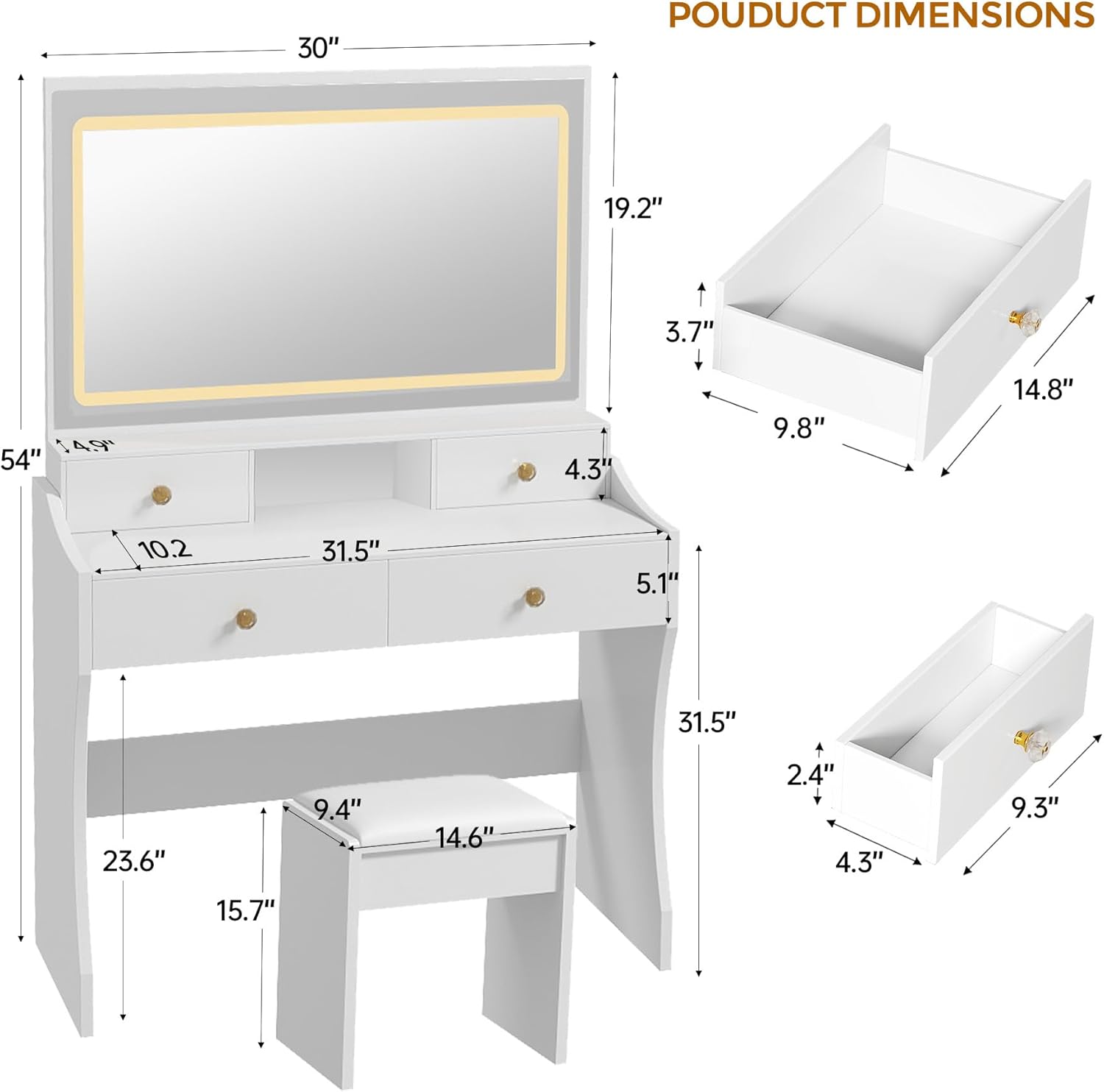
- 5 Drawers with Diamond-shaped Knobs
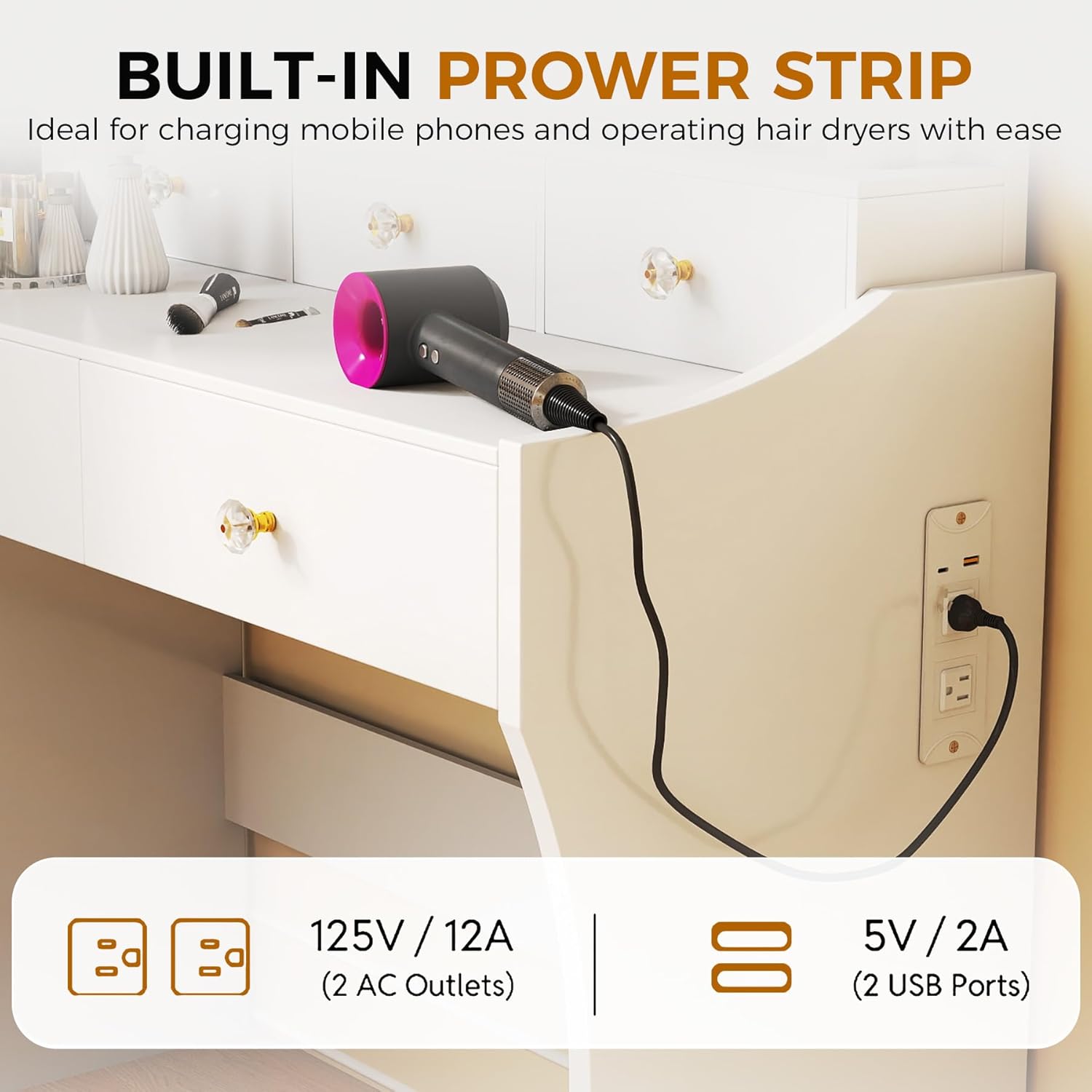
- Built-in Charging Station (2 AC Outlets, 2 USB Ports)
- Assembly Hardware (Screws, dowels, etc.)
- Instruction Manual
Setup and Assembly
Follow these steps carefully for proper assembly. It is recommended to have two people for certain steps to ensure stability and ease of construction.
Assembly Video Guide
Video Description: This video provides a detailed visual guide for assembling the COMHOMA Vanity Desk model B200. It covers the step-by-step process of putting together the desk frame, drawers, and attaching the mirror. Follow along for clear instructions on each component.
Visual Assembly Steps


Operating Instructions
LED Mirror Operation
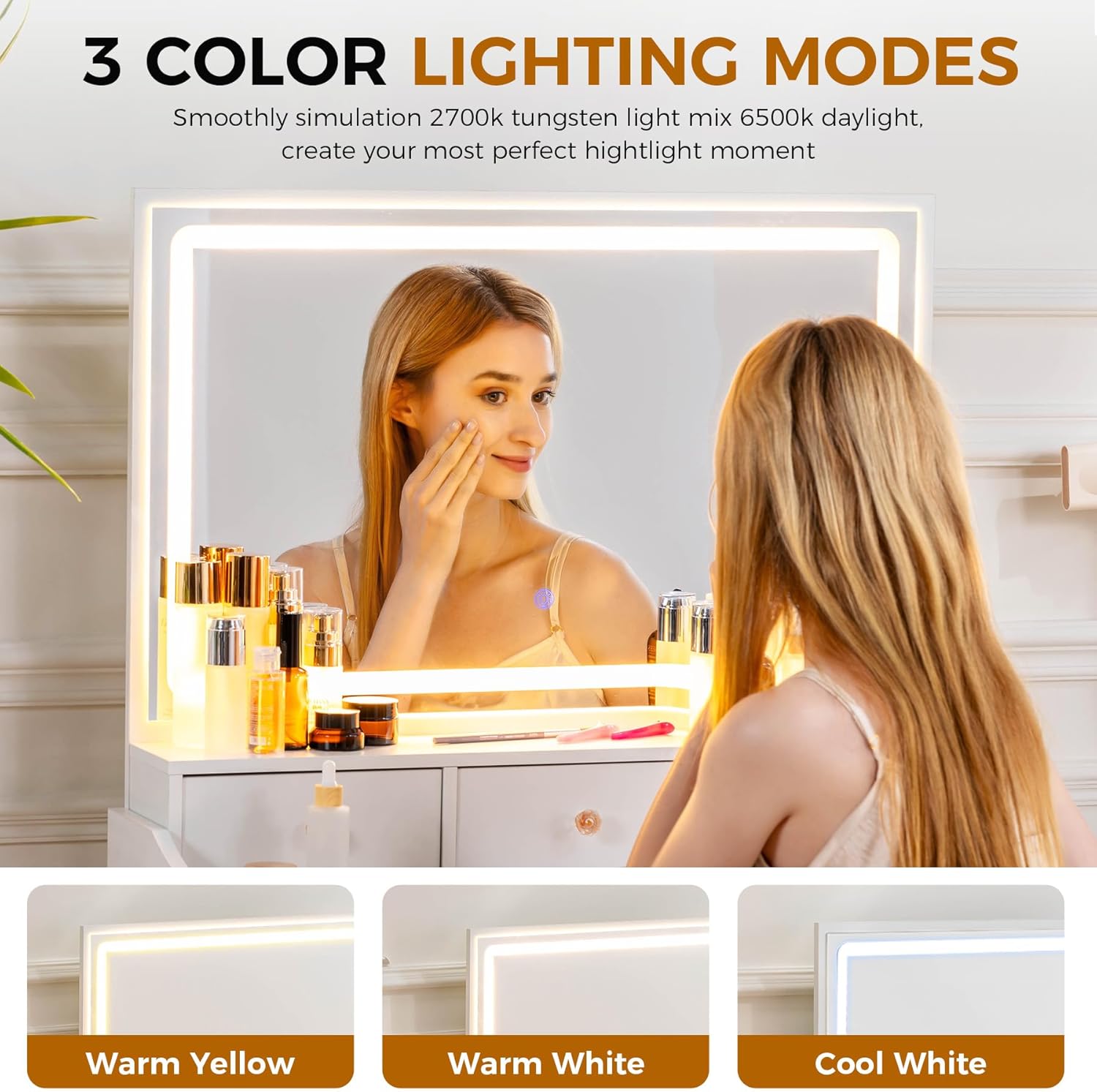
The LED mirror features three color modes (Cool White, Warm White, Warm Yellow) and adjustable brightness. To operate:
- Plug the mirror's power cord into a standard electrical outlet.
- Touch the power button on the mirror surface to turn the lights on/off.
- Tap the mode button to cycle through the three color temperature settings.
- Press and hold the power button to adjust the brightness level for the selected color mode.
Video Description: This video demonstrates the three color lighting modes and adjustable brightness feature of the LED mirror on the COMHOMA Makeup Vanity Desk.
Charging Station Usage
The built-in charging station is located on the side of the vanity desk and includes 2 standard 125V/12A AC outlets and 2 5V/2A USB ports. Use these to power and charge your electronic devices conveniently while using the vanity.

Maintenance and Care
Proper maintenance will extend the life and appearance of your vanity desk.
- Clean all desk surfaces with a soft, damp cloth. Avoid using abrasive cleaners or harsh chemicals that may damage the finish.
- Regularly check and tighten all screws and connections to ensure the desk remains stable.
- Clean the mirror surface with a glass cleaner and a lint-free cloth to prevent streaks.
- Avoid placing hot items directly on the desk surface. Use coasters or protective pads if necessary.
- Keep the vanity desk away from direct sunlight and excessive moisture to prevent warping or discoloration.
Troubleshooting
If you encounter any issues with your COMHOMA Makeup Vanity Desk, refer to the following common problems and solutions:
Mirror Lights Not Working
- Check Power Connection: Ensure the mirror's power cord is securely plugged into a functional electrical outlet.
- Activate Power Button: Verify that the touch-sensitive power button on the mirror surface has been activated.
- Test Outlet: Plug another device into the same outlet to confirm it is supplying power.
Drawers Sticking or Not Closing Properly
- Check for Obstructions: Remove the drawer and inspect the drawer slides and the interior of the desk for any objects blocking movement.
- Verify Alignment: Ensure the drawer is correctly aligned on its tracks. Gently push it in to reseat it if necessary.
- Tighten Screws: Check all assembly screws for the drawers and the desk frame. Loose screws can cause misalignment.
Charging Station Not Functioning
- Check Power Supply: Ensure the main power cord for the vanity desk is plugged into a live wall outlet.
- Device Compatibility: Confirm that your device is compatible with the charging station's specifications (125V/12A for AC, 5V/2A for USB).
- Cable Integrity: Try using a different charging cable to rule out a faulty cable.
Specifications
| Feature | Detail |
|---|---|
| Brand | COMHOMA |
| Model Number | B200 |
| Color | Snow-white |
| Material | Engineered Wood, Faux Leather (stool) |
| Product Dimensions | 16"D x 31.5"W x 54.3"H |
| Item Weight | 57 pounds |
| Assembly Required | Yes |
| Mirror Features | LED, Stepless Dimmable, 3 Color Modes |
| Storage | 5 Drawers |
| Charging Station | 2 AC Outlets, 2 USB Ports |
Warranty and Support
This product comes with a manufacturer's warranty. For specific warranty details or customer service support, please refer to the contact information provided on the product packaging or visit the official COMHOMA website.
For assistance with parts or assembly, please contact customer service.