
1. Introduction
This manual provides essential information for the proper setup, operation, and maintenance of your Goiaey C26 Smart Projector. Please read this manual thoroughly before using the product to ensure optimal performance and user safety. Keep this manual for future reference.

Figure 1: Goiaey C26 Smart Projector with Google Store and streaming app logos.
2. What's in the Box
Upon unpacking, please verify that all the following items are included:
- 1x Goiaey C26 Smart Projector
- 1x Bluetooth and Infrared Remote Control
- 1x Power Cord
- 1x HDMI Cable
- 1x User Manual
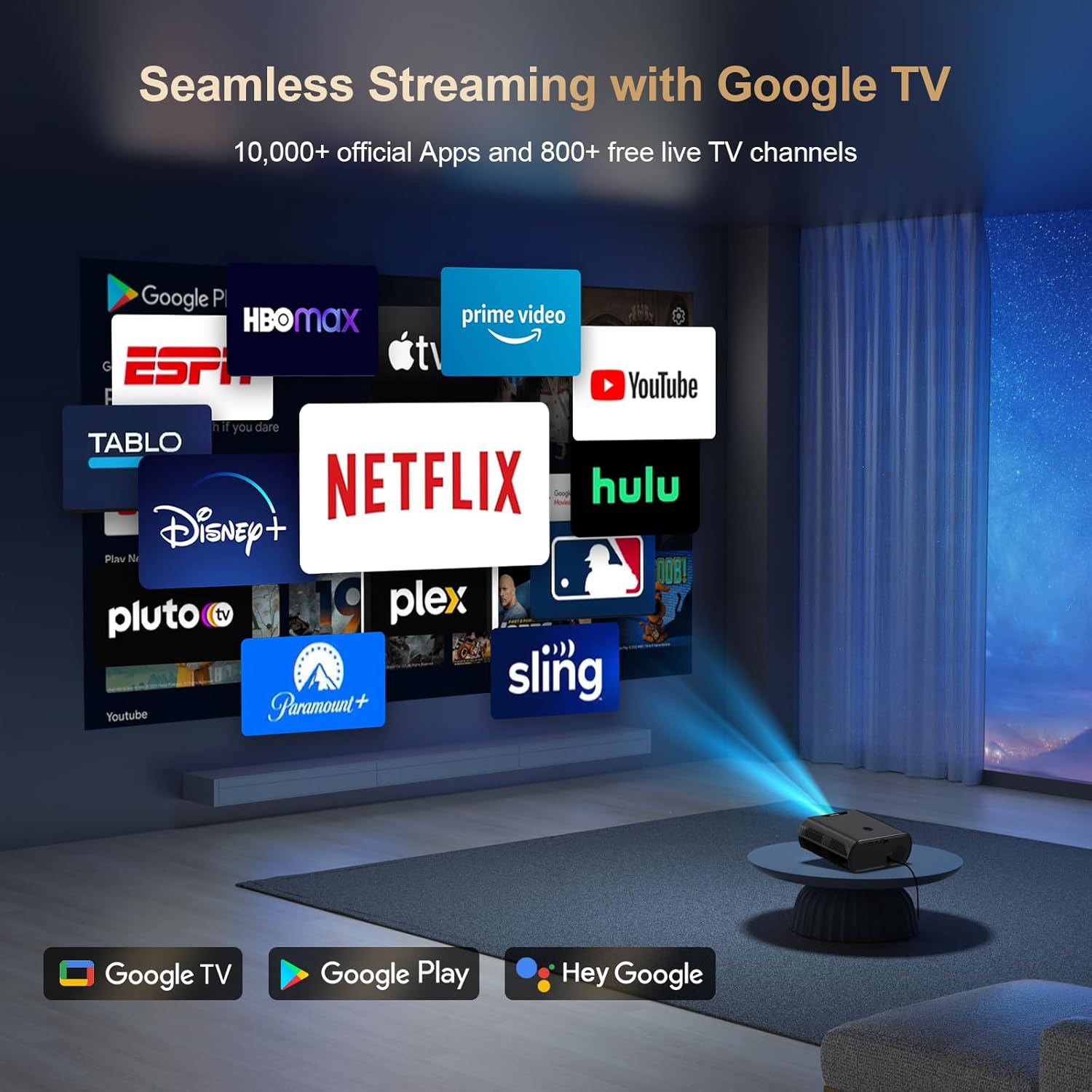
Figure 2: Contents of the Goiaey C26 Smart Projector packaging.
3. Product Features
- Official Google TV System: Directly access over 10,000 apps including Netflix, YouTube, and Prime Video.
- Google Voice Assistant: Control the projector with voice commands via the Bluetooth remote.
- Bluetooth 5.2: Connect external speakers for enhanced audio output.
- 180° Stand: Adjust projection angle for versatile viewing on walls or ceilings.
- 1500 ANSI Lumens: Provides bright and vivid images, best used in dark environments.
- Native 1080P Resolution (4K Supported): Delivers full HD visuals with deep contrast and smooth motion.
- Electric Focus & Auto Vertical Keystone: Ensures a clear image with one click and automatic vertical correction up to 15°.
- 4P Keystone Correction: Manual correction for larger range vertical and horizontal adjustments.
- WiFi 6 Technology: Faster and stronger screen mirroring from smartphones and tablets.
- HDMI ARC & CEC Function: Connect external speakers via HDMI and control multiple devices with one remote.
- Google Cast: Seamlessly cast content from your phone/tablet to the projector.
- Portability: Compact (7.4 x 6.3 x 2.9 inches) and lightweight (2.2lb) for easy transport.

Figure 3: Electric Focus and Auto Vertical Keystone features.
4. Setup Instructions
4.1 Initial Power-On and Network Connection
- Connect the power cord to the projector and a power outlet.
- Press the power button on the projector or remote control to turn it on.
- Follow the on-screen prompts to select your language and connect to your Wi-Fi network.
- Sign in to your Google account to access Google TV features and download apps from the Google Play Store.
4.2 Image Adjustment
The projector features Electric Focus and Auto Vertical Keystone for quick image optimization.
- Electric Focus: Use the 'F+' or 'F-' buttons on the remote to manually adjust focus until the image is clear.
- Auto Vertical Keystone: The image automatically corrects itself when the projector is moved vertically within 15°.
- 4P Keystone Correction: For larger adjustments, navigate to the settings menu to manually correct the image in both vertical and horizontal directions.
Video 1: Quick Look Google TV Smart Projector - Demonstrates initial setup and features.
Video 2: Easy Setup Guide - Provides a visual walkthrough of the setup process.
5. Operating Instructions
5.1 Navigation and App Usage
- Use the remote control's directional buttons and 'OK' button to navigate the Google TV interface.
- Download additional apps from the Google Play Store as needed.
- Use the dedicated Netflix, YouTube, and Prime Video buttons on the remote for quick access.
5.2 Connectivity
- HDMI: Connect external devices like laptops, gaming consoles, or Blu-ray players using the provided HDMI cable.
- USB: Insert a USB drive to play media files directly from the projector.
- Bluetooth: Pair Bluetooth speakers or headphones for a personalized audio experience. Bluetooth is available after signing into your Google account.
- Google Cast: Use the Google Cast function to mirror content from your smartphone or tablet.

Figure 4: Multiple projection angles supported by the 180° stand.
6. Maintenance
- Ensure proper ventilation around the projector to prevent overheating.
- Regularly clean the lens with a soft, lint-free cloth.
- Store the projector in a cool, dry place when not in use.
- Always shut down the projector correctly to extend its lifespan.
7. Troubleshooting
If you encounter any issues, please refer to the following general troubleshooting tips:
- No Power: Check if the power cord is securely connected and the power outlet is functioning.
- No Image: Ensure the lens cap is removed and the correct input source is selected.
- Blurred Image: Adjust the electric focus using the remote control.
- Distorted Image: Use auto vertical keystone or 4P keystone correction to adjust the image shape.
- No Sound: Check the volume settings on the projector and any connected external audio devices. Ensure Bluetooth is connected if using external speakers.
- Wi-Fi Connection Issues: Verify your Wi-Fi network is active and re-enter the password if necessary.
For further assistance, please contact customer support as detailed in the Warranty and Support section.
8. Specifications
- Brand: Goiaey
- Model: C26
- Item Weight: 1.76 pounds
- Product Dimensions: 6.3 x 2.91 x 7.4 inches
- Display Resolution: 1920 x 1080 (Native 1080P, 4K Supported)
- Brightness: 1500 ANSI Lumens
- Connectivity Technology: WiFi 6, Bluetooth 5.2, HDMI ARC, USB, Audio
- Special Features: Built-in Google TV System, Google Voice Assistant, Google Cast, Electric Focus, 4P Keystone, 180° Stand, Portability.
9. Warranty and Support
Goiaey offers a comprehensive warranty for your C26 Smart Projector:
- 1 Year Free Replacement: In case of product defects or malfunctions.
- 2 Years Free Repair: For any repair needs beyond the replacement period.
For any questions or support inquiries, please refer to the official contact information provided in your user manual. Our customer support team will reply within 24 business hours.
Video 5: EGJSG Projector with WiFi and Bluetooth - Demonstrates product features and usage.