1. Introduction and Safety Information
Thank you for choosing the AIYAPLAY 12V Electric Ride-On Tractor. This manual provides important information for the safe assembly, operation, and maintenance of your product. Please read it thoroughly before use and retain it for future reference.
Important Safety Warnings:
- This product must be used under the direct supervision of an adult.
- Not suitable for children under 3 years due to small parts and potential hazards.
- Maximum weight capacity is 30 kg. Do not exceed this limit.
- Always ensure the child wears appropriate safety gear, such as a helmet, when operating the tractor.
- Do not operate the tractor near roads, steep inclines, swimming pools, or other hazardous areas.
- Ensure all assembly steps are completed correctly and all fasteners are secure before use.
2. Package Contents
Please check the package contents carefully to ensure all parts are present and undamaged:
- Tractor Body
- Wheels (6 total)
- Detachable Trailer
- Seat
- Steering Wheel
- 12V Battery (pre-installed or separate)
- Charger
- 2.4G Remote Control
- Assembly Hardware (screws, washers, etc.)
- Instruction Manual
Image: The product packaging box, indicating 1 package.
3. Assembly and Setup
Assembly is required for this electric tractor. Please follow these general steps. Refer to the included assembly diagram for detailed instructions specific to your model.
- Wheel Installation: Attach all six wheels to the tractor body and trailer using the provided axles, washers, and nuts. Ensure they are securely fastened but can rotate freely.
- Steering Wheel Attachment: Connect the steering wheel to the steering column. Ensure any electrical connections for horn or music are properly plugged in before securing the steering wheel.
- Seat Installation: Place the seat onto the tractor body and secure it with the designated screws.
- Battery Connection: If the battery is not pre-installed, connect the battery terminals according to the polarity markings (+ to + and - to -). Ensure all connections are tight.
- Trailer Attachment: Connect the detachable trailer to the rear hitch of the tractor. Ensure it is securely latched.
- Initial Charge: Before first use, fully charge the battery for 8-10 hours. Do not overcharge.

Image: The AIYAPLAY electric tractor in blue with its detachable trailer, ready for use.
4. Operating Instructions
Starting the Tractor:
- Press the power button to turn on the tractor.
- The tractor features a soft start system for smooth acceleration.
Driving Modes:
The tractor offers two driving modes:
- Child-Operated Mode: The child controls the tractor using the steering wheel and foot pedal.
- Parental Remote Control Mode: An adult can control the tractor using the 2.4G remote control.
To switch between modes, locate the 'RC' button on the tractor's control panel. Set it to '1' for manual (child-operated) control or to the remote control icon for parental control.
Remote Control (2.4G):
- The remote control has a range of approximately 15 meters.
- It offers 3 speed levels for parental control.
- Use the remote to steer, accelerate, and brake the tractor.
Features:
- Speed: The tractor operates at speeds between 3-5 km/h.
- Music and Horn: The tractor includes built-in music and a functional horn for an enhanced play experience.
- Lights: Functional lights are integrated into the tractor's design.

Image: A young child smiling while riding the blue AIYAPLAY electric tractor with its trailer in a garden setting.
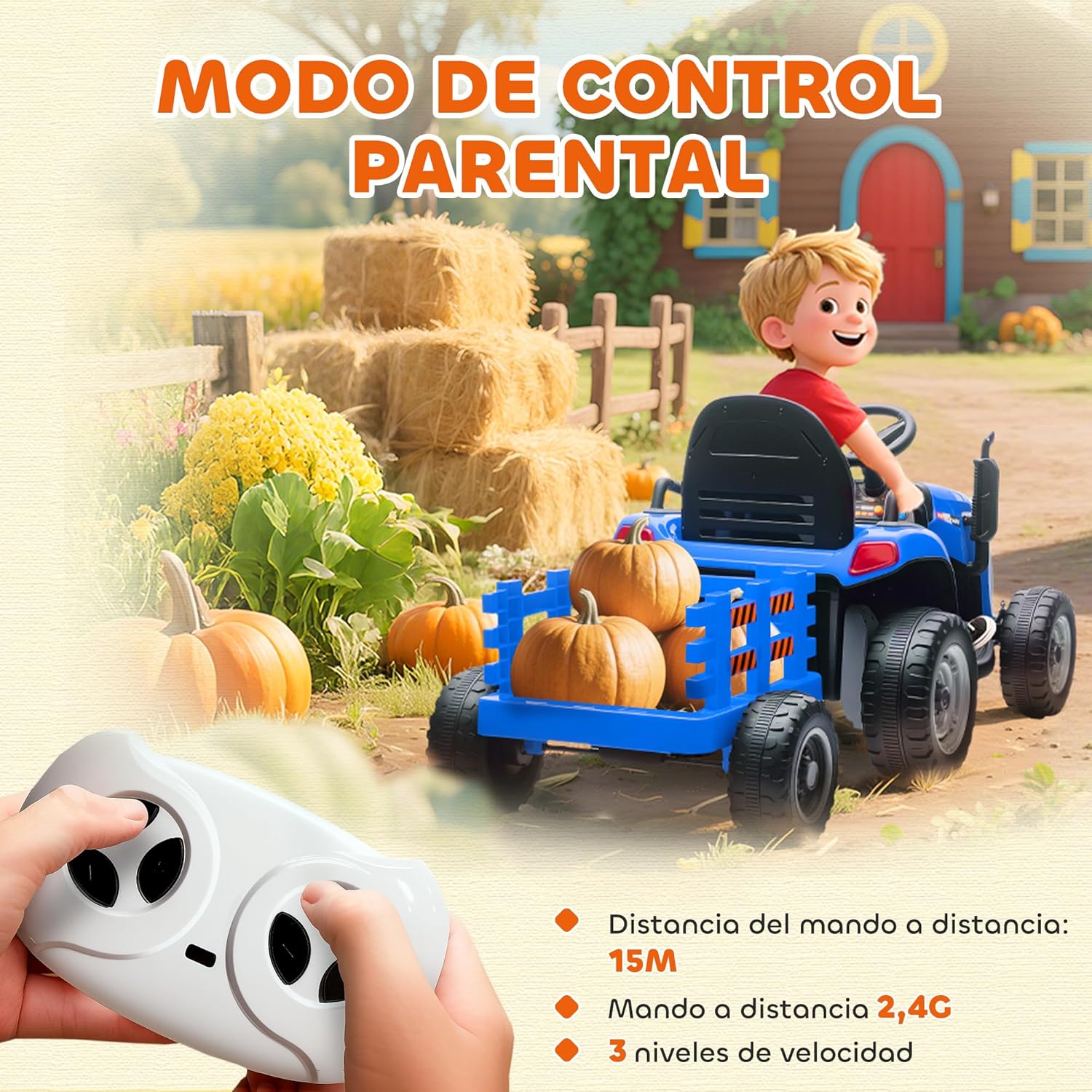
Image: Hands holding the 2.4G remote control, demonstrating the parental control mode for the tractor, with a child in the background.

Image: A graph illustrating the smooth acceleration provided by the soft start feature of the tractor, ensuring a comfortable ride.

Image: The AIYAPLAY electric tractor surrounded by musical notes, an engine icon, and a horn icon, highlighting its realistic sound and light features.
5. Charging and Battery Information
Battery Specifications:
- Type: 12V 500 mA rechargeable battery.
- Included: Yes, one 12V battery is included.
- Playtime: Up to 60 minutes of continuous play on a full charge.
Charging Procedure:
- Ensure the tractor is turned off before charging.
- Locate the charging port on the tractor.
- Connect the charger to the charging port, then plug the charger into a standard wall outlet.
- First Charge: Charge for 8-10 hours.
- Subsequent Charges: Charge for 10-12 hours.
- Do not charge for more than 12 hours to prevent battery damage.
- Disconnect the charger once charging is complete.

Image: Front view of the AIYAPLAY electric tractor highlighting its 12V electric power, speed range of 3-5 km/h, and rechargeable battery.
6. Maintenance
General Care:
- Regularly inspect the tractor for loose parts, damaged wiring, or worn components. Tighten or replace as necessary.
- Clean the tractor with a damp cloth. Do not use abrasive cleaners or solvents.
- Keep the tractor dry. Avoid exposing it to rain or excessive moisture.
Battery Care:
- Charge the battery after each use.
- If storing the tractor for an extended period, charge the battery fully every 30 days to prolong its lifespan.
- Do not store the battery in extreme temperatures.
7. Troubleshooting
If you encounter issues with your AIYAPLAY electric tractor, please refer to the following common problems and solutions:
| Problem | Possible Cause | Solution |
|---|---|---|
| Tractor does not move | Battery is low or not connected; Power switch is off; Loose wiring; Overload protection activated. | Charge the battery; Turn on the power switch; Check all wiring connections; Reduce load. |
| Remote control not working | Remote batteries are dead; Tractor is not in remote control mode; Remote not paired. | Replace remote batteries; Ensure the 'RC' button on the tractor is set to remote control mode; Refer to pairing instructions in the full manual. |
| Tractor moves slowly | Low battery; Overloaded; Operating on rough terrain. | Charge the battery; Reduce load; Operate on smoother surfaces. |
| No sound/lights | Loose wiring; Damaged components. | Check wiring connections; Contact customer support if components are damaged. |
If the problem persists after attempting these solutions, please contact AIYAPLAY customer support for further assistance.
8. Specifications
| Feature | Specification |
|---|---|
| Model Number | 370-389V90BU |
| Overall Dimensions (L x W x H) | 139 cm x 58 cm x 55 cm |
| Product Weight | 13.4 kg |
| Maximum Load Capacity | 30 kg |
| Recommended Age | 3-8 years |
| Speed Range | 3-5 km/h |
| Battery Type | 12V 500 mA |
| First Charge Time | 8-10 hours |
| Subsequent Charge Time | 10-12 hours |
| Continuous Playtime | Up to 60 minutes |
| Remote Control Frequency | 2.4G |
| Remote Control Range | Approx. 15 meters |
| Materials | Metal, Plastic |

Image: Diagram showing the dimensions (139x58x55 cm), recommended age (3-8 years), and weight limit (30 kg) of the AIYAPLAY electric tractor.

Image: The AIYAPLAY electric tractor with an illustration of its high traction wheels, suitable for various terrains including asphalt, cement, gravel, brick paths, and grass.
9. Warranty and Support
AIYAPLAY products are designed for quality and durability. For specific warranty information, please refer to the warranty card included with your purchase or visit the official AIYAPLAY website.
If you have any questions, require technical assistance, or need to order replacement parts, please contact AIYAPLAY customer support. Have your model number (370-389V90BU) and purchase date ready when contacting support.
You can find contact information on the AIYAPLAY brand store page: AIYAPLAY Store


