
GOBOULT ProBass
GOBOULT Fluid X ProBass Wireless Headphones User Manual
Model: ProBass
Introduction
This manual provides detailed instructions for the safe and efficient use of your GOBOULT Fluid X ProBass Wireless Headphones. Please read this manual thoroughly before using the product and retain it for future reference.
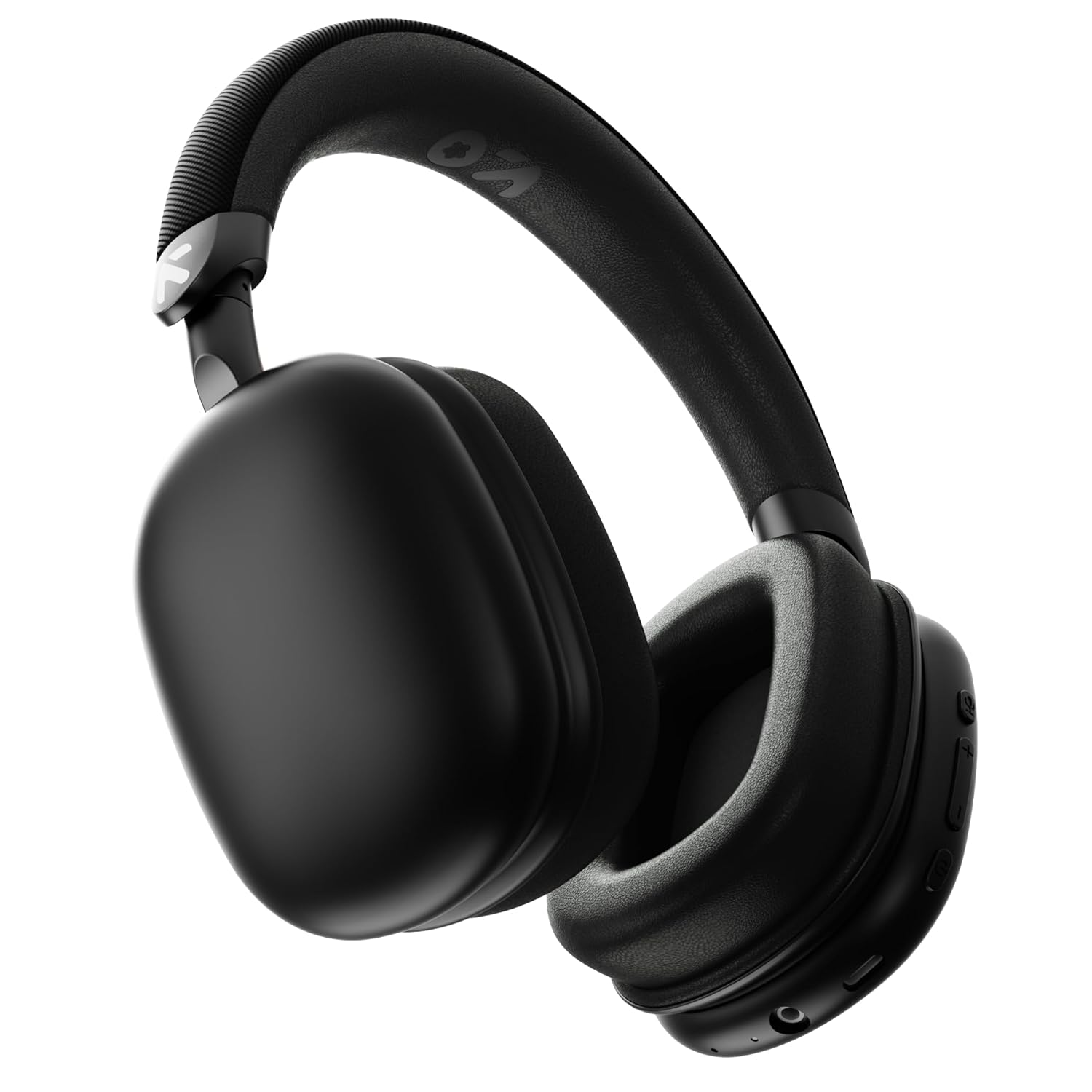
Image: GOBOULT Fluid X ProBass Wireless Headphones, Jet Black color.
What's in the Box
Verify that all items are present in the package:
- GOBOULT Fluid X ProBass Headphones
- Type-C Charging Cable
- User Manual (this document)
- Warranty Card
Product Overview
Familiarize yourself with the main components and features of your headphones.

Image: Overview of button controls on the right earcup, including Voice Assistant, Volume Up, Volume Down, and Power buttons.
- Power Button: Used for powering on/off and pairing.
- Volume Up/Down Buttons: Adjust audio volume.
- Multi-function Button: Controls playback, calls, and voice assistant.
- Type-C Charging Port: For charging the headphones.
- Microphone: For calls and voice commands.
- Audio Jack: For wired connection (if applicable).
Setup
1. Charging the Headphones
Before first use, fully charge your headphones.
- Connect the supplied Type-C charging cable to the charging port on the headphones.
- Connect the other end of the cable to a USB power adapter (not included) or a computer's USB port.
- The LED indicator will show charging status (e.g., red for charging, blue/off for fully charged).
- A full charge provides approximately 60 hours of playtime. A 10-minute charge can provide up to 3 hours of playtime.

Image: Headphones connected via Type-C cable, illustrating 60 hours playtime and fast charging capability.
2. Bluetooth Pairing
Pair your headphones with your device for wireless audio.
- Ensure the headphones are charged and powered off.
- Press and hold the Power button for approximately 5-7 seconds until the LED indicator flashes red and blue alternately, indicating pairing mode.
- On your device (smartphone, tablet, laptop), enable Bluetooth and search for available devices.
- Select "GOBOULT Fluid X ProBass" from the list of found devices.
- Once connected, the LED indicator will turn solid blue or off, depending on the model.
- The headphones feature Bluetooth 5.4 for faster and more stable connections.

Image: A smartphone displaying Bluetooth settings, ready to pair with the headphones, highlighting Bluetooth 5.4 for fast pairing.
Operating Instructions
Basic Controls
- Power On/Off: Press and hold the Power button for 3 seconds.
- Play/Pause: Press the Multi-function button once.
- Next Track: Press and hold Volume Up button for 2 seconds.
- Previous Track: Press and hold Volume Down button for 2 seconds.
- Volume Up: Short press Volume Up button.
- Volume Down: Short press Volume Down button.
- Activate Voice Assistant: Double-press the Multi-function button.
Calling Functions
- Answer/End Call: Press the Multi-function button once.
- Reject Call: Press and hold the Multi-function button for 2 seconds.
- The Zen ENC (Environmental Noise Cancellation) microphone reduces background noise for clear calls.

Image: Visual representation of Zen ENC Mic Processing, showing clear mic pickup and surround noise reduction for calls.
Combat™ Gaming Mode
Activate Gaming Mode for reduced audio latency, optimized for mobile gaming.
- Refer to the product's specific button combination for activating/deactivating Combat™ Gaming Mode (typically a triple-press of the Multi-function button or a dedicated button, if available).
- This mode provides ultra-low latency of 50ms for synchronized audio and visuals during gameplay.

Image: Headphones with a graphic indicating 50ms ultra-low latency and optimization for mobile gaming, featuring a game controller in the background.
Wired Mode
For situations where wireless connectivity is not desired or battery is low, use the wired connection.
- Connect a 3.5mm audio cable (not included) to the audio jack on the headphones and to your audio source.
- In wired mode, the microphone functionality may be disabled.

Image: Headphones connected wirelessly to a smartphone and also showing an optional wired connection, indicating that the mic is off in wired mode.
Maintenance
Cleaning
- Wipe the headphones with a soft, dry cloth.
- Do not use abrasive cleaners or solvents.
- Ensure charging ports are free of dust and debris.
Storage
- Store the headphones in a cool, dry place away from direct sunlight and extreme temperatures.
- The foldable design allows for compact storage.

Image: Details of the adjustable headband and foldable, rotational design for comfort and portability.
Water Resistance
The headphones are rated IPX5 water resistant.
- This means they are protected against low-pressure water jets from any direction.
- They are splash-proof, rain-proof, and sweat-proof, suitable for workouts and outdoor use.
- Do not submerge the headphones in water.

Image: Headphones with water droplets, indicating IPX5 rating for splash, rain, and sweat resistance.
Troubleshooting
If you encounter issues, refer to the following common solutions:
| Problem | Possible Solution |
|---|---|
| Headphones do not power on. | Ensure the headphones are fully charged. Press and hold the Power button for 3 seconds. |
| Cannot pair with device. | Ensure headphones are in pairing mode (flashing red/blue LED). Turn off and on Bluetooth on your device. Move closer to the device. |
| No sound or low volume. | Check volume levels on both headphones and connected device. Ensure headphones are properly paired. Try re-pairing. |
| Poor call quality. | Ensure the microphone is not obstructed. Move to a quieter environment. |
| Audio latency in gaming. | Activate Combat™ Gaming Mode if available and supported by your device. |
Specifications
| Feature | Detail |
|---|---|
| Model Name | ProBass |
| Connectivity Technology | Bluetooth 5.4, Wireless |
| Audio Driver Size | 40 mm |
| Battery Life | Up to 60 hours (advertised), 40 hours (specification) |
| Charging Port | Type-C |
| Noise Control | Passive Noise Cancellation, Zen ENC Mic |
| Audio Latency | 60 Milliseconds (standard), 50 Milliseconds (Combat™ Gaming Mode) |
| Water Resistance Level | IPX5 |
| Item Weight | 205 Grams |
| Compatible Devices | Cellphones, Desktops, Gaming Consoles, Laptops, Tablets |
| Material | Memory Foam, Plastic |
Warranty and Support
Your GOBOULT Fluid X ProBass Headphones come with a 1-year manufacturer warranty.
- Please refer to the included Warranty Card for detailed terms and conditions.
- For technical support or warranty claims, please contact GOBOULT customer service. Contact information can typically be found on the official GOBOULT website or on the warranty card.
Related documentsProBass

Ask a question about this manual
Ask about setup, troubleshooting, compatibility, parts, safety, or missing instructions. Manuals+ will review the question and use this page’s manual context to help answer it.