1. Introduction
Thank you for choosing the Anweller D208F Smart Sliding Glass Door Lock. This advanced biometric lock offers multiple unlocking methods including fingerprint, passcode, mobile app (WiFi remote), RFID card, and traditional key. Designed for enhanced security and convenience, it is suitable for various sliding doors such as glass sliding doors, patio doors, and aluminum alloy doors. Please read this manual carefully before installation and operation to ensure proper use and optimal performance.
2. Product Overview
2.1 Key Features
- 5 Unlocking Methods: Fingerprint, Passcode, Mobile App (WiFi Remote), RFID Card, and Mechanical Key.
- Enhanced Security: Features include wrong entry limit shutdown (90s after 5 invalid attempts), built-in tamper alarm, and anti-peeping passcode.
- Long Battery Life: Low power consumption ensures up to 8 months of battery life.
- Emergency Power: Equipped with a low battery reminder and a USB-C port for emergency power via a power bank.
- Durable Construction: Made from Zinc material with an Oil Rubbed finish.
2.2 Package Contents
The Anweller D208F Smart Sliding Glass Door Lock package includes the following components:
- 1 x Front Lock Assembly
- 1 x Rear Lock Assembly
- 1 x Strike Plate
- 1 x 2885 Mortise
- 2 x Mechanical Keys
- 2 x RFID Cards
- 1 x Screwdriver
- 1 x Screws Kit (various sizes for different door thicknesses)
- 1 x User Manual (this document)

Image: Anweller D208F Smart Sliding Glass Door Lock with included accessories (keys, RFID cards, app interface).
3. Compatibility Check
Before proceeding with installation, it is crucial to verify that your door is compatible with the Anweller D208F lock. Incompatibility may lead to improper function or damage.
- Door Thickness: Suitable for door thicknesses ranging from 13/15 inches (22mm) to 4-3/4 inches (120mm).
- Door Frame Width: The door frame must be at least 1.8 inches (45mm) wide for proper installation.
- Mortise Compatibility: Ensure the included 2885 Mortise is compatible with your door's existing mortise cutout or that your door can be modified to fit it. Extra drilling may be required.

Image: Diagram illustrating suitable door thickness (13/15" to 4-3/4") and minimum door frame width (≥1.8").

Image: Detailed dimensions of the 2885 Mortise, crucial for ensuring compatibility with your door.
4. Installation
Installation of the Anweller D208F lock requires precision. It is recommended to consult a professional locksmith or installer if you are not confident in performing the installation yourself. A detailed installation template is provided in the package to assist with drilling and alignment.
4.1 General Steps (Refer to included Installation and Setting Instruction manual for full details)
- Prepare the Door: Use the provided template to mark and drill necessary holes on your sliding door. Ensure accurate measurements for the mortise and lock body.
- Install Mortise: Insert the 2885 Mortise into the prepared cutout on the door edge.
- Assemble Lock Body: Connect the front and rear lock assemblies, ensuring all cables are properly routed and connected. Use the appropriate screws from the kit based on your door's thickness.
- Secure the Lock: Fasten the lock assemblies to the door using the provided screws and screwdriver.
- Install Strike Plate: Attach the strike plate to the door frame, aligning it with the mortise.
- Insert Batteries: Open the battery compartment on the rear lock assembly and insert 4 AAA alkaline batteries (not included).
- Test Functionality: After installation, test all unlocking methods and ensure the lock operates smoothly.
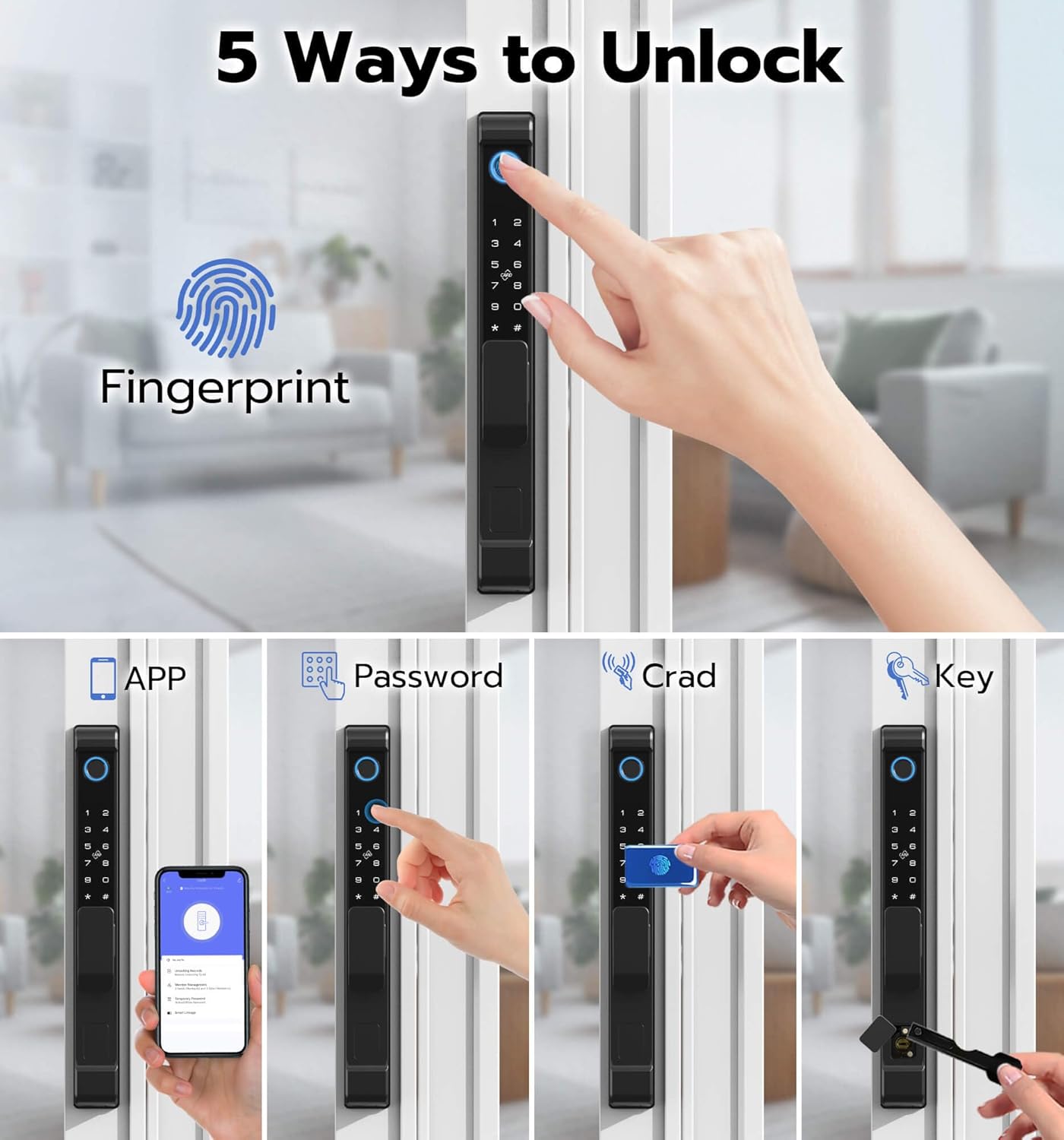
Image: The provided installation template helps ensure accurate drilling and alignment for the lock components.
5. Setup
After physical installation, configure the lock's smart features for optimal use.
5.1 App Setup (WiFi Remote)
The Anweller D208F lock connects to a mobile application (Tuya App) for remote management. This allows for remote unlocking, dynamic password generation, member management, unlocking record query, and real-time alerts.
- Download the Tuya App from your smartphone's app store (iOS or Android).
- Register or log in to your account.
- Add the D208F lock as a new device within the app, following the on-screen instructions. Ensure your lock is connected to a stable WiFi network.
- Once connected, you can manage users, generate temporary passwords, and view unlocking records.
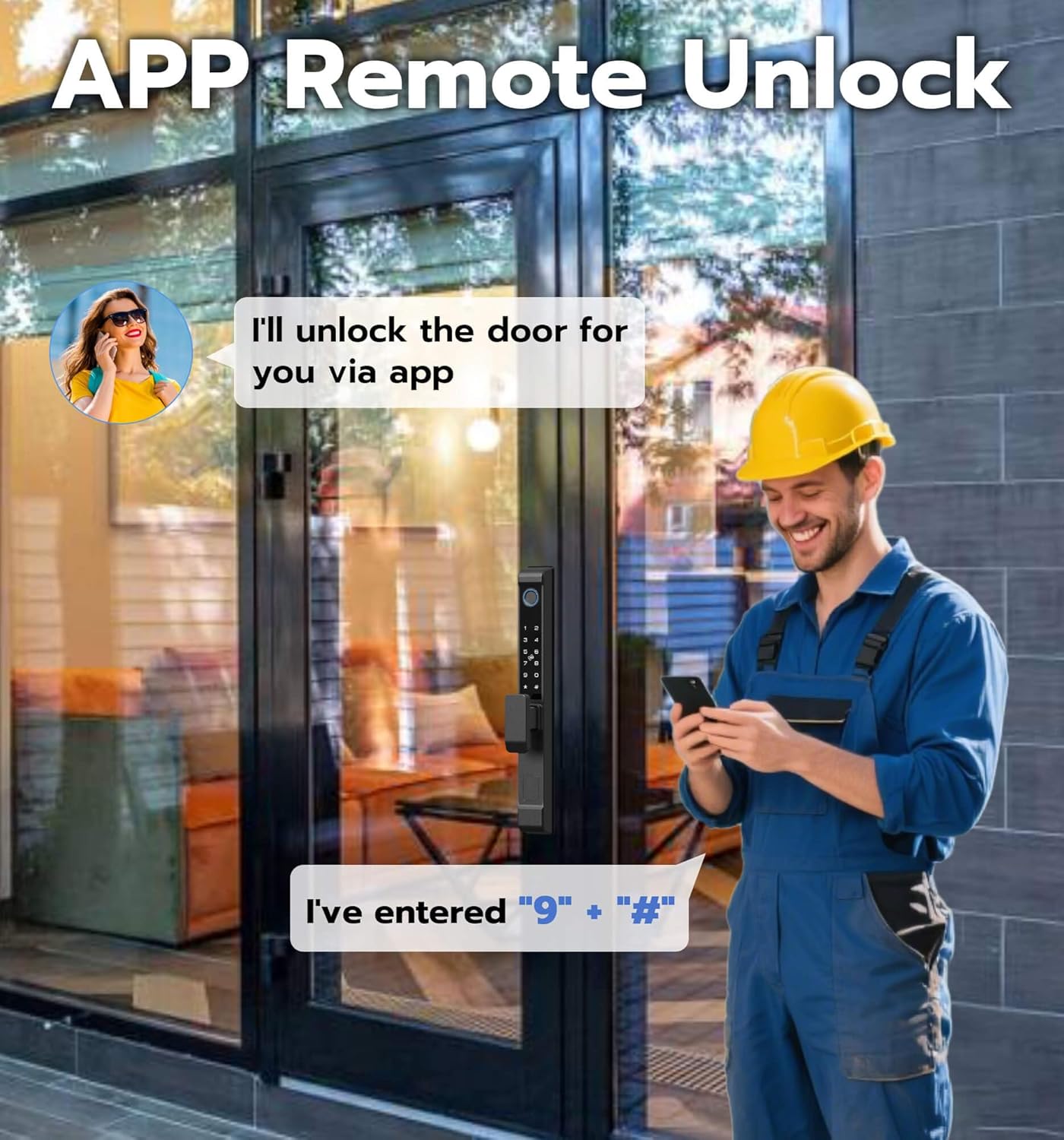
Image: The mobile app interface demonstrating remote unlocking capabilities.
5.2 Fingerprint Setup
The lock features a highly accurate fingerprint sensor for quick and keyless entry.
- Access the fingerprint management section via the lock's keypad or the mobile app.
- Follow the prompts to register your fingerprint. You will typically need to place your finger on the sensor multiple times from different angles.
- The lock supports up to 300 fingerprints with a recognition accuracy of 99% and an unlocking speed of less than 0.2 seconds.

Image: Visual representation of the five unlocking methods, highlighting fingerprint access.

Image: A user demonstrating one-touch fingerprint unlocking for quick entry.
5.3 Passcode Setup
You can set up permanent or temporary passcodes for access.
- From the lock's keypad or the app, navigate to the passcode settings.
- Create a new passcode. The lock supports an anti-peeping passcode feature, allowing you to enter random digits before or after your actual code to prevent others from guessing it.
- For temporary access, generate a one-time passcode via the mobile app.

Image: Illustration of the one-time passcode feature, useful for granting temporary access.
5.4 RFID Card Setup
The lock comes with two RFID cards for convenient tap-to-unlock access.
- To register an RFID card, follow the instructions in the app or the lock's keypad menu.
- Present the RFID card to the designated sensor on the lock when prompted.
6. Operating Instructions
6.1 Unlocking the Door
- Fingerprint: Place your registered finger on the fingerprint sensor. The lock will unlock if the fingerprint is recognized.
- Passcode: Enter your registered passcode on the keypad, followed by the '#' key.
- Mobile App: Open the Tuya App, select your lock, and tap the unlock button.
- RFID Card: Tap a registered RFID card against the card reader area on the lock.
- Mechanical Key: Insert the backup key into the emergency keyhole (located at the bottom of the exterior unit) and turn to unlock.
6.2 Locking the Door
- Automatic Locking: The lock can be configured to automatically lock after a set period once closed.
- Manual Locking (Exterior): Press the '#' key on the keypad or use the mobile app to lock the door.
- Manual Locking (Interior): Use the physical lock/unlock button or lever on the interior unit.
7. Maintenance
7.1 Battery Management
The Anweller D208F lock requires 4 AAA alkaline batteries (not included). It is designed for low power consumption, providing approximately 8 months of battery life under normal usage.
- Low Battery Reminder: The lock will provide an audible and visual alert when batteries are low.
- Battery Replacement: Replace all 4 AAA batteries when the low battery warning appears.
- Emergency Power: If the batteries completely drain, you can provide emergency power by connecting a power bank to the USB-C port located at the bottom of the exterior unit. Alternatively, use the mechanical backup keys.

Image: Details on battery installation, 8-month battery life, and emergency USB-C charging port.
7.2 Cleaning and Care
To maintain the appearance and functionality of your lock:
- Wipe the lock surface with a soft, damp cloth. Avoid abrasive cleaners or solvents.
- Keep the fingerprint sensor and keypad clean and dry for optimal performance.
- Ensure the lock mechanism is free from obstructions.
8. Troubleshooting
If you encounter issues with your Anweller D208F lock, please refer to the following common troubleshooting tips:
- Lock Not Responding: Check battery levels. If low, replace batteries or use emergency power.
- Fingerprint Not Recognized: Ensure your finger is clean and dry. Re-register your fingerprint if issues persist.
- Passcode Entry Issues: Verify the correct passcode is entered. Utilize the anti-peeping feature by entering random digits before/after your code.
- App Connectivity Problems: Ensure your lock is within WiFi range and your router is functioning correctly. Reconnect the lock to the app if necessary.
- Lock Mechanism Jammed: Check for any physical obstructions in the door frame or mortise. Ensure the door is properly aligned.
- Wrong Entry Alarm: If 5 invalid entry codes or RFIDs are attempted, the lock will shut down for 90 seconds. Wait for the lockout period to end before trying again.
For more complex issues or persistent problems, please contact Anweller Customer Support.
9. Specifications
| Feature | Specification |
|---|---|
| Brand | Anweller |
| Model Name | D208F |
| Lock Type | Biometric, Keypad, Mortise Lock, Smart |
| Material | Zinc |
| Color | Black |
| Finish Type | Oil Rubbed |
| Item Dimensions (L x W x H) | 12.6 x 1.4 x 2.2 inches |
| Item Weight | 3.7 Pounds |
| Power Source | 4 AAA Alkaline Batteries (not included) |
| Connectivity Protocol | Wi-Fi |
| Controller Type | Android, iOS (via Tuya App) |
| Recommended Uses | Sliding glass doors, Patio doors, Aluminum alloy doors |
| Door Thickness Compatibility | 13/15" to 4-3/4" (22mm to 120mm) |
| Door Frame Width Compatibility | ≥1.8" (45mm) |
10. Warranty and Support
Anweller is committed to providing high-quality products and excellent customer service.
- Warranty: The Anweller D208F Smart Sliding Glass Door Lock comes with a 12-month warranty from the date of purchase. This covers manufacturing defects and malfunctions under normal use.
- Technical Support: Anweller provides free lifetime technical support. If you have any questions, require assistance with installation, setup, or troubleshooting, please do not hesitate to contact our support team.
- Returns/Refunds: Hassle-free replacements or refunds are available within 12 months of purchase for eligible issues.
For support, please visit the Anweller store on Amazon or contact us directly through the contact information provided in your product packaging.
