
Introduction
This manual provides detailed instructions for the Basike Digital Camera, Model Ba-CAM315. This camera is designed for capturing high-quality 4K UHD videos and 64MP still images, featuring an 18X digital zoom, dual screens, and an integrated flash. Please read this manual thoroughly to ensure proper use and to maximize your camera's potential.
What's in the Box
Verify that all items listed below are included in your package:
- 1x Digital Camera
- 1x 1200mAh Battery
- 1x 32GB Memory Card
- 1x USB-C Charging Cable
- 1x Lanyard
- 1x Cleaning Cloth
- 1x Carrying Case
- 1x User Manual

Figure 1: Contents of the Basike Digital Camera package, including the camera, battery, manual, carrying bag, strap, cleaning cloth, and USB cable.
Product Overview
The Basike Digital Camera features a compact design with intuitive controls and dual screens for versatile shooting.

Figure 2: Basike Digital Camera capturing 4K UHD video, showing the camera's rear display with recording indicator and settings.

Figure 3: Basike Digital Camera illustrating its dual screen functionality, with a frontal viewer for selfies and a rear viewer for general captures.

Figure 4: Technical diagram of the Basike Digital Camera, displaying its dimensions (98mm x 59mm x 26mm) and overall design.
Setup
1. Battery Installation and Charging
- Open the battery compartment cover located on the bottom of the camera.
- Insert the provided 1200mAh lithium-polymer battery, ensuring correct polarity.
- Close the battery compartment cover securely.
- Connect the camera to a power source using the supplied USB-C cable. The charging indicator will illuminate.
- A full charge typically takes approximately 2 hours.
2. Memory Card Installation
- Locate the memory card slot, usually on the side or bottom of the camera.
- Insert a compatible SD/TF card (8GB to 128GB supported, a 32GB card is included) with the metal contacts facing the correct direction. Push until it clicks into place.
- To remove, gently push the card again until it springs out.
Operating Instructions
1. Power On/Off
Press and hold the power button to turn the camera on or off.
2. Taking Photos
- Turn on the camera and select photo mode.
- Frame your shot using the rear or front display.
- Half-press the shutter button to activate autofocus. The focus indicator will confirm when the subject is in focus.
- Fully press the shutter button to capture the 64MP image.

Figure 5: Basike Digital Camera in use, demonstrating its autofocus feature and 2.8-inch HD display, capturing a close-up of a person and child.

Figure 6: Comparison image showing the Basike Digital Camera's 64MP image quality and 18X zoom capability versus a lower resolution camera with fixed focus.
3. Recording Videos
- Switch to video recording mode.
- Press the record button to start recording 4K UHD video.
- Press the record button again to stop recording.
4. Using Digital Zoom
Use the zoom controls (usually 'W' for wide and 'T' for telephoto) to adjust the 18X digital zoom. Note that high levels of digital zoom may result in a slight reduction in image sharpness.
5. Flash Function
Activate the integrated flash for improved illumination in low-light conditions. Adjust flash settings (Auto, On, Off) via the camera menu.
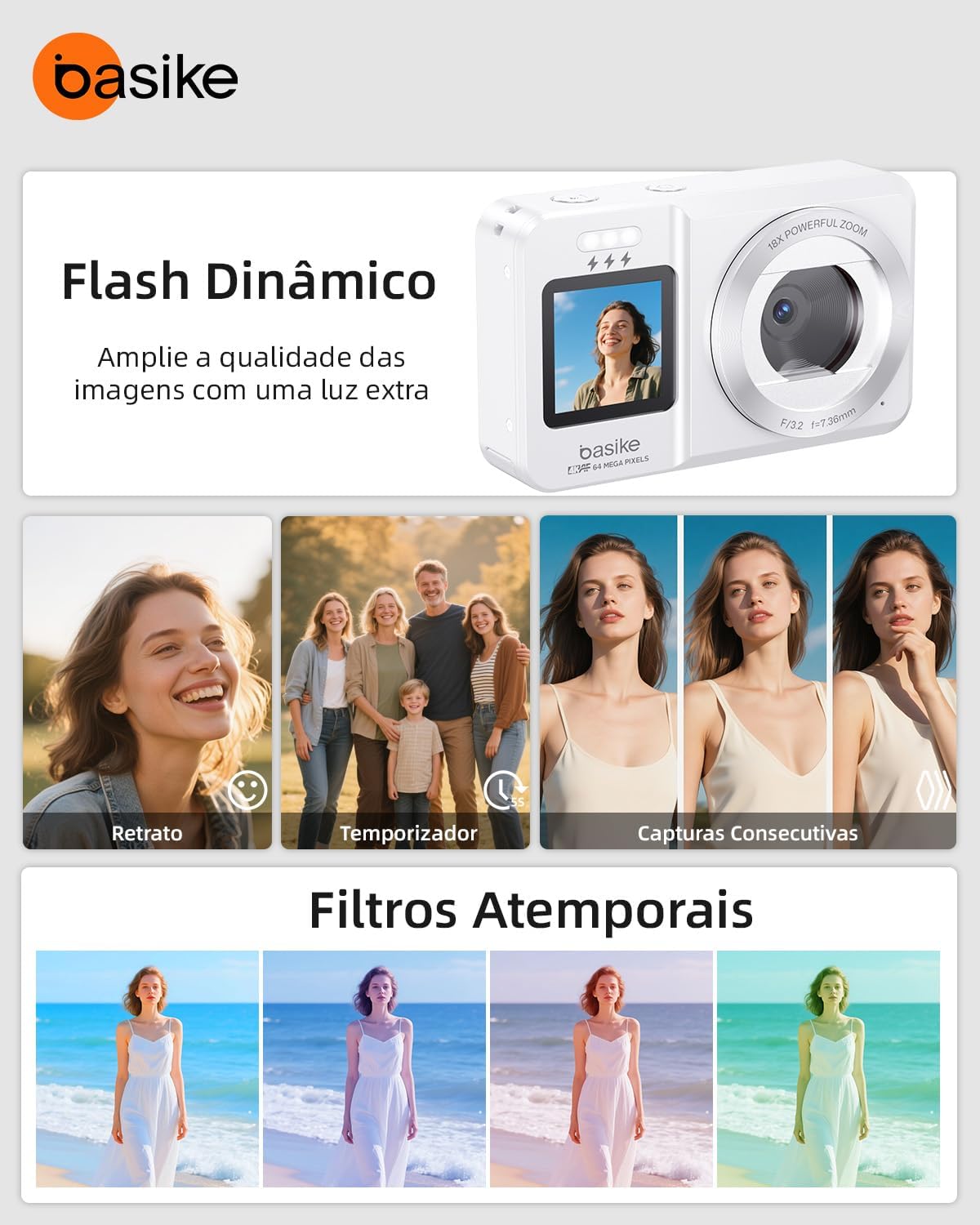
Figure 7: Basike Digital Camera showcasing its dynamic flash and various creative filters, with examples of portrait, timer, consecutive captures, and different filter effects.
6. Dual Screen Operation
The camera features a front screen for easy self-portraits and vlogging, and a rear screen for general photography and video. Switch between screens as needed for optimal framing.
7. Creative Effects and Features
Explore various creative features such as smile detection, time-lapse photography, and built-in filters to enhance your photos and videos.
8. Webcam Functionality
Connect the camera to your computer via the USB-C cable to use it as a webcam for video calls, online meetings, or streaming.
Maintenance
1. Cleaning
Use the provided cleaning cloth to gently wipe the camera body and lenses. Avoid using harsh chemicals or abrasive materials.
2. Storage
When not in use, store the camera in its carrying case in a cool, dry place away from direct sunlight and extreme temperatures.
Troubleshooting (FAQ)
Q1: Does the 18X digital zoom affect image quality?
A: The zoom magnifies up to 18 times. At very high magnifications, there may be a slight loss of sharpness, but the autofocus helps maintain clarity.
Q2: Can I use the camera as a webcam on my computer?
A: Yes. Simply connect it via a USB cable to use it for video calls, meetings, or online classes.
Q3: Does the dual screen facilitate selfies and vlogs?
A: Yes. The front screen shows the framing in real-time, ideal for selfies, recordings, and vlogs, even in low light thanks to the integrated flash.
Q4: How long does the battery last?
A: The 1200mAh rechargeable battery provides 30-45 minutes of continuous use and can be recharged via USB cable or power bank.
Q5: Does the camera come with a memory card?
A: Yes. It includes a 32GB card ready for use, and it is also compatible with cards up to 128GB.
Specifications
| Feature | Specification |
|---|---|
| Zoom | Up to 18X Digital |
| Focus | 1 meter to infinity (Autofocus) |
| Lens | Fixed 3.76mm, F/3.2 aperture |
| Sensor | High-definition CMOS, up to 64MP |
| ISO Sensitivity | Auto / 100 / 200 / 400 / 800 / 1600 / 3200 |
| Photo Resolution | JPG (3MP to 64MP) |
| Video Resolution | MP4 – 4K@30FPS, 2.7K@30FPS, 1080P@60/30FPS, 720P@120/60/30FPS |
| Screens | Dual – Front 1.4", Rear 2.8" |
| Flash | Integrated, effective range <1.5m |
| Exposure Compensation | Adjustable from -3.0 to +3.0 EV |
| Self-Timer | 3s / 5s / 10s / 20s / Off |
| Auto Power Off | After 1, 3, 5 minutes or manual |
| White Balance | Auto, Sunny, Cloudy, Incandescent, Fluorescent |
| Storage | Supports SD/TF cards (8GB to 128GB, 32GB included) |
| Battery | 1200mAh, up to 30-45 min continuous use |
| Charging | Via USB-C, approx. 2 hours |
| Dimensions | 98 × 59 × 26 mm |
| Weight | 135g (camera only), 260g (package) |
| Material | Acrylonitrile Butadiene Styrene (ABS) |
| Compatible Mounts | 1/4" Screw Mount |
Warranty and Support
The Basike Digital Camera comes with a 1-year warranty against manufacturing defects.
For customer support, please refer to the contact information provided with your purchase or visit the official Basike website. Support is available 24 hours a day, 7 days a week.