1. Product Overview
The OUKITEL P800 Portable Powerstation is a versatile and reliable power solution designed for home backup, camping, travel, and outdoor activities. Featuring an 800W output, 512Wh LiFePO4 battery, and multiple charging options, it provides efficient and safe power for a wide range of devices.
2. What's in the Box
- OUKITEL P800 portable power station
- AC charging cable
- Car charging cable
- Solar charging cable
- User Manual
Note: Due to the product's weight, the power station and solar panels (if purchased separately) may be delivered in separate packages.
3. Key Features
- High Power Output: 800W (1600W peak) AC output for various appliances.
- Large Capacity: 512Wh LiFePO4 battery for extended use.
- Multiple Outputs: 9 output ports including 2x AC, 1x Type-C, 2x USB-A, 1x QC-USB, 2x DC, and 1x LED light.
- Fast Charging: Charges from 0 to 100% in approximately 44 minutes via 500W AC input.
- Uninterrupted Power Supply (EPS): 0.01s response time for seamless power during outages.
- Durable Battery: LiFePO4 battery with over 4,000 charge cycles and a service life of up to 10 years.
- Advanced Safety: Integrated Battery Management System (BMS) and Microcontroller Unit (MCU) for voltage and temperature monitoring.
- Portable Design: Weighs 13.6 lbs and measures 11.54"L x 7"W x 8"H for easy transport.
- Integrated LED Light: Features SOS, steady glow, and strobe modes for emergency illumination.

Figure 1: Front view of the OUKITEL P800 Portable Powerstation, highlighting its various output ports and digital display.
4. Setup
4.1 Initial Charging
Before first use, fully charge your OUKITEL P800. The power station can be charged via AC wall outlet, solar panel, or car socket. It supports fast charging, reaching 0 to 100% in approximately 44 minutes using the AC input.
4.2 Connecting Devices
Identify the appropriate output port for your device (AC, USB-A, USB-C, DC). Plug your device's charging cable into the corresponding port on the power station.

Figure 2: The OUKITEL P800 connected to and charging multiple electronic devices, demonstrating its versatility.
5. Operating Instructions
5.1 Powering On/Off Outputs
- To activate AC outputs, press the 'AC ON/OFF' button.
- To activate DC outputs (including USB ports), press the 'DC ON/OFF' button.
- The display screen will indicate which outputs are active.
- Press the respective ON/OFF button again to deactivate the outputs.
5.2 Digital Display
The integrated digital display provides real-time information:
- Battery charge level (percentage).
- Current input/output wattage.
- Estimated remaining runtime based on current load.
- Temperature status.
5.3 LED Light Function
The power station features a built-in LED light for illumination:
- Press the LED light button once for steady glow.
- Press again to cycle through SOS mode and strobe mode.
- Press and hold to turn off the LED light.
5.4 Emergency Power Supply (EPS)
In the event of a power outage, the EPS unit delivers uninterrupted electricity to connected devices within 0.01 seconds, ensuring smooth operation of critical electronics.
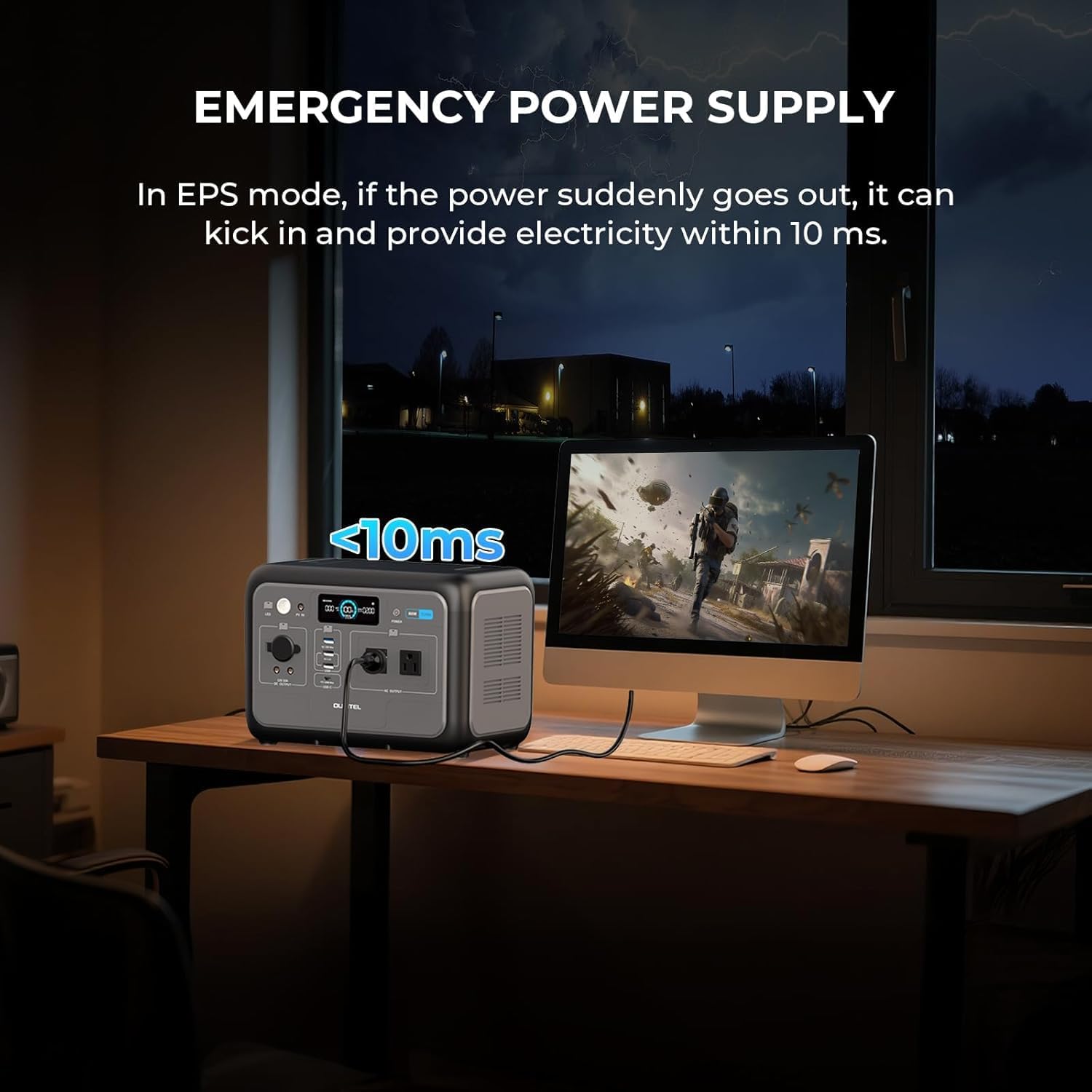
Figure 3: The P800 acting as an Emergency Power Supply (EPS), seamlessly providing power to a desktop setup during a power interruption.
6. Charging Methods
The OUKITEL P800 offers flexible charging options:
- AC Wall Charging: Use the provided AC charging cable to plug into a standard wall outlet. Supports 500W input for rapid charging.
- Solar Charging: Connect compatible solar panels (up to 200W input) using the provided solar charging cable. Ideal for outdoor and off-grid charging.
- Car Charging: Use the provided car charging cable to charge from your vehicle's 12V socket.
- Dual Charging: Combine AC and solar charging simultaneously for even faster recharge times.

Figure 4: The OUKITEL P800 being recharged by a solar panel, showcasing its solar charging capability in a natural environment.
7. Safety Information
The OUKITEL P800 is built with safety in mind:
- LiFePO4 Battery: Offers enhanced safety, longer lifespan (up to 10 years), and over 4,000 charge cycles compared to conventional batteries.
- Battery Management System (BMS) & Microcontroller Unit (MCU): Actively monitor and manage battery voltage and temperature to prevent overcharge, over-discharge, over-current, and short-circuiting.
- Temperature Protection: The system includes mechanisms to prevent overheating during operation or charging.

Figure 5: An internal diagram illustrating the robust LiFePO4 battery and integrated Battery Management System (BMS) for enhanced safety and longevity.
8. Specifications
| Feature | Specification |
|---|---|
| Brand | OUKITEL |
| Model Number | P800 |
| Wattage | 800 Watts |
| Peak Power | 1600 Watts |
| Battery Capacity | 512 Wh LiFePO4 |
| AC Input | 500W Max |
| Solar Input | 200W Max |
| Charging Time (AC) | 0-100% in ~44 minutes |
| Outputs | 2x AC, 1x Type-C, 2x USB-A, 1x QC-USB, 2x DC, 1x LED Light |
| Item Weight | 13.6 lbs (6 kg) |
| Product Dimensions | 11.54"L x 7"W x 8"H |
| EPS Response Time | <0.01s |
9. Maintenance
- Store the power station in a cool, dry place away from direct sunlight and heat sources.
- For long-term storage, it is recommended to fully charge the unit every 3-6 months to maintain battery health.
- Keep the device clean and free from dust. Use a dry, soft cloth for cleaning.
- Avoid exposing the power station to extreme temperatures or high humidity.
10. Troubleshooting
10.1 No Power Output
- Ensure the power station is sufficiently charged.
- Verify that the specific AC or DC output button is pressed and its indicator light is on.
- Check if the device being charged is functioning correctly.
10.2 Slow Charging
- Ensure all charging cables are securely connected.
- For solar charging, ensure panels are in direct sunlight and free from obstructions.
- Check the input wattage displayed on the screen to confirm optimal charging speed.
10.3 Overload Protection Activated
- If an overload warning appears, disconnect some devices to reduce the total power draw below 800W.
- Restart the power station if necessary.
For further assistance, please refer to the Warranty & Support section.
11. Warranty & Support
The OUKITEL P800 Portable Powerstation comes with a 2-year warranty from the date of purchase. This warranty covers manufacturing defects and ensures reliable performance.
For customer service, technical support, or warranty claims, please contact OUKITEL Official support channels. Refer to the contact information provided in your product packaging or on the official OUKITEL website.
12. Product Videos
OUKITEL P800 512Wh Portable Power Station Overview
This video provides a brief overview of the OUKITEL P800 512Wh Portable Power Station, showcasing its design and key features.
OUKITEL P800 512WHh Portable Power Station Features
A short video highlighting additional features and functionalities of the OUKITEL P800 Portable Power Station.


