
Introduction
The Womier SK80 PRO is a 75% wireless mechanical keyboard designed for gaming and productivity, featuring a unique Kanagawa theme. It offers triple-mode connectivity, a vibrant color multimedia screen, hot-swappable switches, and extensive RGB customization. This manual provides detailed instructions for setting up, operating, maintaining, and troubleshooting your keyboard to ensure optimal performance.
Package Contents
Please ensure all items are present in the package:
- Womier SK80 PRO 75% Wireless Mechanical Keyboard
- Wrist Rest (Kanagawa Theme)
- Mouse Pad (Kanagawa Theme)
- USB-C to USB-A Cable
- 2.4G Wireless Receiver (stored in keyboard)
- Keycap Puller
- Switch Puller
- Spare Switches
- User Manual
Setup
1. Connectivity Modes
The Womier SK80 PRO supports three connection modes: 2.4G Wireless, Bluetooth, and USB-C Wired.
The keyboard supports 2.4G wireless, Bluetooth, and USB-C wired connections for broad compatibility across devices.
USB-C Wired Connection
- Locate the mode switch on the back of the keyboard.
- Slide the switch to the 'USB' position.
- Connect the provided USB-C cable to the keyboard and the other end to your computer. The keyboard will automatically enter wired mode.
2.4G Wireless Connection
- Locate the mode switch on the back of the keyboard.
- Slide the switch to the '2.4G' position.
- Remove the 2.4G wireless receiver from its storage slot on the keyboard's underside.
- Plug the 2.4G receiver into an available USB port on your computer.
- The keyboard will automatically connect. If not, long press Fn+Q for 3 seconds to enter pairing mode.
Bluetooth Connection
- Locate the mode switch on the back of the keyboard.
- Slide the switch to the 'BT' position.
- Long press Fn+W/E/R for 3 seconds to switch between BT1/BT2/BT3 channels. The corresponding key will flash rapidly, indicating pairing mode.
- On your device (computer, tablet, phone), search for Bluetooth devices and select 'Womier SK80 PRO'.
- Once connected, the key will stop flashing. The keyboard will enter sleep mode if no device is connected after 7 seconds in pairing mode.
2. Operating System Switch
Use the dedicated switch on the back of the keyboard to toggle between Windows (WIN) and Mac (MAC) operating system layouts for optimal key functionality.

Physical switch for selecting between Mac and Windows operating systems.
3. Adjustable Feet
The keyboard features two-stage adjustable feet on the underside, allowing you to set your preferred typing angle for ergonomic comfort.
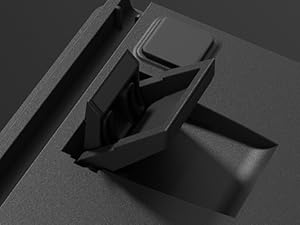
Adjustable feet provide customizable typing angles for improved ergonomics.
Operating Instructions
1. Multimedia Screen (TFT Screen)
The integrated color multimedia screen displays essential information and allows for customization.
- Information Display: Shows time, connection status (2.4G/BT/USB), and battery level.
- Customization: Supports custom GIF images via software.

The multimedia screen displays keyboard status and allows for various configurations and custom GIFs.
2. RGB Backlighting
The keyboard features 16.8 million RGB backlight colors with south-facing LEDs for enhanced illumination.
- Lighting Modes: Cycle through various lighting effects using Fn key combinations (refer to the quick operation guide for specific shortcuts).
- Brightness/Speed: Adjust backlight brightness and animation speed via the multimedia screen or dedicated Fn key combinations.
- Customization: Use the programming software to create custom RGB patterns and effects.

Vibrant 16.8 million color RGB backlighting with various effects.
3. Programming Software
The dedicated software (Windows system compatible) allows for advanced customization.
- Key Redefinition: Remap keys to suit your preferences.
- Macro Settings: Create and assign macros for complex commands.
- RGB Customization: Design unique lighting effects.
- GIF Image Customization: Upload and manage custom GIF images for the multimedia screen.

The programming software enables key remapping, macro creation, and advanced RGB/GIF customization.
4. Hot-Swappable Switches
The keyboard is equipped with Womier customized pre-lubed linear cream switches and supports 3-pin/5-pin hot-swappable switches, allowing for easy replacement without soldering.

Hot-swappable design allows for easy switch replacement without soldering, supporting both 3-pin and 5-pin switches.
5. Keycaps and Wrist Rest
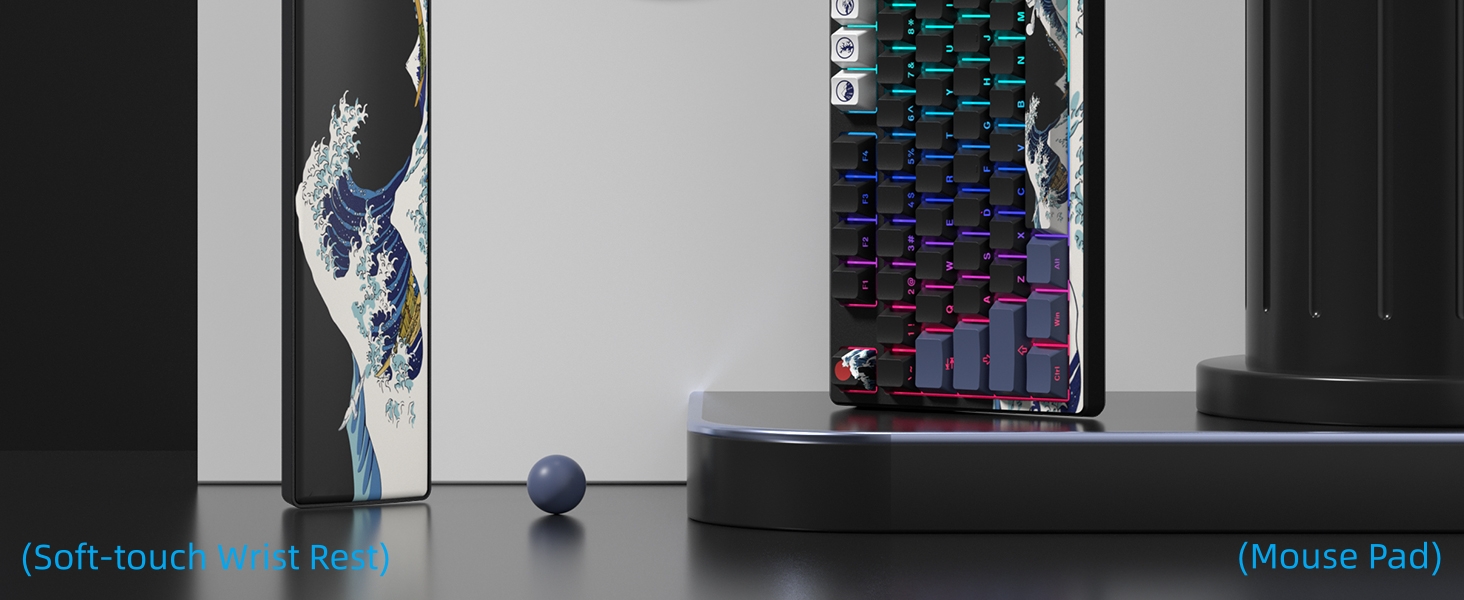
The keyboard features dye-sublimation keycaps with a Kanagawa theme and comes with a matching soft-touch wrist rest and mouse pad for enhanced comfort and aesthetics.

The keyboard includes a matching Kanagawa-themed wrist rest and mouse pad for comfort and style.
Maintenance
Proper maintenance ensures the longevity and performance of your Womier SK80 PRO keyboard.
- Cleaning: Regularly clean the keycaps and keyboard surface with a soft, dry cloth. For deeper cleaning, remove keycaps using the provided keycap puller and clean with compressed air or a damp cloth. Ensure the keyboard is completely dry before reassembling.
- Switch Replacement: Utilize the provided switch puller to carefully remove and replace hot-swappable switches as needed. Ensure switches are aligned correctly before pressing them into place.
- Battery Care: The keyboard is equipped with a 4000mAh battery. For optimal battery life, avoid fully discharging the battery frequently. Charge the keyboard using the provided USB-C cable.
Troubleshooting
If you encounter any issues with your Womier SK80 PRO, refer to the following common solutions:
- Connectivity Issues:
- Ensure the mode switch on the back of the keyboard is set to the correct position (2.4G, BT, or USB).
- For 2.4G, ensure the receiver is securely plugged into your device.
- For Bluetooth, ensure the keyboard is in pairing mode (Fn+W/E/R for 3 seconds) and your device's Bluetooth is enabled.
- Try restarting your computer/device and the keyboard.
- Multimedia Screen/RGB Customization:
- If custom GIFs or RGB settings are not applying, ensure the keyboard is connected via USB-C and the programming software is running on a Windows system.
- Sometimes, changing lighting effects may require re-uploading custom GIFs.
- Key Responsiveness:
- If certain keys feel inconsistent, consider replacing the switch using the hot-swappable feature.
- Ensure no debris is lodged under the keycaps or switches.
- Battery Not Charging:
- Verify the USB-C cable is properly connected to both the keyboard and the power source.
- Try a different USB port or charging cable.
Specifications
| Feature | Detail |
|---|---|
| Model | SK80 PRO |
| Layout | 75% |
| Connectivity | 2.4G Wireless, Bluetooth, USB-C Wired |
| Switches | Womier Pre-lubed Linear Cream Switches (Hot-swappable 3-pin/5-pin) |
| Backlighting | 16.8 Million RGB, South-facing LED |
| Multimedia Screen | Color TFT Display (Time, Connection, Battery, Custom GIFs) |
| Battery Capacity | 4000mAh Lithium Polymer |
| Keycaps | Dye-sublimation PBT (Kanagawa Theme) |
| Compatibility | Windows, Mac, Android, iOS |
| Weight | 2.94 pounds |
| Dimensions | 15.24 x 6.77 x 2.76 inches |
Official Product Videos
This video provides an overview of the Womier SK80 PRO 75% Wireless Mechanical Keyboard, showcasing its features and design. It highlights the keyboard's functionality and aesthetic appeal.
This video demonstrates the Womier SK80 PRO 75% Anime Wireless Mechanical Keyboard, focusing on its unique anime theme and wireless capabilities.
This video showcases the Womier Color Multimedia Screen Anime Gaming Keyboard, highlighting its 3-mode connectivity and the interactive multimedia screen.
Warranty and Support
Womier provides protection plans for your SK80 PRO keyboard. For specific warranty details and to register your product, please refer to the documentation included in your package or visit the official Womier website.
For technical support, troubleshooting assistance, or any product-related inquiries, please contact Womier customer service through their official channels. Keep your purchase receipt and product serial number handy for faster service.