Introduction
This manual provides instructions for the proper installation, operation, and maintenance of your BOVUGAC Folding Stand Protective Cover. This cover is specifically designed for the SVITOO PL002/P1300 13 Inch Android Tablet to offer protection and enhanced functionality.
Setup: Installing Your Tablet
To install your SVITOO PL002/P1300 tablet into the protective cover, follow these steps:
- Gently align your 13-inch SVITOO tablet with the case's frame.
- Carefully press the tablet into the case, ensuring all edges are securely seated within the protective frame.
- Verify that all ports, buttons, and camera lenses are unobstructed and align with the case's precise cutouts.

Image: Tablet installed in the protective cover, ready for use.
Operating Instructions
Using the Folding Stand
The protective cover features a built-in folding stand that allows for multiple viewing angles. To activate the stand, simply fold the back panel of the case along the designated creases. This provides stable support for your tablet in both viewing and typing orientations.

Image: Illustration of the folding stand providing distinct viewing and typing angles.
Pencil Holder and Wrist Strap
The case includes a dedicated pencil holder to secure your stylus or digital pen. Additionally, a built-in wrist strap is provided for a more secure and comfortable one-handed grip, reducing the risk of accidental drops.

Image: Demonstrating the use of the integrated wrist strap for secure handling.
Precise Cutouts for Access
The cover is designed with precise cutouts to ensure full and easy access to all tablet ports, buttons, and camera functions without needing to remove the case.

Image: Close-up of the case highlighting accurate cutouts for tablet features.
Maintenance
Cleaning and Care
The BOVUGAC protective cover is made from high-quality PU leather, which is designed to be durable and easy to maintain. To clean the case, gently wipe it with a soft, damp cloth. Avoid using harsh chemicals or abrasive cleaners, as these may damage the material.
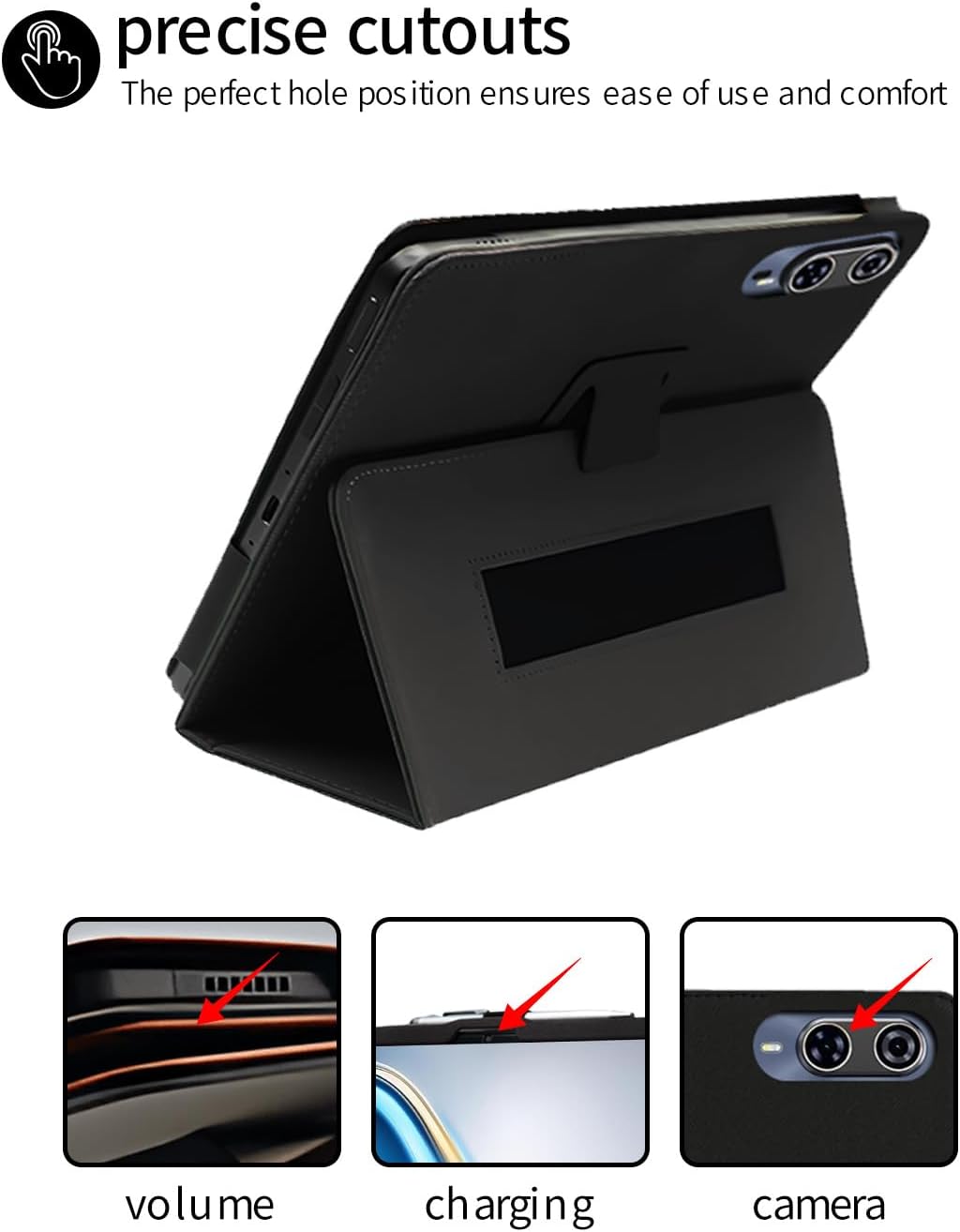
Image: Visual representation of the case's material properties.
Protection Features
The case is designed with enhanced drop resistance and anti-scratch properties, featuring thickened corners to absorb impacts and protect your tablet from daily wear and tear.

Image: Visual demonstration of the case's protective design, including reinforced corners.
Troubleshooting
- Case Does Not Fit: Ensure your tablet model is specifically the SVITOO PL002 or P1300 (13-inch). This case is not compatible with other models. Double-check your tablet's model number.
- Difficulty Accessing Ports: Confirm the tablet is correctly seated within the case, aligning with all cutouts.
Specifications
| Model Number | P1300-1 |
| Compatible Devices | SVITOO PL002/P1300 13 Inch Android Tablet |
| Material | High-quality PU Leather |
| Color | Black |
| Item Weight | 9.2 ounces |
| Package Dimensions | 12.36 x 8.5 x 0.79 inches |
| Special Features | Folding Stand, Pencil Holder, Wrist Strap, Slim Fit, Drop Resistance, Anti-scratch |
Support
For any questions, concerns, or assistance with your BOVUGAC protective cover, please contact our customer support. We are committed to resolving any issues you may encounter.