
1. Introduction
Thank you for purchasing the CREATE AIR FRYER STUDIO CRYSTAL 4.2L. This appliance is designed to cook a variety of foods using hot air, offering a healthier alternative to traditional deep frying. Please read this manual thoroughly before first use to ensure safe operation, optimal performance, and proper maintenance of your air fryer. Keep this manual for future reference.
2. Important Safety Instructions
When using electrical appliances, basic safety precautions should always be followed to reduce the risk of fire, electric shock, and injury to persons, including the following:
- Read all instructions before using the appliance.
- Do not touch hot surfaces. Use handles or knobs.
- To protect against electric shock, do not immerse the cord, plugs, or the appliance in water or other liquid.
- Close supervision is necessary when any appliance is used by or near children.
- Unplug from outlet when not in use and before cleaning. Allow to cool before putting on or taking off parts.
- Do not operate any appliance with a damaged cord or plug, or after the appliance malfunctions or has been damaged in any manner.
- The use of accessory attachments not recommended by the appliance manufacturer may cause injuries.
- Do not use outdoors.
- Do not let cord hang over edge of table or counter, or touch hot surfaces.
- Do not place on or near a hot gas or electric burner, or in a heated oven.
- Extreme caution must be used when moving an appliance containing hot oil or other hot liquids.
- Always attach plug to appliance first, then plug cord into the wall outlet. To disconnect, turn any control to "off", then remove plug from wall outlet.
- Do not use appliance for other than intended use.
- Ensure the glass basket is properly inserted before operating.
- Do not block any ventilation openings.
3. Product Overview
The CREATE AIR FRYER STUDIO CRYSTAL 4.2L features a sleek design with a transparent glass basket, allowing you to monitor your cooking progress without opening the unit. It includes a user-friendly touch control panel for easy operation.
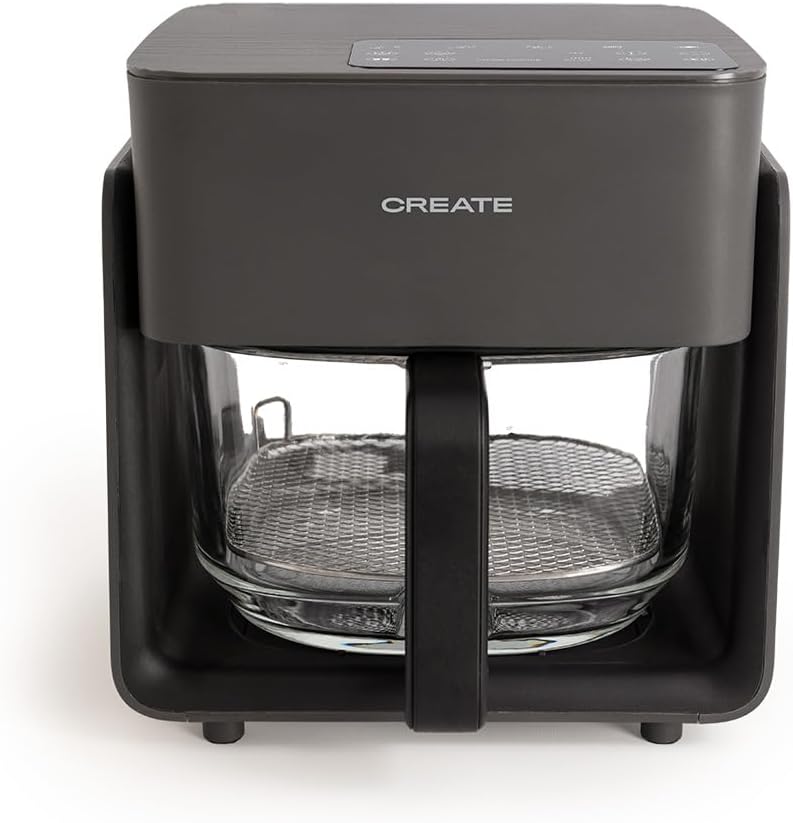
Image 1: Front view of the CREATE AIR FRYER STUDIO CRYSTAL 4.2L in black, showcasing its compact design and transparent glass basket.

Image 2: The main unit, removable glass basket, and cooking rack of the air fryer, illustrating its components.
Components:
- Main Unit: Houses the heating element and control panel.
- Glass Basket: 4.2L capacity, transparent, and Teflon-free for healthy cooking.
- Cooking Rack: Sits inside the glass basket to elevate food for even cooking.
- Control Panel: Touch-sensitive interface for setting time, temperature, and selecting programs.
4. Setup
Before First Use:
- Unpack the air fryer and all its components. Remove any packaging materials, stickers, or labels.
- Wipe the exterior of the main unit with a damp cloth.
- Wash the glass basket and cooking rack thoroughly with warm, soapy water. Rinse and dry completely.
- Place the air fryer on a stable, heat-resistant surface, ensuring adequate space (at least 10 cm) around the back and sides for proper ventilation.
- Insert the cooking rack into the glass basket, then slide the glass basket firmly into the main unit until it clicks into place.
- Plug the power cord into a grounded electrical outlet.

Image 3: The air fryer positioned on a kitchen counter, ready for use, with ample space for ventilation.
5. Operating Instructions
The CREATE AIR FRYER STUDIO CRYSTAL 4.2L features a touch control panel for intuitive operation. It has a capacity suitable for 5-6 servings.

Image 4: A detailed view of the touch control panel, showing various icons for pre-set programs and manual adjustments.
Basic Operation:
- Power On: Plug in the air fryer. The power indicator will light up. Press the power icon to turn on the display.
- Preheating (Optional): For best results, preheat the air fryer for 3-5 minutes at the desired cooking temperature.
- Load Food: Carefully pull out the glass basket using the handle. Place your food on the cooking rack inside the basket. Do not overfill.
- Select Program or Manual Settings:
- Pre-installed Programs: The air fryer comes with 6 automatic programs for common dishes. Select the appropriate program icon on the control panel. The default time and temperature for that program will be displayed.
- Manual Adjustment: Alternatively, you can manually set the cooking time and temperature. Use the 'TEMP' button and arrow icons to adjust the temperature (e.g., 80°C - 200°C). Use the 'TIME' button and arrow icons to adjust the cooking time (e.g., 1-60 minutes).
- Start Cooking: Press the start/pause icon to begin the cooking cycle.
- Monitor Cooking: The transparent glass basket allows you to visually monitor the food without interrupting the cooking process.
- Shake/Flip Food (Optional): For even cooking, especially with items like fries, pull out the basket halfway through the cooking time and gently shake or flip the food. Reinsert the basket to resume cooking.
- End of Cooking: The air fryer will beep when the cooking time is complete. Carefully remove the basket and transfer the cooked food to a plate.
- Power Off: Press the power icon to turn off the appliance. Unplug when not in use.
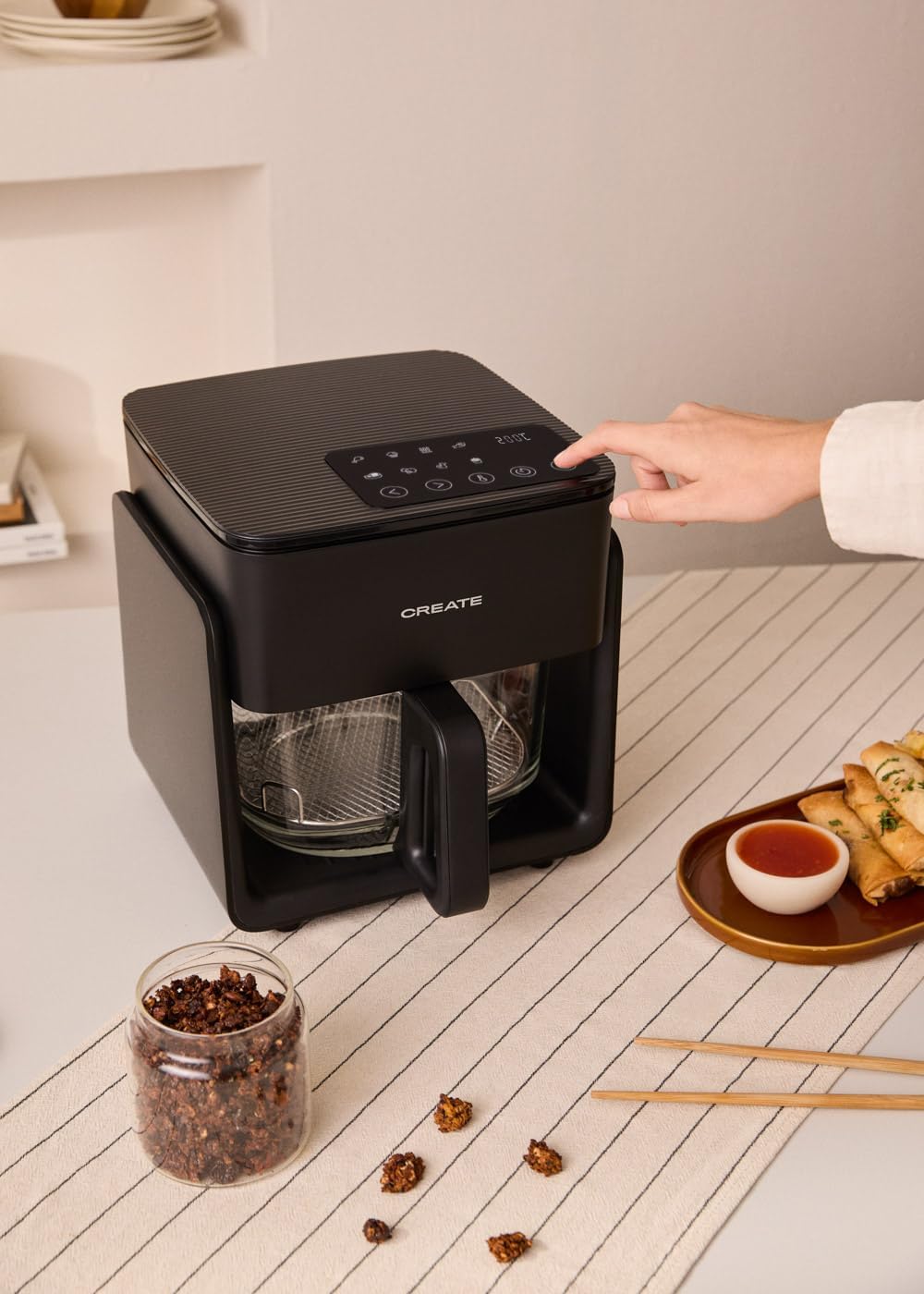
Image 5: A hand interacting with the touch control panel to set cooking parameters.

Image 6: The air fryer with its glass basket filled with french fries, demonstrating its cooking capacity.
6. Cooking Tips
- Oil Usage: While designed for oil-free cooking, a small amount of oil (1-2 tablespoons) can be added to some foods for extra crispiness.
- Even Cooking: Shake or flip smaller foods (like fries or chicken nuggets) halfway through cooking for more even results.
- Batch Cooking: For larger quantities, cook in smaller batches to ensure proper air circulation and even cooking.
- Food Placement: Do not overcrowd the basket. Leave some space between food items for optimal air flow.
- Frozen Foods: Most frozen foods can be cooked directly in the air fryer. Refer to packaging instructions for recommended temperatures and times, adjusting as needed.
7. Cleaning and Maintenance
Regular cleaning ensures the longevity and hygienic operation of your air fryer. The glass basket is designed for easy cleaning.

Image 7: A user demonstrating the removal of the glass basket and cooking rack for cleaning, highlighting the 'Teflon Free' and 'Glass Basket' features.
Cleaning Steps:
- Unplug and Cool: Always unplug the air fryer and allow it to cool completely before cleaning.
- Clean Basket and Rack: Remove the glass basket and cooking rack. Wash them with warm, soapy water and a non-abrasive sponge. They are also dishwasher safe.
- Clean Interior: Wipe the interior of the air fryer with a damp cloth. For stubborn residue, use a mild detergent. Avoid abrasive cleaners or metal scouring pads.
- Clean Exterior: Wipe the exterior of the main unit with a damp cloth. Do not immerse the main unit in water.
- Dry Thoroughly: Ensure all parts are completely dry before reassembling and storing the air fryer.
Storage:
Store the air fryer in a cool, dry place. Ensure the power cord is neatly wrapped and secured.
8. Troubleshooting
If you encounter any issues with your air fryer, please refer to the following common problems and solutions:
| Problem | Possible Cause | Solution |
|---|---|---|
| Air fryer does not turn on. | Not plugged in; power outlet malfunction; basket not properly inserted. | Ensure the power cord is securely plugged into a working outlet. Check if the glass basket is fully inserted into the main unit. |
| Food is not cooked evenly. | Basket is overcrowded; food not shaken/flipped. | Cook food in smaller batches. Shake or flip food halfway through cooking. |
| Food is not crispy. | Too much moisture; insufficient cooking time/temperature. | Pat food dry before cooking. Increase cooking time or temperature slightly. A light spray of oil can also help. |
| White smoke coming from the appliance. | Grease residue from previous use; fatty food cooking. | Clean the basket and interior thoroughly after each use. For fatty foods, place a small amount of water in the bottom of the basket to catch drips. |
| Appliance stops working during operation. | Overheating protection activated. | Unplug the air fryer and let it cool down for at least 30 minutes. Check for any blocked air vents. Plug it back in and restart. |
If the problem persists after trying these solutions, please contact customer support.
9. Specifications
| Feature | Specification |
|---|---|
| Brand | CREATE |
| Model Name | AIR FRYER STUDIO CRYSTAL |
| Capacity | 4.2 Liters |
| Power | 1300 Watts |
| Voltage | 240 Volts |
| Material | ABS + Glass |
| Product Dimensions | 26.1 x 24.8 x 27.3 cm |
| Weight | 5.8 kg |
| Control Method | Touch |
| Programs | 6 Pre-installed Programs |
10. Warranty and Support
For warranty information and customer support, please refer to the documentation included with your purchase or visit the official CREATE website. If you purchased your product through a retailer, please contact their customer service for assistance. Keep your proof of purchase for any warranty claims.