1. Introduction
Thank you for choosing the Dubstep Buzz X11 Wireless Earbuds. These earbuds are designed to provide an immersive audio experience with powerful 13mm dynamic drivers, XBass technology, and Environmental Noise Cancellation (ENC) for clear calls. This manual will guide you through the setup, operation, and maintenance of your new earbuds.
2. Package Contents
Please check the box for the following items:
- Dubstep Buzz X11 Wireless Earbuds (Left and Right)
- Charging Case
- Type-C Charging Cable
- Ear Cushions (various sizes)

Image: Contents of the Dubstep Buzz X11 package, showing the earbuds, charging case, USB-C cable, and multiple sizes of ear tips.
3. Product Overview
The Dubstep Buzz X11 earbuds feature a sleek design with advanced audio components.
Earbuds
- 13mm Dynamic Drivers: For powerful and clear audio output.
- XBass Technology: Enhances low-frequency sounds for a richer bass experience.
- Environmental Noise Cancellation (ENC) Microphones: Two dedicated microphones per earbud to reduce ambient noise during calls.
- Touch Controls: Intuitive touch-sensitive areas for managing music, calls, and voice assistant.
Charging Case
- Compact and portable design.
- Houses and charges the earbuds.
- Type-C charging port for fast charging.

Image: An infographic highlighting key features of the Dubstep Buzz X11 earbuds, including Environmental Noise Cancellation (ENC), 13mm dynamic drivers, 60 hours playtime, XBass technology, Bluetooth v6.0, touch controls, and Type-C fast charging.

Image: A detailed exploded view of a Dubstep Buzz X11 earbud, showcasing its 13mm dynamic driver and XBass technology components, emphasizing immersive sound.
4. Setup
4.1 Charging the Earbuds and Case
Before first use, fully charge the earbuds and charging case.
- Place the earbuds into the charging case. Ensure they are correctly seated.
- Connect the Type-C charging cable to the charging port on the case and to a USB power source.
- The indicator light on the case will show charging status. A full charge takes approximately 1 hour.
- The earbuds offer up to 60 hours of total playtime with the charging case. A 15-minute charge provides approximately 200 minutes of playback.
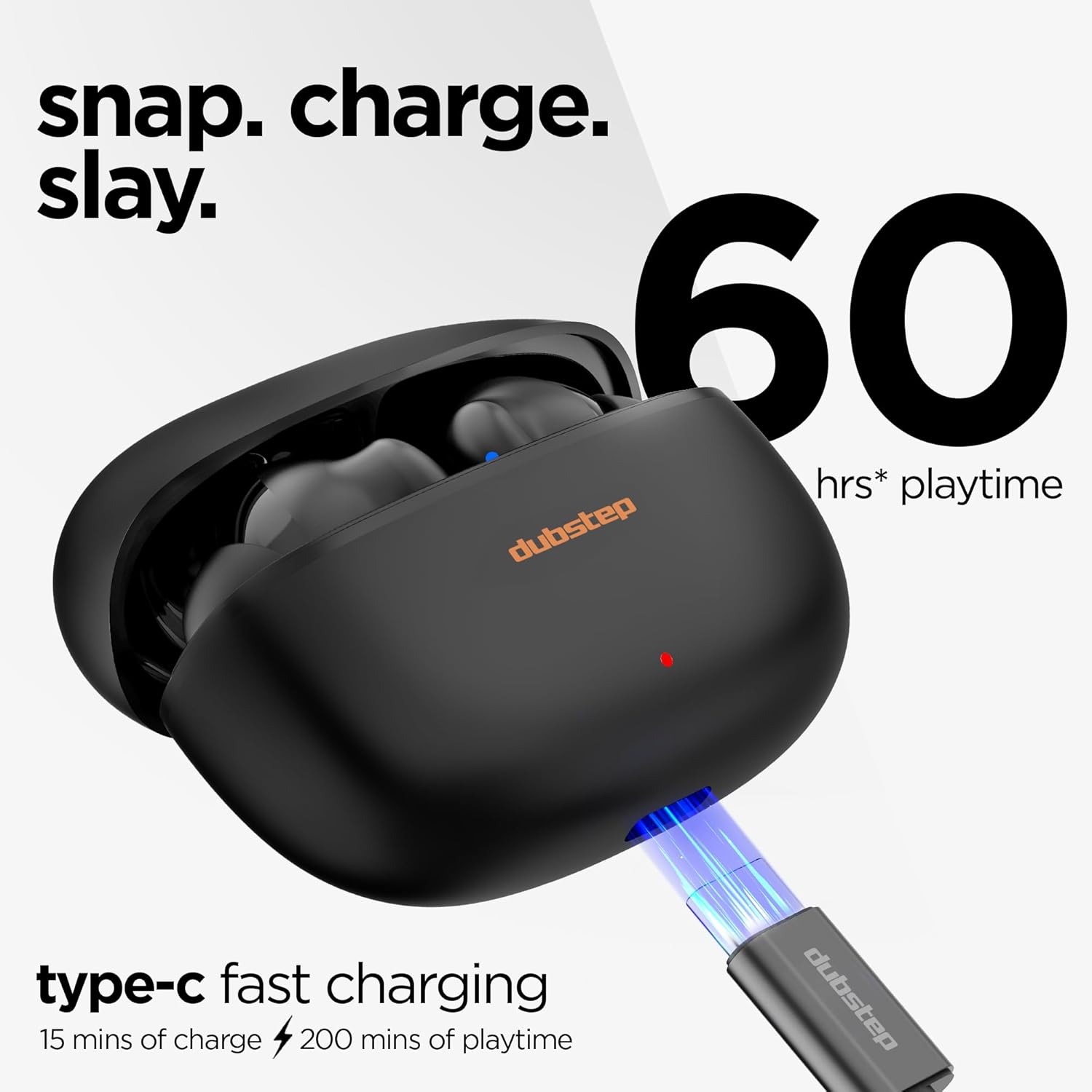
Image: The Dubstep Buzz X11 charging case with earbuds, connected via a Type-C cable for fast charging, highlighting the 60 hours of playtime and quick charge capability.
4.2 Pairing with a Device
The earbuds support Bluetooth v6.0 for stable and quick pairing.
- Open the charging case. The earbuds will automatically enter pairing mode.
- On your device (smartphone, tablet, etc.), enable Bluetooth.
- Search for "Dubstep Buzz X11" in the list of available Bluetooth devices and select it to connect.
- Once connected, you will hear a confirmation tone, and the earbuds will be ready for use.
- The earbuds support SBC & AAC codecs for high-quality audio streaming.

Image: Dubstep Buzz X11 earbuds positioned near a smartphone, illustrating the effortless pairing process with Bluetooth v6.0, quick pairing, SBC & AAC codec support, and a stable, drop-free connection.
5. Operating Instructions
5.1 Touch Controls
The earbuds feature intuitive touch controls for various functions:

Image: A visual guide to the touch controls on the Dubstep Buzz X11 earbuds, detailing actions for single tap, double tap, triple tap, four tap, and long press for functions like volume, playback, track skipping, voice assistant, and call management.
| Action | Function |
|---|---|
| Single Tap (R) | Volume + |
| Single Tap (L) | Volume - |
| Double Tap (L/R) | Play/Pause |
| Triple Tap (R) | Next Song |
| Triple Tap (L) | Previous Song |
| Four Tap | Music Mode / Game Mode |
| Long Press | Voice Assistant |
| Single Tap (during call) | Receive Call / Hang Up |
| Double Tap (during call) | Reject Call |
| Five Tap (both buds) | Reset |
5.2 Making and Receiving Calls
The Buzz X11 earbuds feature Environmental Noise Cancellation (ENC) with dual microphones for clear call quality.
- Receive Call: Single tap either earbud.
- Hang Up: Single tap either earbud during a call.
- Reject Call: Double tap either earbud.

Image: Dubstep Buzz X11 earbuds highlighting the dual mic Environmental Noise Cancellation (ENC) feature, indicating 2 mics to filter noise for crystal clear calling.
5.3 Game Mode (Ultra Low Latency)
Activate Game Mode for an optimized gaming experience with reduced audio latency.
- Activate/Deactivate: Four tap either earbud to switch between Music Mode and Game Mode.
- Game Mode provides an ultra-low latency of 40 milliseconds, ensuring audio and video synchronization during gaming.

Image: Dubstep Buzz X11 earbuds and their charging case alongside a smartphone displaying a fast-paced game, illustrating the 40ms ultra-low latency feature for a seamless gaming experience.
6. Maintenance
6.1 Cleaning
- Regularly clean the earbuds and charging case with a soft, dry, lint-free cloth.
- Do not use abrasive cleaners, alcohol, or chemical solvents.
- Ensure the charging contacts on both the earbuds and the case are clean and free of debris to ensure proper charging.
6.2 Storage
- When not in use, store the earbuds in their charging case to protect them and keep them charged.
- Store in a cool, dry place away from extreme temperatures and direct sunlight.
7. Troubleshooting
If you encounter issues with your Dubstep Buzz X11 earbuds, refer to the following common solutions:
7.1 Earbuds Not Pairing
- Ensure both earbuds are charged.
- Make sure Bluetooth is enabled on your device.
- Place the earbuds back into the charging case, close the lid, wait a few seconds, then open it again to re-enter pairing mode.
- Try forgetting/unpairing "Dubstep Buzz X11" from your device's Bluetooth settings and then re-pairing.
- Perform a factory reset: Five tap both earbuds simultaneously.
7.2 No Sound or Intermittent Sound
- Check the volume level on both your device and the earbuds.
- Ensure the earbuds are within the Bluetooth range (up to 10 meters) of your device.
- Move away from sources of strong electromagnetic interference.
- Try reconnecting the earbuds to your device.
7.3 Charging Issues
- Ensure the charging cable is securely connected to both the case and the power source.
- Verify that the charging contacts on the earbuds and inside the case are clean and free of obstructions.
- Try using a different Type-C charging cable and power adapter.
8. Specifications
| Feature | Detail |
|---|---|
| Model Name | Buzz X11 |
| Connectivity Technology | Bluetooth v6.0 |
| Audio Driver Size | 13mm Dynamic Drivers |
| Noise Control | Environmental Noise Cancellation (ENC) |
| Battery Life (Total) | Up to 60 Hours (with charging case) |
| Fast Charging | 15 mins charge for 200 mins playback |
| Charging Time | Approx. 1 Hour |
| Audio Latency | 40 Milliseconds (Game Mode) |
| Control Type | Touch Control |
| Bluetooth Range | 10 Metres |
| Compatible Devices | Smartphone |
| Material | Acrylonitrile Butadiene Styrene (ABS) |
| Item Weight | 40 Grams |
| Product Dimensions | 6.2 x 3 x 4.8 cm |
| Battery Cell Composition | Lithium Ion |
9. Warranty and Support
9.1 Warranty Information
The Dubstep Buzz X11 Wireless Earbuds come with a 6-month warranty from the date of purchase. Please retain your proof of purchase for warranty claims. The warranty covers manufacturing defects but does not cover damage caused by misuse, accidents, or unauthorized modifications.
9.2 Customer Support
For further assistance, troubleshooting, or to access additional user manuals, please visit the official Dubstep website:


