
1. Introduction
Thank you for choosing the Aioneus 33W 4-Port USB Wall Charger. This universal power adapter is designed to provide stable and fast charging for multiple devices simultaneously. Featuring Quick Charge 3.0 technology, it ensures efficient power delivery for a wide range of smartphones, tablets, and other USB-powered gadgets. Its compact and lightweight design makes it ideal for home, office, and travel use.
2. Safety Information
Please read all safety instructions carefully before using this product.
- Do not expose the charger to liquids, moisture, or extreme temperatures.
- Do not disassemble, modify, or attempt to repair the charger. This will void the warranty and may cause electric shock or fire.
- Keep out of reach of children.
- Ensure the power outlet voltage is compatible with the charger's input (100-240V).
- Avoid using damaged cables or adapters, as this may lead to malfunction or safety hazards.
- Unplug the charger from the power outlet when not in use or during thunderstorms.
- This charger is designed for indoor use only.

Image: The Aioneus charger features multiple safety protections, including over-voltage, over-current, short-circuit, and flame protection, ensuring safe charging for your devices.
3. Package Contents
- 1 x Aioneus 33W 4-Port USB Wall Charger (White)
- 1 x User Manual
Note: Charging cables are not included.
4. Product Overview
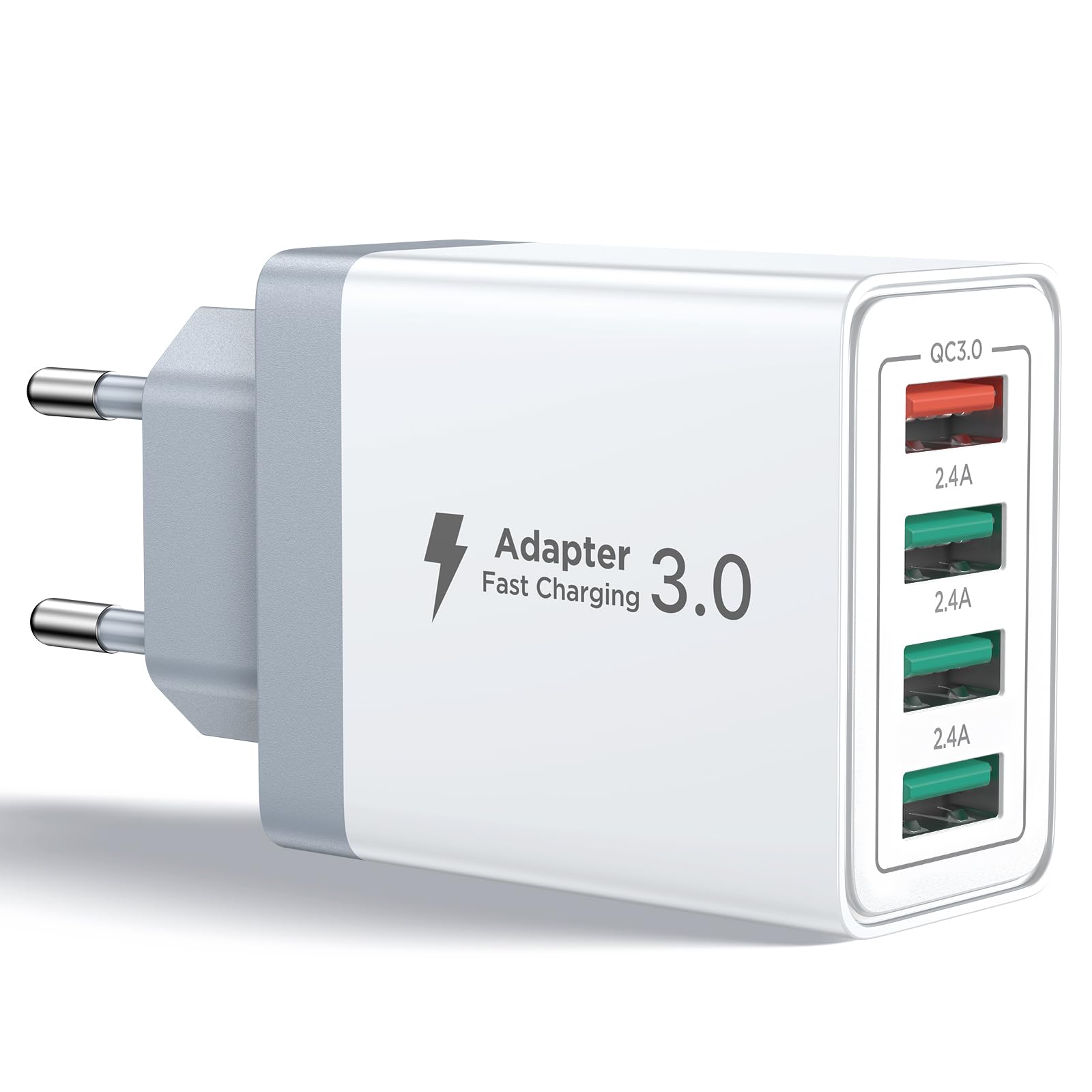
Image: Front view of the Aioneus 33W 4-Port USB Wall Charger, showing its compact design and multiple USB ports.
The Aioneus 33W 4-Port USB Wall Charger features a compact design with four USB-A output ports. One port supports Quick Charge 3.0 (QC 3.0) for rapid charging, while the other three ports provide standard 2.4A output. The charger is designed for universal compatibility and includes multiple safety features.

Image: A close-up view of the charger's ports, highlighting the QC 3.0 port (red) and three 2.4A ports (green).
5. Setup and Installation
- Unpack the Charger: Carefully remove the Aioneus 33W 4-Port USB Wall Charger from its packaging.
- Locate a Power Outlet: Find a standard wall power outlet (Type E – 2 pins, France compatible) within reach of your devices.
- Plug in the Charger: Insert the charger's plug firmly into the power outlet.

Image: The Aioneus charger plugged into a wall outlet, demonstrating its ability to charge multiple devices simultaneously, including a smartphone and a tablet.
6. Operating Instructions
- Connect Your Device: Use a compatible USB charging cable (not included) to connect your device to one of the charger's USB-A ports.
- Fast Charging (QC 3.0 Port): For devices that support Quick Charge 3.0, connect them to the red-colored QC 3.0 port for optimal fast charging speeds. This port can charge compatible Samsung devices up to 60% in 45 minutes.
- Standard Charging (2.4A Ports): For other devices, use any of the three green-colored 2.4A ports. These ports provide efficient charging for most smartphones, tablets, and other USB-powered accessories.
- Multi-Device Charging: You can charge up to four devices simultaneously. The charger intelligently adjusts the output current to match the connected device's needs, optimizing charging efficiency and preventing overheating.
- Charging Indicator: Your device's screen will typically show a charging indicator (e.g., battery icon with a lightning bolt) to confirm it is receiving power.

Image: The Aioneus charger connected to a power strip, with four USB cables attached, demonstrating its ability to charge multiple devices simultaneously.
Video: This video demonstrates the ease of connecting multiple devices to the Aioneus 4-port charger and shows a smartphone charging. It highlights the convenience of charging several devices at once without needing multiple wall adapters.
7. Compatibility
The Aioneus 33W 4-Port USB Wall Charger offers broad compatibility with a wide range of devices, including:
- iPhones: iPhone 16, 15, 14, 13, 12, 11 Pro/Max/Mini, SE, XS, XR, X, 8 Plus.
- Samsung Galaxy: S25, S24, S23, S22, S21, S20 series, Note 20, Note 10, Note 9, Note 8, Z Fold, Z Flip series.
- Google Pixel: Pixel 8, 7, 6, 5, 4, 3, 2 series, Pixel Fold, Pixel 'a' series.
- iPads: iPad Pro (various generations), iPad Air (various generations), iPad (various generations), iPad mini (various generations).
- Other Brands: Huawei, Sony Xperia, Xiaomi, HTC, LG, Nokia, and other devices using USB-A or USB-C (with appropriate cable).
- Accessories: Tablets, e-readers, Bluetooth speakers, smartwatches, power banks, gaming consoles (e.g., PS5, Nintendo Switch).

Image: A visual representation of the charger's wide compatibility with various devices, including iPhones, iPads, Samsung Galaxy phones and tablets, and other electronic gadgets.
8. Maintenance and Care
- Cleaning: Disconnect the charger from the power outlet before cleaning. Use a soft, dry cloth to wipe the surface. Do not use liquid cleaners or aerosols.
- Storage: Store the charger in a cool, dry place away from direct sunlight and extreme temperatures.
- Handling: Avoid dropping or subjecting the charger to strong impacts.
9. Troubleshooting
| Problem | Possible Cause | Solution |
|---|---|---|
| Device not charging. |
|
|
| Slow charging speed. |
|
|
| Charger feels warm. |
|
|
10. Specifications
| Brand | Aioneus |
| Model Number | RE-ID40W |
| Input Voltage | 100-240V ~ 50/60Hz 0.8A |
| Total Output Power | 33W (Max) |
| QC 3.0 Output | DC 3.6V-6.5V/3A, DC 6.5V-9V/2A, DC 9V-12V/1.5A |
| Standard USB Output (3 ports) | DC 5V/2.4A (each port) |
| Number of USB Ports | 4 (1x QC 3.0, 3x 2.4A) |
| Connector Type | USB Type A |
| Plug Type | Type E – 2 pins (France compatible) |
| Material | Acrylonitrile Butadiene Styrene (ABS) |
| Color | White |
| Safety Certifications | CE, EMC, RoHS |
| Special Features | Fast Charging, Multi-device Charging, Lightweight Design, Travel-friendly |
11. Warranty and Support
The Aioneus 33W 4-Port USB Wall Charger comes with an 18-month warranty from the date of purchase. This warranty covers manufacturing defects and malfunctions under normal use.
For any product issues, technical assistance, or warranty claims, please contact our customer service team. We are committed to providing a prompt response and a suitable solution.
Customer Service:
- Please refer to the contact information provided on the product packaging or the seller's platform.
- Our customer support is available 24/7.

