
Introduction
The AILKIN S80A Wireless Earbuds are designed to provide a high-quality audio experience with advanced features such as Active Noise Cancellation (ANC), Bluetooth 5.3 connectivity, and a smart touchscreen charging case. This manual provides detailed instructions for setting up, operating, and maintaining your earbuds to ensure optimal performance.
Package Contents
- 1 Pair of AILKIN S80A Wireless Earbuds
- 1 Smart Touchscreen Charging Case
- 1 USB-C Charging Cable
- 3 Pairs of Ear Tips (S/M/L)
- 1 User Manual (this document)
Setup
1. Charging the Earbuds and Case
Before first use, fully charge the earbuds and the charging case. Connect the provided USB-C cable to the charging port on the case and to a power source. The touchscreen display on the case will show the battery level. A full charge typically takes approximately 1.5 hours for the earbuds and case.
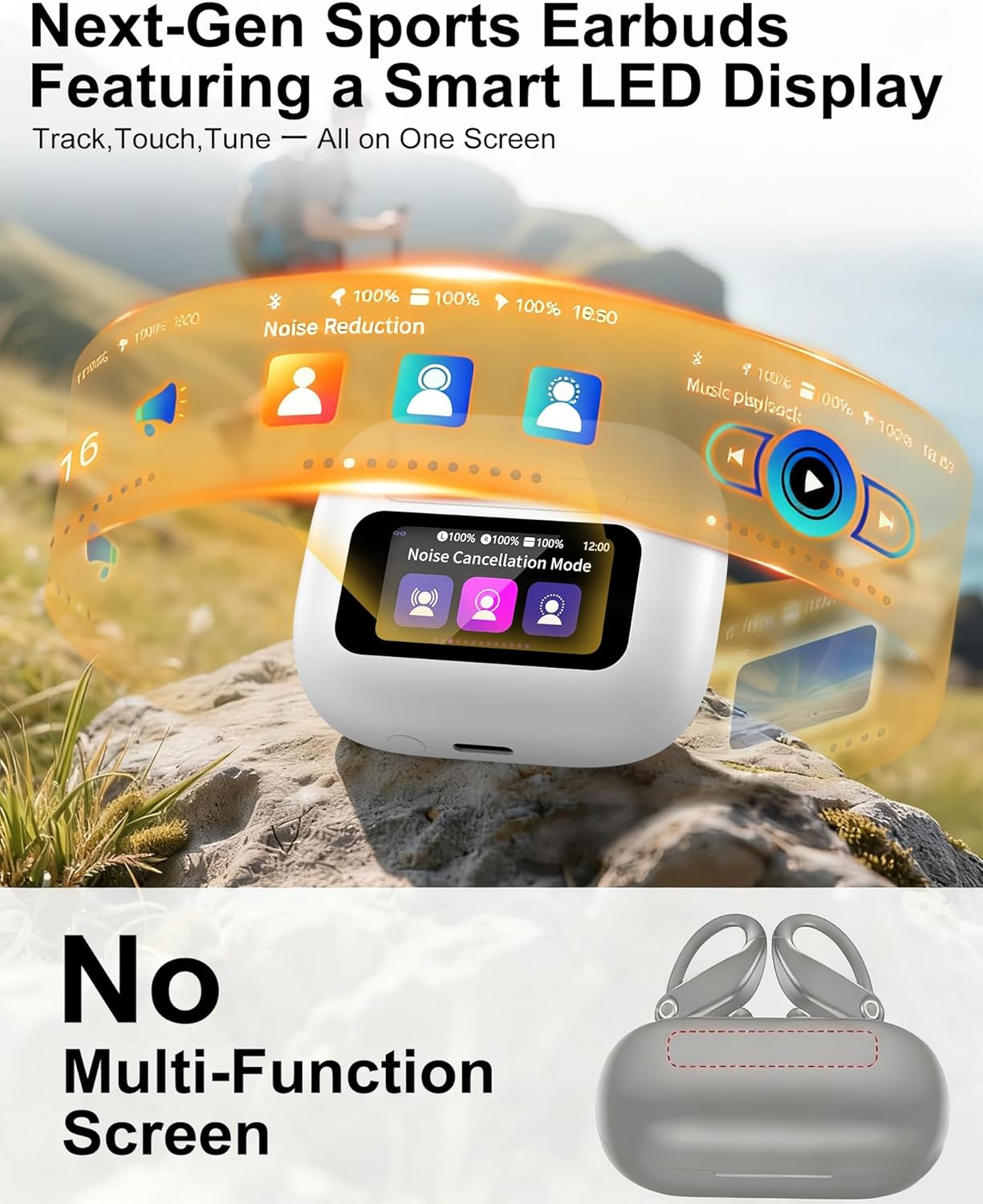
Image: AILKIN S80A charging case with earbuds inside, displaying battery status on the touchscreen.

Image: Close-up of the AILKIN S80A charging case with a USB-C cable connected, highlighting the fast charging capability.
2. Selecting Ear Tips
Choose the ear tips (S/M/L) that provide the most comfortable and secure fit for your ears. A proper fit is crucial for optimal sound quality and noise cancellation performance.
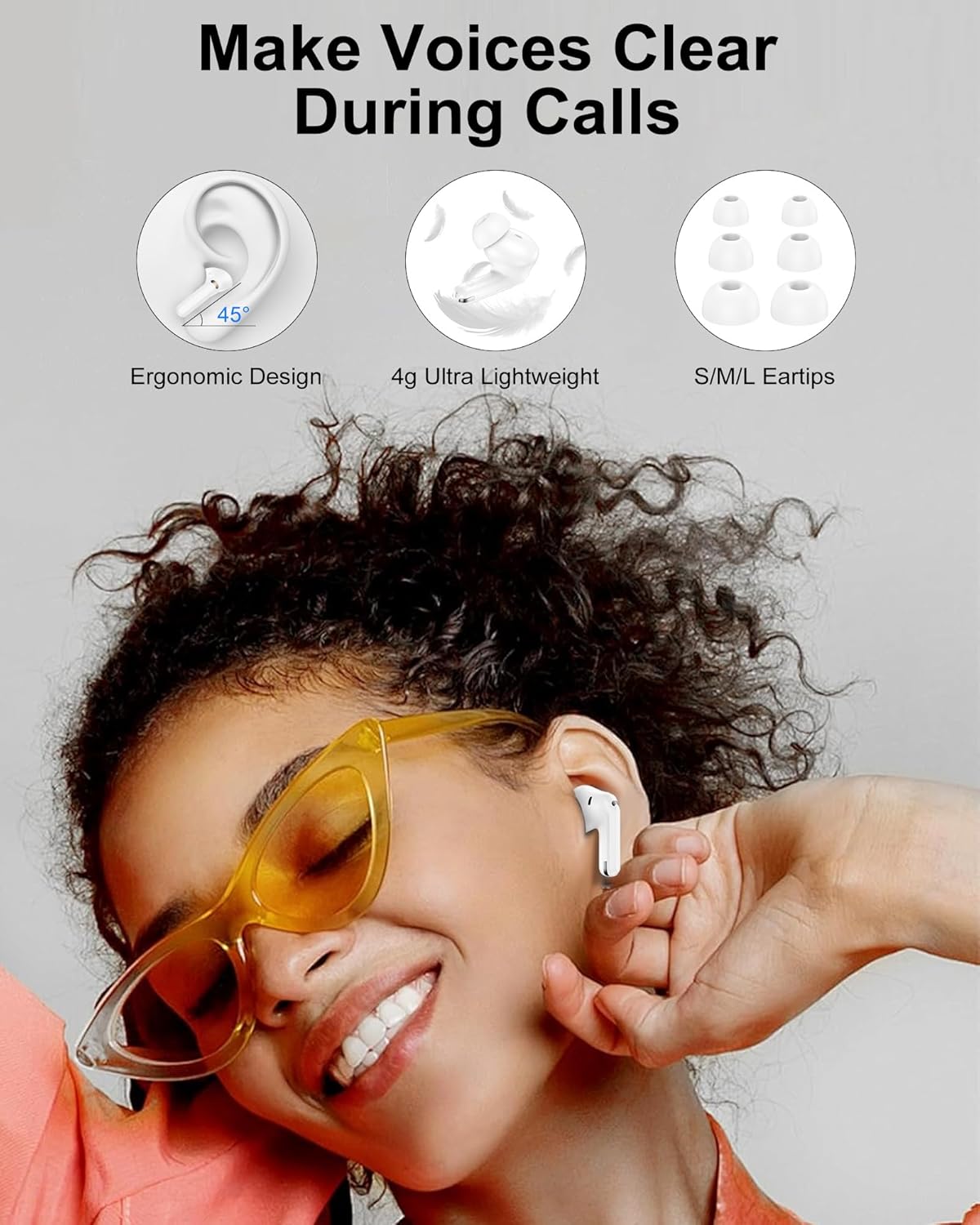
Image: A person wearing AILKIN S80A earbuds, illustrating the ergonomic design and comfortable fit. Various ear tip sizes (S/M/L) are also shown.
3. Bluetooth Pairing
- Open the charging case. The earbuds will automatically enter pairing mode.
- On your device (smartphone, tablet, etc.), go to Bluetooth settings.
- Select "S80A" from the list of available devices to connect.
- Once paired, the earbuds will automatically connect to your device when the case is opened, provided Bluetooth is enabled on your device.

Image: A smartphone screen displaying Bluetooth settings with "S80A Connected," alongside the AILKIN S80A earbuds in their open charging case, illustrating the pairing process.
Operating Instructions
Touchscreen Controls
The smart touchscreen on the charging case provides intuitive control over various functions without needing your phone. Swipe left or right to navigate through the menus.
Video: Demonstrates the touchscreen controls of the AILKIN S80A charging case, showing navigation and function selection.
- Music Playback: Control play/pause, skip tracks, and adjust volume directly from the case.
- Noise Control: Switch between Active Noise Cancellation (ANC), Transparency Mode, and Conventional mode.
- Equalizer: Select from various equalizer presets (e.g., normal, pop, rock, jazz) to customize your audio experience.
- Light Level: Adjust the brightness of the touchscreen display.
- Screen Lock: Set a screen lock to prevent accidental touches. You can also customize the screen wallpaper.
- Find My Earphone: Activate this feature to make a lost earbud emit a sound, helping you locate it.
- Time & Date: View and set the current time and date.
- Photo Control: Use the case as a remote shutter for your connected phone's camera.
- Flashlight: Activate a small flashlight function.
- Language Switch: Change the display language of the touchscreen.
Video: A brief overview of the AILKIN S80A Wireless Earphones, highlighting key features and design.
Call Management
The earbuds feature built-in microphones for clear calls. Use the touchscreen or earbud touch controls (refer to specific earbud touch gestures in the quick start guide, if provided) to answer, end, or reject calls.

Image: A person engaged in a video call while wearing AILKIN S80A earbuds, with a visual representation of how noise reduction technology enhances voice clarity.
Maintenance
Cleaning
Regularly clean your earbuds and charging case with a soft, dry, lint-free cloth. Avoid using abrasive materials or harsh chemicals. Ensure the charging contacts on both the earbuds and the case are free of debris.
Water Resistance
The earbuds have an IPX7 waterproof rating, meaning they are resistant to sweat, rain, and splashes. They are not designed for swimming or submersion in water. Ensure the earbuds are dry before placing them back into the charging case to prevent damage.
Troubleshooting
If you encounter issues with your AILKIN S80A Wireless Earbuds, please refer to the following common solutions:
- No Sound/Poor Sound Quality:
- Ensure earbuds are fully charged.
- Check Bluetooth connection and ensure "S80A" is selected on your device.
- Adjust volume on both your device and the charging case.
- Try different ear tip sizes for a better seal.
- Clean any debris from the earbud speakers and charging contacts.
- Earbuds Not Pairing:
- Ensure both earbuds are in the charging case and the case is open.
- Turn off and on Bluetooth on your device.
- Forget "S80A" from your device's Bluetooth list and attempt to re-pair.
- Ensure earbuds and case have sufficient charge.
- Touchscreen Unresponsive:
- Ensure the screen is not locked. Swipe to unlock if necessary.
- Reboot the charging case by closing and reopening it, or by connecting it to power.
- Earbuds Not Charging:
- Ensure the charging cable is securely connected to both the case and the power source.
- Verify the charging contacts on the earbuds and inside the case are clean and free of obstructions.
- Try a different USB-C cable and power adapter.
Specifications
| Feature | Detail |
|---|---|
| Model Name | S80A |
| Connectivity Technology | Wireless (Bluetooth 5.3) |
| Audio Driver Type | 13mm Dynamic Dual-Layer Diaphragm |
| Noise Control Features | Active Noise Cancellation (ANC), Transparency Mode |
| Playtime (with Charging Case) | Up to 36 Hours |
| Charging Port | USB-C Fast Charging |
| Charging Time | 1.5 Hours |
| Waterproof Rating | IPX7 |
| Control Method | Touch (on case and earbuds) |
| Ear Placement | In Ear |
| Material | Plastic with Silicone/Rubber Ear Tips |
| Item Weight | 3.2 ounces |
| Manufacturer | Dongguan Pinmi Electronic Technology Co., Ltd |
Warranty and Support
For warranty information and customer support, please refer to the documentation included with your purchase or visit the official AILKIN website. Keep your proof of purchase for any warranty claims.