Introduction
The Neoteck MT35 is a versatile 2-in-1 moisture meter designed for accurate and efficient measurement of moisture content in various materials. It features both a non-destructive pinless mode for quick scans of walls and a pin-type probe for precise, deep measurements in wood and construction materials. This device is ideal for identifying potential water damage, preventing mold growth, and ensuring optimal conditions in residential, recreational, and construction environments.
Package Contents
- 1 × Neoteck MT35 2-in-1 Moisture Meter
- 1 × Pin-type Probe
- 2 × Replacement Pins
- 1 × USB-C Charging Cable
- 1 × Wrench (for pin replacement)
- 1 × User Manual
- 1 × Storage Pouch

Image: The Neoteck MT35 Moisture Meter with its included accessories, including the pin-type probe, charging cable, replacement pins, wrench, and storage pouch.
Safety Information
Please read and understand all safety warnings and instructions before using this device. Failure to follow these instructions may result in electric shock, fire, or serious injury.
- Do not expose the device to extreme temperatures, direct sunlight, or high humidity.
- Keep the device away from water and other liquids.
- Do not attempt to open or modify the device. Repairs should only be performed by qualified personnel.
- When using the pin-type probe, exercise caution to avoid injury from the sharp pins.
- Ensure the device is clean and dry before use and storage.
- Dispose of the battery and device according to local regulations.
Setup
Charging the Battery
The Neoteck MT35 is equipped with a rechargeable lithium-ion battery. Before first use, fully charge the device using the provided USB-C cable and a compatible USB power adapter (not included). The charging port is located on the bottom of the device.
- Connect the USB-C cable to the device's charging port.
- Connect the other end of the cable to a USB power source.
- The battery indicator on the LCD screen will show charging status.
- A full charge provides up to 10 hours of continuous operation.
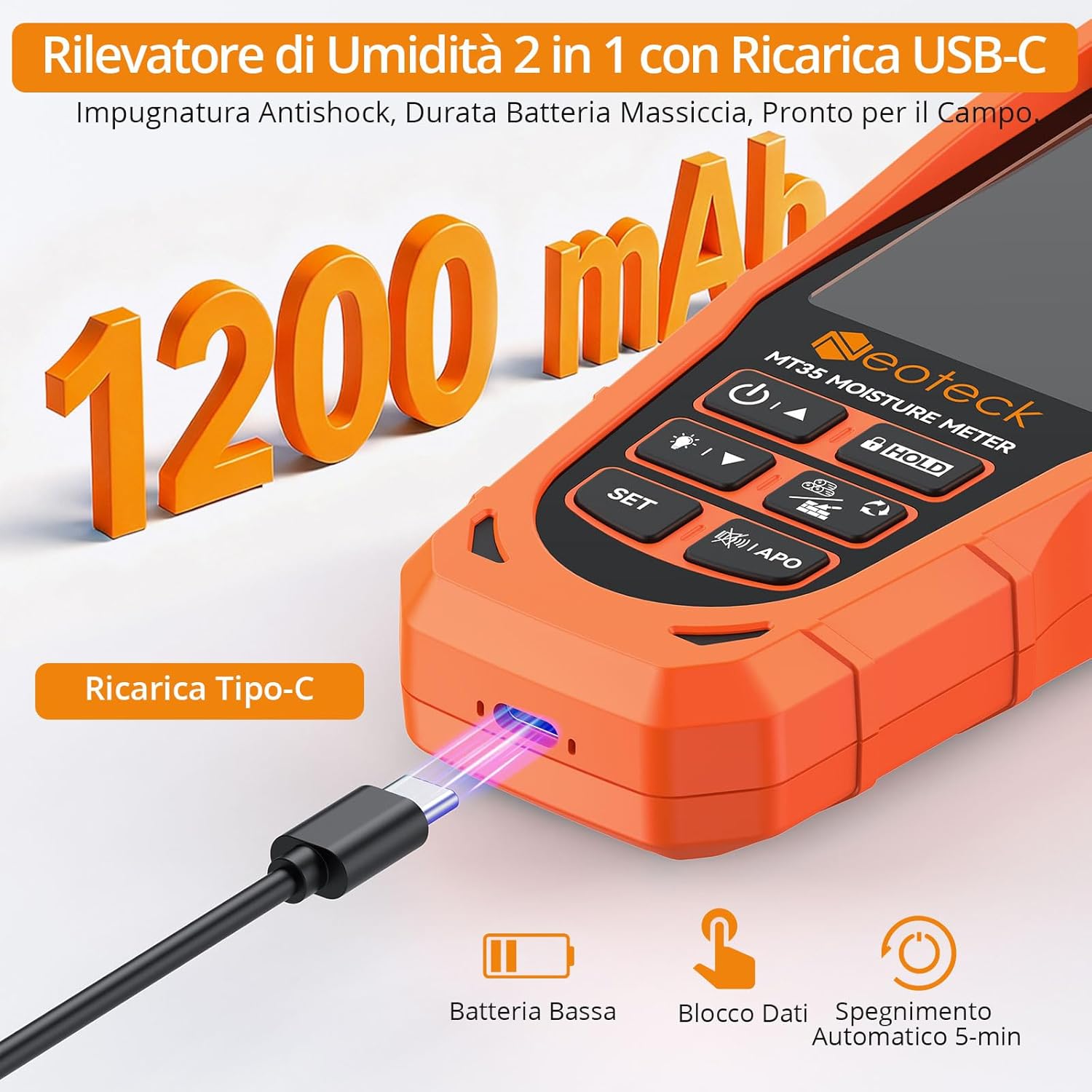
Image: The Neoteck MT35 Moisture Meter connected to a USB-C charging cable, illustrating the charging process.
Attaching the Pin-Type Probe (Optional)
For precise, deep measurements in wood and concrete, attach the external pin-type probe.
- Locate the Type-C port on the side of the moisture meter.
- Insert the connector of the pin-type probe into this port.
- The device will automatically switch to pin mode once the probe is connected.

Image: The Neoteck MT35 Moisture Meter with the external pin-type probe connected, ready for use in pin mode.
Operating Instructions
Powering On/Off
- Press the Power button (circular icon with a vertical line) to turn the device on.
- Press and hold the Power button to turn the device off.
- The device features an automatic shut-off function after 5 minutes of inactivity to conserve battery.
Calibration
Before each use, especially for pinless mode, it is recommended to perform a quick calibration.
- Turn on the device.
- Hold the device in the air, away from any materials or your body, ensuring at least 10 cm distance from the sensor.
- Press the SET button to initiate calibration. The display will show "CAL" and then indicate successful calibration.
Selecting Measurement Mode and Material Type
The MT35 offers two measurement modes: Pinless (non-destructive) and Pin-type (with external probe). It also supports 6 material types.
- Pinless Mode: This is the default mode when no external probe is connected. It's suitable for quick, non-invasive scans of walls (drywall, plaster, concrete).
- Pin-type Mode: Automatically activated when the external probe is connected to the Type-C port. This mode provides precise measurements for wood and construction materials.
- Material Selection: Press the SET button to cycle through the 6 material types: Softwood, Hardwood, Drywall, Plaster, Screed, and Concrete. Select the appropriate material for accurate readings.

Image: The Neoteck MT35 Moisture Meter displaying various material types and their corresponding moisture ranges for accurate measurement.
Taking Measurements
- Pinless Measurement: Place the back sensor of the device flat against the surface you wish to measure. The reading will appear on the LCD screen. Ensure full contact for best results. Measurement depth is up to 19mm (0.75 inches).
- Pin-type Measurement: Gently push the pins of the external probe into the material. Ensure both pins penetrate the surface. The moisture percentage will be displayed.

Image: A user demonstrating the Neoteck MT35 Moisture Meter in both pinless mode (scanning a wall) and pin mode (measuring wood with the external probe).
Understanding Readings and Alarms
The large color LCD screen displays the moisture percentage, material type, and a dynamic bar graph. It also features a 3-color LED indicator and audio/visual alarms.
- Color Indicator:
- Green: Dry (low moisture)
- Yellow: Moist (medium moisture, risk zone)
- Red: Wet (high moisture, critical zone)
- Audio/Visual Alarm: The device will emit an audible alarm and flash the LED indicator when the moisture level exceeds a preset threshold for the selected material. The threshold is adjustable.
- Silent Mode: Press the Mute button (speaker icon) to toggle the audio alarm on/off.
- Data Hold: Press the HOLD button to freeze the current reading on the display. Press again to release.

Image: Close-up of the Neoteck MT35 Moisture Meter's color LCD display, showing moisture percentage, material type, bar graph, and alarm indicators.
Moisture Level Reference Table
The following table provides general moisture level guidelines for different materials:
| Material | Dry (Green) | Moist (Yellow) | Wet (Red) |
|---|---|---|---|
| Softwood | 5% - 11.9% | 12% - 17.9% | 18% - 55% |
| Hardwood | 3% - 8.9% | 9% - 15.9% | 16% - 34% |
| Drywall | 0.1% - 1.4% | 1.5% - 2.9% | 3% - 31% |
| Plaster | 0.1% - 1.9% | 2% - 4.9% | 5% - 26% |
| Screed | 0.1% - 0.4% | 0.5% - 1.9% | 2.0% - 6% |
| Concrete | 0.1% - 3.9% | 4% - 7.9% | 8% - 18% |
Table: Moisture level thresholds for various materials, indicating dry, moist, and wet conditions.
Maintenance
- Cleaning: Wipe the device with a soft, dry cloth. Do not use abrasive cleaners or solvents.
- Storage: Store the device in a cool, dry place, away from direct sunlight and extreme temperatures. Use the provided storage pouch for protection.
- Battery Care: Recharge the battery regularly, even if the device is not in frequent use, to maintain battery health. Avoid fully discharging the battery for extended periods.
- Pin Replacement: If the pins on the external probe become dull or damaged, they can be replaced using the included wrench and spare pins. Carefully unscrew the old pins and screw in the new ones.
Troubleshooting
| Problem | Possible Cause | Solution |
|---|---|---|
| Device does not turn on. | Low or depleted battery. | Charge the device using the USB-C cable. |
| Inaccurate readings. | Incorrect material selected; improper contact with surface; device not calibrated; presence of metal objects (pinless mode). | Ensure correct material is selected. Calibrate the device. Ensure full contact with the surface. Avoid metal objects in pinless mode. |
| Pin-type probe not working. | Probe not securely connected; damaged pins. | Ensure the probe is fully inserted into the Type-C port. Check pins for damage and replace if necessary. |
| No audio alarm. | Silent mode is active. | Press the Mute button to reactivate the audio alarm. |
Specifications
- Model: MT35
- Measurement Modes: Pinless (non-destructive), Pin-type (with external probe)
- Measurement Depth (Pinless): Up to 19mm (0.75 inches)
- Accuracy: ±2% (for wood), Relative values for construction materials
- Material Groups: Softwood, Hardwood, Drywall, Plaster, Screed, Concrete
- Display: Color LCD with LED bar graph
- Power Source: 1200mAh Rechargeable Lithium-ion battery
- Battery Life: Up to 10 hours (continuous use)
- Charging Port: USB Type-C
- Automatic Shut-off: Yes (after 5 minutes of inactivity)
- Alarms: Audio and Visual (adjustable threshold)
- Dimensions: 19 x 14.5 x 4.2 cm (approx.)
- Weight: 330 g (approx.)
Warranty and Support
Neoteck products are designed for reliability and performance. For warranty information, technical support, or service inquiries, please refer to the contact details provided in your product packaging or visit the official Neoteck website.
Please retain your proof of purchase for warranty claims.
Online Support: www.neoteck.com/support (Example link, actual link may vary)