
1. Introduction
Thank you for choosing the Bella Pro Touchscreen 4-Quart Slim Design Air Fryer. This appliance is designed to provide a healthier way to cook your favorite foods, utilizing rapid air circulation technology to cook with little to no oil. This manual provides essential information for safe operation, maintenance, and optimal performance of your new air fryer.
2. Important Safety Information
- Read all instructions before use.
- Do not touch hot surfaces. Use handles or knobs.
- To protect against electrical shock, do not immerse cord, plugs, or the main unit in water or other liquid.
- Close supervision is necessary when any appliance is used by or near children.
- Unplug from outlet when not in use and before cleaning. Allow to cool before putting on or taking off parts.
- Do not operate any appliance with a damaged cord or plug, or after the appliance malfunctions or has been damaged in any manner.
- The use of accessory attachments not recommended by the appliance manufacturer may cause injuries.
- Do not use outdoors.
- Do not let cord hang over edge of table or counter, or touch hot surfaces.
- Do not place on or near a hot gas or electric burner, or in a heated oven.
- Extreme caution must be used when moving an appliance containing hot oil or other hot liquids.
- Always attach plug to appliance first, then plug cord into the wall outlet. To disconnect, turn any control to “off”, then remove plug from wall outlet.
- Do not use appliance for other than intended use.
3. Product Overview
The Bella Pro Touchscreen Air Fryer features a 4-quart capacity and a slim design, making it suitable for various kitchen spaces. It includes a user-friendly touchscreen interface with multiple cooking functions.
Components:
- Main Unit with Touchscreen Display
- Removable Basket
- Crisper Tray (removable from basket)
Key Features:
- Touchscreen Control: Intuitive digital display for easy operation.
- Slim Design: Compact footprint for efficient counter space usage.
- 4-Quart Capacity: Ideal for preparing meals and snacks.
- 5-in-1 Cooking Functions: Air Fry, Bake, Roast, Broil, and Reheat.
- Nonstick Basket and Crisping Tray: Designed for easy food release and cleaning.

Figure 3.1: Bella Pro 4-Quart Slim Design Air Fryer with cooked food.

Figure 3.2: Touchscreen control panel.

Figure 3.3: Air Fryer with basket pulled out.
4. Setup
- Unpack: Carefully remove all packaging materials and promotional labels from your air fryer.
- Clean: Wash the basket and crisper tray with hot water, dish soap, and a non-abrasive sponge. Wipe the interior and exterior of the appliance with a damp cloth. Ensure all parts are completely dry before use.
- Placement: Place the air fryer on a stable, heat-resistant surface, away from walls or other appliances to allow for proper air circulation.
- Power: Plug the power cord into a grounded electrical outlet.
5. Operating Instructions
Basic Operation:
- Power On: Press the power button to turn on the air fryer. The display will illuminate.
- Select Function: Choose your desired cooking function (Air Fry, Bake, Roast, Broil, Dehydrate, Reheat) by tapping the corresponding icon on the touchscreen.
- Adjust Time/Temperature: Use the '+' and '-' buttons to adjust the cooking time and temperature. Tap the 'Time/Temp' button to switch between adjusting time and temperature.
- Start Cooking: Press the 'Start/Stop' button to begin the cooking cycle.
Cooking Tips:
- Preheating: The air fryer heats up quickly. Preheating is often not necessary for many recipes, but can be used for optimal crispiness.
- Pausing: To pause cooking, simply pull out the basket. The air fryer will automatically stop. Insert the basket back into the unit to resume cooking.
- Shaking/Tossing: For even cooking and browning, shake or toss the contents of the basket halfway through the cooking time.
- Adjusting Cook Time: If a recipe suggests a specific air frying time, consider adding an extra minute or two for a crispier result, especially for items like chicken nuggets or fries.
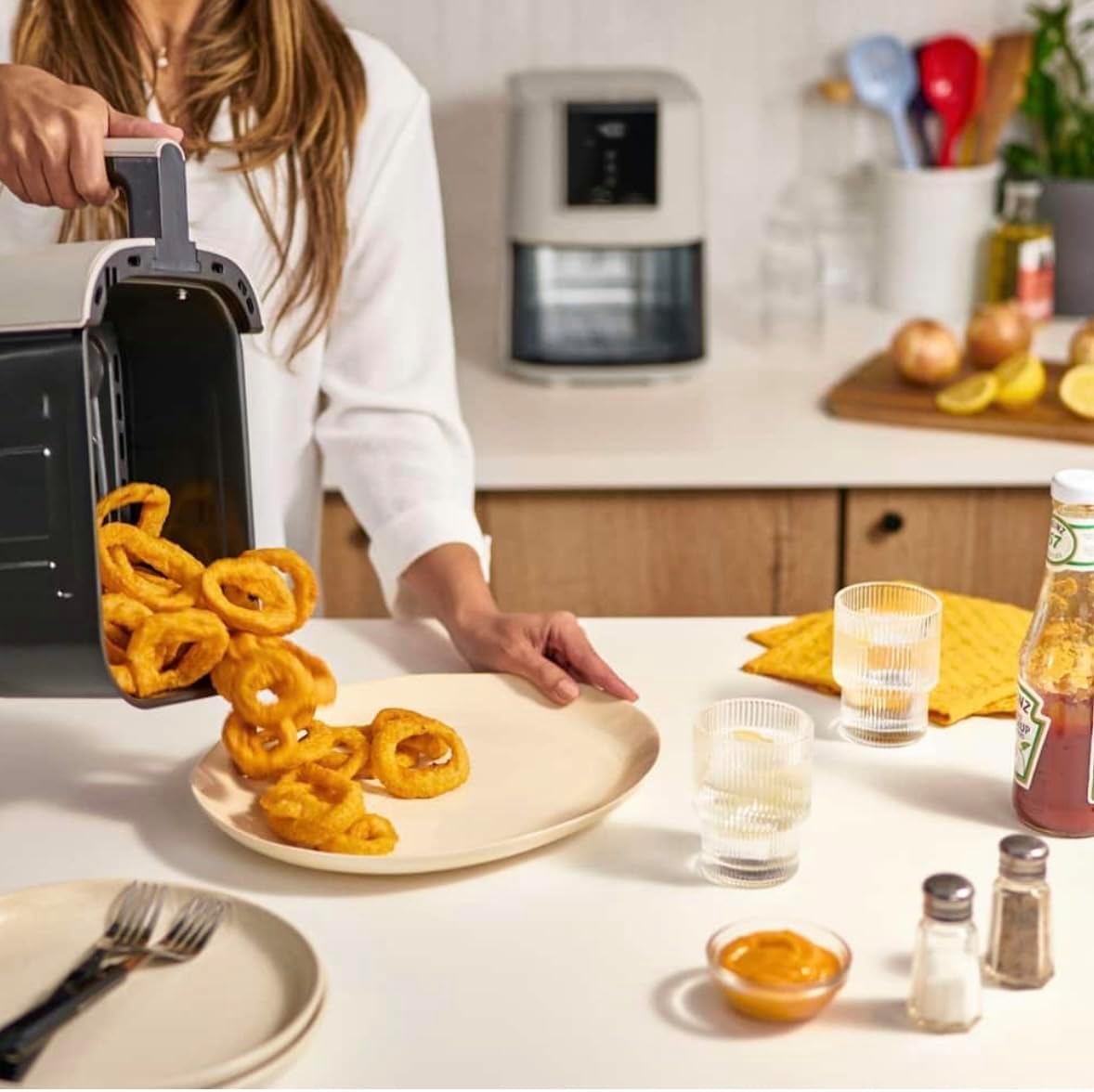
Figure 5.1: Removing the cooking basket.

Figure 5.2: Cooked salmon in the air fryer basket.

Figure 5.3: French fries in the air fryer basket.
6. Maintenance and Cleaning
Proper cleaning ensures the longevity and optimal performance of your air fryer.
- Unplug and Cool: Always unplug the appliance and allow it to cool completely before cleaning.
- Basket and Crisper Tray: Remove the basket and crisper tray. Wash them with hot water, dish soap, and a non-abrasive sponge. The nonstick coating makes cleaning easy. Note: These parts are NOT dishwasher safe.
- Interior: Wipe the interior of the air fryer with a damp cloth and mild detergent. Ensure no water enters the heating element.
- Exterior: Clean the exterior with a damp cloth. Do not use abrasive cleaners or scouring pads.
- Storage: Ensure all parts are clean and dry before storing the air fryer in a cool, dry place.
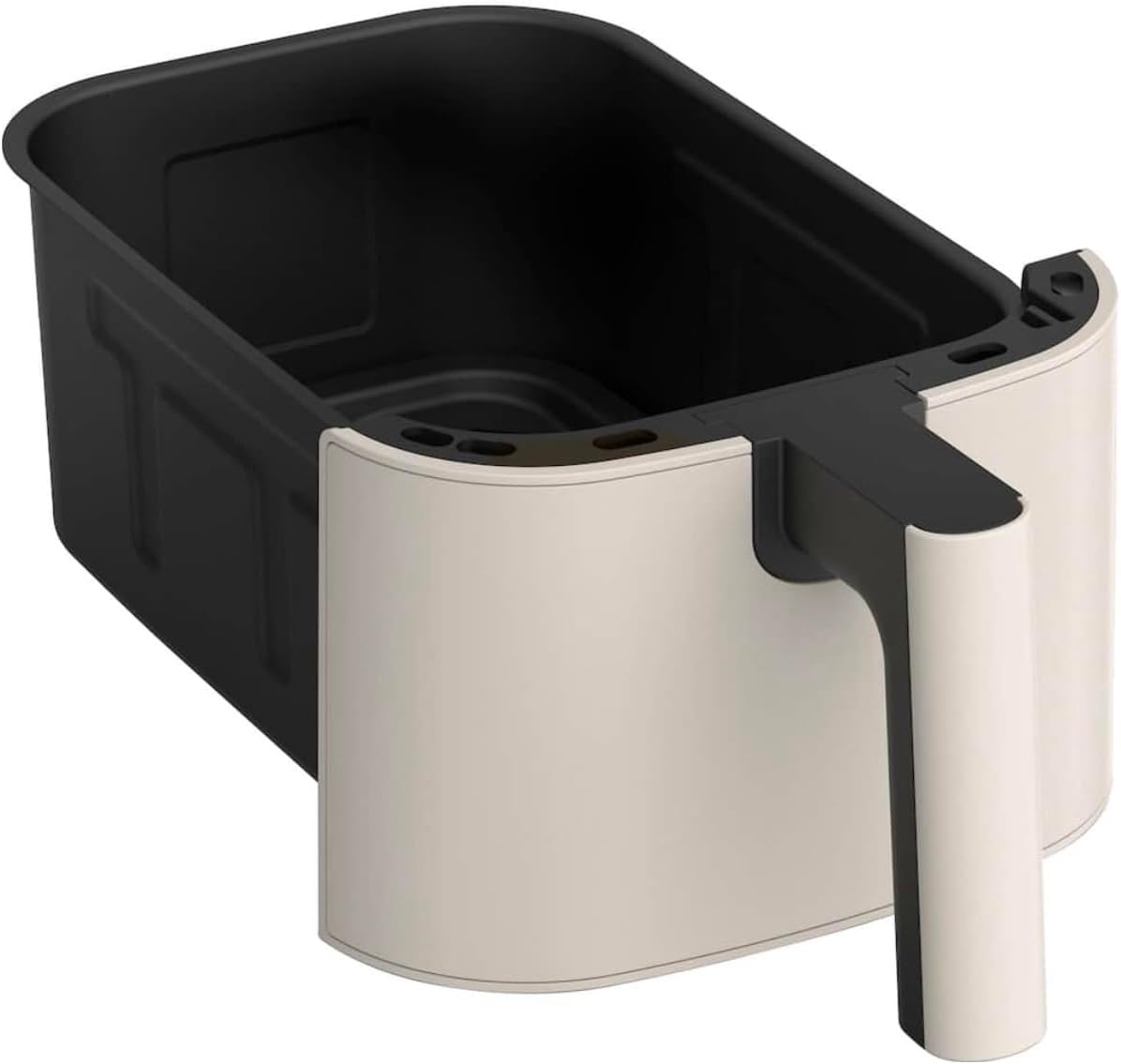
Figure 6.1: Empty basket and crisper tray.
7. Troubleshooting
- Appliance does not turn on: Ensure the power cord is securely plugged into a grounded outlet. Check if the outlet is functioning.
- Food is not cooked evenly: Shake or toss the food in the basket halfway through the cooking process. Ensure the basket is not overloaded.
- Food is not crispy: Increase the cooking time or temperature slightly. Ensure food is not overcrowded in the basket.
- White smoke coming from the appliance: This may indicate that fat from previous cooking is burning. Clean the basket and crisper tray thoroughly after each use.
- Appliance stops unexpectedly: The air fryer may have overheated. Unplug it, let it cool down for 30 minutes, then plug it back in. Ensure the basket is fully inserted.
8. Specifications
- Brand: Bella Pro
- Model Name: Bella PRO Touchscreen
- Capacity: 4 Quarts
- Material: Ceramic, Plastic, Stainless Steel
- Control Method: Touch
- Max Temperature Setting: 400 Degrees Fahrenheit
- Nonstick Coating: Yes
- Dishwasher Safe: No (for basket and crisper tray)
- Special Feature: Touchscreen, Slim Design
- UPC: 829486902116
- ASIN: B0FNKXZTBH
9. Warranty and Support
For warranty information or product support, please refer to the documentation included with your purchase or contact Bella Pro customer service directly. Keep your proof of purchase for any warranty claims.


