
1. Introduction
This manual provides detailed instructions for the SUNKTA Military Smart Watch EF18-B. Please read this manual carefully before using the device to ensure proper operation and to maximize its features. This rugged smartwatch is designed for durability and functionality, offering a wide range of features for health monitoring, fitness tracking, and communication.
2. Package Contents
Upon opening your SUNKTA Military Smart Watch package, you should find the following items:
- 1 x SUNKTA Military Smart Watch (EF18-B)
- 1 x Stainless Steel Strap
- 2 x Silicone Straps
- 2 x USB Charging Cables (USB-A and USB-C compatible)
- 1 x User Manual
- 1 x Screen Protector Cleaning Cloth/Wipe
- 1 x Link Adjustment Tool (for metal strap)

Image: The SUNKTA Military Smart Watch EF18-B displayed with its stainless steel strap, two additional silicone straps, and two charging cables.
3. Setup
3.1 Initial Charging
Before first use, fully charge your smartwatch. The device is equipped with a 1000mAh high-capacity battery. A full charge typically takes approximately 2 hours.
- Connect one of the provided USB charging cables to a power source (e.g., computer USB port, USB wall adapter).
- Attach the magnetic end of the charging cable to the charging points on the back of the smartwatch. Ensure proper alignment for a secure connection.
- The watch display will indicate charging status.

Image: The smartwatch connected to its magnetic charger, illustrating the charging process and emphasizing the large battery capacity.
3.2 App Installation and Pairing
To unlock the full potential of your smartwatch, download and install the companion app, FitCloudPro.
- Download the App: Scan the QR code in the user manual or search for "FitCloudPro" in the App Store (iOS) or Google Play Store (Android).
- Enable Bluetooth: Ensure Bluetooth is enabled on your smartphone.
- Pair the Device: Open the FitCloudPro app, navigate to the device binding section, and search for "EF18-B". Select your watch to initiate pairing.
- Allow Notifications: Follow the on-screen prompts to grant necessary permissions for notifications and other features.
Video: A demonstration of connecting the smartwatch to a smartphone via Bluetooth, showing the pairing process and notification setup.
3.3 Strap Installation and Adjustment
The smartwatch comes with three interchangeable straps to suit various occasions.
- Attaching Straps: Use the quick-release pins to attach your desired strap to the watch body. Slide the pin into one lug hole, then pull the lever to retract the other end and align it with the opposite lug hole. Release the lever to secure.
- Adjusting Metal Strap: If using the stainless steel strap, use the provided link adjustment tool to remove or add links for a comfortable fit. Refer to the included video guide (scan QR code in package) for detailed instructions on adjusting the metal strap.

Image: The smartwatch fitted with a black silicone strap, highlighting its robust construction.
4. Operating the Smart Watch
4.1 Power On/Off
- Power On: Press and hold the power button (usually the top right button) for a few seconds until the screen lights up.
- Power Off: From the watch face, swipe down to access the quick settings, then tap the power icon, or navigate to 'Settings' > 'System' > 'Shutdown'.
4.2 Navigation
The smartwatch features a 1.7-inch HD full-color touchscreen for intuitive navigation.
- Swipe Up: Access notifications.
- Swipe Down: Access quick settings (e.g., brightness, silent mode, flashlight).
- Swipe Left/Right: Cycle through main features and widgets (e.g., activity data, heart rate, weather).
- Press Buttons: Use the physical buttons on the side for quick access to specific functions or to return to the home screen.
4.3 Watch Faces
Customize your watch's appearance with over 100 unique online watch faces or create your own.
- Change Watch Face: Long-press the watch face, then swipe left or right to browse available options. Tap to select.
- Customize Watch Face: Use the FitCloudPro app to download more watch faces or upload your own photos to create personalized designs.

Image: The smartwatch screen showing multiple digital watch face options, demonstrating customization capabilities.
4.4 Bluetooth Calls & Voice Assistant
The smartwatch features a high-fidelity speaker and microphone for communication.
- Make/Receive Calls: Once paired with your smartphone, you can make and receive calls directly from the watch. Access call logs and manage contacts.
- Voice Assistant: Interact with your smartphone's voice assistant (e.g., Siri, Google Assistant) through the watch for hands-free commands.
Video: A user demonstrating making a call and interacting with a voice assistant directly from the smartwatch.
4.5 LED Flashlight
The built-in LED flashlight offers three lighting modes for various situations.
- Activate: Access the quick settings menu (swipe down from watch face) and tap the flashlight icon.
- Modes: Choose between Bright Light, Flash, or SOS mode. The flashlight provides a 6-12m illumination range.

Image: The smartwatch's LED flashlight in use, demonstrating its brightness and utility in low-light conditions.
5. Health Monitoring
The smartwatch continuously monitors your health metrics using advanced sensors.
- Heart Rate: Real-time heart rate monitoring.
- Blood Oxygen (SpO2): Automatic detection and recording of blood oxygen saturation.
- Sleep Tracking: Provides comprehensive sleep quality analysis, including deep sleep, light sleep, and REM phases.
- Stress Levels: Monitors stress levels in real time.
- Health Reports: View detailed health reports and trends via the FitCloudPro app to help build healthier habits.
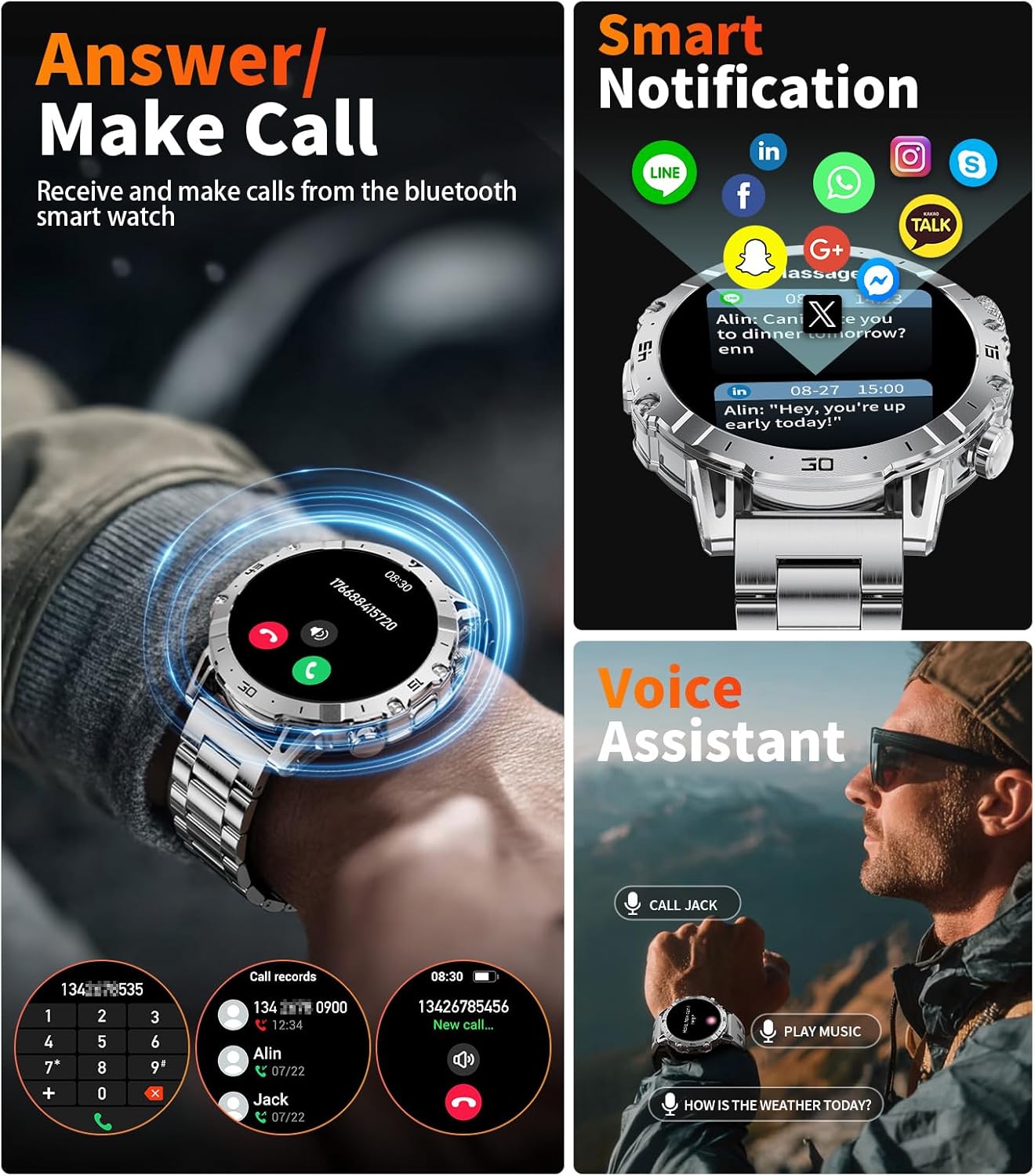
Image: The smartwatch screen showing various health monitoring features, including heart rate, blood oxygen, and sleep data.
6. Fitness Tracking
Track your physical activities with over 100 sports modes.
- Sports Modes: Select from a variety of activities such as running, cycling, gym workouts, rock climbing, and more.
- Real-time Metrics: The watch records real-time data including heart rate, step distance, speed, and calories burned during your workouts.
- IP68 Waterproof: The IP68 rating ensures the watch can withstand splashes, rain, and handwashing without damage. It is suitable for swimming but not for deep diving.

Image: The smartwatch interface showing different sports modes and tracking data like steps, calories, and distance.
7. Additional Features
The SUNKTA Military Smart Watch offers a range of convenient functions:
- Weather Forecasts: Get real-time weather updates.
- Music Control: Control music playback on your smartphone.
- Camera Control: Use the watch as a remote shutter for your smartphone camera.
- Alarms, Stopwatch, Timer: Essential time management tools.
- Calculator: Perform basic calculations directly on your wrist.
- Sedentary Reminders: Get alerts to move after periods of inactivity.
- Phone Finder: Locate your paired smartphone by making it ring.
8. Maintenance
To ensure the longevity and optimal performance of your smartwatch, follow these maintenance guidelines:
- Cleaning: Regularly clean the watch screen and straps with the provided cleaning cloth or a soft, dry cloth. Avoid harsh chemicals.
- Water Resistance: The watch is IP68 waterproof. While it can withstand splashes and brief immersion, avoid prolonged exposure to water, hot water, or steam. If the watch gets wet, use the


