
1. Introduction
Thank you for choosing the Long Run Technologies LRT-ANC1 Active Noise Cancelling Bluetooth Headphones. These headphones are designed to provide a superior audio experience with advanced noise cancellation, extended battery life, and comfortable wear. This manual will guide you through the setup, operation, and maintenance of your new headphones.
Key features include:
- Advanced Active Noise Cancellation (ANC) technology.
- Bluetooth 5.4 for stable wireless connectivity.
- Up to 100 hours of music playtime on a single charge.
- Hi-Res Audio support with precision-tuned 40mm drivers.
- Comfortable memory foam ear cups and a foldable design for portability.
- Wired audio option via 3.5mm jack.
2. Safety Information
Please read the following safety guidelines before using your headphones:
- Avoid listening to audio at loud volumes for extended periods to prevent hearing damage.
- Do not use the headphones while operating a motor vehicle or in situations where awareness of surroundings is critical.
- Keep the headphones away from water and moisture. While water-resistant, they are not waterproof.
- Do not attempt to disassemble or modify the headphones. This may void the warranty and cause damage.
3. Package Contents
Ensure all items are present in your package:
- Long Run Technologies LRT-ANC1 Headphones
- USB Charging Cable
- 3.5mm Audio Cable
- User Manual (this document)
4. Product Overview
Familiarize yourself with the headphone components and controls.
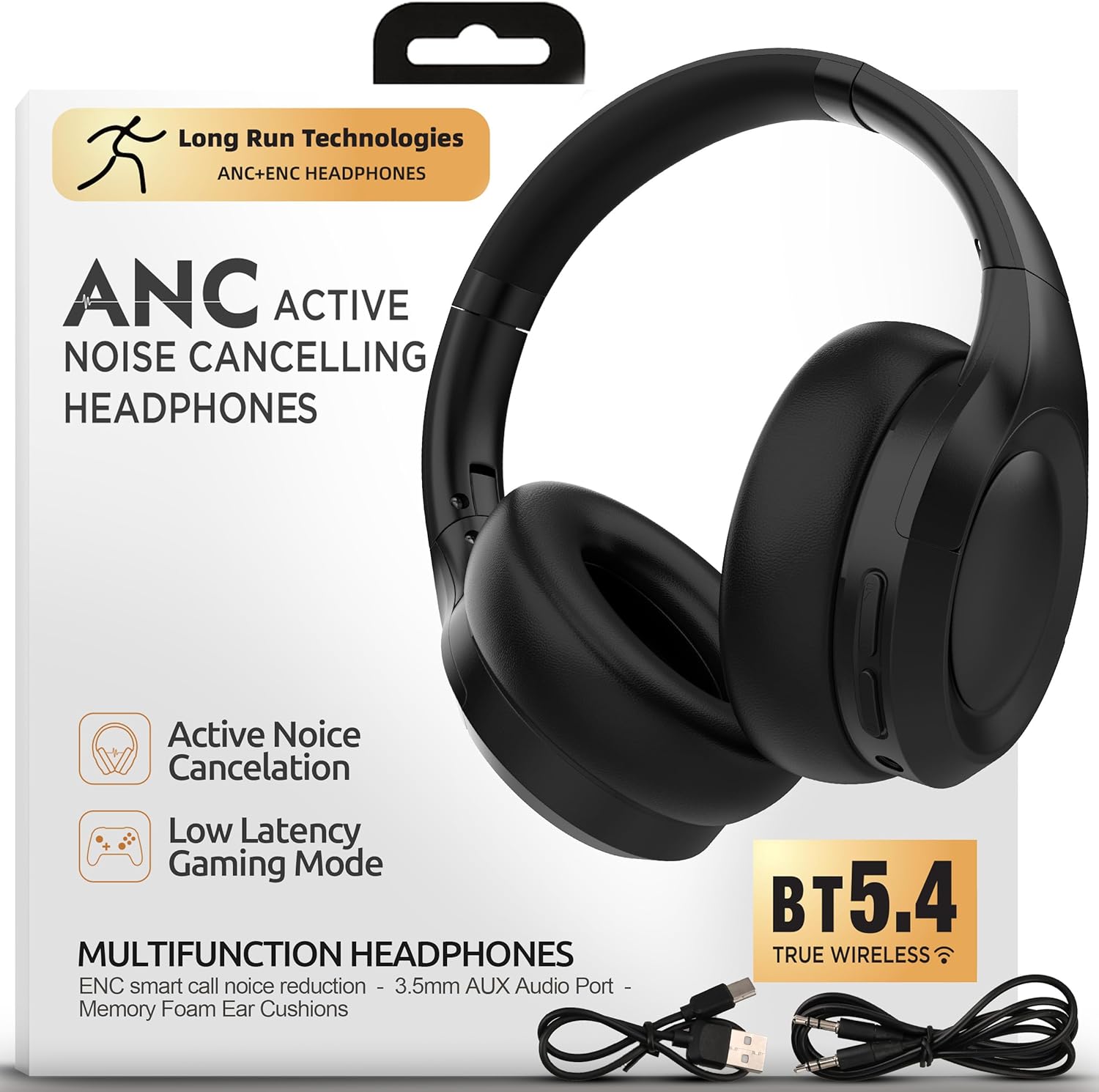
Image: Front view of the Long Run Technologies LRT-ANC1 headphones.
Controls and Indicators:
- Power Button: Press and hold to power on/off.
- Volume Up/Next Track Button: Short press for volume up, long press for next track.
- Volume Down/Previous Track Button: Short press for volume down, long press for previous track.
- Multi-function Button (MFB): Play/pause, answer/end calls.
- ANC Button: Toggle Active Noise Cancellation on/off.
- 3.5mm Audio Jack: For wired connection.
- USB-C Charging Port: For charging the headphones.
- LED Indicator: Displays power, pairing, and charging status.
5. Setup
5.1 Charging the Headphones
Before first use, fully charge your headphones. A full charge takes approximately 2 hours and provides up to 100 hours of playtime.
- Connect the USB charging cable to the USB-C port on the headphones.
- Connect the other end of the cable to a USB power adapter (not included) or a computer's USB port.
- The LED indicator will show charging status (e.g., red while charging, off when fully charged).

Image: The headphones next to a battery icon, illustrating the 100-hour playtime per charge.
5.2 Powering On/Off
- To Power On: Press and hold the Power button for 3 seconds. The LED indicator will flash blue.
- To Power Off: Press and hold the Power button for 3 seconds. The LED indicator will turn off.
5.3 Bluetooth Pairing
Pair your headphones with a Bluetooth-enabled device for wireless audio.
- Ensure the headphones are powered off.
- Press and hold the Power button for 5-7 seconds until the LED indicator flashes red and blue alternately, indicating pairing mode.
- On your device (smartphone, laptop, etc.), enable Bluetooth and search for available devices.
- Select "LRT-ANC1" from the list of devices.
- Once connected, the LED indicator will flash blue slowly.
5.4 Wired Connection
Use the included 3.5mm audio cable for a wired connection, which is useful when the battery is low or for non-Bluetooth devices.
- Plug one end of the 3.5mm audio cable into the headphone's 3.5mm audio jack.
- Plug the other end into your audio source's 3.5mm audio output.
- The headphones will automatically switch to wired mode. Bluetooth functionality will be disabled.

Image: The LRT-ANC1 headphones highlighting the flexibility of both wireless Bluetooth and wired 3.5mm jack connectivity.
6. Operating Instructions
6.1 Active Noise Cancellation (ANC)
The LRT-ANC1 headphones feature advanced ANC technology to reduce ambient noise.
- To Activate ANC: Press the ANC button once. The ANC indicator light will turn on.
- To Deactivate ANC: Press the ANC button once again. The ANC indicator light will turn off.

Image: Two individuals wearing the headphones, one on a plane and one working, demonstrating the ability to cancel chaos and focus in any environment.
6.2 Music Playback
- Play/Pause: Press the MFB once.
- Next Track: Long press the Volume Up button.
- Previous Track: Long press the Volume Down button.
6.3 Call Management
- Answer/End Call: Press the MFB once.
- Reject Call: Press and hold the MFB for 2 seconds.
- Activate Voice Assistant: Double-press the MFB.
6.4 Volume Control
- Increase Volume: Short press the Volume Up button.
- Decrease Volume: Short press the Volume Down button.
7. Maintenance
Proper care ensures the longevity of your headphones.
- Clean the ear cups and headband with a soft, dry cloth. Do not use harsh chemicals or abrasive materials.
- Store the headphones in a cool, dry place when not in use. The foldable design allows for compact storage.
- Avoid exposing the headphones to extreme temperatures or direct sunlight for extended periods.

Image: Close-up of the headphones highlighting pressure-free foam, perfect fit, and travel-ready foldable form.
8. Troubleshooting
| Problem | Solution |
|---|---|
| Headphones won't power on. | Ensure the headphones are charged. Connect to a power source using the USB charging cable. |
| Cannot pair via Bluetooth. |
|
| No sound when connected. |
|
| ANC is not effective. |
|
9. Specifications
| Feature | Detail |
|---|---|
| Model Number | LRT-ANC1 |
| Bluetooth Version | 5.4 |
| Battery Life | Up to 100 Hours |
| Battery Charge Time | Approximately 2 Hours |
| Noise Control | Active Noise Cancellation (ANC) |
| Audio Driver Type | Dynamic Driver |
| Frequency Range | 20 Hz - 20,000 Hz |
| Connectivity | Wireless (Bluetooth), Wired (3.5mm Jack) |
| Ear Placement | Over Ear |
| Material | Foam, Leather (ear cups) |
| Water Resistance Level | Water Resistant |
| Product Dimensions | 19.05 x 5.08 x 19.05 cm |
| Item Weight | 375 g |
10. Official Product Video
Video: An overview of the Long Run Technologies LRT-ANC1 headphones, showcasing their design, features like long battery life, noise cancellation, and comfort.
11. Warranty and Support
Your Long Run Technologies LRT-ANC1 headphones come with a 1-Year Warranty from the date of purchase, covering manufacturing defects.
For technical support, warranty claims, or any questions regarding your product, please contact Long Run Technologies customer service. Refer to the contact information provided with your purchase or visit the official Long Run Technologies website for support details.
Manufacturer: Long Run Technologies