Introduction
This manual provides essential information for the setup, operation, and maintenance of your Samsung HW-QS700F Q-Series Soundbar. This 3.1.4 channel sound system, featuring a 6.5-inch wireless subwoofer, delivers an immersive audio experience with Dolby Atmos, DTS:X, SpaceFit Sound Pro, and Q-Symphony technologies. Designed to enhance your home entertainment, this soundbar integrates seamlessly into modern living spaces, providing dynamic and detailed sound for both movies and music. Please read this manual thoroughly before using the product to ensure safe and optimal performance.
What's in the Box
Carefully unpack your product and ensure all items are present.
- Soundbar
- Subwoofer
- Remote Control
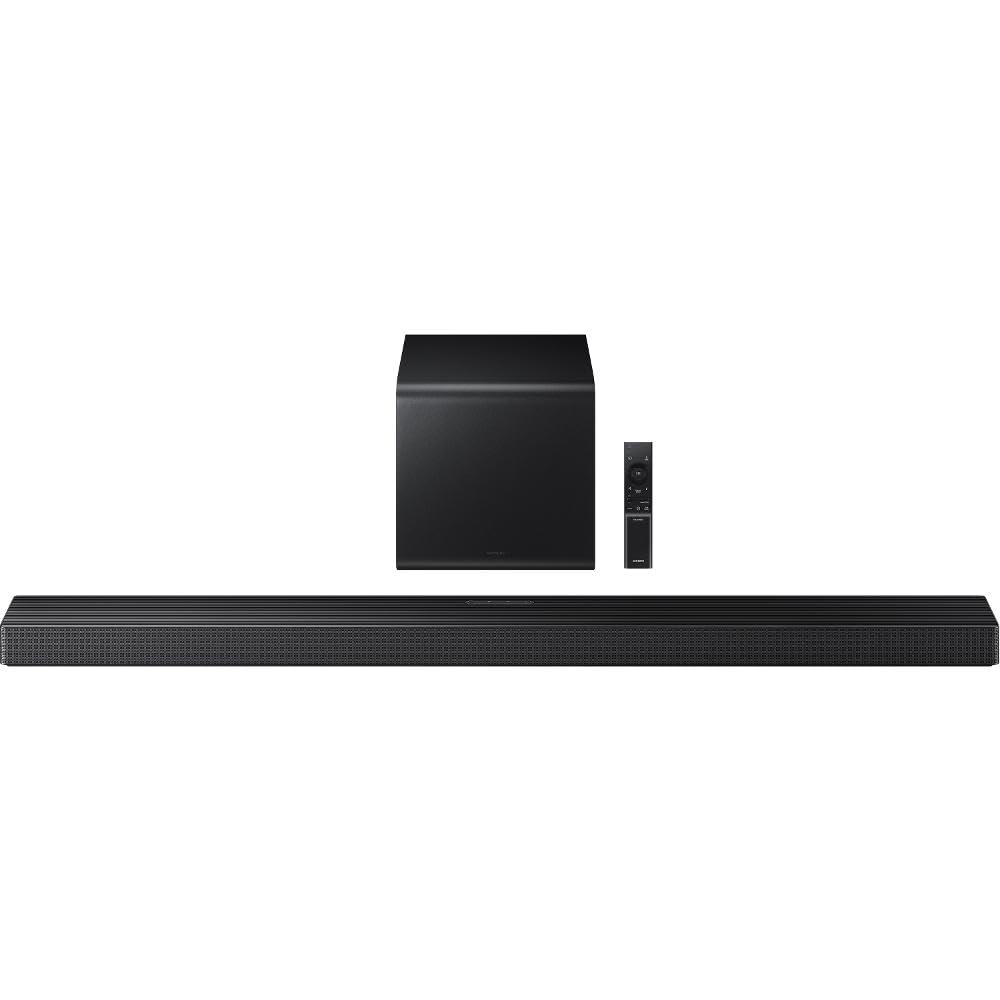
Image: The Samsung HW-QS700F Soundbar and its accompanying wireless subwoofer, typically shown together as a complete system.
Setup
Follow these steps to set up your Samsung HW-QS700F Soundbar for optimal audio performance.
- Placement: Position the soundbar centrally below your TV. Place the wireless subwoofer in a suitable location within the room, ideally near the soundbar, ensuring it has access to a power outlet.
- Power Connection: Connect the power cables to the soundbar and the subwoofer, then plug them into a wall outlet. The subwoofer will automatically connect wirelessly to the soundbar.
- Connecting to TV:
- HDMI (Recommended): Connect an HDMI cable from the HDMI OUT (TV-ARC/eARC) port on the soundbar to the HDMI IN (ARC/eARC) port on your TV. This allows for high-quality audio transmission and control.
- Optical: If your TV does not support HDMI ARC/eARC, connect an optical cable from the DIGITAL AUDIO OUT port on your TV to the DIGITAL AUDIO IN (OPTICAL) port on the soundbar.
- Bluetooth: For wireless connection, enable Bluetooth on your TV and the soundbar, then pair them. Refer to your TV's manual for specific Bluetooth pairing instructions.
- Initial Setup: Turn on the soundbar and your TV. Select the correct audio output on your TV (e.g., HDMI ARC, Optical, or Bluetooth). The soundbar will automatically detect the audio source.
- SpaceFit Sound Pro: If your TV supports it, enable SpaceFit Sound Pro for automatic sound calibration tailored to your room's acoustics.
- Q-Symphony: If you have a compatible Samsung TV, enable Q-Symphony to synchronize the TV speakers with the soundbar for an enhanced surround sound experience.
Operating
Learn how to use your Samsung HW-QS700F Soundbar for various audio experiences.
- Power On/Off: Use the power button on the remote control or the soundbar itself to turn the unit on or off.
- Volume Control: Adjust the master volume using the volume buttons on the remote control. Separate subwoofer volume control may also be available.
- Input Source Selection: Press the Source button on the remote control to cycle through available input sources (e.g., HDMI, Optical, Bluetooth, Wi-Fi).
- Sound Modes: The soundbar supports various sound modes, including those optimized for Dolby Atmos and DTS:X content. Use the Sound Mode button on the remote to select the desired audio profile for movies, music, or gaming.
- Bluetooth Playback: To play audio from a smartphone, tablet, or other Bluetooth-enabled device, select the Bluetooth input on the soundbar and pair your device.
- Wi-Fi Connectivity: Connect the soundbar to your home Wi-Fi network for access to streaming services and multi-room audio features (if supported). Use the Samsung SmartThings app for advanced Wi-Fi setup and control.
- Remote Control: The included remote control provides full functionality for power, volume, input selection, sound modes, and other settings.
Maintenance
Proper care ensures the longevity and performance of your soundbar.
- Cleaning: Gently wipe the surfaces of the soundbar and subwoofer with a soft, dry cloth. Do not use liquid cleaners, abrasive cloths, or chemical sprays, as these can damage the finish or internal components.
- Ventilation: Ensure that the ventilation openings on the soundbar and subwoofer are not blocked. Adequate airflow prevents overheating.
- Storage: If storing the unit for an extended period, disconnect it from power and store it in a cool, dry place away from direct sunlight and extreme temperatures.
- Firmware Updates: Periodically check for firmware updates through the Samsung SmartThings app or Samsung's official website to ensure your soundbar has the latest features and performance enhancements.
Troubleshooting
If you encounter issues with your soundbar, try these common troubleshooting steps.
- No Power:
- Check if the power cables are securely connected to the soundbar, subwoofer, and wall outlets.
- Verify that the wall outlets are functioning by plugging in another device.
- No Sound:
- Ensure the correct input source is selected on the soundbar.
- Check the volume levels on both the soundbar and your TV.
- Verify that the audio cables (HDMI, Optical) are securely connected and not damaged.
- If using Bluetooth, ensure the soundbar is paired and connected to the correct device.
- Check your TV's audio output settings to ensure sound is being sent to the external speaker (soundbar).
- Subwoofer Not Connecting:
- Ensure the subwoofer is powered on and within range of the soundbar.
- If the connection is lost, try manually pairing the subwoofer according to the instructions in the full user manual (usually involves pressing a pairing button on both units).
- Remote Control Not Working:
- Replace the batteries in the remote control.
- Ensure there are no obstructions between the remote and the soundbar.
Specifications
| Feature | Detail |
|---|---|
| Model Number | HW-QS700 |
| Audio Channels | 3.1.4 |
| Subwoofer Size | 6.5 Inches |
| Color | Black |
| Dimensions (Product) | 110.1D x 12W x 60.4H cm |
| Weight (Item) | 7 Kilograms |
| Connectivity Technology | Bluetooth, HDMI, Wi-Fi |
| Wireless Communication | Bluetooth |
| Control Method | Remote |
| Power Source | Electrical Power |
| Audio Output Mode | Surround |
| Mounting Type | Wall Mount |
| Material | Plastic, Metal |
| Special Features | 3.1.4 channel system, Multi-room Audio |
| Recommended Uses | Home Cinema, Music Playback |
| Compatible Devices | Smartphone, Tablet, Television |
Warranty and Support
Your Samsung HW-QS700F Soundbar comes with a Limited Warranty. For specific terms and conditions, please refer to the warranty card included with your product or visit the official Samsung support website.
For further assistance, technical support, or to explore other Samsung products, please visit the official Samsung store or support channels.