
Lefant M330 Pro Robot Vacuum User Manual
Model: M330 Pro
Introduction
Thank you for choosing the Lefant M330 Pro Robot Vacuum. This manual provides essential information for the safe operation, maintenance, and troubleshooting of your device. Please read it thoroughly before using the product and retain it for future reference.
1. Setup
1.1 Unpacking and Initial Preparation
Carefully remove all components from the packaging. Ensure all packing materials are removed from the robot and charging base. Place the charging base against a wall in an open area, ensuring there are no obstacles within 1 meter (3 feet) to the front and 0.5 meters (1.5 feet) to the sides.

Image: The Lefant M330 Pro robot vacuum, its charging dock, and various accessories including side brushes, filters, and a mop pad.
1.2 Charging the Robot
Connect the power adapter to the charging base and plug it into a wall outlet. Place the robot onto the charging base, ensuring the charging contacts align. The indicator light on the robot will show charging status. Allow the robot to fully charge before its first use, which typically takes several hours.
1.3 App Connection (Optional)
For advanced features such as mapping, scheduling, and custom cleaning zones, download the Lefant app from your mobile device's app store. Follow the in-app instructions to connect your M330 Pro robot vacuum to your home Wi-Fi network.
2. Operating the Robot Vacuum
2.1 Starting and Stopping Cleaning
- Manual Start: Press the power button on the robot once to start a cleaning cycle. Press it again to pause.
- App Control: Use the Lefant app to start, pause, or stop cleaning, and to select specific cleaning modes or areas.
2.2 Navigation and Mapping
The M330 Pro utilizes dToF navigation for efficient and precise mapping of your home. It can scan up to 15 meters to create detailed maps, allowing for smart route planning and multi-floor mapping capabilities.

Image: A family relaxing while the Lefant M330 Pro robot vacuum maps the floor plan using dToF navigation, illustrating custom routines and multi-level mapping.
2.3 Obstacle Detection and Avoidance
Equipped with advanced PSD (Position Sensitive Device) technology, the robot accurately detects and avoids furniture, cords, and small objects with millimeter precision, reducing collisions and ensuring thorough cleaning even in low-light conditions. Its ultra-slim 95mm design allows it to access tight spaces.

Image: The Lefant M330 Pro robot vacuum detecting and navigating around various obstacles on the floor, highlighting its precision obstacle avoidance capabilities.
2.4 Cleaning Modes and Features
- Vacuuming and Mopping: The M330 Pro offers 3-in-1 cleaning, combining sweeping, vacuuming, and mopping. It includes a 200ml refillable water tank and a washable mop pad.
- Carpet Detection & Auto Boost: In mopping mode, the robot avoids carpets. In vacuuming mode, it automatically increases suction power to maximum when detecting carpets for a deeper clean.
- Anti-Tangle Suction Port: Designed to prevent hair tangles, making it suitable for pet households.
- Custom No-Go Areas: Use the app to define specific areas the robot should avoid, such as pet feeding zones or delicate areas.

Image: The Lefant M330 Pro robot vacuum transitioning from a hard floor to a carpet, illustrating its smart surface adaptation with automatic power boost.

Image: An illustration of the Lefant M330 Pro's internal mechanism, showcasing its 3-in-1 cleaning power for sweeping, vacuuming, and mopping, with a 200ml water tank.

Image: A robot vacuum cleaning around a "No-Go Zone" set up near pet bowls and toys, demonstrating the custom no-go area feature.
3. Maintenance
Regular maintenance ensures optimal performance and extends the lifespan of your Lefant M330 Pro.
3.1 Emptying the Dustbin
The robot features a 450ml visible dustbin. Empty the dustbin after each cleaning cycle or when it appears full. To empty, open the top cover of the robot, remove the dustbin, and discard collected debris. The visible design allows you to easily monitor its fill level.

Image: The Lefant M330 Pro robot vacuum with its transparent 450ml dustbin clearly showing collected dirt and debris, emphasizing its large capacity and ease of monitoring.
3.2 Cleaning Filters
The M330 Pro uses a filter and sponge system. Remove the filter assembly from the dustbin. Tap the filter to remove loose dirt. The sponge filter can be rinsed with water; ensure it is completely dry before reinserting. Replace filters every 1-3 months depending on usage.
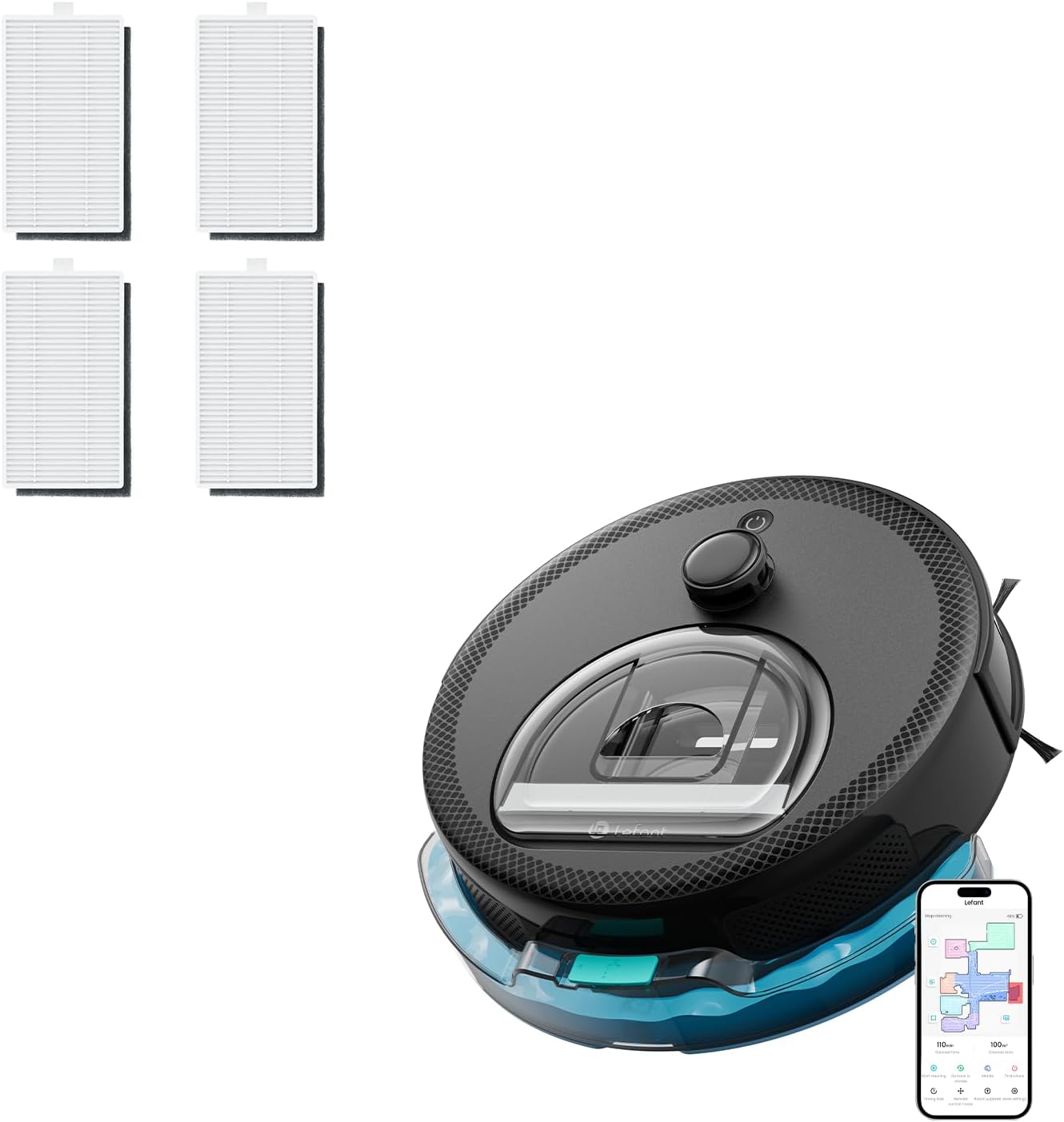
Image: Four replacement filters for the Lefant M330 Pro robot vacuum, highlighting the importance of regular filter maintenance.
3.3 Cleaning the Water Tank and Mop Pad
After mopping, empty the 200ml water tank to prevent leaks and floor stains. Remove the mop pad and rinse it thoroughly with water. Allow the mop pad to air dry completely before reattaching. The mop pad is washable and reusable.
3.4 Cleaning Sensors and Brushes
Wipe the cliff sensors, wall sensors, and charging contacts with a clean, dry cloth. Regularly check the side brushes for tangled hair or debris and clean them as needed. If brushes are worn, replace them to maintain cleaning efficiency.
4. Troubleshooting
If your Lefant M330 Pro encounters issues, refer to the following common solutions:
| Problem | Possible Cause | Solution |
|---|---|---|
| Robot does not charge | Charging contacts are dirty or misaligned; power adapter not connected. | Clean charging contacts on both robot and base. Ensure power adapter is securely plugged in. |
| Robot gets stuck frequently | Too many obstacles; cliff sensors are dirty. | Clear cables, small objects, and loose rugs from the cleaning path. Clean cliff sensors. |
| Poor cleaning performance | Dustbin full; filters clogged; brushes tangled. | Empty dustbin. Clean or replace filters. Clean side brushes. |
| Robot does not connect to Wi-Fi | Incorrect Wi-Fi password; router too far; 5GHz network selected. | Ensure correct 2.4GHz Wi-Fi network and password. Move robot closer to router. |
For further assistance, please refer to the Lefant app or contact customer support.
5. Product Specifications
- Model: Lefant M330 Pro
- Brand: Lefant
- Form Factor: Round with mop attachment
- Power Source: Battery Powered
- Filter Type: Cloth filter with sponge
- Navigation: dToF Lidar
- Navigation Range: Up to 15 meters
- Height: 95mm (Ultra-slim design)
- Dustbin Capacity: 450ml (Visible)
- Water Tank Capacity: 200ml (Refillable)
- Cleaning Modes: Vacuum, Mop, Vacuum & Mop
- Special Features: Carpet Detection, Auto Boost, Precision Obstacle Avoidance (PSD), Anti-Tangle Suction Port, Multi-Floor Mapping, Custom No-Go Areas
6. Warranty and Support
For warranty information, please refer to the warranty card included with your product or visit the official Lefant website. If you encounter any issues not covered in this manual or require further assistance, please contact Lefant customer support through the app or their official contact channels.
Lefant Official Website: www.lefant.com


