
Introduction
Thank you for choosing the JUFINX X117 Compressed Air Duster. This device is designed to provide efficient and eco-friendly cleaning for a variety of applications. Featuring a powerful brushless motor and a rechargeable battery, it offers a superior alternative to traditional canned air.
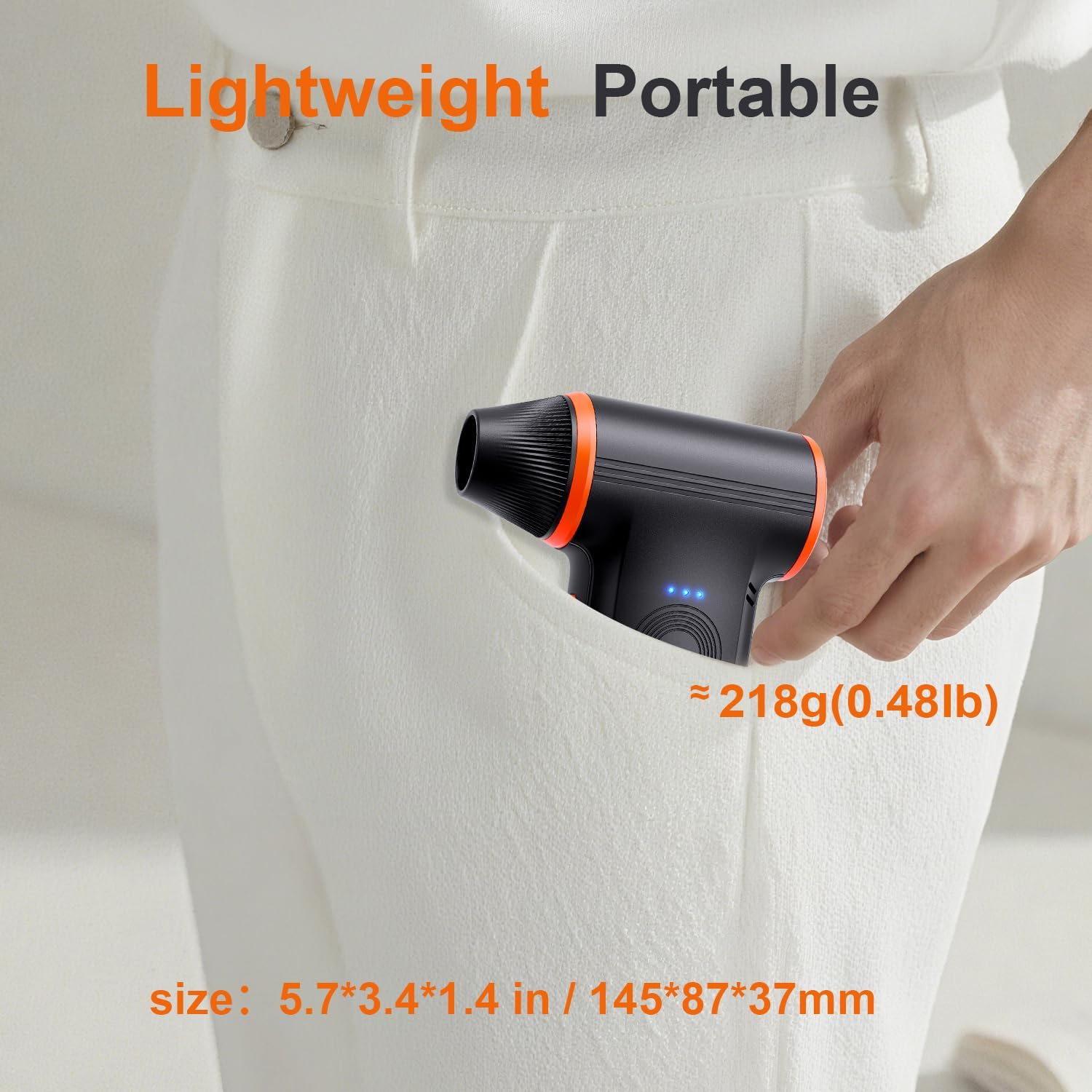
The JUFINX X117 is equipped with a powerful brushless motor, delivering a maximum speed of 150,000 RPM and an airflow speed of 52 m/s. It offers three adjustable settings to suit diverse cleaning requirements. The durable rechargeable battery provides up to 4 hours of operation on the first gear and supports Type-C fast charging, making it a cost-effective and reusable solution. Its lightweight and compact design (0.48 lbs, 5.7 inches in length) ensures portability, and it comes with a lanyard for easy carrying. The package includes 4 cleaning nozzles and 2 cleaning brushes, making it suitable for cleaning computers, keyboards, office desks, car interiors, and for outdoor uses like inflating gear or managing campfires.
Setup
Follow these steps to set up your JUFINX X117 Compressed Air Duster for first use:
- Unboxing: Carefully remove all components from the packaging. Verify that you have the main unit, 4 cleaning nozzles, 2 cleaning brushes, and a Type-C charging cable.
- Initial Charge: Before first use, fully charge the device. Connect the provided Type-C cable to the charging port on the duster and plug the other end into a compatible 5V/2A power source (e.g., power bank, car charger, adapter, computer USB port). The charging indicator lights will illuminate during charging and turn off or change color when fully charged. A full charge typically takes approximately 3 hours.
- Attach Nozzle: Select the appropriate nozzle for your cleaning task. Align the nozzle with the air outlet and gently push and twist until it is securely in place. Ensure the nozzle is firmly attached to prevent it from detaching during operation.

Operating Instructions
The JUFINX X117 features three adjustable speed settings for precise control over airflow.
- Power On/Off: Press and hold the power button for a few seconds to turn the device on or off.
- Adjusting Speed: Once powered on, short press the power button to cycle through the three speed settings (Gear 1, Gear 2, Gear 3). The LED indicators will show the current speed level.
- Usage: Direct the nozzle towards the area to be cleaned. For delicate electronics, start with a lower speed setting. For stubborn dust or larger areas, use higher speeds.
Application Examples:
- Computer & Keyboard Cleaning: Use the flat nozzle for keyboards and the oblong nozzle for tight spaces within computer cases.
- Car Interior Cleaning: The flat nozzle is effective for dashboard vents and seat crevices.
- Outdoor Activities: The universal nozzle can be used for inflating small gear or assisting with campfires.
- Household Cleaning: Use various nozzles for dusting shelves, blinds, or hard-to-reach areas.


Official Product Videos
Video: A full demonstration and review of the JUFINX X117 Compressed Air Duster, showcasing its features and performance.
Video: A review highlighting the effectiveness of the JUFINX X117 air duster for various cleaning tasks.
Video: An all-purpose review of the 3-speed JUFINX X117 air duster, demonstrating its versatility.
Maintenance
Proper maintenance ensures the longevity and optimal performance of your air duster.
- Cleaning the Device: Periodically wipe the exterior of the duster with a soft, dry cloth. Do not use harsh chemicals or abrasive cleaners. Ensure the air intake and outlet are free from obstructions.
- Nozzle Care: After use, remove the nozzle and clean any accumulated dust or debris. The included brushes can assist with this.
- Battery Care: To maintain battery health, avoid fully discharging the device frequently. Recharge the battery when the indicator lights show low power. If storing for an extended period, charge the device to about 50% and recharge every 3-6 months.
- Storage: Store the air duster in a cool, dry place away from direct sunlight and extreme temperatures. Keep it out of reach of children.
Troubleshooting
If you encounter issues with your JUFINX X117, refer to the following common problems and solutions:
| Problem | Possible Cause | Solution |
|---|---|---|
| Device does not turn on. | Low battery or device is off. | Charge the device fully. Press and hold the power button to turn on. |
| Weak airflow. | Low battery, incorrect speed setting, or blocked nozzle/intake. | Recharge the battery. Increase the speed setting. Check and clear any blockages in the nozzle or air intake. |
| Device stops unexpectedly. | Overheat protection activated or low battery. | Allow the device to cool down. Recharge the battery. |
| Nozzle detaches during use. | Nozzle not securely attached. | Ensure the nozzle is firmly pushed and twisted into place until secure. |
If the problem persists after trying these solutions, please contact customer support.
Specifications
| Feature | Detail |
|---|---|
| Brand | JUFINX |
| Model Number | X117 |
| Item Weight | 0.37 Kilograms (0.48 lbs) |
| Product Dimensions | 1.4"W x 5.1"H (145 x 87 x 37 mm) |
| Motor Speed | Up to 150,000 RPM |
| Airflow Speed | 52 m/s |
| Speed Settings | 3 Gears |
| Battery Capacity | 5000mAh |
| Working Time | 20 - 240 Minutes (depending on gear) |
| Charging Time | Approximately 3 Hours |
| Charging Port | Type-C (5V/2A) |
| UPC | 663899846182 |

Warranty and Support
JUFINX is committed to product quality and customer satisfaction.
- Warranty: The JUFINX X117 Compressed Air Duster comes with a 2-year warranty from the date of purchase. This warranty covers manufacturing defects and issues arising from normal use.
- Return Policy: A 7-day return policy is available for eligible products. Please refer to your purchase platform for specific return instructions.
- Customer Service: For any questions, concerns, or support needs regarding product use, installation, or quality, our customer service team is available 24/7.
- Contact Information: You can reach our support team via email at JUFINX@outlook.com.

