
Introduction
This manual provides detailed instructions for the SURITCH protective case designed specifically for the iPhone 17 (6.3 inch). This case integrates multiple features including a camera control cover, a sliding camera lens protector, an adjustable kickstand, and MagSafe compatibility, all while offering robust shockproof protection.
Please review this manual thoroughly to ensure proper installation and utilization of all features.
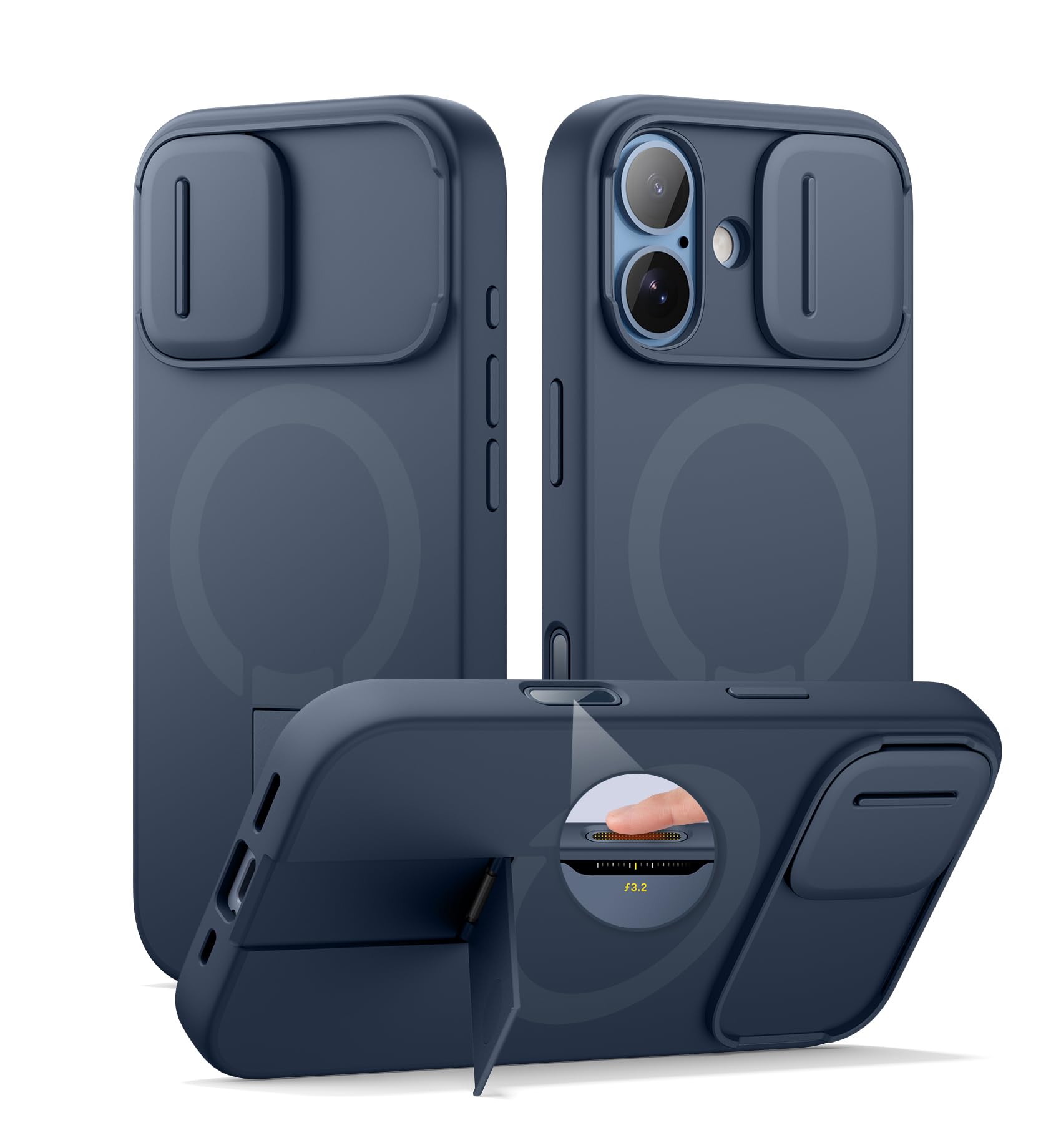
Image: The SURITCH iPhone 17 case, showcasing its design and features.
Setup
Installing the Case
- Ensure your iPhone 17 is clean and free of any dust or debris.
- Align your iPhone 17 with the case, starting by inserting one side of the phone into the case.
- Gently press the other side of the phone until it is fully seated and secured within the case. Verify that all edges of the phone are covered by the case.
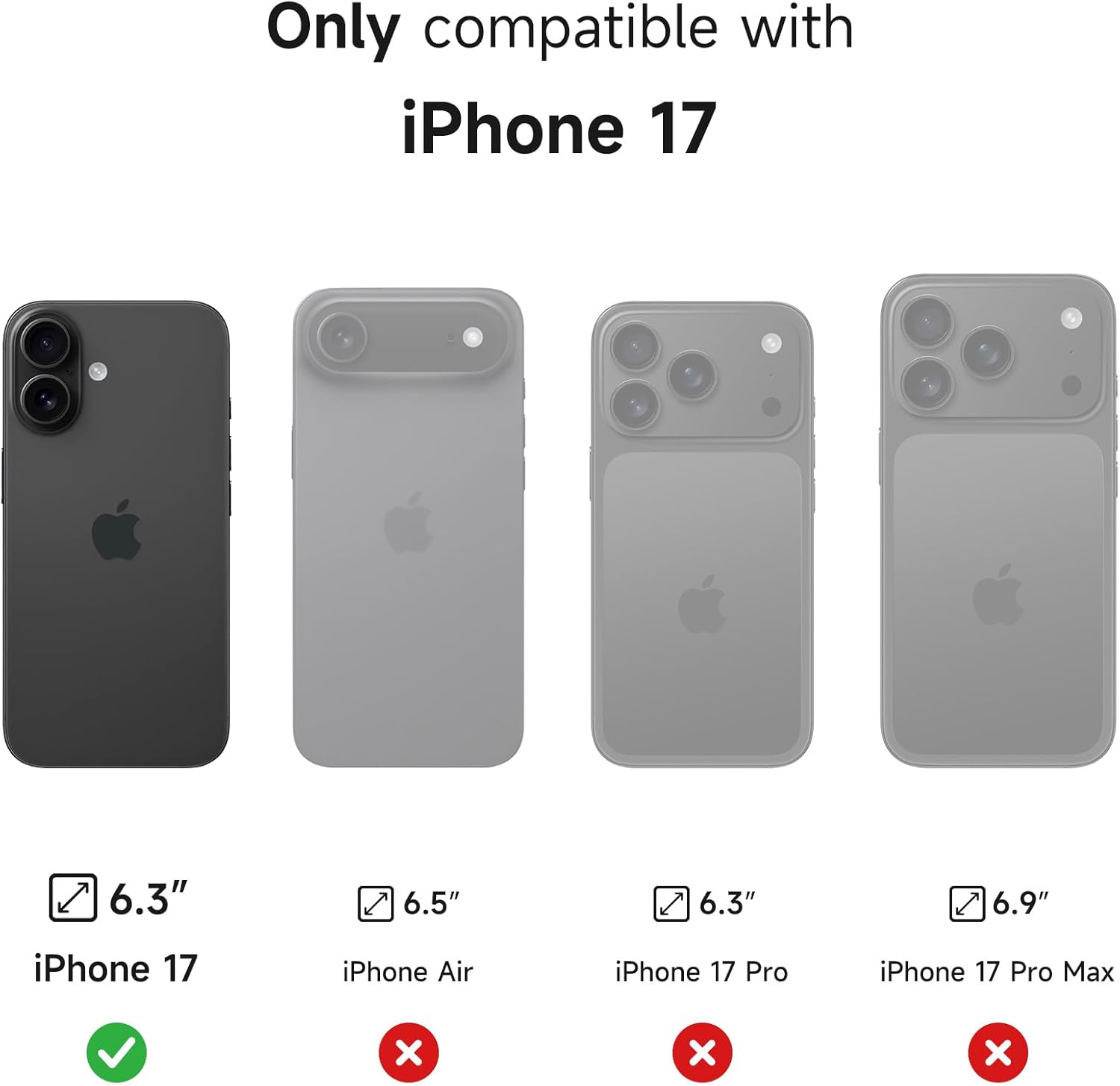
Image: Visual guide for ensuring compatibility with iPhone 17 (6.3 inch).
Video: Case Installation Instructions
Video: A short demonstration on how to properly install the SURITCH iPhone 17 case.
Operating Instructions
Using the Tactile Camera Control Cover
The case features a tactile camera control cover that protects your phone's camera buttons while maintaining responsive feedback. You can easily click, slide, and press the camera functions through this cover.

Image: Close-up view of the tactile button protector, illustrating its functionality.
Operating the Slide Camera Cover
To protect your iPhone 17's camera lenses from scratches and dust, slide the camera cover over the lenses. When you are ready to take a photo or video, simply slide the cover open to reveal the lenses.

Image: The magnetic-repulsion slide camera cover in action.
Utilizing the Adjustable Kickstand
The built-in aluminum-alloy kickstand allows for hands-free viewing. Extend the kickstand from the back of the case and adjust it up to 75 degrees to find your preferred viewing angle. It supports both landscape and portrait orientations.
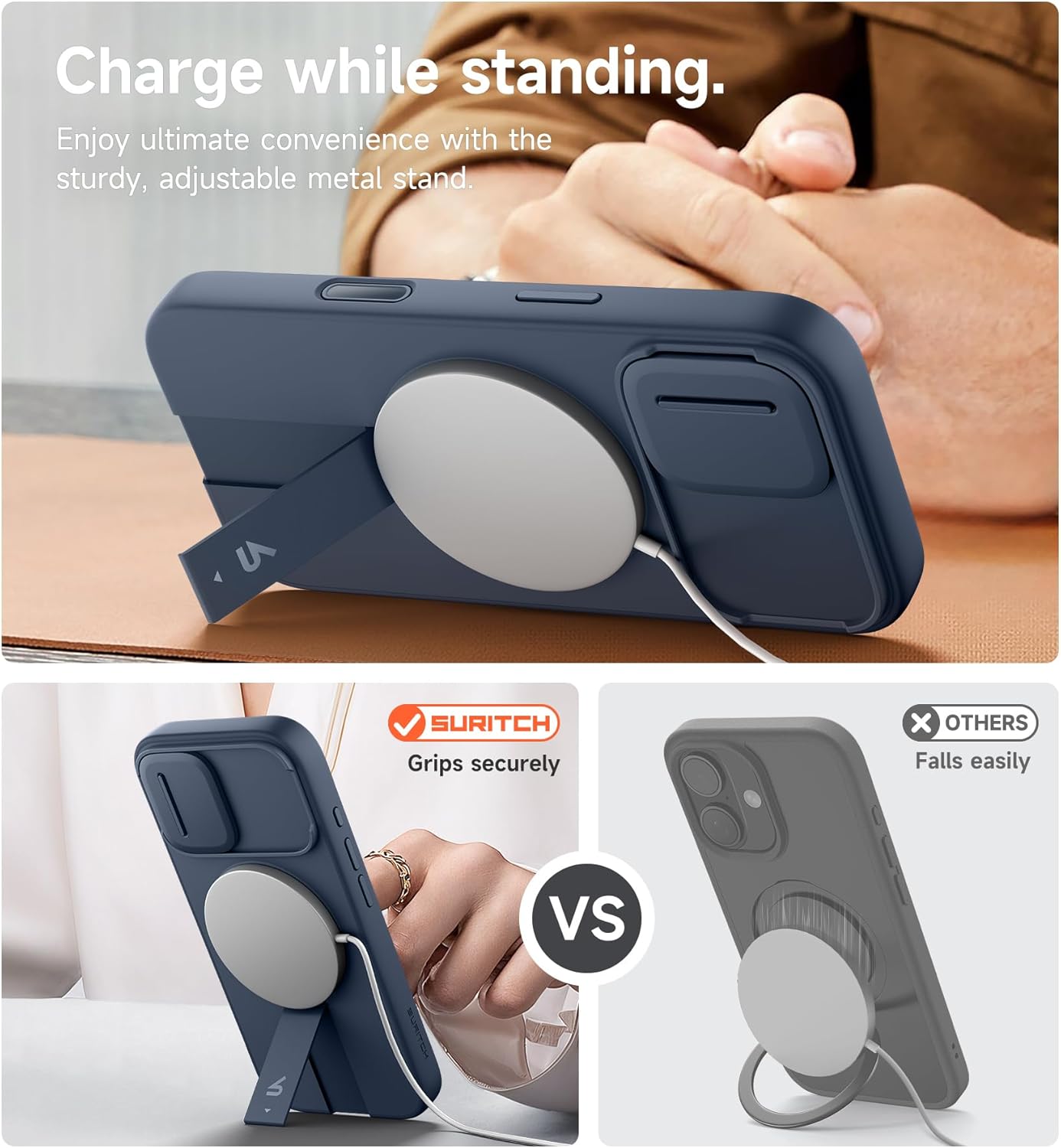
Image: The adjustable metal kickstand supporting the iPhone 17 case for hands-free viewing.
MagSafe Compatibility
The SURITCH case is designed with powerful magnets (13.28N) to ensure secure attachment with MagSafe compatible accessories. This includes wireless chargers, magnetic wallets, and car mounts, providing instant and secure connections.

Image: Demonstrating MagSafe charging and magnetic wallet attachment with the case.

Image: Secure attachment of the case to a magnetic car mount.
Maintenance
To maintain the appearance and functionality of your SURITCH iPhone 17 case, follow these simple guidelines:
- Cleaning: Gently wipe the case with a soft, slightly damp cloth. Avoid using harsh chemicals, abrasive cleaners, or solvents, as these can damage the material and finish.
- Drying: Ensure the case is completely dry before re-installing your iPhone 17.
- Inspection: Periodically check the camera slide cover and kickstand mechanisms for any accumulated dust or debris that might impede their smooth operation. Clean as necessary.

Image: The case's silky-smooth texture, which is easy to clean and maintain.
Troubleshooting
If you encounter any issues with your SURITCH iPhone 17 case, consider the following troubleshooting steps:
- Stiff Camera Slide Cover: If the camera slide cover does not move smoothly, gently clean the tracks with a soft, dry cloth to remove any dust or small particles that may be causing friction.
- MagSafe Accessories Not Attaching Securely: Ensure that both the case and the MagSafe accessory are clean and free of any obstructions. A strong magnetic connection requires direct contact.
- Unresponsive Buttons: If the tactile buttons feel unresponsive, remove the case from your iPhone 17 and then re-install it, ensuring proper alignment of the phone within the case.
- Kickstand Issues: If the kickstand does not deploy or retract correctly, check for any foreign objects lodged in its mechanism and carefully remove them.
Specifications
| Brand | SURITCH |
| Compatible Phone Models | iPhone 17 |
| Material | Polycarbonate, Thermoplastic Polyurethane |
| Water Resistance Level | Not Water Resistant |
| Additional Features | Camera Control Cover, Kickstand, Magnetic, Slide camera cover, Slim Fit |
| Screen Size | 6.3 Inches |
| Item Weight | 50 Grams |
| Item Dimensions | 6.06 x 3.03 x 0.63 inches |
Warranty & Support
For detailed warranty information, product support, or to contact customer service, please visit the official SURITCH website. It is recommended to retain your purchase receipt for any warranty claims.
You can find more information and contact details on the SURITCH Brand Store.