1. Introduction
The ULANZI HD02 10" Camera Magic Arm Super Clamp Kit is a versatile mounting solution designed for photographers and videographers. It provides a secure and flexible way to attach cameras, monitors, lights, and other accessories to various surfaces. Constructed from durable aluminum alloy and stainless steel, this kit offers robust support and precise positioning for your equipment.
2. What's in the Box
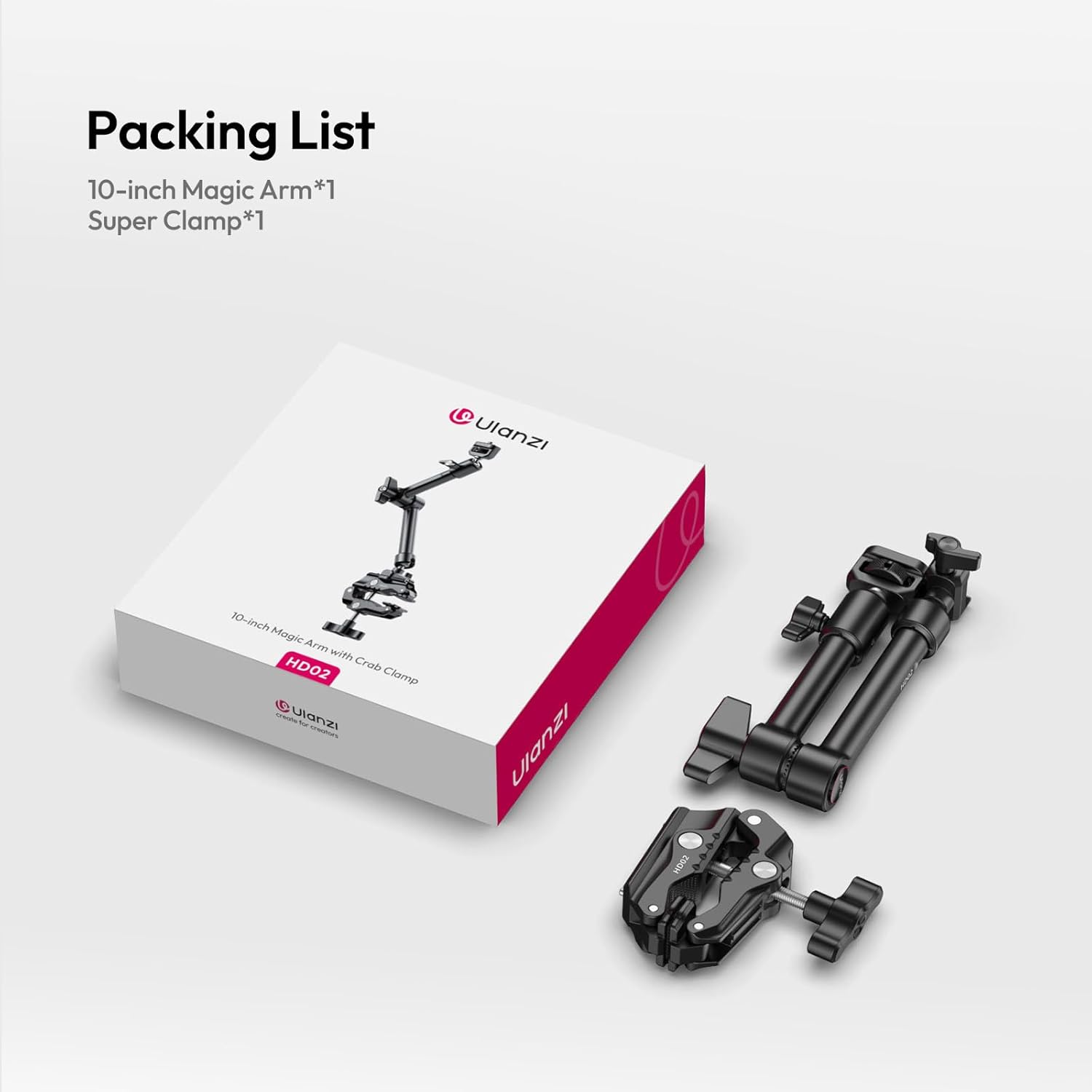
Carefully unpack your ULANZI HD02 kit and ensure all components are present:
- 10-inch Magic Arm x 1
- Super Clamp x 1
3. Key Features
The ULANZI HD02 kit is engineered with several features to enhance your creative workflow:
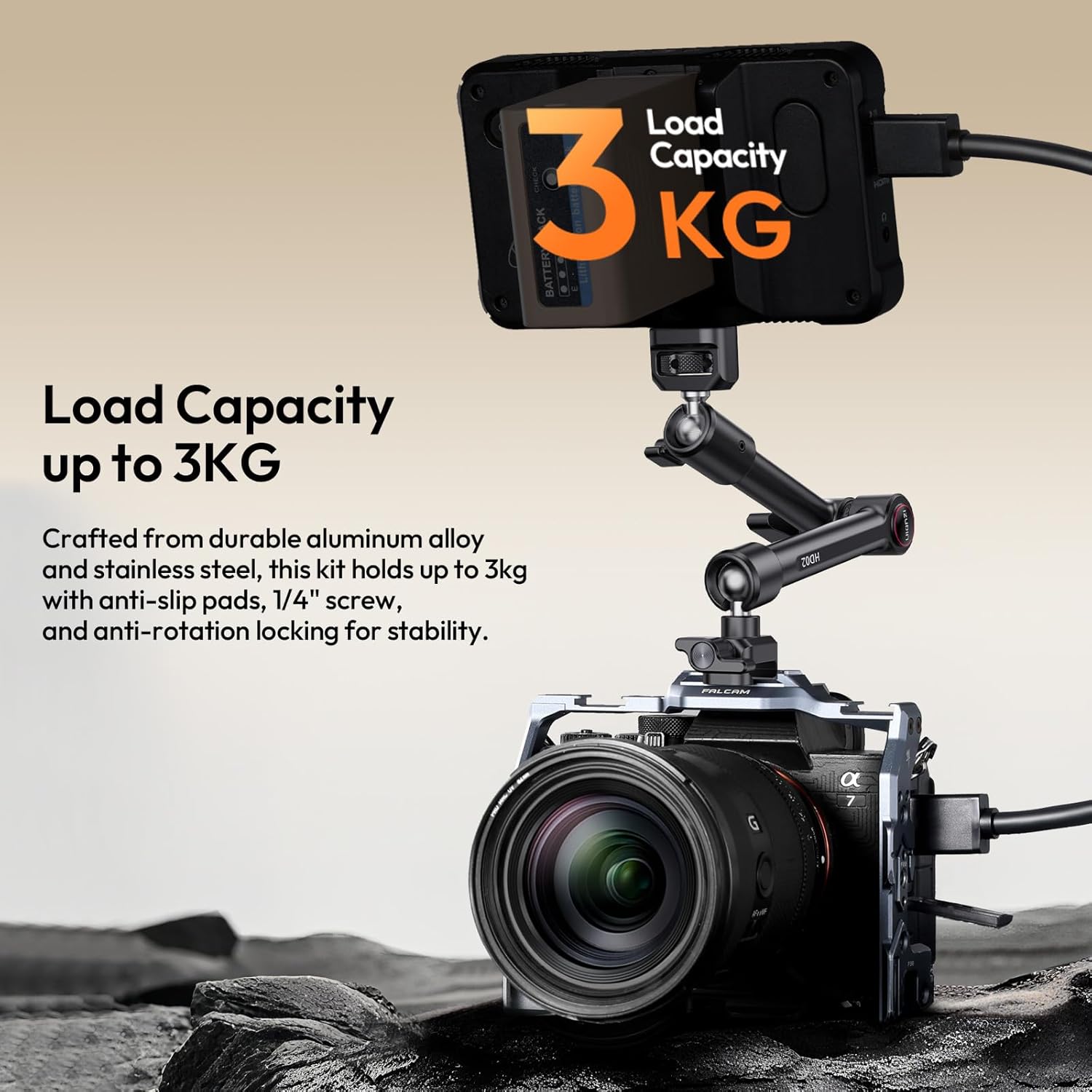
- Heavy-Duty Load Capacity: The super clamp and magic arm are constructed from premium aluminum alloy and stainless steel, supporting up to 3kg (6.61 lbs) of gear. Anti-slip rubber pads, a 1/4" screw, and anti-rotation locking mechanisms ensure stability for your DSLR camera, monitor, or light.
- 360° Ball Head: The smooth, 360° rotatable ball head allows for precise angle adjustments with independent locking knobs, facilitating seamless transitions between portrait and landscape orientations.
- Universal Compatibility: Features multiple mounting options including 1/4"-20, 3/8"-16, ARRI locating pins, and a NATO clamp, enabling attachment to various equipment and surfaces like tripods, desks, and poles.
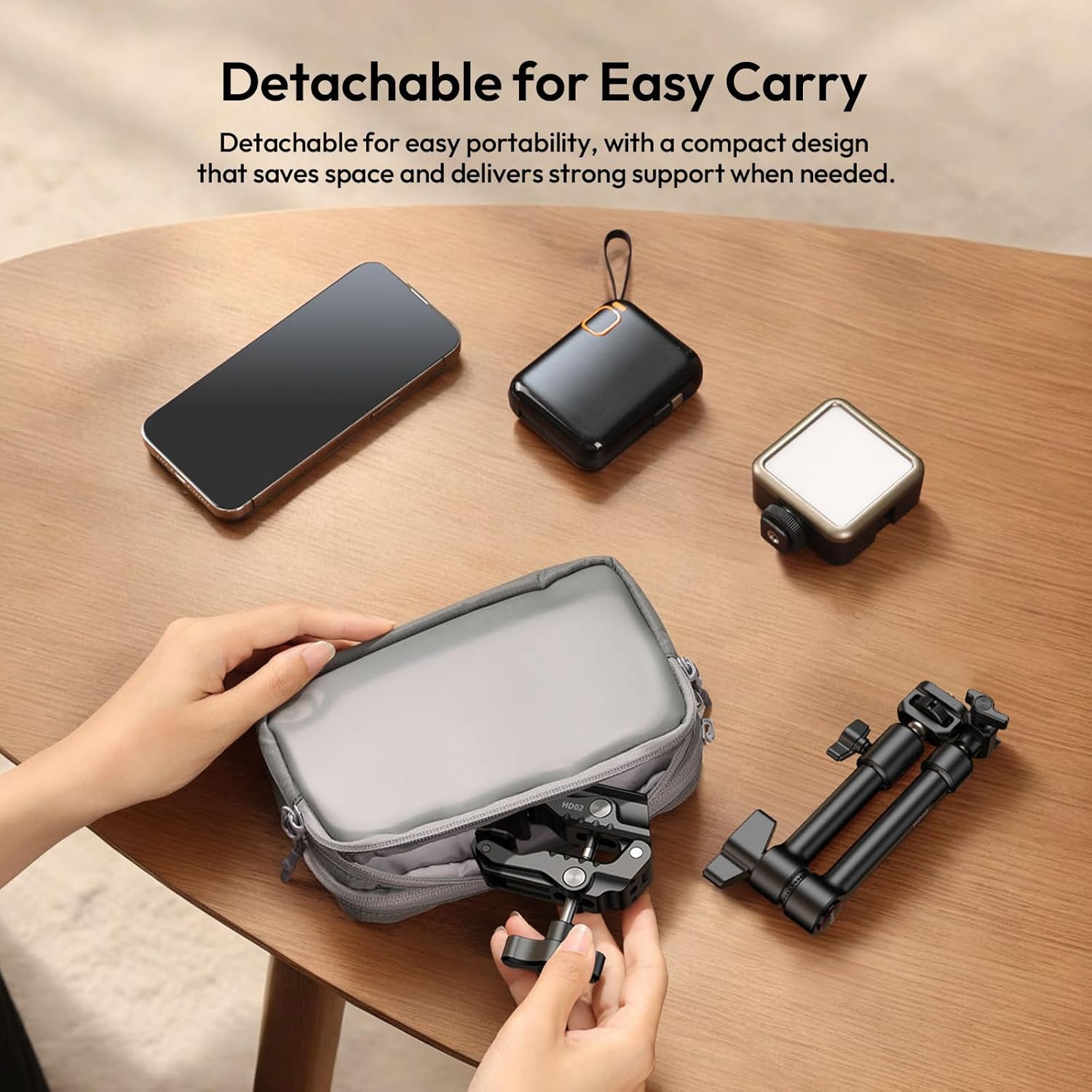
- Detachable & Portable Design: The kit is fully detachable for easy transport and storage. The 10-inch magic arm length is practical for overhead shots and hard-to-reach angles, while its compact design saves space.


4. Setup and Installation
Follow these steps to set up your ULANZI HD02 kit:
- Assemble the Magic Arm: The magic arm comes pre-assembled. Ensure all joints are tightened before use.
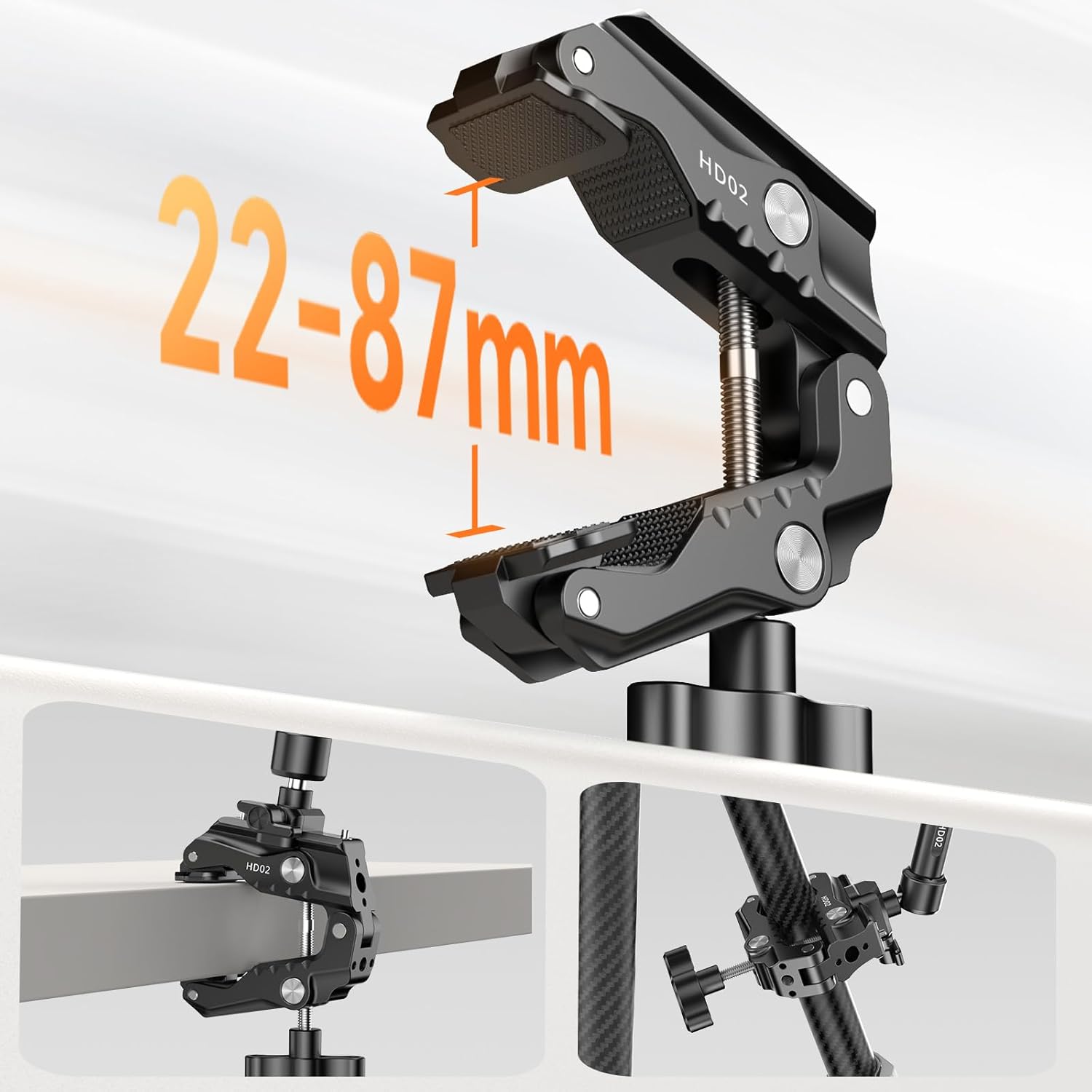
- Attach the Super Clamp: The super clamp can be attached to various surfaces. Twist the large knob at the bottom to open the clamp jaws. Position the clamp on a flat or round surface (22-87mm thickness/diameter) and tighten the knob until it is secure. The anti-slip rubber pads will help prevent movement.
- Mount the Magic Arm to the Super Clamp: The magic arm typically connects to the super clamp via a 1/4"-20 screw or NATO rail. Align the appropriate mounting point and secure it firmly.
- Attach Your Device: Use the 1/4"-20 screw, 3/8"-16 screw, ARRI locating pins, or NATO clamp on the magic arm to attach your camera, monitor, or light. Ensure the device is securely fastened to prevent accidental drops.

5. Operating Instructions
Once your equipment is mounted, you can adjust its position:
- Adjusting the Magic Arm: Loosen the central knob on the magic arm to adjust the angle and position of your attached device. The 360° ball heads at each end provide extensive flexibility.
- Securing the Position: Once the desired angle is achieved, tighten the central knob firmly to lock the magic arm in place. Ensure it is tight enough to prevent any slippage, especially with heavier loads.
- Switching Orientation: The ball head allows for quick switching between portrait and landscape orientations without needing to remount your device.

6. Maintenance
To ensure the longevity and optimal performance of your ULANZI HD02 kit, follow these maintenance guidelines:
- Cleaning: Wipe the metal surfaces with a soft, dry cloth. Avoid using abrasive cleaners or solvents that could damage the finish or rubber pads.
- Lubrication: The moving parts are designed for smooth operation. Avoid applying lubricants unless specifically instructed by the manufacturer, as this could attract dust and debris.
- Storage: Store the kit in a dry, clean environment away from extreme temperatures and humidity. When not in use, it is recommended to detach the magic arm from the super clamp for compact storage.
- Inspection: Periodically check all screws and joints for tightness. Ensure the rubber pads on the clamp are intact and free from damage to maintain grip.
7. Troubleshooting
If you encounter issues with your ULANZI HD02 kit, refer to the following common problems and solutions:
- Problem: The clamp does not hold securely.
Solution: Ensure the clamping surface is within the 22-87mm range. Tighten the large knob firmly. Check if the anti-slip rubber pads are clean and undamaged. If the pads are worn, contact ULANZI support for replacements. - Problem: The magic arm slips or does not hold its position.
Solution: Ensure the central locking knob on the magic arm is fully tightened. For heavier loads, ensure the arm is positioned to distribute weight effectively and avoid excessive leverage. - Problem: Difficulty attaching a device to the 1/4"-20 screw.
Solution: Verify that the device has a standard 1/4"-20 thread. Some devices may have a shallow thread, or the screw on the magic arm might be slightly long for certain setups. Consider using a small washer if the screw bottoms out before securing the device. - Problem: The NATO clamp attachment is loose.
Solution: Ensure the NATO rail on your accessory is properly aligned and the locking mechanism on the magic arm's NATO clamp is fully engaged and tightened.
8. Specifications
Detailed specifications for the ULANZI HD02 kit:
| Attribute | Value |
|---|---|
| Brand | ULANZI |
| Model Number | HD02 |
| Product Dimensions | 7.99 x 1.85 x 7.24 inches |
| Item Weight | 1.1 pounds |
| Load Capacity | Up to 3kg (6.61 lbs) |
| Clamp Width | 22-87mm (0.86-3.42 inches) |
| Material | Aluminum Alloy, Stainless Steel |
| Mounting Options | 1/4"-20, 3/8"-16, ARRI Locating Pins, NATO Clamp |

9. Warranty and Support
The ULANZI HD02 10" Camera Magic Arm Super Clamp Kit is covered by a manufacturer's warranty. For specific warranty details, technical support, or service inquiries, please refer to the official ULANZI website or contact their customer service directly. Keep your purchase receipt as proof of purchase.
For further assistance, visit the ULANZI Official US Store on Amazon.


