
eufy E25 Omni Robot Vacuum and Mop Combo Instruction Manual
Model: E25
1. Important Safety Instructions
Before using this product, read all instructions and cautionary markings in this manual and on the product. Failure to follow these instructions may result in electric shock, fire, or serious injury.
- This appliance can be used by children aged 8 years and above and persons with reduced physical, sensory or mental capabilities or lack of experience and knowledge if they have been given supervision or instruction concerning use of the appliance in a safe way and understand the hazards involved.
- Children should be supervised to ensure that they do not play with the appliance.
- Cleaning and user maintenance shall not be made by children without supervision.
- Use only the power adapter supplied by the manufacturer.
- Do not use the product in environments with open flames or explosive materials.
- Do not use the product to pick up large or sharp objects, or liquids.
- Ensure the charging station is placed on a level surface against a wall, with adequate clear space around it.
- Always disconnect the product from the power supply before cleaning or maintenance.
2. Package Contents
Verify that all components are present in the package:
- eufy E25 Omni Robot Vacuum and Mop
- All-in-One Self-Cleaning Station
- Power Adapter
- Dust Bags (3 included)
- Cleaning Pad
- User Manual
3. Product Overview
3.1 All-in-One Station for Smart Maintenance
The All-in-One Station provides comprehensive maintenance for your robot vacuum, including self-emptying, self-refilling, wastewater collection, self-washing of mop pads, hot air drying, and automatic detergent dispensing.

Figure 3.1: All-in-One Station for Smart Maintenance. This image illustrates the various functions of the station, including automatic dust collection, water tank refilling, dirty water disposal, mop cleaning, drying, and detergent addition.
3.2 HydroJet Deep Cleaning System
The HydroJet system ensures thorough mopping by self-cleaning the mop pads multiple times per second during operation, preventing the spread of dirt.
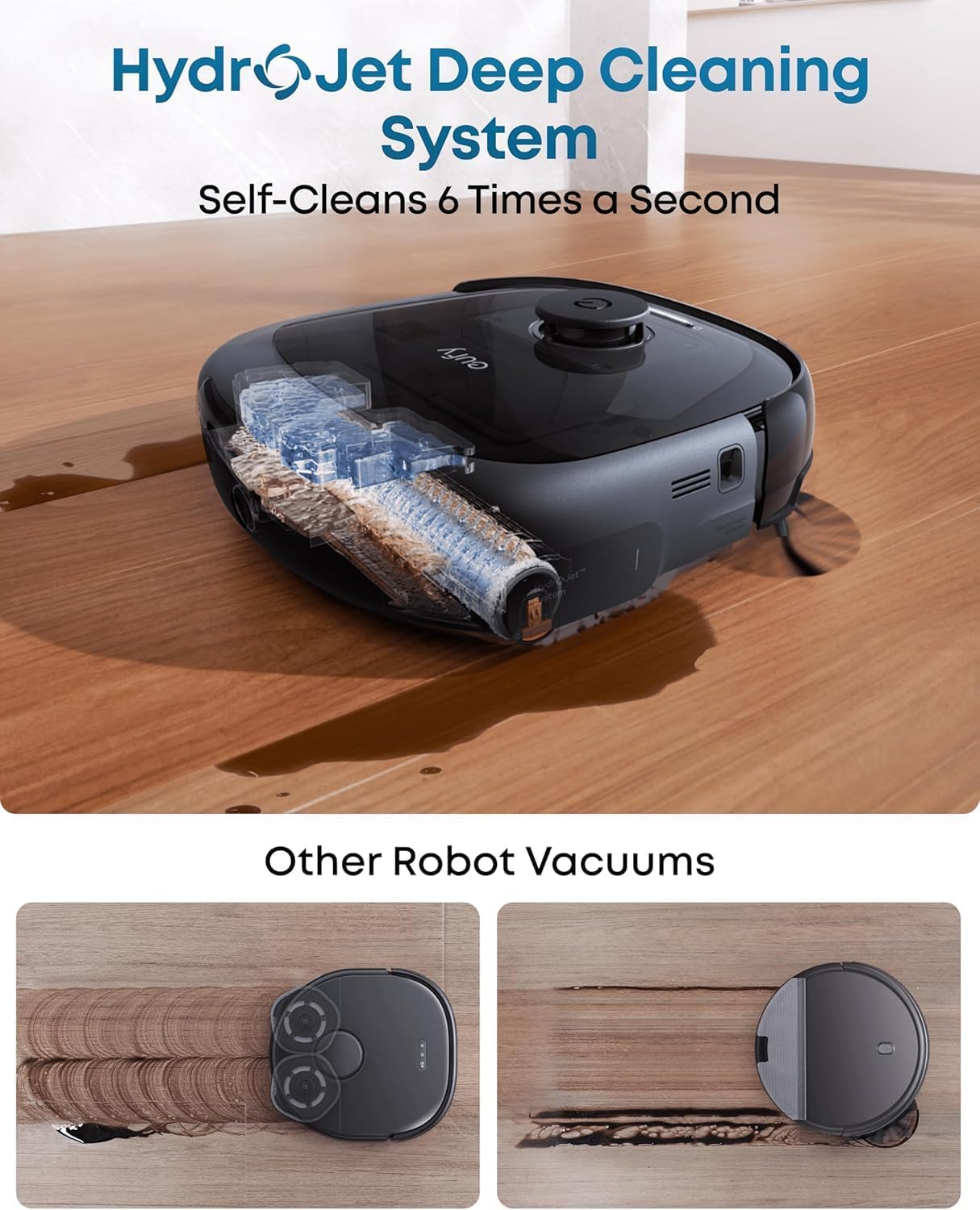
Figure 3.2: HydroJet Deep Cleaning System. The robot's internal mechanism for continuous mop pad cleaning is shown, highlighting its ability to self-clean frequently.
3.3 20,000Pa Turbo Suction
Equipped with 20,000Pa of turbo suction power, the robot effectively removes pet food, crumbs, fur, and other debris from various floor types.
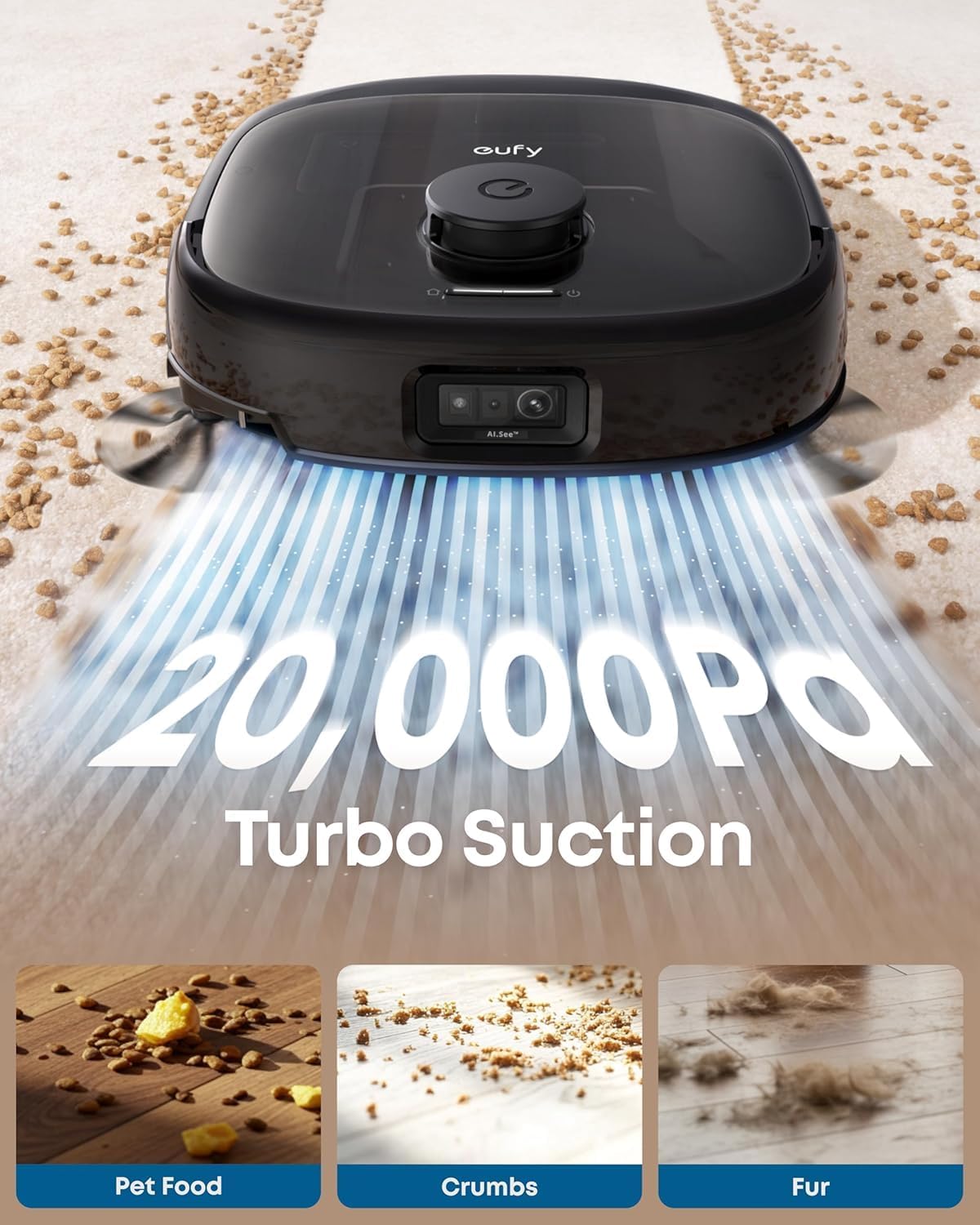
Figure 3.3: 20,000Pa Turbo Suction. This image demonstrates the robot's powerful suction capability, effectively cleaning various types of debris from carpets.
3.4 DuoSpiral Detangle Brushes
The DuoSpiral Detangle Brushes are designed to prevent hair tangling, ensuring consistent cleaning performance and reducing maintenance effort.

Figure 3.4: DuoSpiral Detangle Brushes. This illustration details the two-step process of the brushes: first gathering hair and fur, then retracting to pull them into the vacuum, minimizing tangles.
3.5 Advanced AI Recognition and Obstacle Avoidance
The robot utilizes advanced AI to recognize and avoid over 200 types of objects, ensuring smooth navigation and preventing collisions with household items.

Figure 3.5: Advanced AI Recognition and Obstacle Avoidance. The robot is depicted intelligently avoiding numerous objects on the floor, showcasing its navigation capabilities.
4. Setup
4.1 Station Placement
- Place the All-in-One Station on a hard, level surface against a wall.
- Ensure there is at least 1.5 meters (5 feet) of clear space in front of the station and 0.5 meters (1.6 feet) on either side.
- Connect the power adapter to the station and plug it into a wall outlet.
4.2 Dust Bag Installation
The station uses a 3L dust bag for automatic emptying, supporting up to 75 days of maintenance-free cleaning.

Figure 4.1: Versatile Auto Emptying. This image highlights the 3L dust bag capacity, which allows for extended periods of use without manual emptying.
- Open the top cover of the All-in-One Station.
- Insert a new dust bag into the designated slot, ensuring it is fully seated.
- Close the top cover securely.

Figure 4.2: Dust Bag Installation Steps. This visual guide demonstrates the process of inserting a new dust bag into the station, emphasizing the leak-proof design and ease of installation.
4.3 Initial Charging
Place the robot vacuum onto the charging station. The robot will automatically align and begin charging. Ensure the robot is fully charged before its first use.
4.4 App Connection
- Download the eufy Clean app from the App Store (iOS) or Google Play (Android).
- Create an account or log in.
- Follow the in-app instructions to add your eufy E25 Omni robot vacuum.
- Ensure your Wi-Fi network is 2.4GHz for optimal connection.
5. Operation
5.1 Starting and Pausing Cleaning
- Start Cleaning: Press the power button on the robot or use the eufy Clean app to start a cleaning cycle.
- Pause Cleaning: Press the power button again or use the app to pause cleaning.
- Return to Station: Press and hold the power button for 3 seconds, or use the app to send the robot back to its charging station.
5.2 Cleaning Modes
The eufy E25 Omni offers various cleaning modes accessible via the eufy Clean app:
- Auto Clean: The robot intelligently cleans your entire home.
- Spot Clean: Cleans a specific area with concentrated power.
- Zone Clean: Allows you to define specific zones for cleaning.
- Mop Only: Performs mopping without vacuuming.
- Vacuum Only: Performs vacuuming without mopping.
5.3 Using the eufy Clean App
The app provides advanced control and customization options:
- Schedule cleaning times.
- Adjust suction power and water flow levels.
- Set no-go zones and no-mop zones.
- View cleaning history and maps.
- Receive maintenance reminders.
6. Maintenance
Regular maintenance ensures optimal performance and extends the lifespan of your robot vacuum.
6.1 All-in-One Station Maintenance
- Dust Bag Replacement: Replace the dust bag when the app indicates it is full, or approximately every 75 days depending on usage.
- Clean Water Tank: Refill the clean water tank with fresh water and detergent as needed.
- Wastewater Tank: Empty the wastewater tank regularly to prevent odors and ensure proper mop cleaning.
- Detergent Dispenser: Ensure the detergent dispenser is filled for automatic detergent dispensing during mopping.
- Charging Pins: Periodically wipe the charging pins on the station and robot with a dry cloth.
6.2 Robot Vacuum Maintenance
- DuoSpiral Detangle Brushes: Regularly check and clean the main brushes for tangled hair or debris. Use the cleaning tool provided.
- Side Brushes: Inspect side brushes for wear or damage. Replace if necessary.
- Mop Pads: The station automatically washes and dries the mop pads. However, periodically remove and hand-wash them for deeper cleaning.
- Sensors: Wipe all sensors (cliff sensors, wall sensors, charging sensors) with a dry cloth to ensure proper navigation.
- Wheels: Clean any hair or debris from the robot's wheels.
7. Troubleshooting
If you encounter issues with your eufy E25 Omni, refer to the following common problems and solutions:
| Problem | Possible Cause | Solution |
|---|---|---|
| Robot does not turn on. | Low battery; power button not pressed. | Charge the robot; press and hold the power button. |
| Robot cannot return to charging station. | Charging station blocked; robot too far. | Clear obstacles around the station; manually place robot near station. |
| Poor cleaning performance. | Dustbin full; brushes tangled; filter clogged. | Empty dustbin; clean brushes; clean/replace filter. |
| App connection issues. | Incorrect Wi-Fi password; 5GHz Wi-Fi network. | Ensure 2.4GHz Wi-Fi; re-enter password; restart router. |
| Mop pads not cleaning effectively. | Wastewater tank full; clean water tank empty; mop pads dirty. | Empty wastewater; refill clean water; clean mop pads. |
8. Specifications
| Feature | Detail |
|---|---|
| Brand | eufy |
| Model Name | E25 |
| Model Number | T2353 |
| Product Dimensions | 46.2L x 37W x 43.6H Centimetres |
| Suction Power | 20,000 Pa (Turbo Suction) |
| Dust Bag Capacity | 3 Liters (up to 75 days) |
| Battery Type | Lithium Ion |
| Battery Life | 24 months (estimated) |
| Control Method | App Control, Button Control, Voice Control |
| Special Features | Auto Mop Washing, Obstacle Avoidance, Self-Emptying, Self-Refilling, Hot Air Drying, Automatic Detergent Dispensing |
| Surface Recommendation | Hard Floor, Carpet, Wood, Tile |
| Form Factor | Round |
| Color | Black |
9. Warranty and Support
eufy provides a limited warranty for this product. For detailed warranty information, please refer to the warranty card included in your package or visit the official eufy website.
For technical support, troubleshooting assistance, or to purchase replacement parts, please contact eufy customer service:
- Website: www.eufylife.com
- Email: support@eufylife.com
- Phone: Refer to your region's specific contact number on the eufy website.
Please have your model number (E25) and purchase information ready when contacting support.


