
Introduction
Welcome to the SOTAONE S350 Foldable Mini Drone user manual. This guide provides essential information for setting up, operating, and maintaining your drone to ensure a safe and enjoyable flight experience. Please read this manual thoroughly before your first flight.
Package Contents
- S350 Drone with 1080P HD Camera x 1
- Remote Control x 1
- Modular Batteries x 2
- USB Charger x 1
- Replaceable Propeller Guards x 4
- Screwdriver x 1
- Screws x 4
- User Manual x 1

Image: All components included in the SOTAONE S350 drone package.
Product Overview
Drone Components
The SOTAONE S350 is a compact, foldable mini-drone equipped with a 1080P HD camera. Its design emphasizes portability and ease of use, making it suitable for beginners. The drone features a sleek body with integrated lights and durable plastic construction.
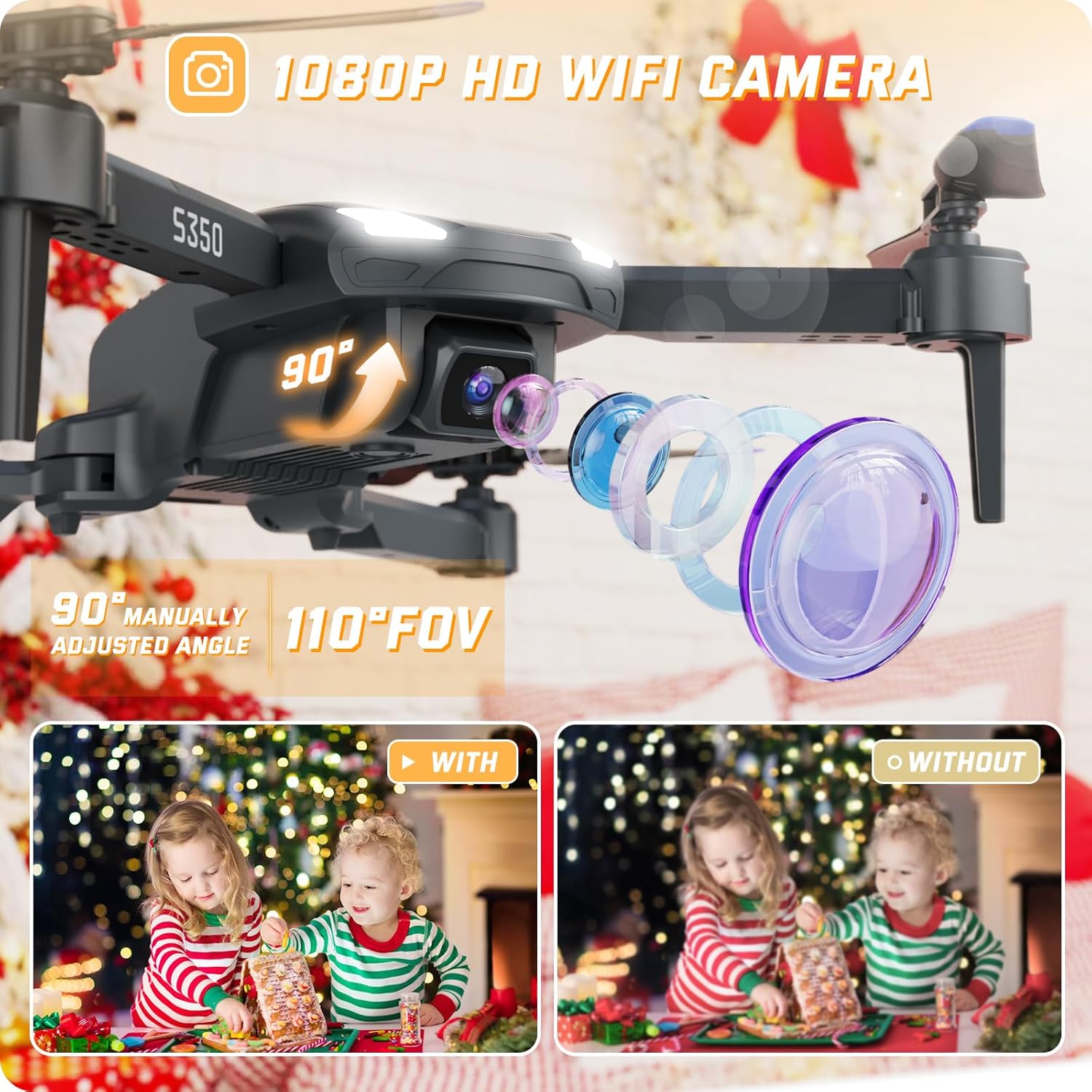
Image: A detailed view of the SOTAONE S350 drone, showcasing its 1080P HD camera and adjustable lens.

Image: The SOTAONE S350 drone shown both folded for portability and unfolded for flight, with dimensions.
Setup
1. Battery Installation (Drone)
Insert the modular batteries into the designated slot on the drone. Ensure they are securely clicked into place. The drone comes with two modular batteries for extended flight time.
Video: A guide on how to install and charge the SOTAONE S350 drone battery.

Image: The SOTAONE S350 drone with its two modular batteries, emphasizing extended flight duration.
2. Propeller Guard Installation
For added safety, especially for beginners or indoor flights, attach the four propeller guards to the drone's arms. Use the included screws and screwdriver if necessary to secure them.
Video: A guide on how to install the propeller guards and propellers for the SOTAONE S350 drone.
3. Remote Control Setup
Open the battery compartment on the back of the remote control and insert 3 AAA batteries (not included). Close the compartment securely.
Charging the Drone Batteries
Connect the modular drone battery to the USB charger. Plug the USB charger into a compatible USB power source (e.g., computer, wall adapter). The indicator light on the charger will show the charging status. Ensure batteries are fully charged before each flight for optimal performance.
Connecting to the App and Camera
To utilize the 1080P HD camera and FPV (First Person View) features, download the dedicated SOTAONE drone app on your smartphone. Turn on the drone and your phone's Wi-Fi, then connect to the drone's Wi-Fi network (usually named 'SOTAONE-XXXX'). Open the app to view the live feed and control camera functions.
Video: A guide on connecting the SOTAONE S350 drone's camera to your smartphone for FPV and recording.

Image: The remote control with a smartphone showing the FPV transmission from the SOTAONE S350 drone.
Flight Operation
Basic Flight Controls
- One-Key Take-Off/Landing: Press the dedicated button on the remote or app for automatic take-off or landing.
- Altitude Hold: The drone maintains a stable height, making it easier to control and capture steady footage.
- Headless Mode: In this mode, the drone's orientation is relative to the pilot, simplifying control regardless of the drone's front direction.
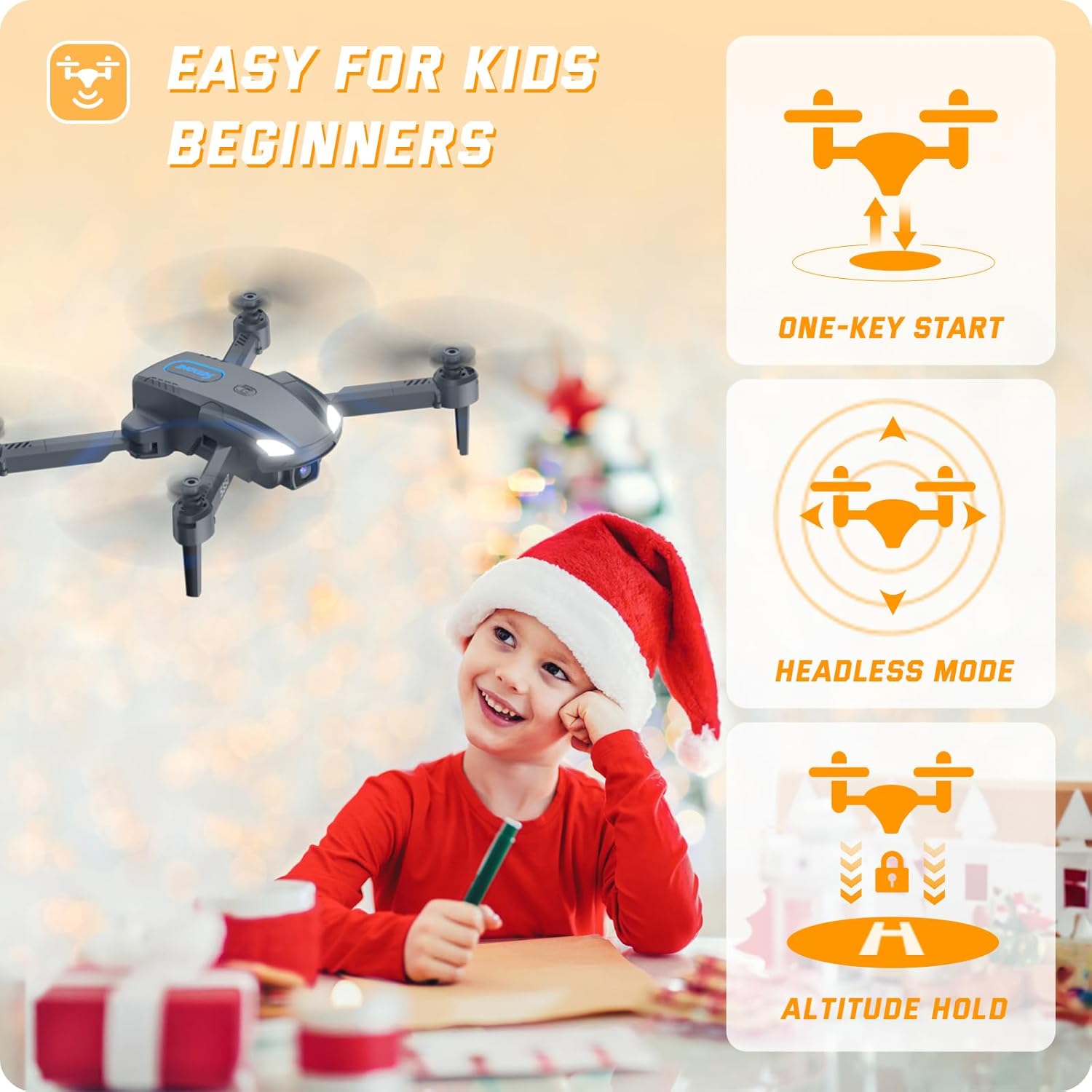
Image: The SOTAONE S350 drone in flight, illustrating its stable hovering capability and ease of control for beginners.
Advanced Flight Features
- 3D Flips: Execute impressive aerial stunts with a single button press.
- High-Speed Rotation: Perform dynamic rotations for exciting maneuvers.
- Speed Modes: Adjust between 3 different speed settings (low, medium, high) to match your skill level and environment.
- Gesture Control: Use specific hand gestures to trigger photo or video recording via the app.
- Voice Control: Command the drone with simple voice commands through the app.
- Trajectory Flight: Draw a flight path on your smartphone screen, and the drone will follow it automatically.

Image: The SOTAONE S350 drone demonstrating 3D flips and high-speed rotation for dynamic flight.
Safety Guidelines
- Always fly in open, unobstructed areas, away from people, animals, and buildings.
- Do not fly in strong winds or adverse weather conditions.
- Ensure the drone batteries and remote control batteries are fully charged before each flight.
- Keep fingers and loose clothing away from rotating propellers.
- Perform pre-flight checks to ensure all components are correctly installed and functioning.
- Familiarize yourself with local drone regulations and restrictions.
- The drone features a low power alarm and emergency stop for enhanced safety.
Maintenance
- Regularly inspect propellers for damage. Replace any bent or broken propellers immediately.
- Clean the drone body and camera lens with a soft, dry cloth. Avoid using harsh chemicals.
- Store the drone and batteries in a cool, dry place, away from direct sunlight and extreme temperatures.
- Ensure the drone is powered off when not in use and during storage.
Troubleshooting
| Issue | Possible Cause | Solution |
|---|---|---|
| Drone does not respond to remote control. | Low battery in remote or drone; not paired correctly. | Charge batteries; re-pair remote and drone according to quick start guide. |
| Drone drifts during flight. | Uncalibrated gyroscope; strong wind interference. | Calibrate the gyroscope as per instructions; fly in calmer conditions. |
| Camera feed is unstable or disconnected. | Weak Wi-Fi signal; app not properly connected. | Ensure strong Wi-Fi connection; restart app and reconnect to drone's Wi-Fi. |
| Propellers are not spinning. | Obstruction; motor issue; low battery. | Check for obstructions; ensure batteries are charged; contact support if motors are faulty. |
Technical Specifications
| Feature | Specification |
|---|---|
| Model Name | S350 |
| Dimensions (Unfolded) | 6.4"L x 5.8"W x 1.91"H |
| Item Weight | 82 Grams (2.89 ounces) |
| Camera Resolution (Picture) | 1920x1080P (2 MP Effective Still Resolution) |
| Camera Resolution (Video) | 1280x720P |
| Battery Capacity | 500 Milliamp Hours (x2 Modular Batteries) |
| Connectivity Technology | Wi-Fi, 2.4GHz Remote Control |
| Control Type | Remote Control, APP Control |
| Material | Plastic |
| Skill Level | Beginner |
Warranty and Support
For warranty information, technical support, or any questions regarding your SOTAONE S350 drone, please refer to the contact information provided on the product packaging or visit the official SOTAONE website. Our customer service team is ready to assist you.


