
1. Introduction
Thank you for choosing the GPEESTRAC BFNO-TD200-07 Bluetooth 5.4 Wireless Earbuds. These earbuds are designed to provide a high-quality audio experience with advanced features, including Bluetooth 5.4 connectivity, Hi-Fi sound, a multi-functional touch display on the charging case, and an ergonomic design for comfortable wear. This manual will guide you through the setup, operation, and maintenance of your new earbuds.
2. Package Contents
- GPEESTRAC BFNO-TD200-07 Wireless Earbuds (L/R)
- Charging Case with Touch Display
- USB Type-C Charging Cable
- Silicone Eartips (various sizes)
- User Manual
3. Product Overview
The GPEESTRAC BFNO-TD200-07 earbuds feature a compact design with a sophisticated charging case that includes a vibrant LED color touch panel. This panel allows for direct control over various functions without needing to access your smartphone. The earbuds are engineered for a secure and comfortable fit, making them suitable for extended use and active lifestyles.
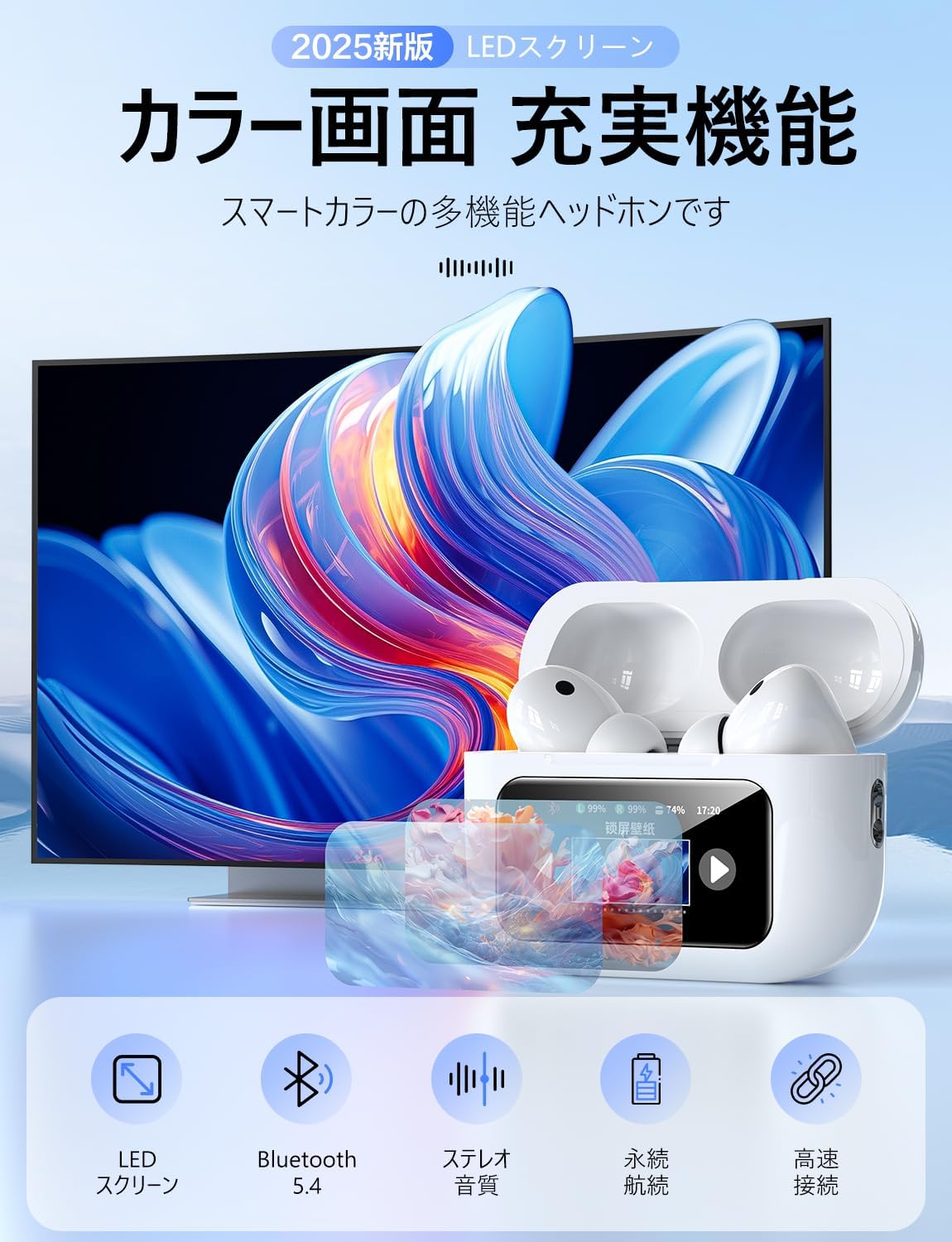
The earbuds utilize advanced Bluetooth 5.4 technology for a stable and high-speed connection, minimizing audio interruptions and delays. They deliver balanced Hi-Fi sound with clear reproduction across all frequencies, supported by a 14mm flexible diaphragm for enhanced durability and sound quality.
4. Setup
4.1 Initial Pairing
- Ensure the earbuds are fully charged.
- Open the charging case lid. The earbuds will automatically enter pairing mode.
- On your smartphone or Bluetooth-enabled device, go to Bluetooth settings and search for available devices.
- Select "BFNO-TD200-07" from the list to connect.
- Once connected, a voice prompt will confirm successful pairing.
4.2 Automatic Reconnection
After the initial pairing, the earbuds will automatically connect to the last paired device when you open the charging case lid, provided Bluetooth is enabled on your device and it is within range (up to 15 meters).

5. Operating Instructions
5.1 Charging the Earbuds and Case
The charging case features a Type-C port for fast charging. The LED touch display on the case shows the precise battery level of both the case and individual earbuds, eliminating guesswork.
- Charging the Earbuds: Place the earbuds into the charging case. They will begin charging automatically.
- Charging the Case: Connect the provided USB Type-C cable to the charging port on the case and a power source. The LED display will show the charging progress.
A full charge provides approximately 5 hours of playtime for the earbuds, and the charging case can recharge the earbuds 3-4 times, offering up to a week of use for typical commuting.

5.2 Touch Panel Functions
The charging case's LED color touch panel offers 12 distinct functions, providing convenient control without your smartphone.

Key functions include:
- Music Player: Control playback directly.
- ANC Mode Switching: Toggle between Active Noise Cancellation (ANC) and Ambient Sound modes.
- Find Earbuds: Locate misplaced earbuds.
- Timer Function: Set a timer.
- Camera Controller: Use the case as a remote shutter for your phone's camera.
- Volume Adjustment: Control audio volume.
- Language Selection: Change the system language.
- Voice Assistant: Activate your device's voice assistant.
- Time Display: View the current time.
- Wallpaper: Customize the display background.
- Flashlight: Utilize a small flashlight function.
5.3 Sound Modes and Equalizer (EQ)
The earbuds offer various sound modes to enhance your listening experience.

- Active Noise Cancellation (ANC): Reduces ambient noise by up to -90dB, providing an immersive audio experience.
- Ambient Sound Mode: Allows you to hear your surroundings while listening to audio, useful for safety.
- Environmental Noise Cancellation (ENC): Enhances call clarity by reducing background noise during conversations.
The earbuds also support 5 EQ modes, allowing automatic customization of sound quality to match different music genres.

5.4 Making and Receiving Calls
The earbuds are equipped with a microphone for hands-free calling. They support up to 4 hours of HD call time, ensuring clear conversations.
- Answer/End Call: Tap the touch sensor on either earbud once.
- Reject Call: Press and hold the touch sensor on either earbud for 2 seconds.
6. Maintenance
- Cleaning: Regularly clean the earbuds and charging case with a soft, dry cloth. Do not use abrasive cleaners or solvents.
- Eartips: Remove and clean the silicone eartips with mild soap and water, then dry thoroughly before reattaching.
- Storage: When not in use, store the earbuds in their charging case to protect them from dust and damage.
- Water Exposure: While the earbuds are IPX7 waterproof, the charging case is not. Avoid exposing the charging case to water. Ensure earbuds are dry before placing them back in the case.
7. Troubleshooting
| Problem | Possible Cause | Solution |
|---|---|---|
| Earbuds not pairing | Earbuds not in pairing mode; Bluetooth off on device; previously paired device interfering. | Ensure earbuds are in pairing mode (open case lid). Turn on Bluetooth on your device. Forget previous connections on your device and try pairing again. |
| No sound from earbuds | Volume too low; earbuds not connected; media not playing. | Increase volume on both earbuds and connected device. Check Bluetooth connection. Ensure media is playing on your device. |
| Charging issues | Charging cable faulty; charging port dirty; earbuds not seated correctly. | Try a different Type-C cable and power adapter. Clean the charging contacts on earbuds and case. Ensure earbuds are properly seated in the case. |
| Intermittent connection/audio drops | Distance from device; interference; low battery. | Keep earbuds within 15 meters of your device. Avoid strong electromagnetic interference. Charge earbuds and case fully. |
| Unwanted voice prompts in foreign language | Language setting incorrect. | Use the language selection function on the charging case's touch panel to change to English. |
8. Specifications
| Feature | Specification |
|---|---|
| Model Number | BFNO-TD200-07 |
| Brand | GPEESTRAC |
| Bluetooth Version | 5.4 + EDR |
| Earbud Playtime | Approx. 5-6 hours |
| Total Playtime (with charging case) | Approx. 32 hours (up to 200 hours standby) |
| Charging Port | USB Type-C |
| Water Resistance | IPX7 (earbuds only) |
| Driver Size | 14mm |
| Communication Range | Up to 15 meters |
| GTIN/UPC | 607602427503 |
9. Safety Information
- Do not disassemble or modify the product.
- Keep away from extreme temperatures, humidity, and corrosive substances.
- Avoid prolonged exposure to high volume levels to prevent hearing damage.
- Keep out of reach of children and pets.
- Dispose of the product responsibly according to local regulations.
10. Warranty and Support
Specific warranty details and customer support contact information are not provided in the product data. Please refer to the product packaging or the retailer's website for warranty claims and support inquiries.