
Product Overview
The Elevon 2.6 cu.ft Portable Laundry Dryer is designed for efficient and convenient clothes drying in various living spaces. Featuring an 800W motor and a stainless steel tub, it offers multiple drying modes to suit different fabric types and laundry needs. Its compact design and quiet operation make it ideal for apartments, dorms, RVs, and small homes.
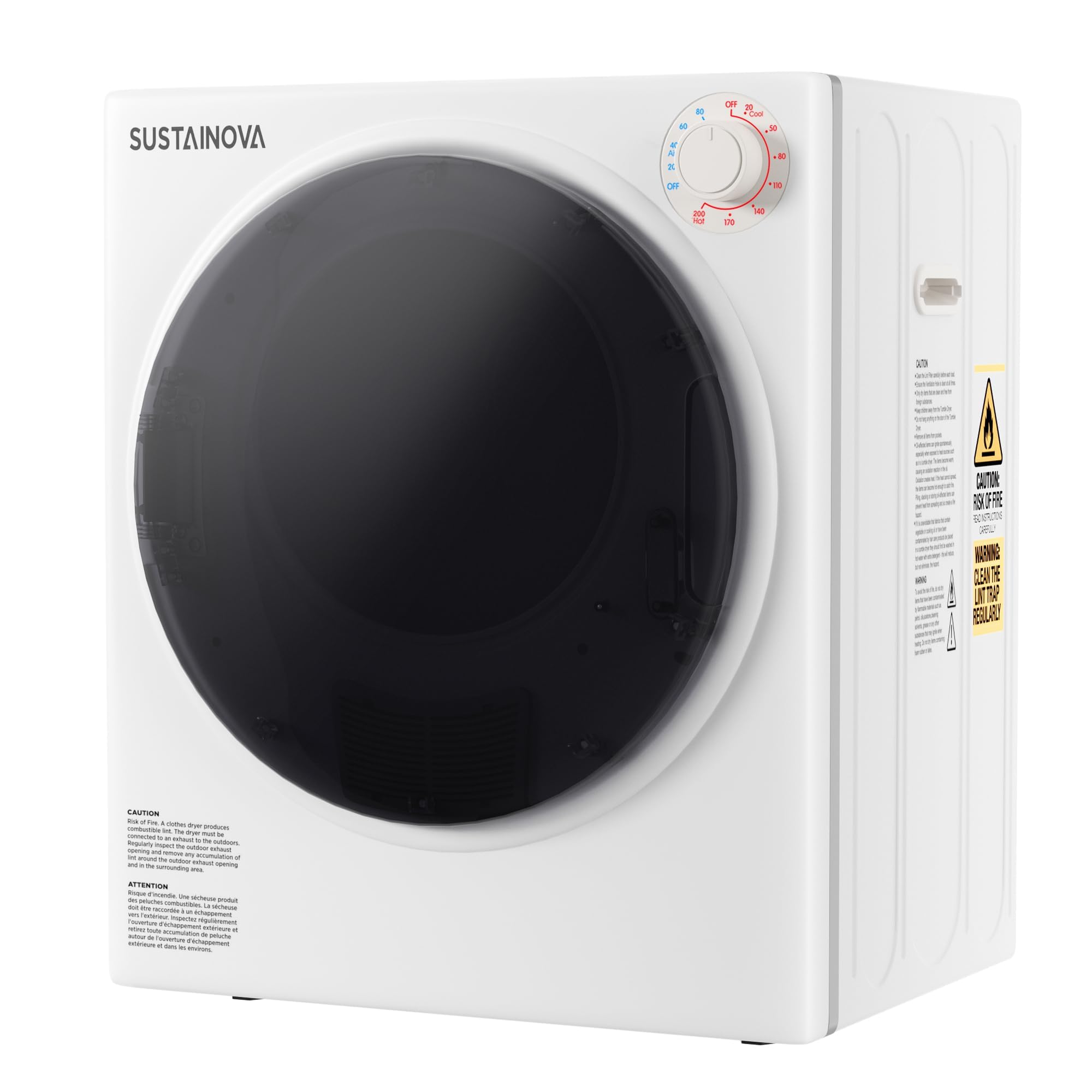
Image: Front view of the Elevon portable dryer with its door open, revealing a load of laundry inside the stainless steel drum.
Important Safety Information
Please read all safety instructions before operating the appliance to prevent injury or damage.
- Avoid placing hands or objects near the inner drum during operation.
- Be cautious of high temperatures to prevent burns.
- Always unplug the dryer before cleaning or performing maintenance.
- Ensure proper ventilation by connecting the exhaust pipe to an outdoor vent or a suitable indoor lint trap system.
Setup and Installation
The Elevon portable dryer offers flexible installation options to fit your living space.
Installation Options
- Freestanding: Place the dryer on a stable, level surface.
- Wall-mounted: Use the included bracket to mount the dryer securely on a wall.
- Stacking: The dryer can be stacked on top of a compatible washing machine. Ensure proper stacking kit is used (sold separately if not included).

Image: Visual representation of the dryer in freestanding, wall-mounted, and stacked configurations, highlighting its versatility.
Connecting the Exhaust Pipe
Proper ventilation is crucial for efficient drying and to prevent humidity buildup.
- Locate the exhaust outlet at the back of the dryer.
- Attach the provided exhaust pipe securely to the outlet.
- Route the other end of the exhaust pipe to an outdoor vent or a suitable indoor lint trap system. Ensure the hose is not kinked or blocked.

Image: Detailed view of the dryer's internal components, including the outlet filter and exhaust pipe, illustrating how to connect the ventilation system.
Operating Instructions
Follow these steps for optimal drying performance.
Loading Laundry
- Open the dryer door (170° opening angle for easy access).
- Place clothes loosely into the stainless steel diamond-patterned inner drum. Avoid overloading to ensure even hot air penetration and efficient drying.
- Close the dryer door securely. The dryer will automatically stop if the door is opened during operation.

Image: A hand placing clothes into the wide-opening door of the portable dryer, demonstrating ease of loading.
Selecting Drying Modes and Timer
The dryer features 5 automatic drying modes and a timer function.

Image: The dryer's control panel with a rotary timer dial and indicators for different drying modes like Cool Down, Anti-Wrinkle, Air Dry, Warm, and Hot.
- Cool Down (0-20 mins): For cooling clothes after a hot cycle.
- Anti-Wrinkle (30-60 mins): Helps reduce wrinkles in fabrics.
- Air Dry (0-80 mins): For delicate items or refreshing clothes without heat.
- Warm (60-150 mins): Standard drying for most fabrics.
- Hot (150-200 mins): For heavy fabrics or larger loads requiring maximum heat.
Turn the timer dial to select the desired drying mode and duration. The LCD control panel will display the remaining time.
Maintenance and Care
Regular maintenance ensures optimal performance and longevity of your dryer.
Lint Filter Cleaning
The multi-filtration system includes an air inlet filter and an inner cylinder filter. Clean these regularly to maintain drying efficiency and prevent fire hazards.
Image: A visual guide to the dryer's multi-filtration system, detailing the location and appearance of the air inlet and inner cylinder filters for cleaning.
- Ensure the dryer is unplugged before cleaning.
- Open the dryer door and locate the lint filters inside the drum.
- Remove the filters and gently clean accumulated lint using a soft brush or vacuum cleaner.
- Reinsert the clean filters securely before operating the dryer.
Troubleshooting Guide
Refer to this section for common issues and their solutions.
| Problem | Possible Cause | Solution |
|---|---|---|
| Dryer does not start | Power cord unplugged; Door not fully closed; Timer not set. | Check power connection; Ensure door is latched; Set timer. |
| Clothes not drying completely | Overloaded drum; Lint filter clogged; Incorrect drying mode/time. | Reduce load size; Clean lint filter; Select appropriate mode/time. |
| Unusual noise during operation | Loose items in drum; Dryer not level; Internal component issue. | Remove foreign objects; Adjust dryer feet to level; Contact customer support if persistent. |
| Excessive heat/humidity in room | Improper exhaust ventilation. | Ensure exhaust pipe is properly connected and vented outdoors or to a suitable indoor lint trap. |
Product Specifications

Image: A table summarizing key product specifications for the portable clothes dryer.
- Brand: Elevon
- Model Number: QD-SUS-DRYER1-NEW1
- Color: White
- Capacity: 2.6 Cubic Feet
- Rated Power: 800W
- Dimensions (L x W x H): 19.29'' x 18.11'' x 23.43''
- Item Weight: 37.5 Pounds
- Material: Plastic, Stainless Steel
- Noise Level: 58-62dB
- Door Opening Angle: 170°
Warranty and Support
Manufacturer Warranty
This Elevon product comes with a 1-year manufacturer's warranty. Please retain your proof of purchase for warranty claims.
Customer Support
For technical assistance, troubleshooting beyond this guide, or warranty inquiries, please contact Elevon customer support. Refer to the product packaging or the official Elevon website for contact details.