
Product Overview
The HOMCOM Ergonomic Rocking Kneeling Chair is designed to promote better posture and alleviate back and lumbar pain by distributing weight evenly across your hips and legs. It features a supportive backrest and a dynamic rocking design to keep you gently in motion, enhancing focus and productivity. This versatile chair is suitable for various settings, including meditation, office work, or typing.
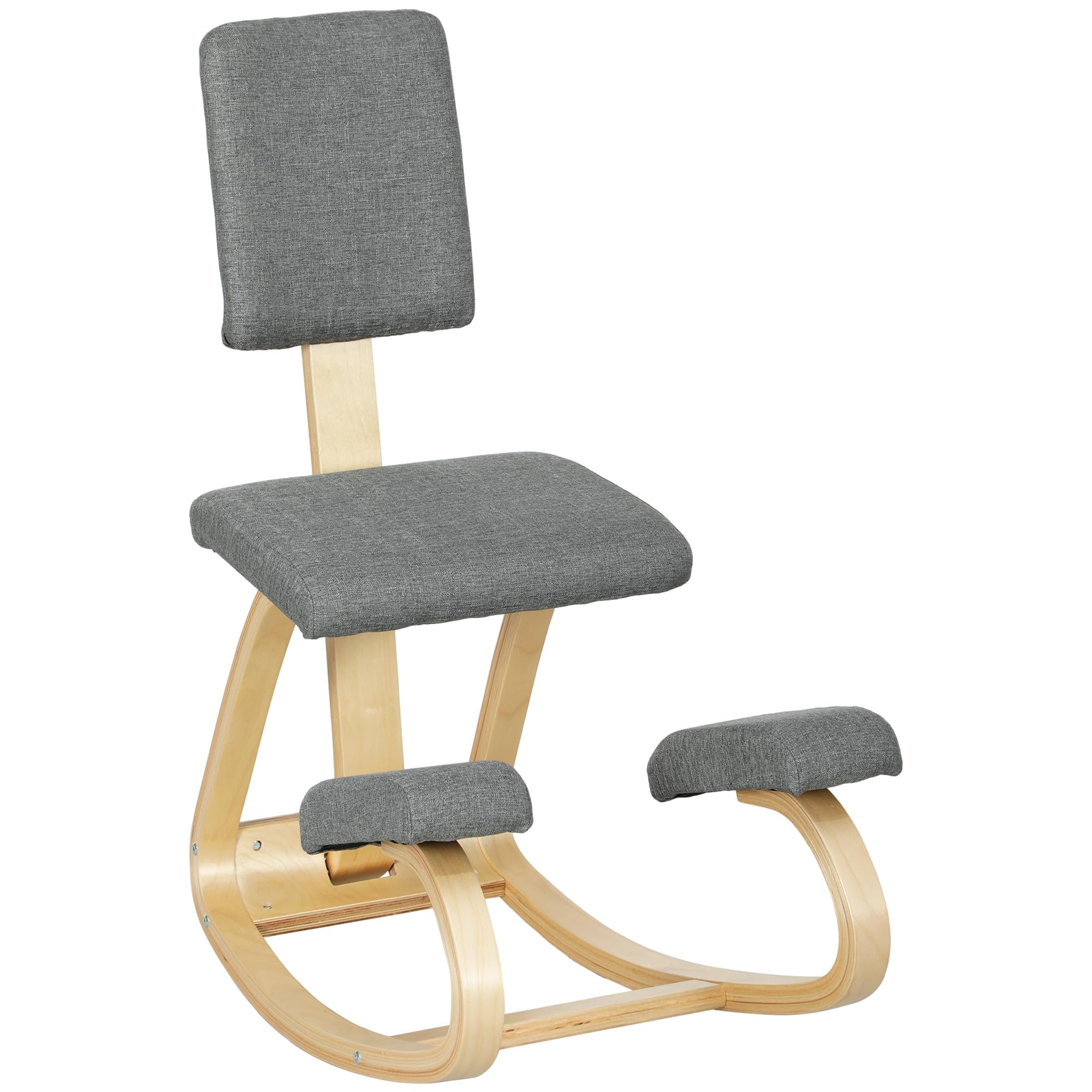
Image: The HOMCOM Ergonomic Rocking Kneeling Chair in grey, positioned in a home office setting with a desk and laptop.
Safety Information
To ensure safe and comfortable use of your kneeling chair, please observe the following guidelines:
- Gradually acclimate to the kneeling chair. Begin with short periods of use (15 to 30 minutes) and take regular breaks to allow your body to adjust.
- Do not exceed the maximum weight capacity of 264 lbs (120 kg).
- Exercise caution when utilizing the rocking motion to prevent accidental injury or instability.
Specifications
| Feature | Detail |
|---|---|
| Brand | HOMCOM |
| Model Number | CA921-788V00GY0231 |
| Colour | Grey |
| Overall Dimensions | 20.1" W x 33.1" D x 36.6" H (51 x 84 x 93 cm) |
| Material | Birch, Linen |
| Special Features | Back Support, Ergonomic, No Wheels |
| Item Weight | 6.35 kg (14 lbs) |
| Max Weight Capacity | 264 lbs (120 kg) |

Image: Visual representation of the chair's dimensions, including width, depth, and height, along with seat and knee pad measurements.
Setup / Assembly
Assembly of the HOMCOM Ergonomic Rocking Kneeling Chair is required. Please follow the instructions provided in the included manual. The process typically involves attaching the wooden frame components and then securing the padded seat and knee rests. An Allen wrench is usually provided for tightening screws.
Video: An official HOMCOM video demonstrating the assembly process for a similar kneeling chair model (921-788V00BK), which shares design elements with this product.
Image: The fully assembled HOMCOM Ergonomic Rocking Kneeling Chair, ready for use in a home office environment.
Operating Instructions
To use the kneeling chair effectively and promote good posture:
- Positioning: Sit with your buttocks on the main seat cushion and your shins resting comfortably on the lower knee pads.
- Posture: Allow your hips to open and your core to engage naturally. The design encourages an upright posture, aligning your spine and reducing pressure on your lower back.
- Rocking Motion: Gently rock the chair to maintain movement and prevent stiffness during extended periods of sitting. This dynamic movement can help improve circulation and focus.
- Acclimation: As mentioned in the safety section, gradually increase your usage time. Take short breaks every 15 to 30 minutes initially to allow your body to adapt to the new sitting position.

Image: A user seated on the kneeling chair at a desk, illustrating the correct ergonomic posture for working.

Image: Infographic highlighting the benefits of the kneeling chair, including even weight distribution, open hips, and engaged core for a healthier sitting experience.

Image: Collage showing the kneeling chair in various applications: as a meditation chair, a typing chair, and a general home office chair.
Maintenance
To maintain your HOMCOM Ergonomic Rocking Kneeling Chair, simply wipe it clean with a damp cloth as needed. Avoid using harsh chemicals or abrasive cleaners that could damage the wood or fabric. Regularly check all screws and connections to ensure they remain tight and secure for safe operation.
Troubleshooting
If you encounter any issues with your kneeling chair, consider the following:
- Instability: Ensure all assembly screws are fully tightened. Check that the chair is placed on a flat, stable surface.
- Discomfort: If you experience discomfort, re-evaluate your sitting posture. Remember to gradually acclimate to the chair and take frequent breaks. Adjusting your desk height or monitor position might also help.
- Squeaking: Check all connection points for loose screws. Applying a small amount of silicone-based lubricant to moving wooden joints (if applicable and accessible) might resolve minor squeaks.
Warranty & Support
This HOMCOM product is covered by the manufacturer's standard warranty. For specific warranty details, claims, or technical support, please refer to the documentation included with your purchase or contact Aosom Canada, the manufacturer, directly. Contact information can typically be found on their official website or on your purchase receipt.