
1. Introduction
Thank you for choosing the Marsail Ergonomic Office Chair. This manual provides detailed instructions for the assembly, operation, and maintenance of your new chair. Designed for optimal comfort and support, this chair features multiple adjustable components to enhance your sitting experience during long work hours. Please read this manual thoroughly before assembly and use to ensure proper function and safety.
2. Safety Information
WARNING: This product requires assembly. Always follow the assembly instructions carefully to ensure safe and proper use. Keep the chair away from open flames and high heat sources to prevent fire hazards. Do not use the chair until it is fully assembled and all components are securely attached. Ensure all bolts are tightened before use and periodically check for loose connections. Do not stand on the chair or use it as a step stool. Do not use the chair if any parts are damaged or missing.
3. Product Dimensions
The Marsail Ergonomic Office Chair is designed to support a maximum load of 300 lbs. Below are the general dimensions of the chair to help you understand its size and fit within your workspace.
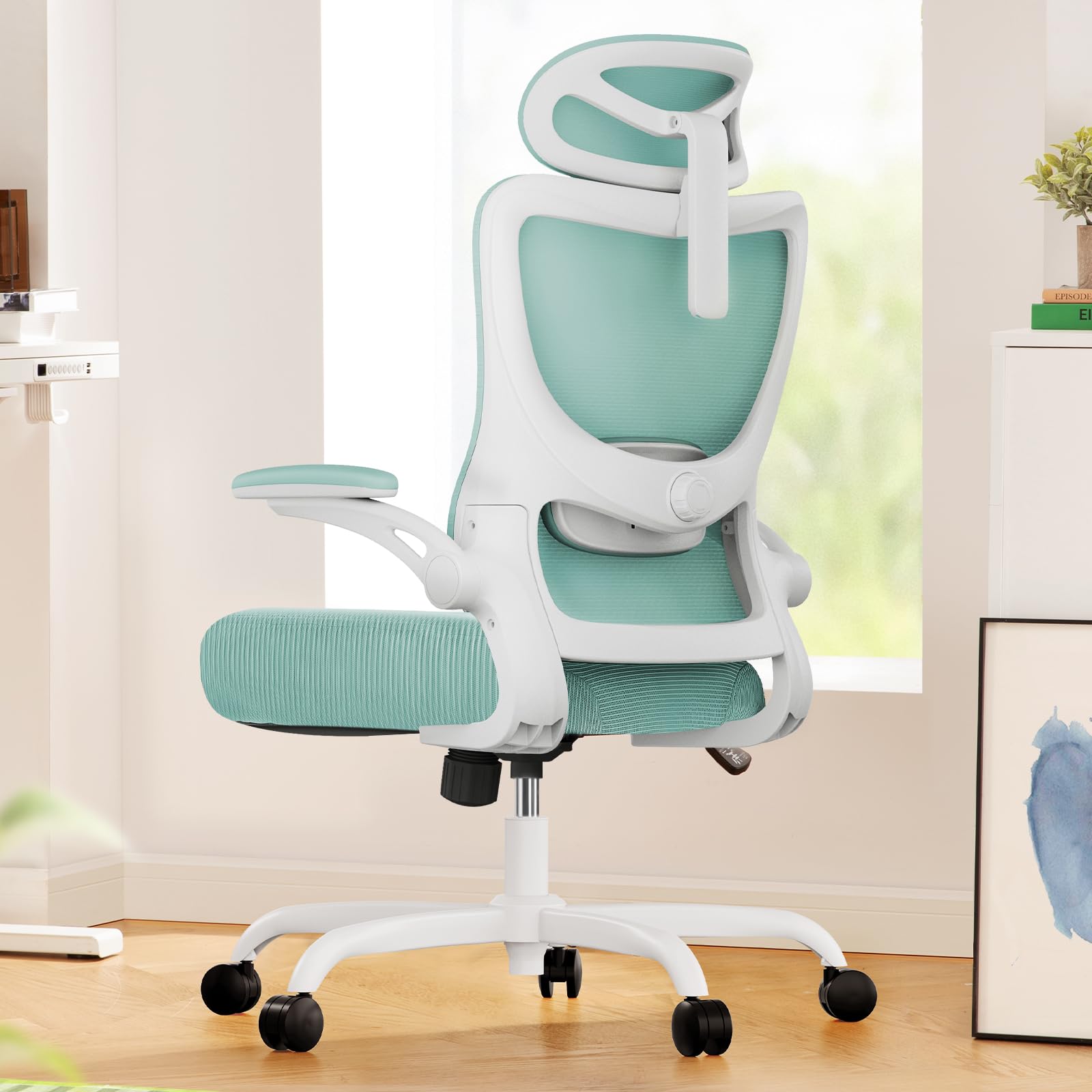
Image: Overall dimensions of the Marsail Ergonomic Office Chair, including height, width, depth, and seat height range. Maximum load capacity is 300 lbs.
4. Package Contents
Before beginning assembly, please ensure all parts are present and accounted for. If any parts are missing or damaged, please contact customer support.
- Chair Base with Casters
- Gas Lift Cylinder
- Seat Mechanism
- Seat Cushion
- Backrest Assembly
- Headrest
- Armrests (Left and Right)
- Hardware Kit (bolts, washers, Allen key)
- Instruction Manual
5. Setup and Assembly
Assembly of your Marsail Ergonomic Office Chair is designed to be straightforward. Follow these steps carefully. An Allen key is provided, but a drill with an appropriate bit can expedite the process.
- Attach Casters to the Base: Insert each caster into the holes at the end of each leg of the chair base until it clicks securely into place.
- Insert Gas Lift: Place the gas lift cylinder into the center hole of the assembled chair base.
- Attach Seat Mechanism: Align the seat mechanism with the pre-drilled holes on the underside of the seat cushion. Ensure the 'FRONT' label on the mechanism faces the front of the seat. Secure with the provided bolts using the Allen key.
- Attach Armrests: Secure the left and right armrests to the underside of the seat mechanism using the designated bolts.
- Attach Backrest: Align the backrest with the mounting points on the seat mechanism. Secure with bolts.
- Attach Headrest: Slide the headrest into the top slot of the backrest. Secure it with the provided bolts.
- Connect Seat to Gas Lift: Carefully place the assembled seat and backrest onto the gas lift cylinder, ensuring it is centered and stable.

Image: Visual guide illustrating the step-by-step assembly process of the Marsail Ergonomic Office Chair.
6. Operating Instructions
Your Marsail Ergonomic Office Chair offers a range of adjustments to customize your seating experience for maximum comfort and ergonomic support.
6.1. Height Adjustment
To adjust the chair's height, locate the lever on the right side, under the seat. Pull the lever upwards while sitting to lower the chair, or stand up and pull the lever to raise it. Release the lever at your desired height.
6.2. Recline and Tilt-Rock Function
The chair features a backrest with 90° to 120° recline. Use the lever on the left side, under the seat, to lock or unlock the recline function. The tension knob, located under the seat, allows you to adjust the resistance of the tilt-rock mechanism. Turn clockwise to increase tension, counter-clockwise to decrease.

Image: Illustration of the recline and tilt-rock mechanism, including the tension adjustment knob and height adjustment/tilt lock lever.
6.3. Lumbar Support Adjustment
The adaptable lumbar support system can be adjusted 1.18 inches forward & backward and 2.16 inches up & down. Use the knob on the backrest to fine-tune the depth and height of the lumbar support to match your body shape and promote optimal sitting posture.

Image: Detailed view of the lumbar support adjustment knob and its movement range.
6.4. Armrest Adjustment
The 3D adjustable armrests offer versatile positioning. You can move the smoothly rounded PU-padded armrests forward or back, swivel them left or right, and flip them up 90 degrees. This allows for multiple work postures and easy storage under a desk.

Image: Illustration demonstrating the 90-degree flip-up armrest feature for increased freedom and space.
6.5. Headrest Adjustment
The 2D adjustable headrest can be moved up and down, and tilted to provide optimized head and neck support, catering to various user heights and preferences.

Image: Illustration of the 2D adjustable headrest, highlighting its vertical and tilt movement for head and neck support.
7. Maintenance
To ensure the longevity and optimal performance of your Marsail Ergonomic Office Chair, follow these maintenance guidelines:
- Cleaning: The manufacturer recommends dry cleaning for the fabric components. For general cleaning, wipe mesh and padded surfaces with a damp cloth and mild soap. Avoid harsh chemicals.
- Hardware Check: Periodically check all bolts and screws to ensure they are tight. Re-tighten if necessary to maintain stability and safety.
- Caster Care: Keep casters free of debris (hair, dust, etc.) to ensure smooth rolling. Clean them regularly.
- Gas Lift: Do not attempt to disassemble the gas lift cylinder. If it malfunctions, contact customer support.
8. Troubleshooting
If you encounter any issues with your Marsail Ergonomic Office Chair, please refer to the following common troubleshooting tips:
- Chair is Wobbly: Ensure all assembly bolts are securely tightened. Check that the gas lift is properly seated in the base and seat mechanism.
- Height Adjustment Not Working: Verify that the height adjustment lever is fully engaged and not obstructed. If the gas lift is faulty, it may need replacement.
- Recline Function Not Working: Check if the recline lock lever is disengaged. Ensure the tension knob is not overtightened, preventing movement.
- Casters Not Rolling Smoothly: Inspect casters for accumulated debris (hair, lint) and clean them thoroughly.
- Unusual Noises: Check all connections for tightness. Lubricate moving parts if necessary with a silicone-based spray, avoiding contact with fabric.
If these steps do not resolve the issue, please contact Marsail customer support.
9. Specifications
| Feature | Detail |
|---|---|
| Brand | Marsail |
| Model Name | MSOC10BU-US |
| Color | Blue |
| Material | Metal, Plastic, Foam |
| Product Dimensions | 46.06"D x 23.62"W x 22.83"H |
| Maximum Weight Recommendation | 300 Pounds |
| Back Style | Mesh Back |
| Special Features | Adjustable Headrest, Adjustable Height, Adjustable Lumbar, Arm Rest, Ergonomic |
| Product Care Instructions | Dry Clean |
| Furniture Base Movement | Swivel |
| Reclining Position Count | 3 |
| Item Weight | 30.4 pounds |
10. Warranty and Support
For warranty information or technical support, please contact Marsail customer service. Refer to your purchase documentation for specific warranty terms and conditions. You can typically find contact information on the manufacturer's website or through your retailer.
Marsail is committed to providing high-quality seating products and customer satisfaction. If you have any questions or require assistance, do not hesitate to reach out.


