
1. Introduction
The Giro Neo MIPS Ski Helmet is designed to provide protection and comfort for skiing and snowboarding. This manual provides essential information for the proper use, adjustment, and care of your helmet.
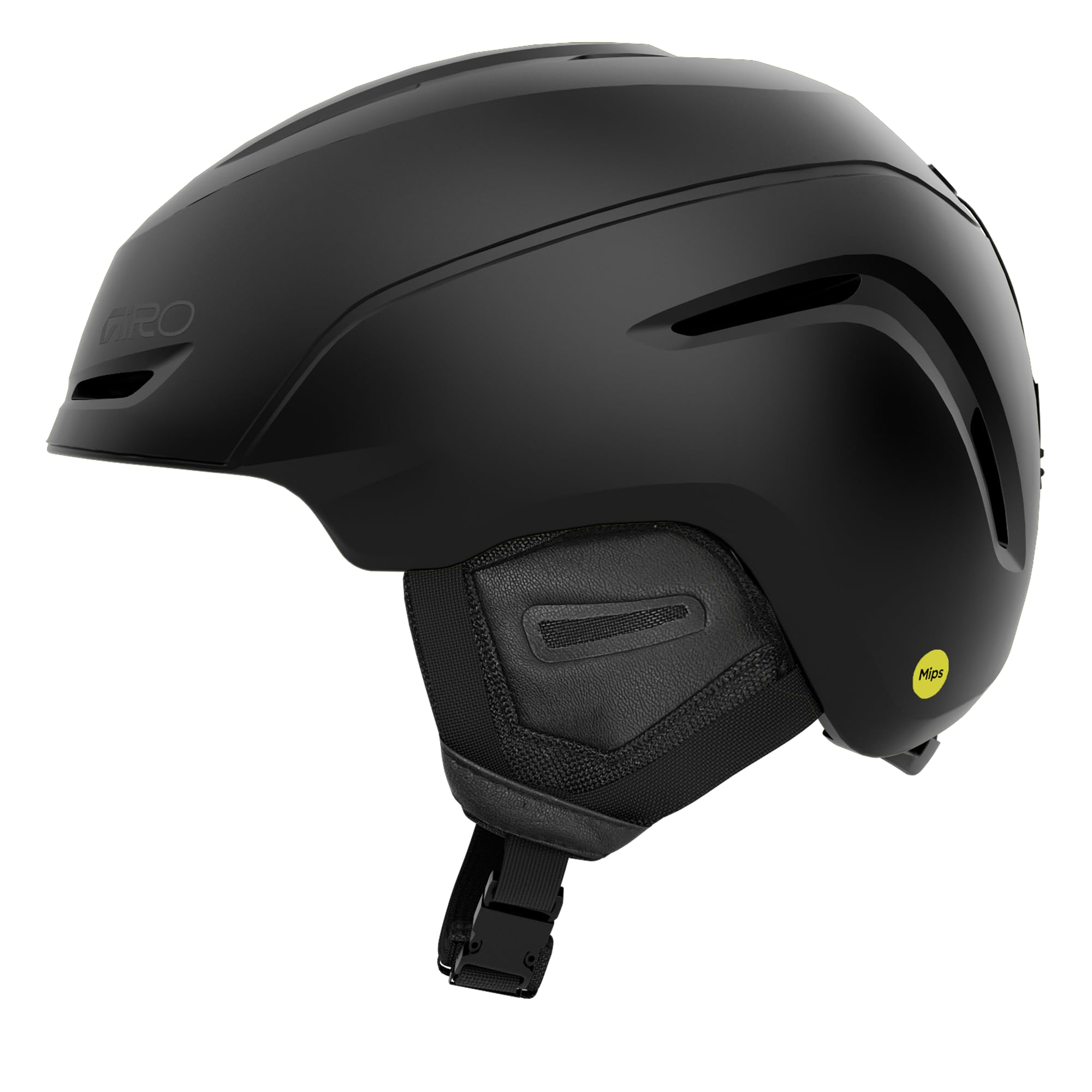
Figure 1: Giro Neo MIPS Ski Helmet in Matte Black. This image shows the helmet from a front-side angle, highlighting its sleek design and matte finish.
Key Features:
- MIPS (Multi-Directional Impact Protection System): Designed to reduce rotational forces that can result from certain impacts.
- In-Mold Construction: Fuses a tough polycarbonate outer shell with the helmet's impact-absorbing foam liner for durability and lightweight performance.
- In Form Fit System with Vertical Tuning: Allows for easy, custom fit adjustments, even with gloves on, and accommodates various goggle and head shapes.
- Thermostat Control Adjustable Venting: Custom tune airflow instantly with a low-profile control button.
- Stack Vent: Helps keep goggles clear and fog-free by aligning with goggle vents.
- Seamless Compatibility: Designed to work seamlessly with all Giro ski and snowboard goggles.

Figure 2: Diagram illustrating key features of the Giro Neo MIPS helmet, including MIPS, Thermostat Control Adjustable Venting, Vertical Tuning, In Form 2 Dial Fit System, and In-Mold Construction.
Official Product Video: Giro Neo/Avera MIPS Ski Snowboard Helmet Overview
Video 1: This video provides an overview of the Giro Neo and Avera MIPS ski and snowboard helmets, highlighting their design, features, and benefits for riders.
Understanding MIPS Technology
The Multi-Directional Impact Protection System (MIPS) is a helmet-integrated, low-friction layer designed to reduce rotational motion transferred to the brain from angled impacts to the head. This technology aims to add protection against certain types of impacts.
Video 2: This video explains the benefits of MIPS technology in Giro ski and snowboard helmets, detailing how it helps protect against rotational forces during impacts.
2. Setup and Fitting
Proper helmet fit is crucial for safety and comfort. Follow these steps to ensure your Giro Neo MIPS helmet is correctly fitted.
2.1. Adjusting the In Form Fit System
The In Form Fit System allows for quick and easy adjustments to achieve a snug and comfortable fit. An ergo-friendly dial at the base of the helmet provides up to 6cm of adjustment.
- Place the helmet on your head.
- Turn the dial at the back of the helmet clockwise to tighten the fit, or counter-clockwise to loosen it.
- Adjust until the helmet feels secure without being uncomfortably tight. It should not move excessively when you shake your head.

Figure 3: This image demonstrates the In Form Dial Fit System on the Giro Neo MIPS helmet, showing how to adjust the fit using the dial at the back. A size chart is also visible, indicating head circumference ranges for different helmet sizes.
2.2. Vertical Tuning
The Vertical Tuning feature allows you to adjust the helmet's position to accommodate different goggles and head shapes, eliminating the "gaper gap" (space between goggles and helmet).
- With your goggles on, adjust the vertical position of the helmet using the internal adjustment points (refer to your helmet's specific instructions for location).
- Ensure a seamless fit between the top of your goggles and the brim of your helmet.
2.3. Goggle Strap Retention
The helmet includes a goggle strap retainer to keep your goggles securely in place.
- Thread your goggle strap through the retainer clip at the back of the helmet.
- Secure the clip to prevent your goggles from slipping off.
3. Operating the Helmet
The Giro Neo MIPS helmet features adjustable ventilation for optimal comfort in varying conditions.
3.1. Thermostat Control Adjustable Venting
Easily manage airflow and temperature inside your helmet with the Thermostat Control system.
- Locate the low-profile control button on the outside top of the helmet.
- Slide the button forward to open the vents for increased airflow and cooling.
- Slide the button backward to close the vents for warmth and reduced airflow.

Figure 4: This image highlights the Thermostat Control Adjustable Venting system on the Giro Neo MIPS helmet, showing the slider mechanism on the top of the helmet that allows users to open or close vents.
3.2. Stack Vent
The Stack Vent is strategically placed at the front of the helmet to align with your goggles, helping to prevent fogging.
- Ensure your goggles are properly seated against the helmet to allow the Stack Vent to function effectively.
4. Maintenance
Proper care will extend the life of your helmet and maintain its protective qualities.
4.1. Cleaning the Helmet
- Use only mild soap and water to clean the exterior of the helmet. Avoid harsh chemicals or solvents, as these can damage the helmet's materials.
- The internal liner is removable for cleaning. Gently detach the liner and hand wash it with mild soap and water. Allow it to air dry completely before reinserting.
- Wipe down the straps with a damp cloth and mild soap if necessary.
4.2. Storage
- Store your helmet in a cool, dry place away from direct sunlight and extreme temperatures.
- Avoid storing the helmet near chemicals or solvents that could degrade its materials.
- Use the provided nylon bag for transport and storage to protect it from scratches.
5. Troubleshooting
If you encounter any issues with your helmet, please refer to the following common solutions.
5.1. Helmet Feels Loose or Unstable
- Ensure the In Form Fit System dial is tightened sufficiently.
- Check if the vertical tuning is correctly adjusted for your head shape and goggles.
- Verify that the chin strap is securely fastened and adjusted to a snug fit.
5.2. Goggles Fogging Up
- Open the Thermostat Control vents to increase airflow.
- Ensure your goggles are compatible with the helmet's Stack Vent system and are properly seated.
- Check that your goggles themselves have anti-fog properties and are clean.
5.3. Discomfort During Wear
- Loosen the In Form Fit System dial slightly.
- Adjust the vertical tuning to find a more comfortable position.
- Ensure no foreign objects are inside the helmet or pressing against your head.
6. Specifications
| Feature | Detail |
|---|---|
| Brand | Giro |
| Model Name | Neo Mips |
| Model Number | 7172780 |
| UPC | 196178227285 |
| Color | Matte Black |
| Size | Small |
| Age Range | Adult |
| Outer Material | Polycarbonate (PC) |
| Inner Material | Foam |
| Item Weight | 2.1 Pounds |
| Item Dimensions | 12 x 10 x 10 inches |
| Recommended Uses | Skiing |
| Special Feature | Adjustable |
| Included Components | Snow Helmet |
7. Warranty and Support
7.1. Warranty Information
Giro Sport Design warrants its products to be free from defects in workmanship and materials for a period of one (1) year from the date of purchase. This warranty is extended only to the original consumer purchaser.
During the warranty period, Giro will (at its sole option) repair, replace, or refund the purchase price of any defective part or product covered by this warranty when it is returned by the original owner with proof of purchase. The repair, replacement, or refund will be without charge except for reasonable shipping, handling, and insurance charges.
7.2. Customer Support
For further assistance, product inquiries, or warranty claims, please visit the official Giro website or contact their customer service department.
- Official Website: www.giro.com
- Refer to the product packaging or official website for the most current contact information.