
1. Introduction
The Baratza Encore ESP Pro is a versatile conical burr coffee grinder designed for a wide range of brewing methods, with a particular focus on espresso. It features a stepless grind adjustment mechanism, hands-free grinding modes, and anti-static technology to enhance your coffee preparation experience. This manual provides detailed instructions for setting up, operating, and maintaining your grinder to ensure optimal performance and longevity.

The Baratza Encore ESP Pro Coffee Grinder positioned on a kitchen counter next to an espresso machine, highlighting its sleek design and integration into a coffee setup.
2. Safety Information
Please read all instructions carefully before using the Baratza Encore ESP Pro. Failure to follow these safety guidelines may result in electric shock, fire, or injury.
- Always unplug the grinder from the power outlet before cleaning, maintenance, or when not in use.
- Do not immerse the grinder in water or any other liquid.
- Keep hands, hair, and clothing away from moving parts during operation.
- Do not operate the grinder with a damaged cord or plug. If the cord or plug is damaged, contact customer support for assistance.
- This appliance is not intended for use by persons with reduced physical, sensory, or mental capabilities, or lack of experience and knowledge, unless they have been given supervision or instruction concerning use of the appliance by a person responsible for their safety.
- Only grind whole roasted coffee beans. Do not grind other substances as this may damage the grinder or cause injury.
3. What's in the Box
Upon unpacking your Baratza Encore ESP Pro, ensure all components are present:
- Baratza Encore ESP Pro Grinder Unit
- Bean Hopper with Lid
- Grounds Bin
- Single Dose Cup
- 58mm Portafilter Adapter Ring
- User Manual (this document)
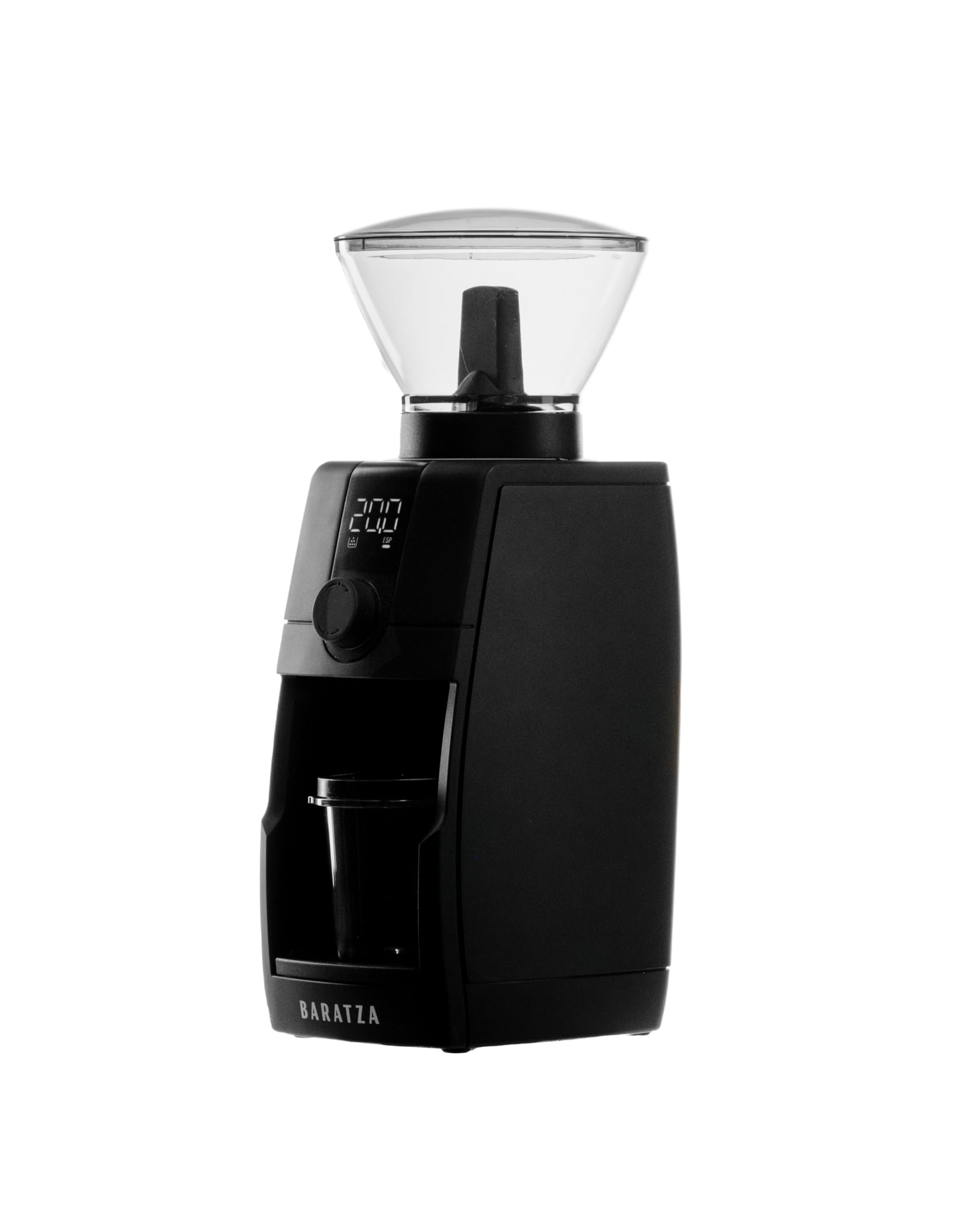
The Baratza Encore ESP Pro grinder, showcasing its design and listing key specifications such as burr speed, burr mount, burr type, and bean hopper capacity.
4. Setup
4.1 Initial Assembly
- Place the grinder on a stable, flat surface.
- Insert the bean hopper into the top of the grinder. Press down and twist clockwise until it clicks into place.
- Rotate the internal shut-off knob on the hopper clockwise to allow beans to flow to the burrs.
- Place the grounds bin or single dose cup into the designated slot.
- Plug the grinder into a grounded electrical outlet.
4.2 Loading Coffee Beans
Open the hopper lid and pour your desired amount of whole roasted coffee beans into the hopper. Replace the lid securely.
This video provides an overview of the Baratza Encore ESP Pro, demonstrating its features including hopper installation, grind adjustment, and grinding modes.
5. Operating Instructions
5.1 Grind Adjustment
The Encore ESP Pro features a stepless grind adjustment mechanism, allowing for precise control over your grind size. Rotate the collar at the top of the grinder to adjust the fineness. The digital display will show the grind setting in 0.5 increments.
- Espresso Range (0-40): For espresso, the display shows 'ESP' and each movement of the collar makes a small, precise change to the M2 steel burrs.
- Brew Range (40-60): For Aeropress, Filter Brew, French Press, Pour-over, and Cold Brew, the 'ESP' icon disappears, and adjustments are slightly larger.

A detailed view of the grinder's top collar and digital screen, illustrating the stepless grind adjustment for various coffee preparations.
5.2 Grinding Modes
The grinder offers two hands-free grinding modes:
- Timer Mode: Set the grind time in 0.1-second increments using the dial. The grinder will stop automatically when the timer reaches zero. To activate, press and hold the button until the clock icon lights up.
- Auto-Stop Single Dose Mode: For single dosing, the grinder detects when beans have been ground and stops automatically. To activate, press and hold the button until the clock icon disappears.

A user preparing to grind coffee using the single dose mode, showing the precise measurement of beans before grinding.
5.3 Dosing Options
- Grounds Bin: Use the main grounds bin for larger batches of coffee.
- Single Dose Cup: For precise single doses, use the included single dose cup. It can be used with a 54mm portafilter directly or with the 58mm adapter ring for larger portafilters.

A user initiating the grinding process on the Encore ESP Pro, with the single dose cup positioned to collect the freshly ground coffee.
5.4 Anti-Static Technology & Flow Control Disk
The Encore ESP Pro incorporates active anti-static technology to reduce mess caused by static, ensuring fluffy, ready-to-tamp grounds. A removable flow control disk carefully controls the flow of beans to the burrs, resulting in consistent grind quality throughout the dose and preventing popcorning.

The grounds bin filled with coffee, demonstrating the effectiveness of the anti-static technology and the internal LED illumination.

A detailed image of the removable flow control disk, which regulates bean flow for consistent grinding.
5.5 Cold Brew Preparation
The Encore ESP Pro is ideal for preparing cold brew. For a smooth, low-acid cold brew, use a grind setting around 56 (in the Cold Brew Range). A typical brew ratio is about 1 part coffee to 11 parts water (e.g., 65-75g coffee to 800g water). Steep for 12-14 hours at room temperature or up to 16 hours in the refrigerator. Dilute the concentrate with water or milk before serving.
This video demonstrates how to dial in the Encore ESP Pro for cold brew and provides a step-by-step guide to making cold brew coffee.
6. Maintenance & Cleaning
Regular cleaning and maintenance will ensure your Encore ESP Pro continues to perform optimally.
6.1 Quick-Release Burr System
The grinder features a tool-less quick-release burr system for easy cleaning and maintenance. Simply twist the hopper counter-clockwise and lift it off to access the burrs. The grounds bin and single dose cup also slide in and out smoothly for easy emptying and cleaning.
6.2 General Cleaning
- Wipe the exterior of the grinder with a damp cloth. Do not use abrasive cleaners.
- Wash the bean hopper, grounds bin, and single dose cup with warm, soapy water. Rinse thoroughly and dry completely before reassembling.
- Use a brush (not included) to clean any residual coffee grounds from the burrs and grinding chamber.
7. Troubleshooting
If you encounter any issues with your Baratza Encore ESP Pro, please refer to the following general advice:
- Grinder not turning on: Ensure the power cord is securely plugged into a working outlet and the grinder.
- Beans not grinding: Check if the hopper is correctly installed and the internal shut-off knob is open. Ensure there are beans in the hopper.
- Inconsistent grind: Verify that the burrs are clean and free of obstructions. Ensure the grind setting is appropriate for your brewing method.
- Excessive static: The grinder features anti-static technology. If static is still an issue, ensure the grinder is clean and operating in a suitable environment.
For more detailed troubleshooting or persistent issues, please contact Baratza Customer Support.
8. Specifications
| Brand | Baratza |
| Model Number | ZCG595-120V |
| Color | Black |
| Product Dimensions | 5.91"L x 5.12"W x 13.39"H |
| Item Weight | 7.32 pounds |
| Material | Aluminum, Plastic |
| Voltage | 120 Volts |
| Recommended Uses | Grinding whole bean coffee for espresso, pour-over, filter coffee, cold brew, and any brew method in between. |

Visual representation of the grinder's dimensions: 34cm (H), 13cm (W), 15cm (D).
9. Warranty & Support
Baratza is committed to providing best-in-class customer care and product service. For warranty information, support, or to register your grinder, please visit the official Baratza support website.
Online Support: For FAQs, video guides, and contact information, visit baratza.com/support.
Contact: Refer to the website for phone numbers and email support options.


